
TranslateOverlay
Translate any chat and other message in Minecraft. Support the use of Bing Translate, Baidu Translate, as well as user-provided APIs, and have unique support for sign, lectern, and books.
介绍
TranslateOverlay
Language: English | 简体中文
A Minecraft translate mod with overlay.
Support Version:
Fabric: [1.17.1]() [1.18.1]() [1.18.2]() [1.19.4]() [1.20.1]() [1.20.6]() [1.21.1]()
Forge: [1.17.1]() [1.18.1]() [1.18.2]() [1.19.4]() [1.20.1]() [1.20.6]() [1.21.1]()
Quilt: [1.20.6]()
Supported Translation Platforms:
Translation process requires upload your data to a remote server.
- Microsoft Bing
- Open and use.
- No configuration required.
- Baidu
- Apply for and configure Baidu APIs.
- Local API
- Use RPC to build local translation services.
Features:
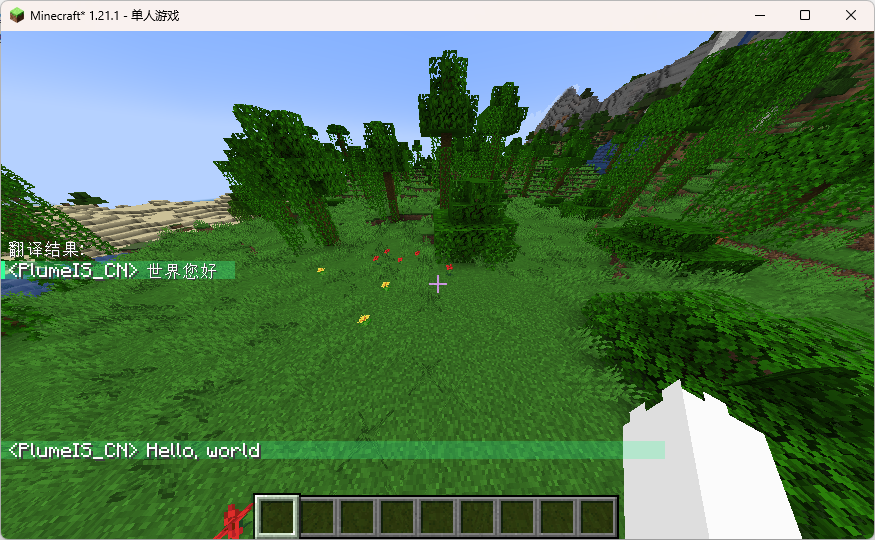
ChatTranslate
Transte message chat in chat box.
View:
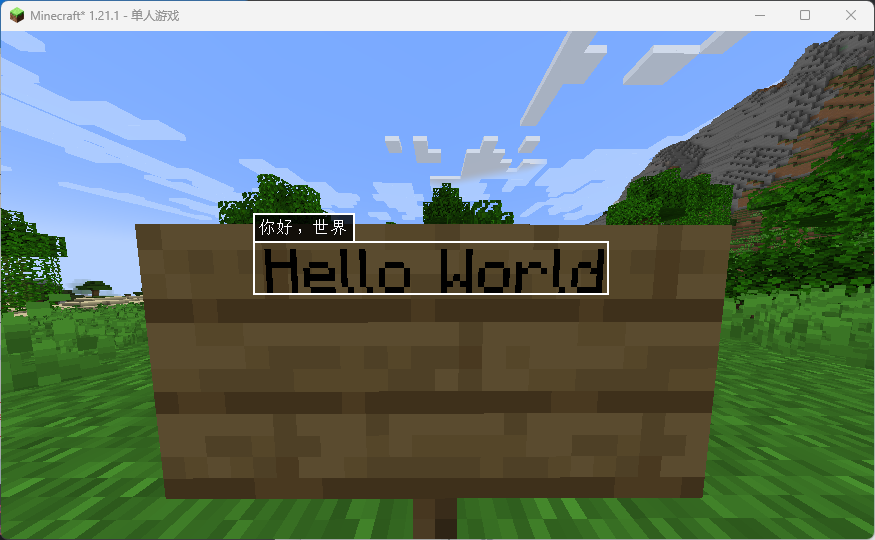
OCRTranslate
Using ocr to translate game screenshot.
Default key binding: M
View:
BookTranslate
Transtale Written/Writable book.
Default key binding: K
BlockTranslate
Transtale Sign/Letcure in world.
Default key binding: K
Config
Config file save in ./<minecraftDir>/config/translateoverlay.json
For details about Config entry, please refer to Config Entry Doc
常见问题
TranslateOverlay 支持哪些 Minecraft 版本?
TranslateOverlay 支持 Minecraft Java 版 1.17–1.21.1,共 9 个版本,可用的加载器:Fabric / Forge / Quilt。下载时注意选择和你游戏版本一致的文件。
TranslateOverlay 怎么安装?
先用 PCL2 或 HMCL 启动器安装对应版本的 Fabric / Forge / Quilt,再把下载的 .jar 文件放进游戏目录的 mods 文件夹,重新启动游戏即可。开启了版本隔离的,mods 文件夹在 versions/版本名 下面。运行环境:仅客户端。
评论
登录后评论和评分