
PixelFocus Classic
A classic Minecraft crosshair inspired by the original vanilla style. PixelFocus Classic V1 delivers a familiar and clean aiming experience while improving visibility and maintaining the authentic feel of Minecraft gameplay.
截图

介绍
PixelFocus Classic V1
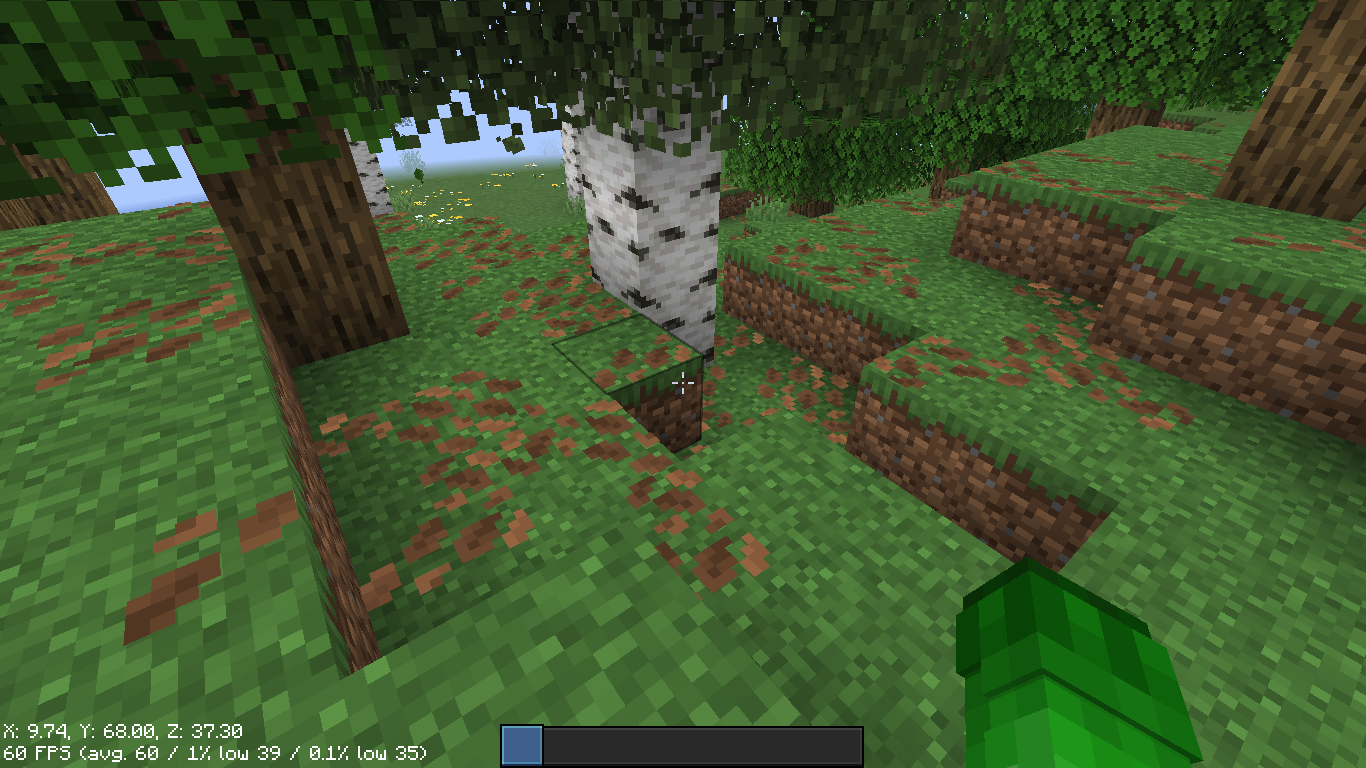
PixelFocus Classic V1 is a custom Minecraft crosshair designed for players who appreciate the timeless look of the classic Minecraft crosshair while seeking improved clarity and focus. Its simple and recognizable design blends naturally with the game’s interface, making it ideal for both casual and competitive players.
Features
- Classic-inspired crosshair design
- Clean and familiar appearance
- Improved visibility without unnecessary clutter
- Maintains the vanilla Minecraft aesthetic
- Comfortable for long gameplay sessions
- Suitable for all playstyles
Perfect For
- Vanilla Minecraft enthusiasts
- Survival mode players
- PvP and competitive gameplay
- Builders and explorers
- Players who prefer a traditional crosshair style
Compatibility
Compatible with Minecraft resource packs that support custom crosshair textures. Installation is quick and seamless, allowing you to enhance your gameplay experience in seconds.
Why Choose PixelFocus Classic V1?
Many players prefer a crosshair that feels natural and familiar. PixelFocus Classic V1 preserves the iconic Minecraft look while providing a cleaner and more refined visual experience. The result is a crosshair that feels comfortable, reliable, and easy to use across every Minecraft activity.
Whether you’re gathering resources, building massive structures, exploring new worlds, or engaging in PvP battles, PixelFocus Classic V1 offers a balanced and distraction-free aiming experience that stays true to the spirit of Minecraft.
常见问题
PixelFocus Classic 支持哪些 Minecraft 版本?
PixelFocus Classic 支持 Minecraft Java 版 1.6.1–26.2,共 88 个版本。下载时注意选择和你游戏版本一致的文件。
PixelFocus Classic 怎么安装?
把下载的 .zip 文件(不用解压)放进游戏目录的 resourcepacks 文件夹,进游戏后在「选项 → 资源包」里把它移到右边启用。
Novaxi 的其他作品
查看全部 →
No Fog – Clear View Resource Pack
移除 Minecraft 的雾气,让你的世界视野清晰透彻。

Minimal Pixel Crosshair
A clean and minimal pixel-style crosshair for Minecraft.

No Crosshair
Remove the crosshair from your Minecraft screen for a cleaner, more immersive experience.

Green Netherite
Transform Netherite into a unique, elegant green look.
评论
登录后评论和评分