
Player Attribute Screen
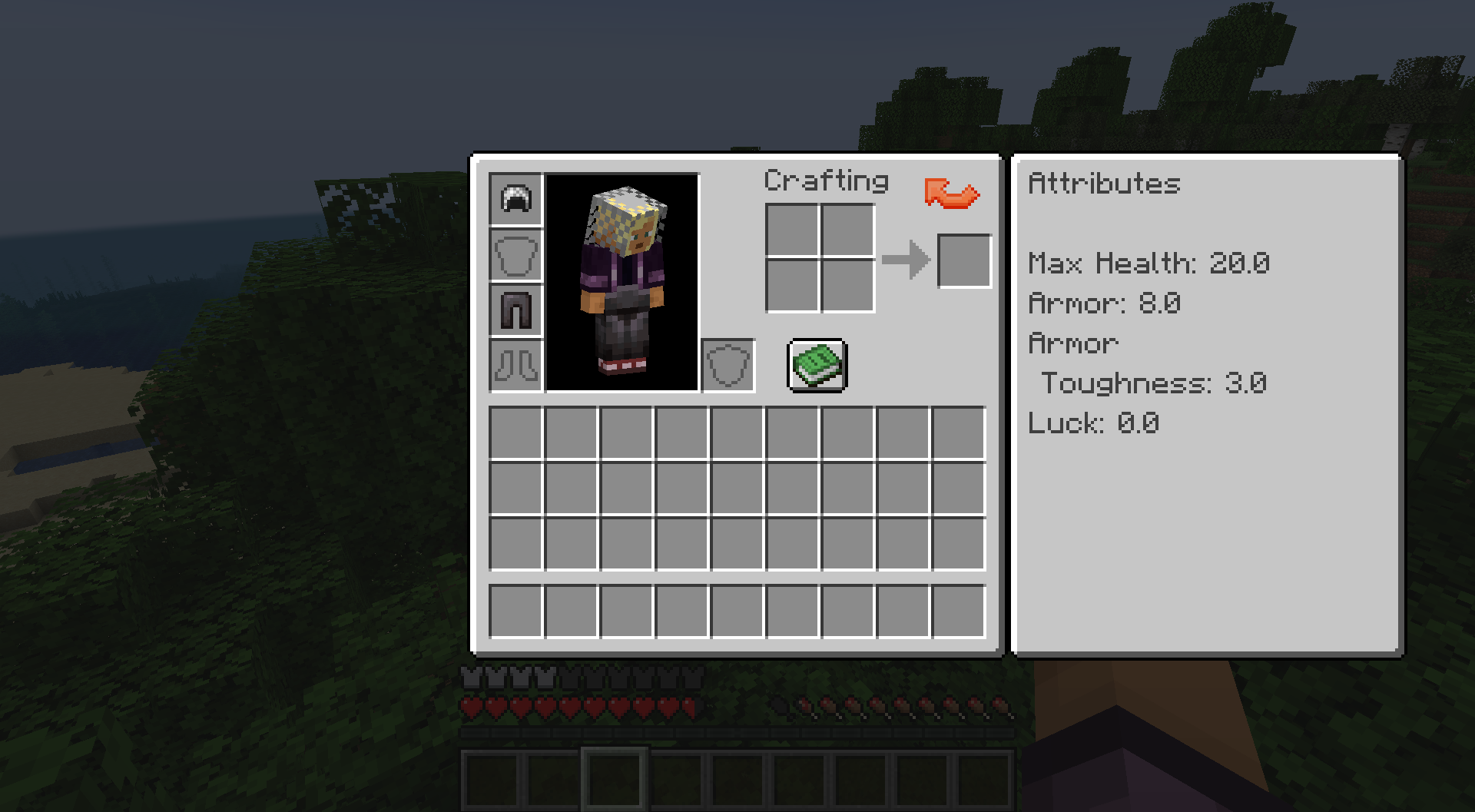
Adds a button to the player inventory screen, which toggles an additional info panel, showing a configurable list of attribute values.
截图
介绍
Player Attribute Screen
Adds a button to the player inventory screen, which toggles an additional info panel, showing a configurable list of attribute values.
This mod is optional on both the client and the server side.
When this mod is installed on the server, it can be disabled for all connected players.
The server also controls which configuration for the attribute screen is used:
- the server side configuration -> all players have the same attribute screen and can’t change that
- the client side configuration -> each player can individually customize the attribute screen
Clients that don’t have the mod installed, can connect like normal and are not affected.
Clients that have the mod installed can connect to all servers, whether the mod is installed on the server or not.
For more information on how to customize the displayed information, check the Readme.
Feedback
If you find any bugs, have ideas how the mod can be improved or have other feedback, you can reach me on GitHub or in my Discord.
常见问题
Player Attribute Screen 支持哪些 Minecraft 版本?
Player Attribute Screen 支持 Minecraft Java 版 1.20.1–1.21.1,共 2 个版本,可用的加载器:Fabric。下载时注意选择和你游戏版本一致的文件。
Player Attribute Screen 怎么安装?
先用 PCL2 或 HMCL 启动器安装对应版本的 Fabric,再把下载的 .jar 文件放进游戏目录的 mods 文件夹,重新启动游戏即可。开启了版本隔离的,mods 文件夹在 versions/版本名 下面。运行环境:客户端 / 服务端。
TheRedBrain 的其他作品
查看全部 →
Shield API
制作带有自定义模型的盾牌,从未如此简单!

Bundle API
Bundle API allows mod authors to easily add bundles that can hold more than 1 stack of items specified by an item tag.

Better Combat Extension
Extends the mod 'Better Combat' with additional functionality.

Slot Customization API
A small API for mods to dynamically change inventory slot positions and enable/disable them.
评论
登录后评论和评分