
Totem full customization
Client-side Fabric mod that replaces the Totem of Undying texture with your own PNG, GIF, JPG, JPEG, or BMP image. Currently the best existing Now can replace pop sound!
截图
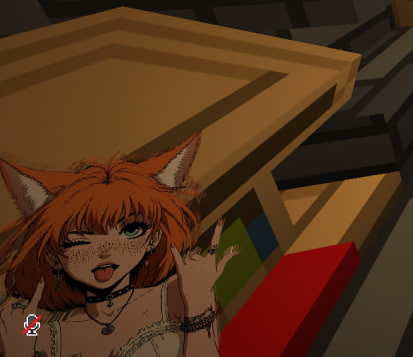
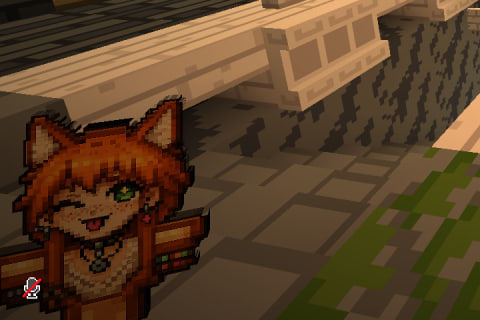
介绍
_Custom Totem lets you use your own image as the Totem of Undying texture without making a resource pack by hand._
Description
Custom Totem lets you use your own image as the Totem of Undying texture without making a resource pack by hand.
Select an image directly through the native file picker in Mod Menu, from any folder on your computer. The mod generates a client resource pack automatically and reloads Minecraft resources for you. An optional config/customtotem/images library is available for files you want to keep together.
Features
- Supports PNG, GIF, JPG, JPEG, and BMP files.
- Animated GIFs are converted into vanilla animated item textures.
- PNG and GIF transparency is preserved.
- High-resolution generated textures keep photos sharper while the in-game totem size stays unchanged.
- Smooth texture mode reduces the blocky photo look.
- First-person hand-size slider changes how large the totem appears in hand without changing texture resolution.
- Native system file picker for selecting images without manually moving files into a config folder.
- Optional saved-images library for frequently used totems.
- Toggleable yellow, red, blue, or green outline around inventory slots containing a totem.
- Mod Menu integration for appearance controls, reloading, opening the images folder, and restoring the vanilla totem.
- /customtotem reload command for manual config changes.
- /customtotem folder opens the images folder.
ModMenu Setup
- Select the desired picture by browsing your files directly from the modmenu.
- You can adjust size of the totem
- You can add more visible borders to the slots with totems in case your custom texture is not visible enough in the inventory
Manual Setup
- Start Minecraft once with the mod installed.
- Put your image into .minecraft/config/customtotem/images, or keep it at any stable absolute path.
- Open .minecraft/config/customtotem/config.json.
- Set “enabled”: true.
- Set “image”: “my_totem.gif” or an absolute path such as “C:/Pictures/my_totem.png”.
- Optionally set “slotOutlineEnabled”: true and “slotOutlineColor”: “yellow”.
- Save the file and run /customtotem reload in-game.
- To restore the vanilla totem manually, set “enabled”: false and run /customtotem reload.
Dependencies
Required:
- Fabric Loader 0.19.2 or newer
- Fabric API for Minecraft 1.21.11
- Minecraft 1.21.11
- Java 21 or newer
Optional:
- Mod Menu 17.0.0 or newer for the in-game config screen
常见问题
Totem full customization 支持哪些 Minecraft 版本?
Totem full customization 支持 Minecraft Java 版 1.21.11–26.3,共 3 个版本,可用的加载器:Fabric。下载时注意选择和你游戏版本一致的文件。
Totem full customization 怎么安装?
先用 PCL2 或 HMCL 启动器安装对应版本的 Fabric,再把下载的 .jar 文件放进游戏目录的 mods 文件夹,重新启动游戏即可。开启了版本隔离的,mods 文件夹在 versions/版本名 下面。运行环境:仅客户端。
GRIZZLY_DEV 的其他作品
查看全部 →
No loading screen
Removes the annoying bright red Mojang loading screen completely. No compromises

Low Static Fire
Low Static Fire is a small client-side Fabric mod that replaces vanilla fire and soul fire with low, static flames.
better autoclicker
Fabric auto clicker for Minecraft 1.21.11 with fixed or randomized delay ranges for more human-like click patterns.

AUTOPOT
This is a fabric mod that allows you to use all desired potions just by clicking one single button
评论
登录后评论和评分