
String Highlighter
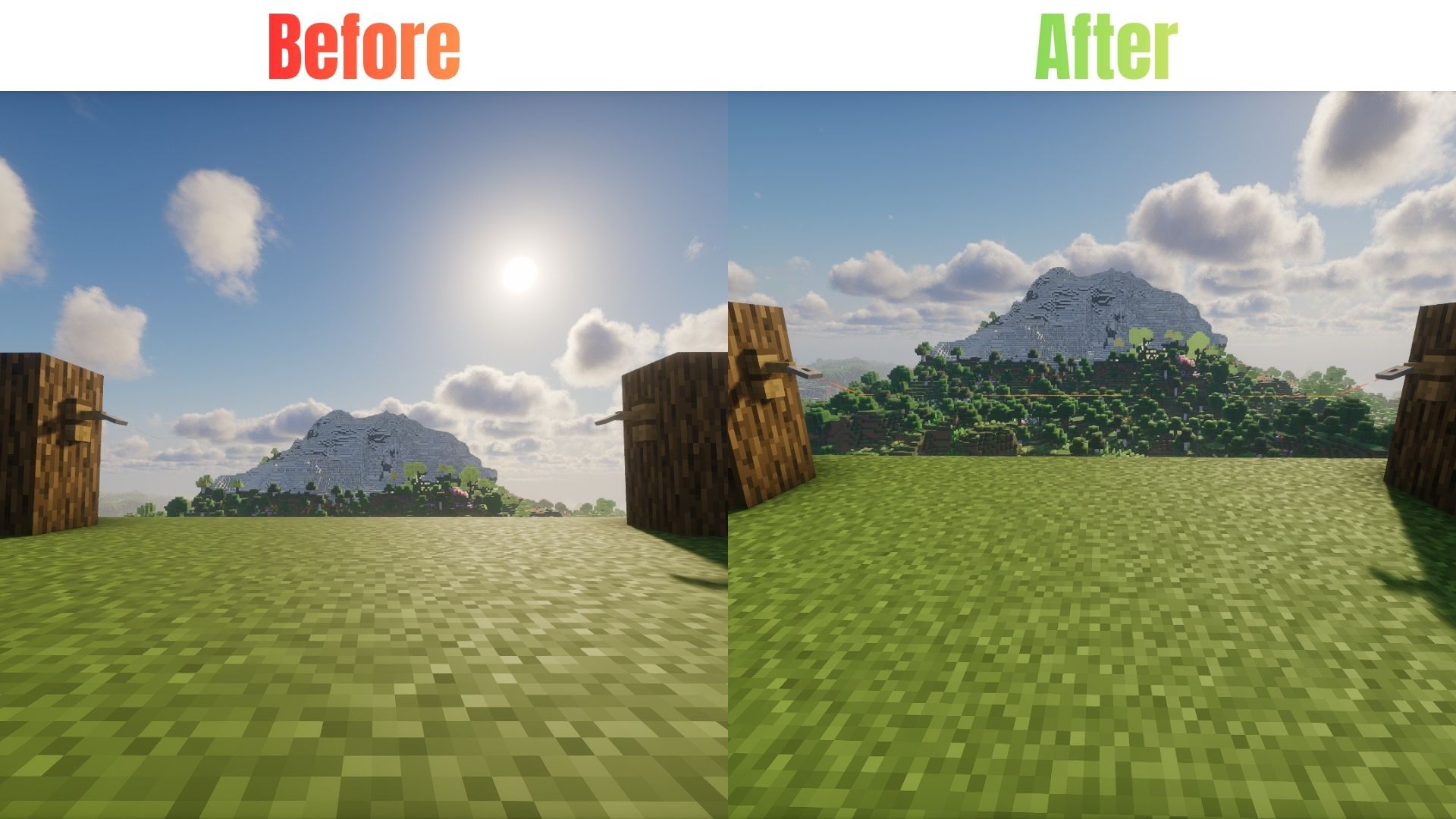
A simple Minecraft resource pack that turns hard-to-see gray placed string into bright, highly visible neon orange.
截图

介绍
🟠 String Highlighter
Tired of missing invisible tripwires or struggling to find placed string? String Highlighter makes hidden string easier to spot by changing its dull gray appearance to a bright, highly visible orange color!
Easily identify placed string, spot tripwire lines, and keep track of your redstone builds. Perfect for technical players, redstone builders, and survival players.
✨ Features
- 🟠 High Visibility — Changes dull gray string to bright orange.
- 🔴 Tripwire Detection — Makes tripwire lines easier to see.
- ⚙️ Redstone Friendly — Helps you locate string used in technical builds.
- ⚔️ PvP Friendly — Makes hidden tripwire traps easier to notice.
- 🎨 Vanilla-Friendly — Works as a standard resource pack without requiring additional mods.
- ⚡ Lightweight — Uses simple texture changes without unnecessary features.
🛠️ Installation
Java Edition
- Download the
.zipfile for your Minecraft version. - Open Minecraft and navigate to Options → Resource Packs → Open Pack Folder.
- Move the downloaded
.zipfile into the folder. - Return to Minecraft, find the pack under Available, and move it to Selected.
Bedrock Edition
- Download the
.mcpackfile. - Double-click the downloaded file to open Minecraft and import the pack.
- Go to Settings → Global Resources → My Packs.
- Select the pack and click Activate.
🌐 Availability
Java Edition
Available on Modrinth & CurseForge!
- Modrinth: Download Here
- CurseForge: Download Here
Bedrock Edition
Available on CurseForge!
- CurseForge: Download Here
💬 Support & Bug Reports
Found a bug or glitch, or need help with the resource pack?
Contact me on Discord: @legend242900
Feedback and bug reports are always appreciated! 🛠️
Happy building! 🟠
常见问题
String Highlighter 支持哪些 Minecraft 版本?
String Highlighter 支持 Minecraft Java 版 1.21.5–26.3,共 12 个版本。下载时注意选择和你游戏版本一致的文件。
String Highlighter 怎么安装?
把下载的 .zip 文件(不用解压)放进游戏目录的 resourcepacks 文件夹,进游戏后在「选项 → 资源包」里把它移到右边启用。
Legend242900 的其他作品
查看全部 →
FlameFrags Essentials
A sleek PvP resource pack featuring FlameFrags themed crits, sweeps, and animated totems.

Powdered Snow Highlighter
Outlines and highlights Powdered Snow blocks to prevent you from falling into traps and freezing.

Visible Ores
Make ores easier to spot with subtle glowing highlights while keeping Minecraft's vanilla look!

Dark GUI
A sleek, minimalist dark mode overhaul for your game interfaces. Clean lines, High contrast, and easy on the eyes.
评论
登录后评论和评分