截图


介绍
CreateWorldUI
A complete redesign of the Minecraft 1.7.10 / 1.12.2 world creation screen, inspired by the clean and intuitive UI of modern Minecraft.
CreateWorldUI brings a smoother, more organized, and more user‑friendly experience to a classic version of the game.
If you feel the vanilla 1.7.10 / 1.12.2 world creation menu is outdated or cluttered, this mod gives it a fresh, modern upgrade.




✨ Features
Modern Tabbed Layout
World creation options are reorganized into three clear tabs:
- Game – game mode, difficulty, cheats
- World – seed, world type, structure generation
- More – additional settings and future extensions
This layout mirrors modern Minecraft and makes navigation faster and more intuitive.
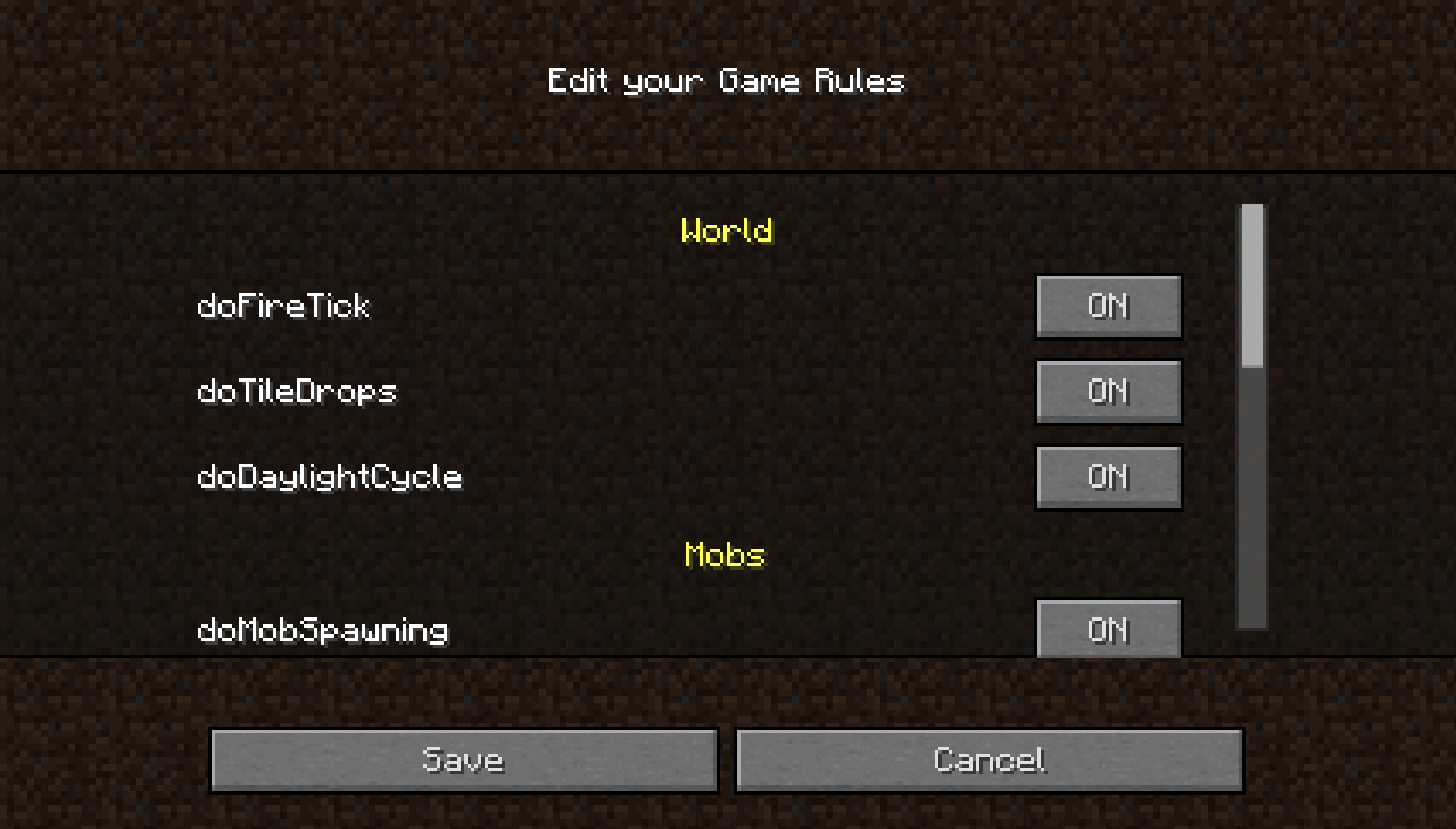
Built‑in GameRule Editor
Edit gamerules directly in the UI:
- Toggle buttons for boolean rules
- Text fields for numeric or string rules
- Reset and Save buttons for quick adjustments
No more typing /gamerule commands manually.
UI Improvements
- Cleaner layout for world name, seed, and buttons
- Custom textures for tabs and gradients
- Backported modern difficulty selection, including difficulty lock
- Overall smoother and more polished user experience
Tab overview
Spoiler
GameRule Edit overview
Spoiler
📱 Want the best experience?
For the smoothest installation and updates, use the Modrinth App.
Downloads through the Modrinth App also help support the project and future development.
A companion resource pack is also provided, enhancing CreateWorldUI and ClearMyBackground with a 1.20.5+‑inspired visual style.
Wiki
More detailed infomations, see here.
Notification
With the release of v4.0.0 CreateWorldUI has achieved its core goals. The mod is now maintained rather than actively developed: you can expect fixes for serious bugs and regressions, but no regular feature additions. Community contributions and pull requests are welcome.
📦 Compatibility
Dependency
1.7.10:
1.12.2 (One of it):
or
- MixinBootstrap (required)
Other compatiblity
- Modern DifficultyLocker : For the ingame GameRule Edit Button.
📜 License
- Code: MIT License
- Textures (PreAlpha / Alpha): Copyright © 2025 dfdvdsf, All Rights Reserved.
- Current textures & UI inspirations: Inspired by modern Minecraft UI. Minecraft is a trademark of Microsoft. This project is not affiliated with Mojang/Microsoft.
🙌 Credits
- Thanks to mappings.dev for helping resolve obfuscated names
- UI inspired by modern Minecraft versions
常见问题
CreateWorldUI 支持哪些 Minecraft 版本?
CreateWorldUI 支持 Minecraft Java 版 1.7.10–1.12.2,共 2 个版本,可用的加载器:Forge。下载时注意选择和你游戏版本一致的文件。
CreateWorldUI 怎么安装?
先用 PCL2 或 HMCL 启动器安装对应版本的 Forge,再把下载的 .jar 文件放进游戏目录的 mods 文件夹,重新启动游戏即可。开启了版本隔离的,mods 文件夹在 versions/版本名 下面。运行环境:客户端和服务端都要装。
Seniye 的其他作品
查看全部 →
MC New Textures
让你的 MC 1.0-1.4.7、1.6-1.13.2 支持 1.14 及更高版本的材质。/更新 1.14 之后未更新的材质。

MC New Textures: Aquatic
Archive the blue water for MC New Textures

MC New Textures: Seamless Glass & Color
Seamless Glass and Modern color for MC New Textures Optifine (1.0-1.13) MCpatcher for Forge (1.7.10) Required

MC New Textures: Mod Addon
A mod support for MC New Textures
评论
登录后评论和评分