
Safe Zone Claims
Server-only land-claim mod for Minecraft with vanilla-client-compatible claims, trust menus, and admin tools.
截图

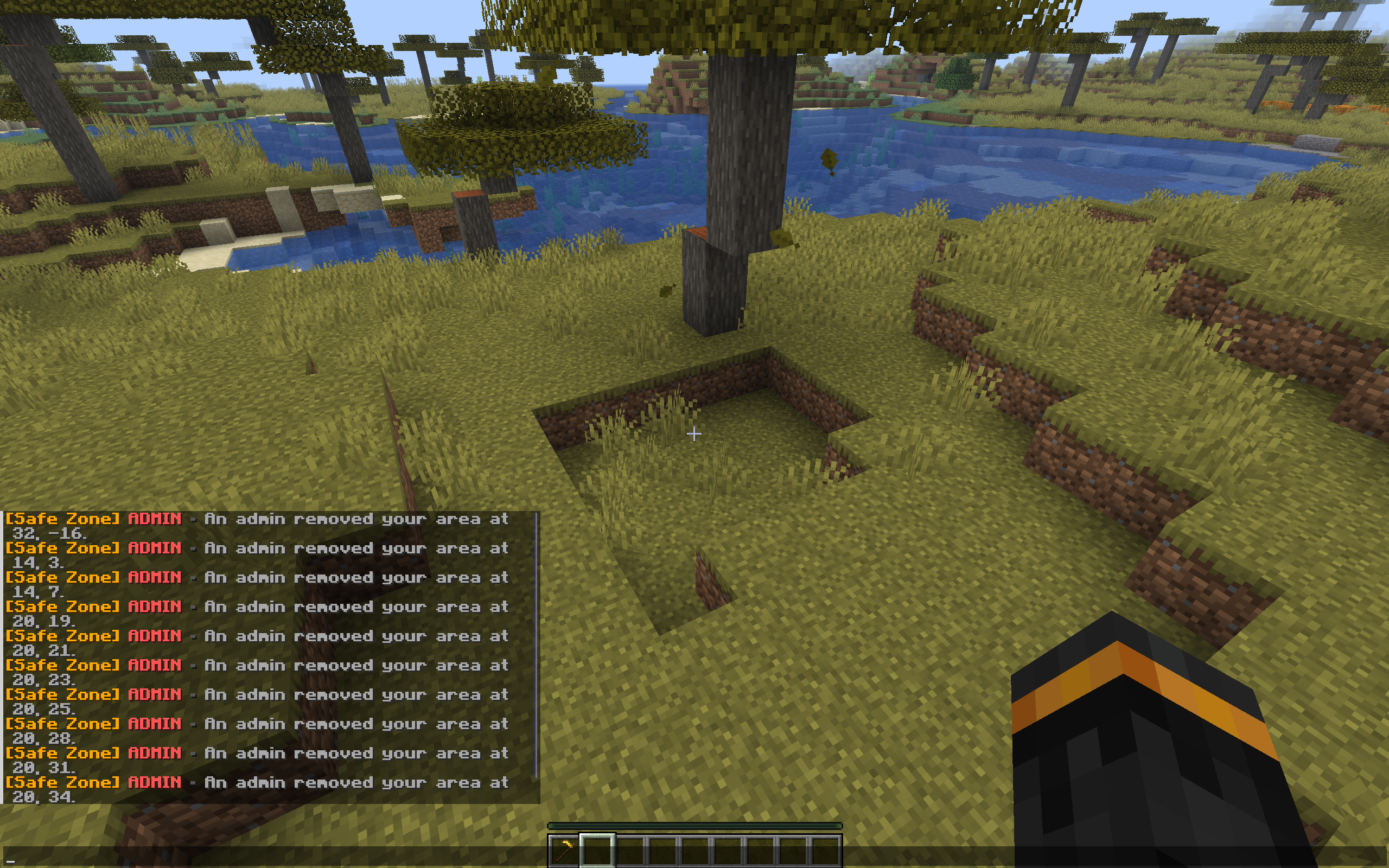
介绍
Safe Zone






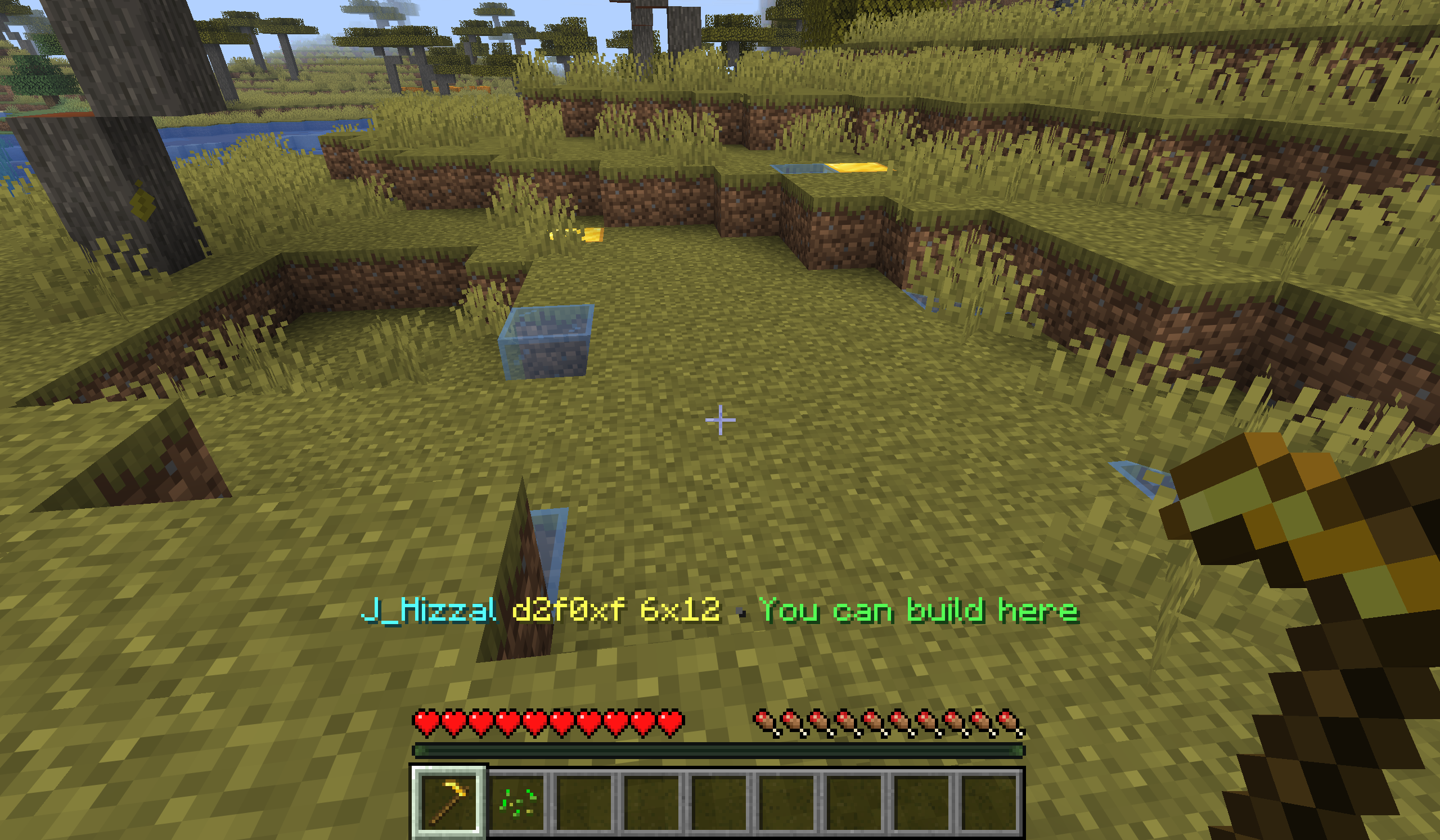
Safe Zone is a server-only Fabric and Paper land-claim mod for Minecraft 1.21.11, 26.1, and 26.2. Players protect builds with a configurable vanilla claim wand (Golden Hoe by default), admins manage claims with /sz, and unmodded clients can still join and use the full workflow.
Highlights
- Server-side land claims for Fabric and Paper servers
- No client mod required
- First-join starter wand using a vanilla item
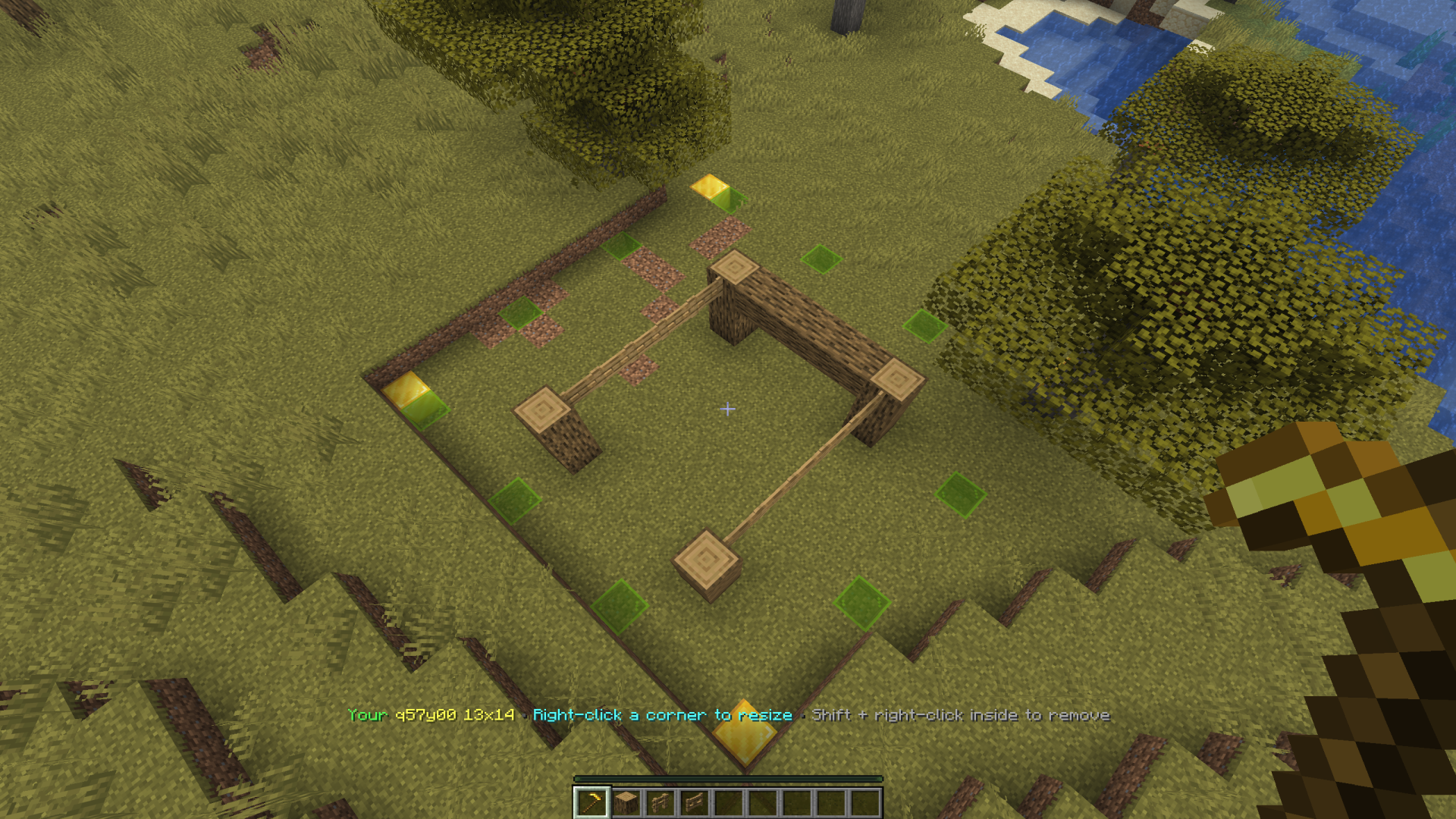
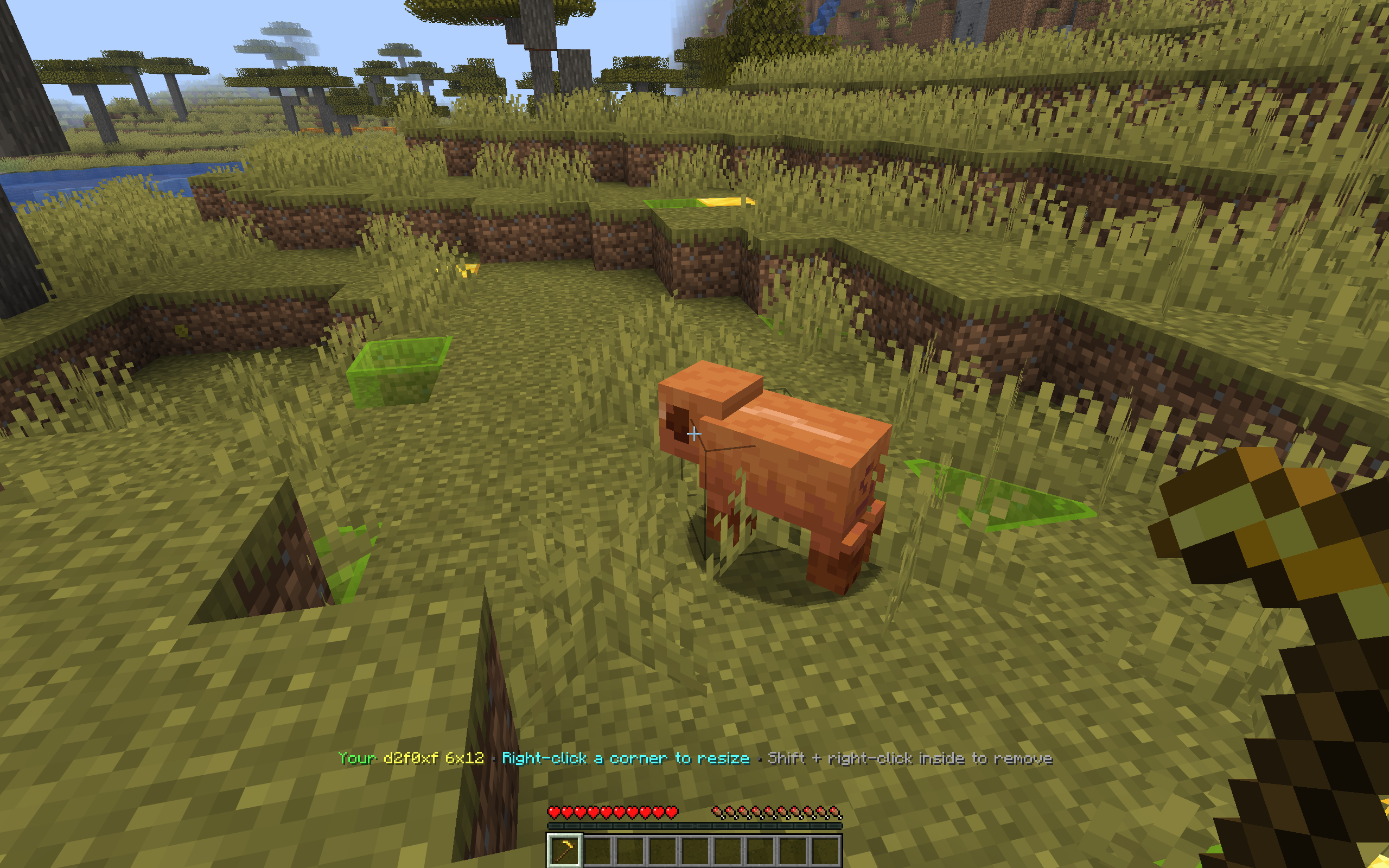
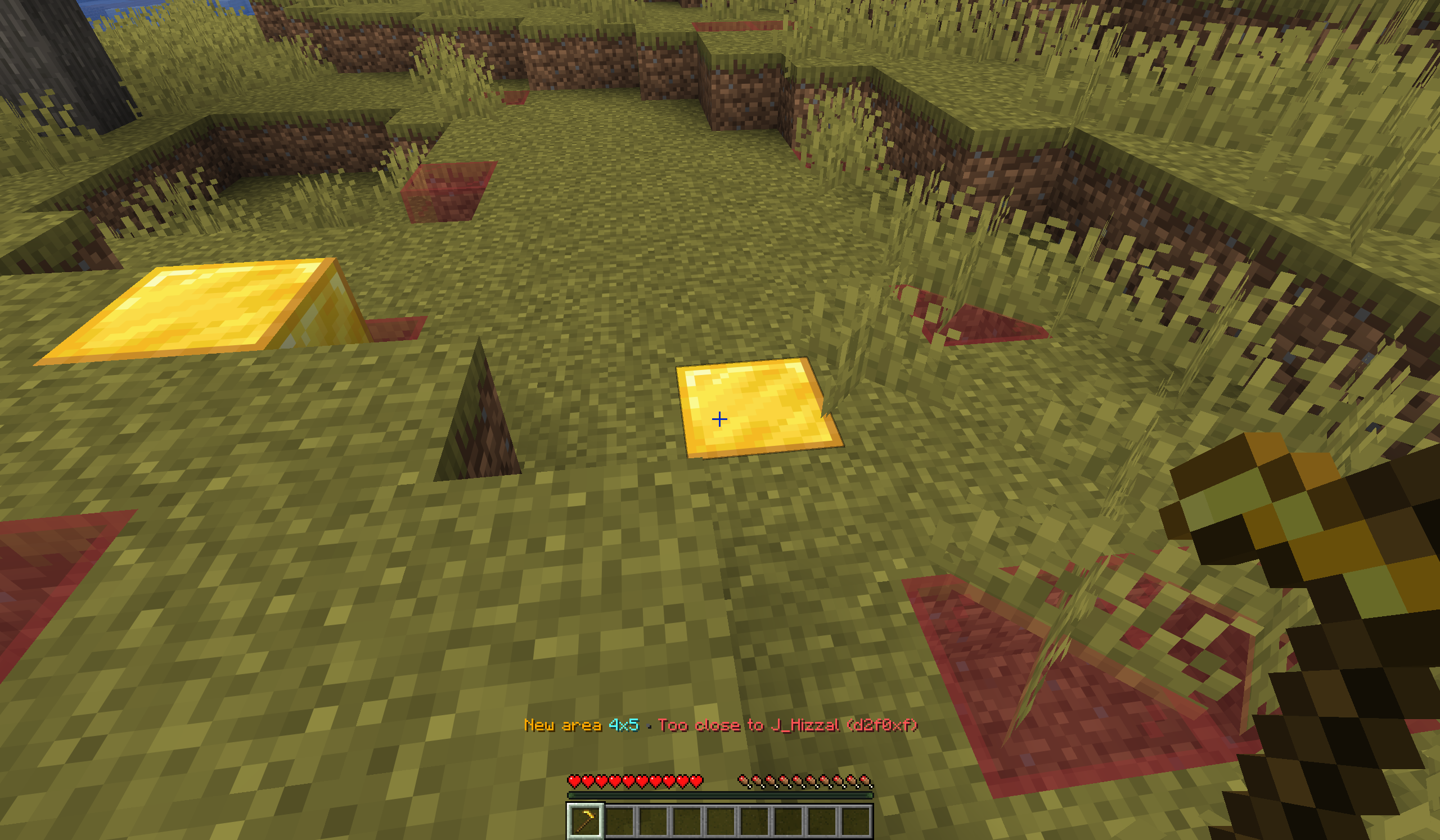
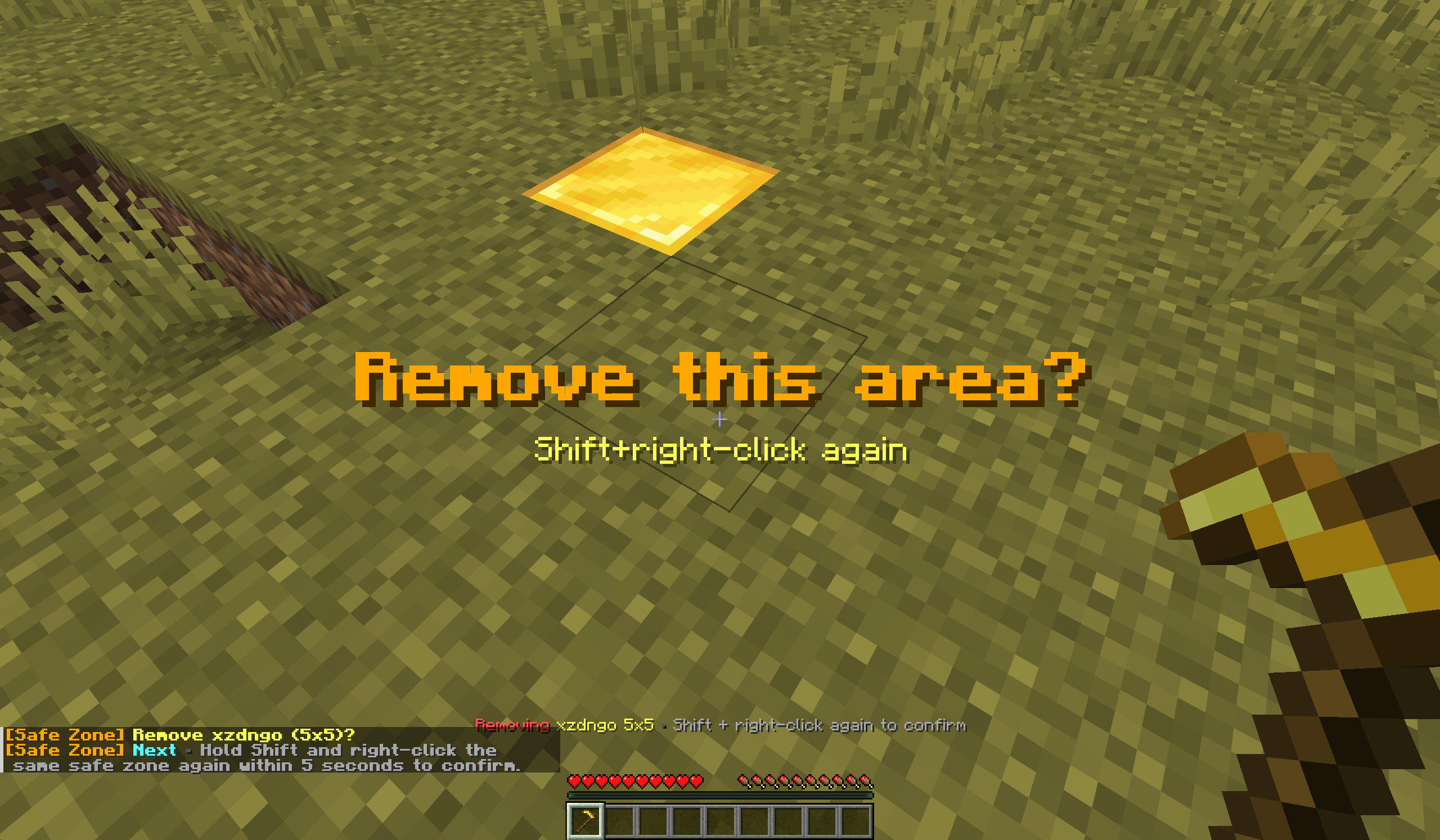
- In-world claim creation, resizing, trust management, and removal — with outline/preview visualization, no client mod needed
- Player self-service tools through
/claim - Admin moderation and management tools through
/sz - Paper only: optional claim-restricted editing with Axiom and FastAsyncWorldEdit / WorldEdit
Requirements
Each release ships one jar per Minecraft version — pick the file matching your server (the +26.1.2 jars cover all of 26.1.x):
| Your server | Jar | Java |
| — | — | — |
| Minecraft 26.2 | ...+26.2.jar | 25 |
| Minecraft 26.1 / 26.1.1 / 26.1.2 | ...+26.1.2.jar | 25 |
| Minecraft 1.21.11 | ...+1.21.11.jar | 21+ |
Fabric servers additionally need Fabric Loader and Fabric API.
Install
- Fabric: put the Safe Zone Fabric jar matching your Minecraft version in
mods/, along with Fabric API. Paper: put the Safe Zone Paper jar matching your Minecraft version inplugins/. - Start the server once to generate the Safe Zone data/config files (Fabric:
<world>/safe-zone/, Paper:plugins/SafeZone/). - Join normally. Players do not need anything installed on the client.
Player quick start
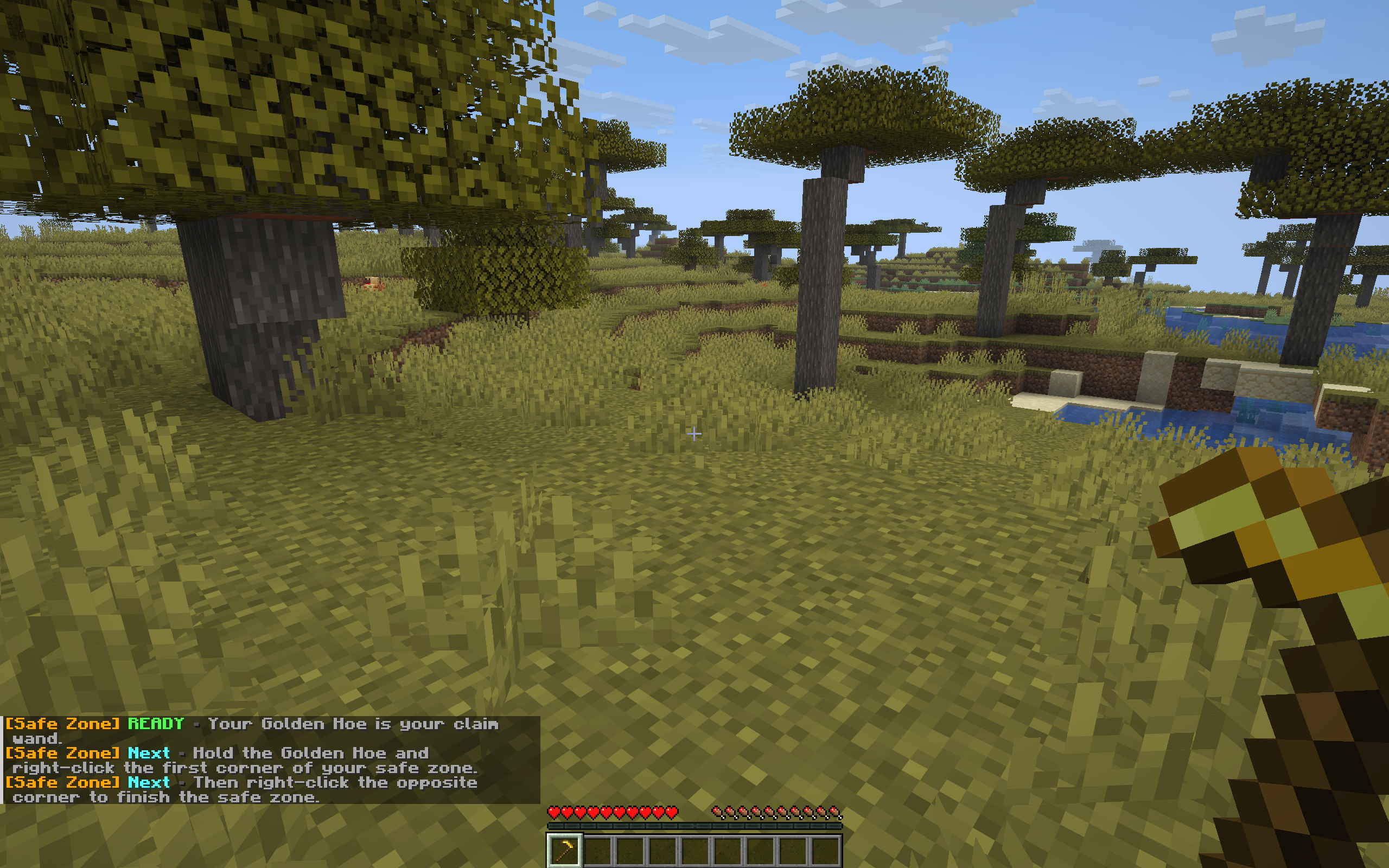
- Join the server and receive the configured claim wand once (default: Golden Hoe).
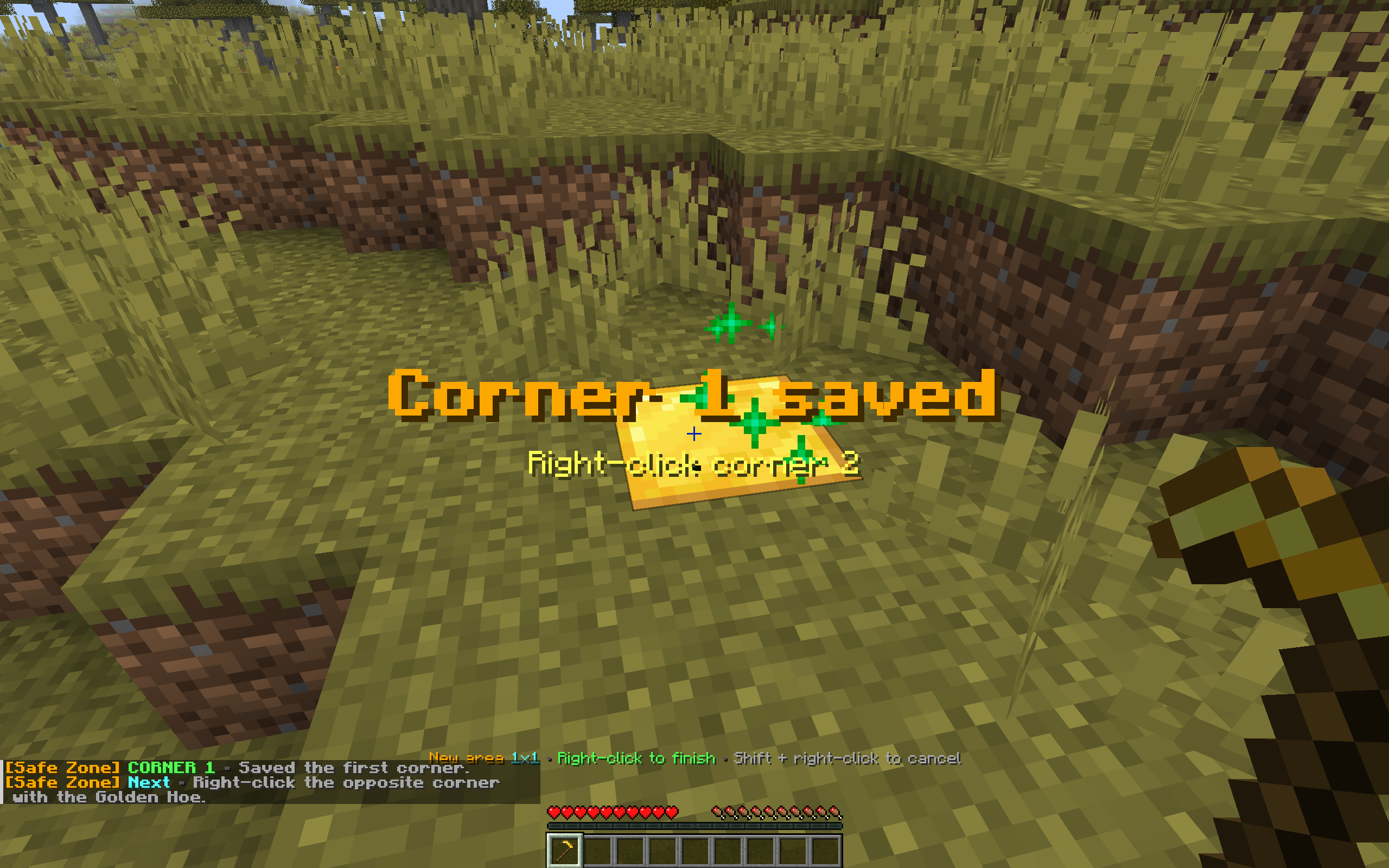
- Right-click one block with the wand to save corner 1.
- Right-click a second block with the wand to create the claim.
- Stand inside your claim and:
- Shift + left-click with the wand to open the build-access (trust) menu
- Shift + right-click with the wand to remove the claim after confirming
- Right-click one of your claim corners to start resizing
- Use
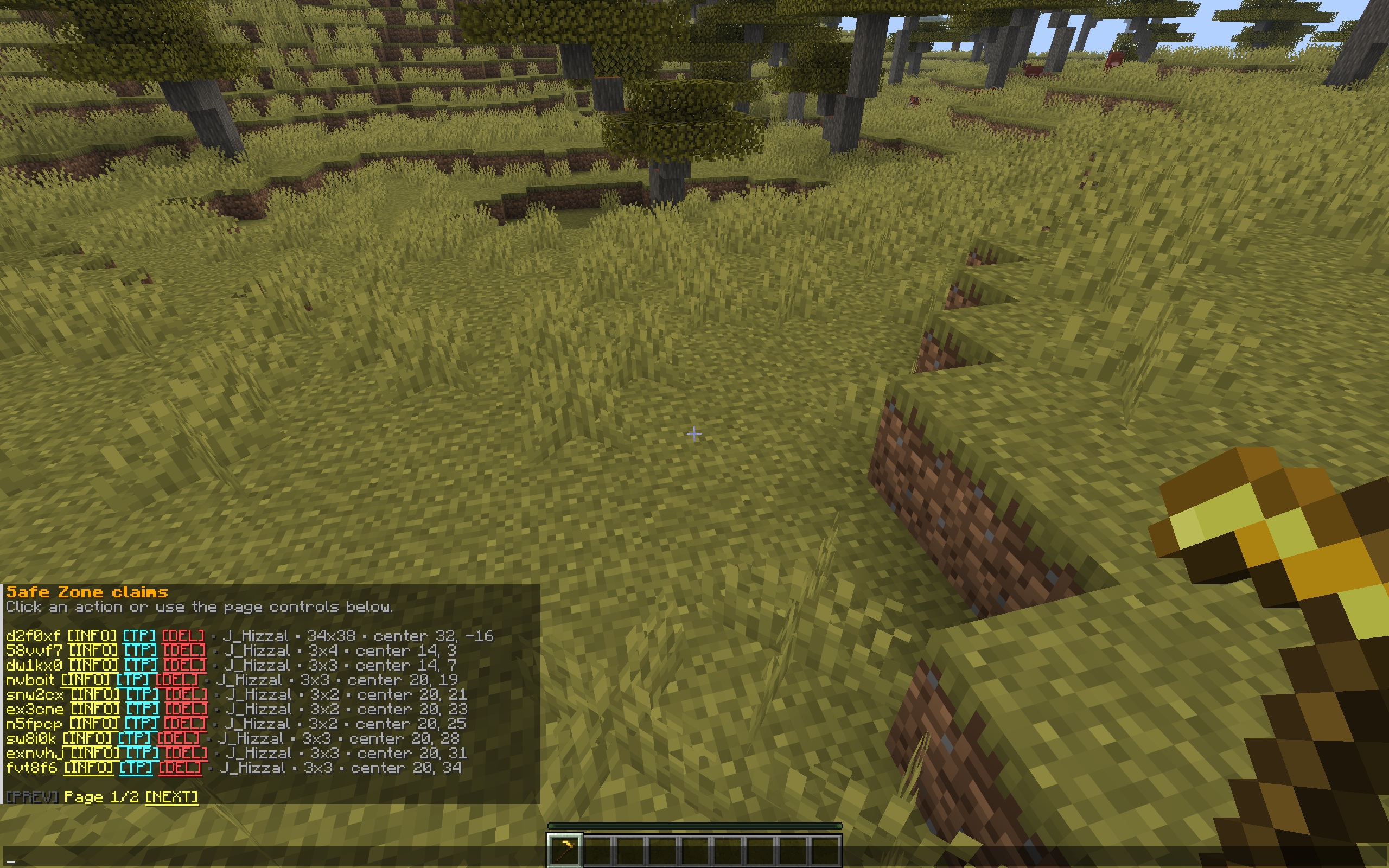
/claimfor claim lists, trust helpers, and claim info — and/claim showto keep your claim boundaries visible without holding the wand.
Commands
Player commands
/claim and /claims are aliases.
| Command | Purpose |
| — | — |
| /claim | Show help |
| /claim help | Show command help |
| /claim status | Show your claim count and limit |
| /claim list [page] | List claims you own |
| /claim trusted [page] | List claims where you are trusted |
| /claim here | Show the claim at your position |
| /claim info [claimId] | Show details for an accessible claim |
| /claim trust [claimId] | Open the trust menu for one of your claims |
| /claim remove <claimId> | Remove one of your claims after confirmation |
| /claim show | Toggle always-on display of your claim boundaries |
/claim remove must be run twice within the configured confirmation window (10 seconds by default).
Admin commands
/sz and /safezone are aliases and require operator or equivalent admin access.
| Command | Purpose |
| — | — |
| /sz | Show help |
| /sz help | Show command help |
| /sz status | Show Safe Zone status summary |
| /sz list [page] | List loaded claims |
| /sz list owner <player> [page] | List claims owned by one player |
| /sz list trusted <player> [page] | List claims that trust one player |
| /sz info [claimId] | Show claim details |
| /sz here | Show the claim at your position (Paper only; on Fabric use /sz info) |
| /sz remove <claimId> | Remove one claim |
| /sz removeall <player> confirm | Remove every claim owned by a player |
| /sz transfer <claimId> <player> | Transfer ownership |
| /sz trust <claimId> <player> | Grant build access |
| /sz untrust <claimId> <player> | Remove build access |
| /sz tp <claimId> | Teleport to a claim |
| /sz notifications [purge [confirm]] | Review or purge queued offline admin notices |
| /sz inspect [claimId] | Inspect claims in-world or by ID |
| /sz reload | Reload config and data |
| /sz givewand [player] | Give a claim wand |
| /sz limits <player> [maxClaims\|clear] | Manage claim limit overrides |
Configuration and data
Safe Zone stores gameplay and ops settings together in one pretty-printed config.json, grouped into gameplay and ops sections on first load.
| Platform | Config | Runtime data | Audit log |
| — | — | — | — |
| Fabric | <world>/safe-zone/config.json | <world>/safe-zone/ | <world>/safe-zone/safe-zone_audit.log |
| Paper | plugins/SafeZone/config.json | plugins/SafeZone/data/ | plugins/SafeZone/logs/audit.log |
Gameplay defaults
claimWandItemId—minecraft:golden_hoestarterKitEnabled—truedropStarterKitWhenInventoryFull—truedefaultMaxClaims—3maxClaimWidth/maxClaimDepth—64/64claimGapEnforced—false(claimGapMinDistance—10blocks when enabled)claimExpiryDays—0(disabled); when set, expiry is login-driven: logging in before expiry refreshes your claims, logging in after it removes expired onesnotificationsEnabled—true; offline admin notices are queued and delivered on join (notificationRetentionDays—30)windChargeKnockbackInClaims—true; setfalseto suppress wind-charge knockback for players standing inside claims (the wilderness is never affected)wandRemoveConfirmSeconds—5commandRemoveConfirmSeconds—10wandSelectionRangeBlocks—30;0uses the maximum supported range
Ops defaults
auditLogEnabled—falsemirrorAuditToServerLog—falsecreateDataBackups—falserecoverFromBackupOnLoadFailure—false
Rules and files
- Claims are Overworld-only and full-height columns
- All JSON state saves atomically; config JSON stays pretty-printed, runtime state is compact
/sz reloadreloadsconfig.jsonand data
Protection coverage
Safe Zone currently protects:
- Block breaking and block placement attempts
- Bucket placement and use targets
- Fluid spread into protected claims from outside or a different claim
- General block use inside claims
- Minecart interaction in claims
- Fire spread into claims
- Explosion block damage and explosion-created fire in claims
- Paintings, item frames, minecarts, boats, and armor stands from explosion damage or movement
- Trusted, owner, and admin-bypass players from explosion damage and knockback inside claims — wind charges are exempt so movement works everywhere (configurable via
windChargeKnockbackInClaims) - Claim-wand interactions without hoe tilling or durability use
- Paper only: Axiom editing restricted to owned/trusted claims (requires AxiomPaperPlugin and
safezone.axiom) - Paper only: FAWE / WorldEdit edit sessions restricted to owned/trusted claims
Not implemented yet:
- Piston movement protection
- Enderman grief prevention
- General non-explosion entity-damage protection
常见问题
Safe Zone Claims 支持哪些 Minecraft 版本?
Safe Zone Claims 支持 Minecraft Java 版 1.21–26.3,共 17 个版本,可用的加载器:Fabric / Paper。下载时注意选择和你游戏版本一致的文件。
Safe Zone Claims 怎么安装?
先用 PCL2 或 HMCL 启动器安装对应版本的 Fabric / Paper,再把下载的 .jar 文件放进游戏目录的 mods 文件夹,重新启动游戏即可。开启了版本隔离的,mods 文件夹在 versions/版本名 下面。运行环境:仅服务端。
Eloquence2781 的其他作品
查看全部 →
Private Chests
Protect chests and barrels with wall signs! Add [private] to lock containers, list player names to share access. Blocks hoppers, explosions, and unauthorized opening. Server-side only.
Private Chests
Protect chests and barrels with wall signs! Add [private] to lock containers, list player names to share access. Blocks hoppers, explosions, and unauthorized opening. Server-side only.
Vault Hunters Compressium
Enables compression of Vault Stone and Vault Cobblestone for the Vault Hunters 3 modpack
评论
登录后评论和评分