
截图
介绍
Clearer Waters
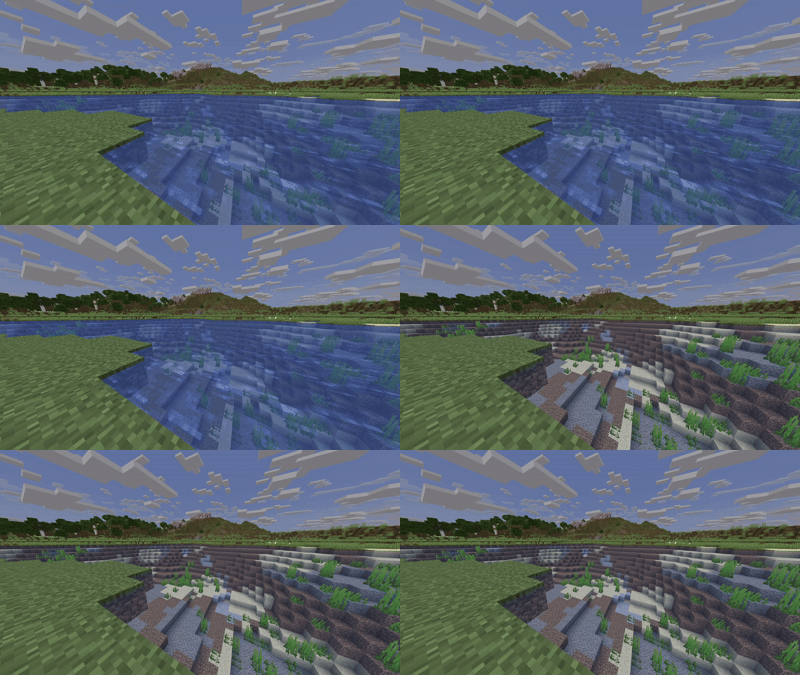
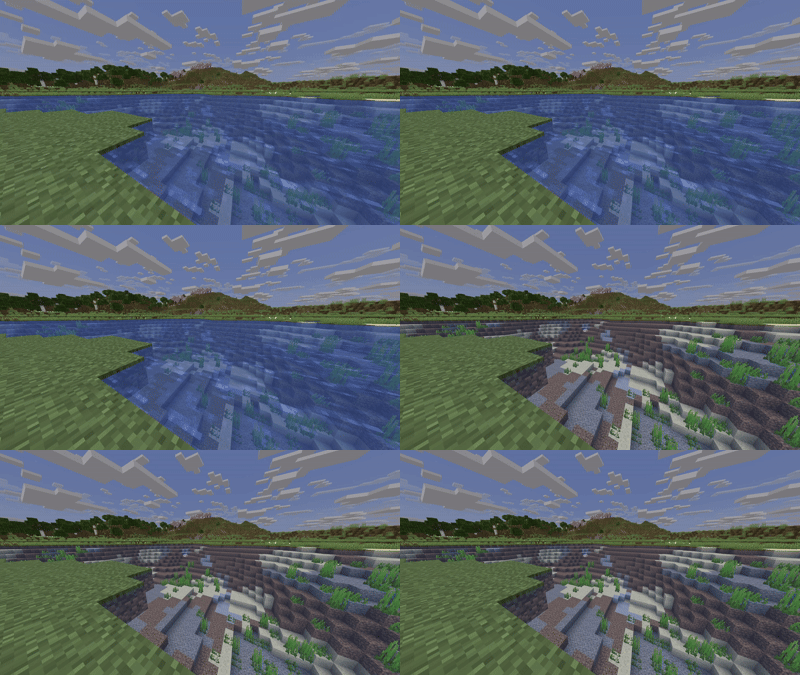
Tired of murky oceans, muddy rivers, and blinding underwater fog? Clearer Waters transforms the default water textures across all biomes into crisp, transparent liquid, making underwater exploration and coastal building effortless while preserving Minecraft’s classic vanilla aesthetic.
Key Features
- High Visibility: Strips away heavy surface murkiness and dense underwater fog, letting you spot shipwrecks, ocean monuments, and sea life from a distance.
- Vanilla-Friendly: Keeps default biome tints (from warm coral reefs to dark swamp waters) intact without altering the game’s core art style.
- Zero Lag: Purely texture-based with no performance impact
- Broad Compatibility: Works smoothly alongside your favorite UI tweaks, font packs, and vanilla-plus textures.
Installation Guide
Java Edition
- Download: Get the
Clearer Waters.zipfile. - Open Folder:
- Launch Minecraft and navigate to Options → Resource Packs.
- Click the Open Pack Folder button in the bottom-left corner.
- Move Pack: Place the downloaded
.zipfile into the openresourcepacksdirectory (do not unzip it). - Activate:
- Head back into Minecraft.
- Hover over Clearer Waters under the Available list and click the arrow to shift it to Selected.
- Click Done to apply the pack.
Bedrock Edition (Windows / Mobile)
- Download: Grab the
.mcpackfile. - Import: Double-click or tap the file to automatically boot up Minecraft and start the import process.
- Activate:
- Navigate to Settings → Global Resources (or edit a specific world’s settings).
- Open My Packs, click on Clearer Waters, and select Activate.
常见问题
Clearer Waters 支持哪些 Minecraft 版本?
Clearer Waters 支持 Minecraft Java 版 1.6.1–1.21.11,共 82 个版本。下载时注意选择和你游戏版本一致的文件。
Clearer Waters 怎么安装?
把下载的 .zip 文件(不用解压)放进游戏目录的 resourcepacks 文件夹,进游戏后在「选项 → 资源包」里把它移到右边启用。
qlttqb 的其他作品
查看全部 →
QuieterEating
QuieterEating reduces the amount of noise made by the player eating food by ~80%.
Amethyst Pickaxes
Adds the Amethyst Pickaxe that lets you mine a 3x3 area with a single swing of your pickaxe, inspired by Donut SMP.

Tiny Shields and Totems
A simple, performance-friendly resource pack that shrinks the totem of undying and shield in first-person view, giving you cleaner visibility without changing vanilla textures.

Infinite Lunge
Completely removes the cooldown on spears with the lunge enchantment! Go flying!
评论
登录后评论和评分