
BundleGUI
Open bundles with a right-click and manage their contents using a clean inventory-style GUI. Variant-aware, lightweight, and fully vanilla-friendly.
截图


介绍
BundleGui – Enhanced Bundle Management



BundleGui elevates Minecraft’s bundle experience with a polished, intuitive interface designed for quick visual management.

Features
- Right-Click Access: Open a bundle directly with a right-click.
- Variant-Aware UI: Automatically displays the correct textures for leather, white, light gray, and future bundle variants.
- Intuitive Inventory Grid: Browse and rearrange bundle contents at a glance—no more guessing what’s inside.
- Tooltip Support: Native Minecraft hover tooltips keep item details at your fingertips.
常见问题
BundleGUI 支持哪些 Minecraft 版本?
BundleGUI 支持 Minecraft Java 版 1.21.8–1.21.11,共 4 个版本,可用的加载器:Fabric。下载时注意选择和你游戏版本一致的文件。
BundleGUI 怎么安装?
先用 PCL2 或 HMCL 启动器安装对应版本的 Fabric,再把下载的 .jar 文件放进游戏目录的 mods 文件夹,重新启动游戏即可。开启了版本隔离的,mods 文件夹在 versions/版本名 下面。运行环境:客户端和服务端都要装。
BoboTweaks 的其他作品
查看全部 →
Some Stuff – Tools
Some Stuff – Tools is a visual overhaul that reimagines every vanilla Minecraft tool in a clean, modern, and stylized Stuff & Actions art direction, made by BoboTweaks
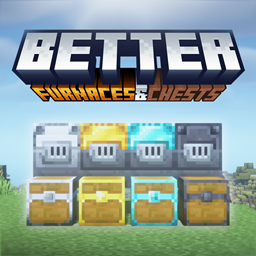
Better Furnaces & Chests
Enhance your world with tiered furnaces for lightning-fast smelting and massive tiered chests featuring a modern scrollable GUI with built-in sorting, stacking, and searching functionality. Fully configurable and performance-optimized.

Better Furnaces & Chests
Enhance your world with tiered furnaces for lightning-fast smelting and massive tiered chests featuring a modern scrollable GUI with built-in sorting, stacking, and searching functionality. Fully configurable and performance-optimized.

Inhabitants
A mob-focused mod that adds new creatures each with distinct behaviors, abilities, and interactions. All designed to fit seamlessly into vanilla gameplay.
评论
登录后评论和评分