
OfflinePlayers
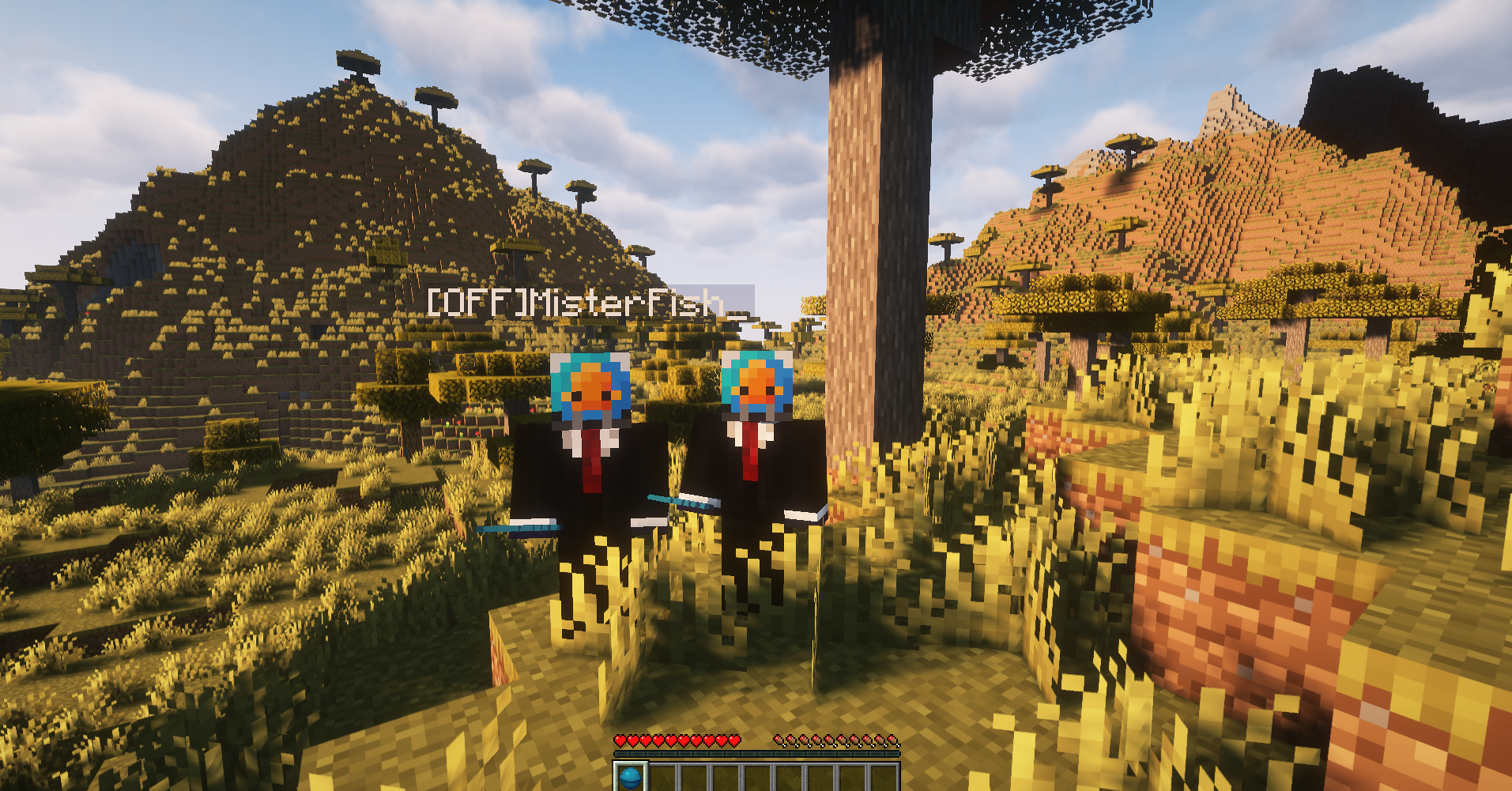
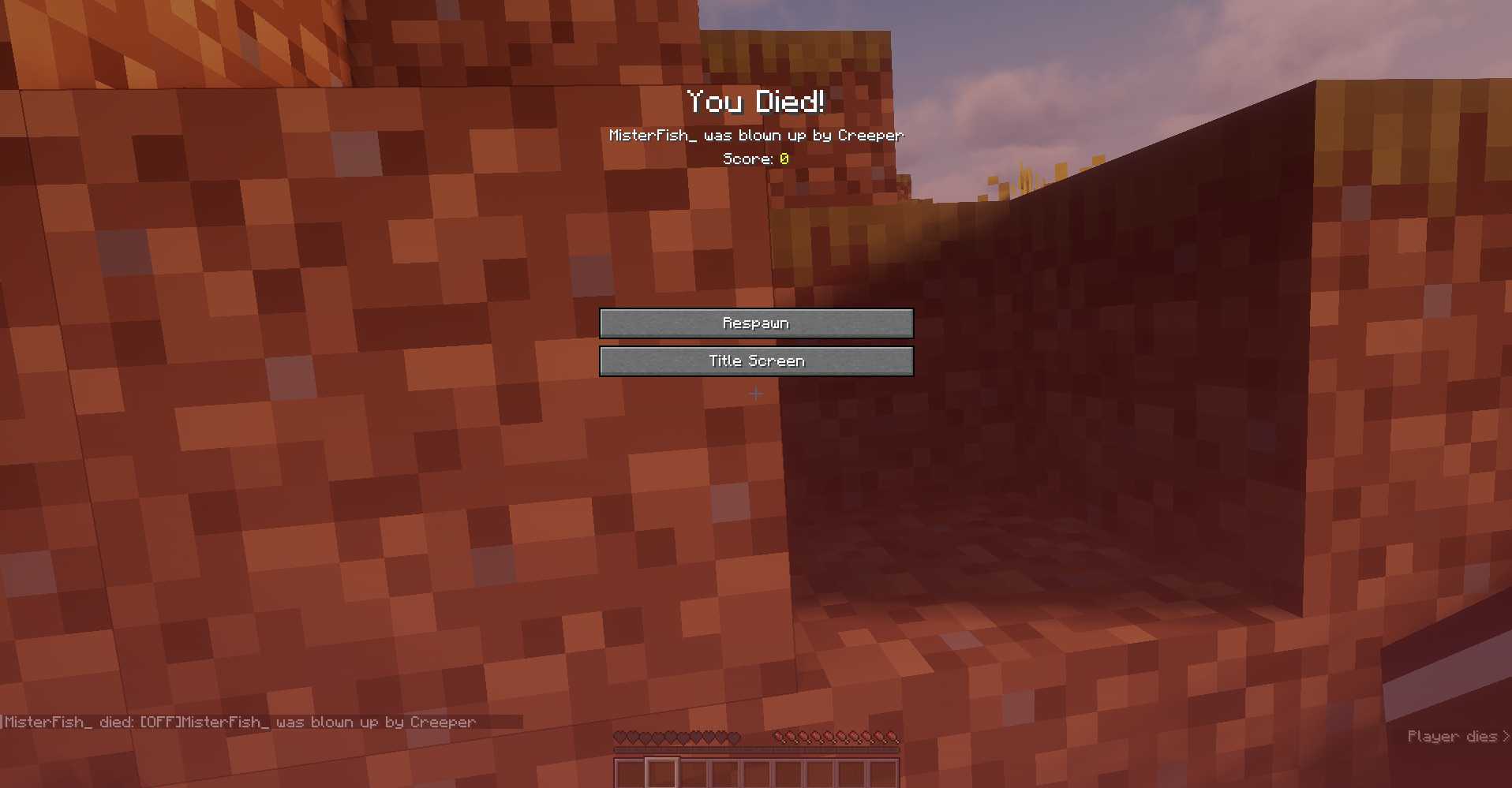
Enable AFK mode without keeping your computer on. Use /offline to spawn a copy of your player. If your offline player dies, you'll die but still have time to retrieve your stuff. If the offline player survives, you'll inherit its gains upon return.
截图

介绍
Goal
This mod allows players to go AFK on a server without leaving their computers on. Simply use the /offline command to spawn an exact copy of your player, called an offline player. Depending on the configuration, you’ll be kicked after the offline player has spawned.
If the offline player is killed, it won’t drop loot but will be kicked from the server. When you rejoin, the inventory and XP levels from the offline player are copied to you, and you’ll be killed. This gives you time to retrieve your items.
If the offline player survives until you rejoin, its inventory and gained experience will be transferred to you.
How to Use
Type /offline to spawn an offline player.
Actions
You can add actions to your offline player. Available actions include:
| Name | Description |
|—————|——————————————————————-|
| attack | Player left click |
| break | Player left click, but wait for block to fully break. |
| place / use | Player right click |
| crouch | Player crouching |
| jump | Player jumping |
| eat | Player eating (only if hungry & having food in one hand) |
| drop_item | Drops an item from the active slot |
| drop_stack | Drops all items from the active slot |
| move_forward | Moves the player forward |
| move_backward | Moves the player backwards |
| disconnect | Automatically disconnects the offline player after a set interval |
To use an action, type /offline [action], e.g., /offline attack.
Tip: use
/offline actionsto see a list of available actions
Interval/Offset
You can execute actions with set intervals or offsets:
- Interval:
/offline break:20(20 tick or 1 second interval between breaking blocks) - Offset:
/offline attack:20:10(10 tick offset added to the action)
Time Parsing
Besides using ticks (the default), it is also possible to set the interval and offset to milliseconds, seconds, minutes, hours, and even days.
Example: /offline use:100ms, /offline attack:1s, /offline attack:1.5m, /offline eat:0.25h, /offline disconnect:1d
Chaining
You can chain actions, for example:
/offline attack move_forward/offline attack:100 jump eat:20:10/offline jump:20 attack eat move_backward
Actions are executed in the order specified.
Config
After initialization, the configuration file is located at config/OfflinePlayersReworked.json in your Minecraft server’s root folder.
The configuration looks as follows:
{
  "opRequired": false,
  "autoOp": true,
  "autoWhitelist": false,
  "autoDisconnect": true,
  "killOnDeath": true,
  "respawnKickedPlayers": true,
  "informAboutKickedPlayer": true,
  "copySkin": true,
  "databaseLocation": "./offlineplayersreworked/",
  "offlinePlayerPrefix": "[OFF]",
  "availableOptions": ["attack", "break", "use","etc..."]
}opRequired: If true, only OPs can use/offline.autoOp: If true, offline players of OPs are automatically made OPs.autoWhitelist: If true and whitelist is enabled, offline players are auto-whitelisted. (Default value is false at it doesn’t seem necessary)autoDisconnect: If true, players automatically disconnect after using/offline. (Use false at your own risk)killOnDeath: If true, players automatically die upon reconnecting if their offline player died.respawnKickedPlayers: If true, offline players automatically respawn on server restart when kickedinformAboutKickedPlayer: If true, if offline player was kicked and player rejoins, player will be informed about offlline player being kickedcopySkin: If true, offline players copy the original player’s skin.databaseLocation: Folder location for the database. Default is./offlinePlayersReworked/.offlinePlayerPrefix: Sets the prefix for the offline player.availableOptions: A list of the available action options that can be used.
Reporting Issues
If you encounter any bugs or have suggestions for improvements, please create an issue on our GitHub repository. To create an issue:
- Go to the Issues tab of this repository.
- Click on “New Issue”.
- Choose between “Bug report” or “Feature request” template.
- Fill out the template with as much detail as possible.
- Submit the issue.
常见问题
OfflinePlayers 支持哪些 Minecraft 版本?
OfflinePlayers 支持 Minecraft Java 版 1.21–26.1.2,共 15 个版本,可用的加载器:Fabric。下载时注意选择和你游戏版本一致的文件。
OfflinePlayers 怎么安装?
先用 PCL2 或 HMCL 启动器安装对应版本的 Fabric,再把下载的 .jar 文件放进游戏目录的 mods 文件夹,重新启动游戏即可。开启了版本隔离的,mods 文件夹在 versions/版本名 下面。运行环境:仅服务端。
MisterFish 的其他作品
查看全部 →
TwinSession
TwinSession allows multiple connections from the same Minecraft account to a single server or world. Seamlessly manage multiple in-game tasks with different clients, all using one account, without disconnections or additional purchases.
OfflinePlayers
Enable AFK mode without keeping your computer on. Use /offline to spawn a copy of your player. If your offline player dies, you'll die but still have time to retrieve your stuff. If the offline player survives, you'll inherit its gains upon return.

InvalidPlayerBypassList
InvalidPlayerBypassList allows specific players - added to a configurable bypass list - to join a server even when online-mode is set to true, without passing Mojang authentication.
评论
登录后评论和评分