
Mouse Sensitivity Multiplier
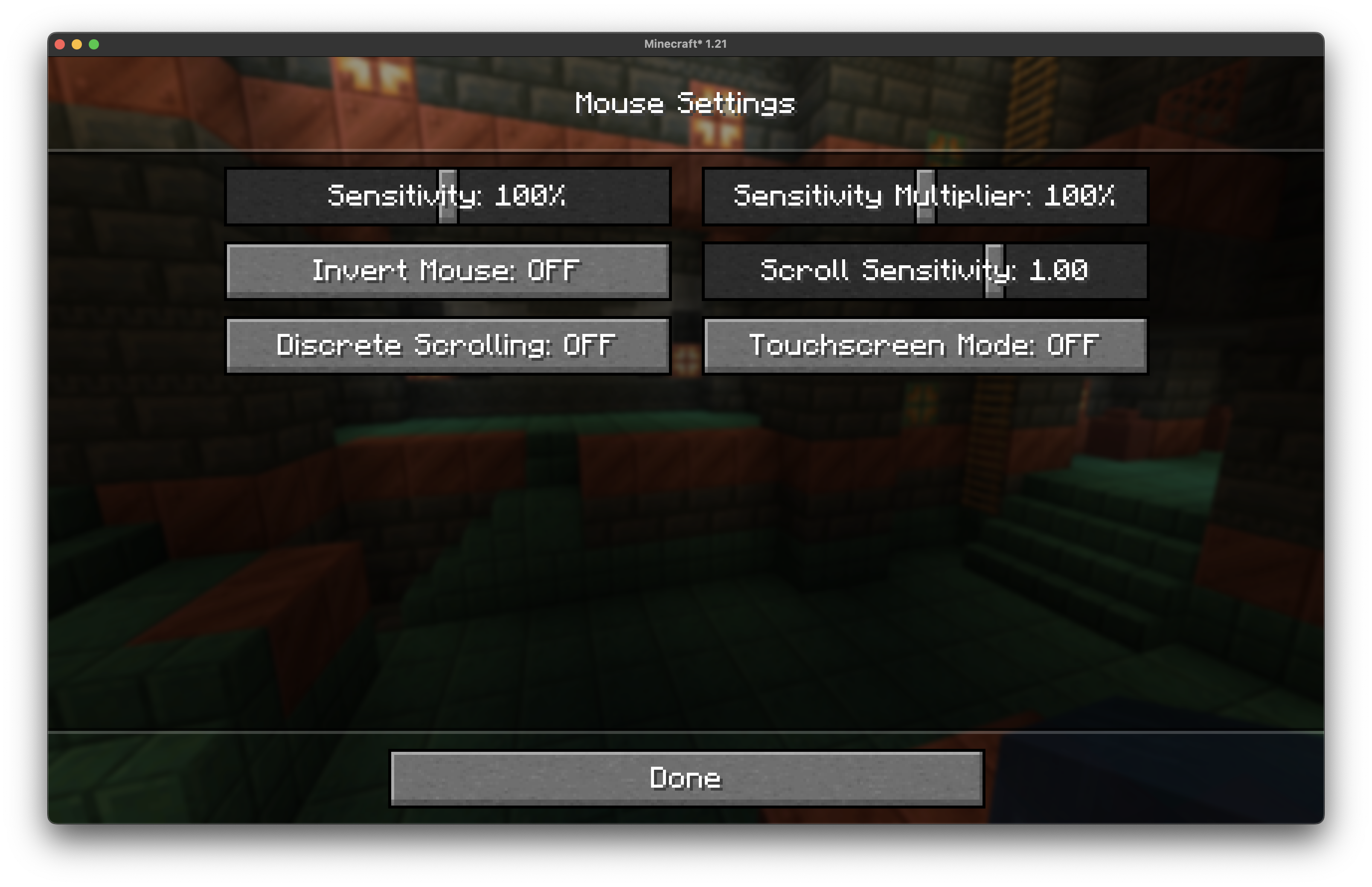
A lightweight Minecraft mod that applies a customizable multiplier to your existing mouse sensitivity settings.
截图
介绍
Mouse Sensitivity Multiplier
A lightweight Minecraft mod that applies a customizable multiplier to your existing mouse sensitivity settings.
Overview
This mod allows you to fine-tune your mouse sensitivity beyond Minecraft’s built-in sensitivity slider by applying a multiplier to your current sensitivity setting. Instead of replacing the vanilla sensitivity system, it works alongside it to give you more precise control over your mouse movement.
Why This Mod is Useful
DPI-Related Benefits
High DPI Mouse Users: If you have a gaming mouse with high DPI (1600+ DPI), Minecraft’s lowest sensitivity setting might still feel too fast for precise building or PvP. This mod lets you scale down your sensitivity further without having to constantly adjust your mouse’s hardware DPI settings.
Low DPI Mouse Users: Conversely, if you’re using an older mouse or one with lower DPI (400-800 DPI), you might find that even Minecraft’s maximum sensitivity feels sluggish. The multiplier can boost your effective sensitivity beyond the vanilla limit.
Screenshot
Installation
- Install Fabric (depending on mod version)
- Install Fabric API
- Download the mod jar file
- Place it in your
modsfolder - Launch Minecraft
常见问题
Mouse Sensitivity Multiplier 支持哪些 Minecraft 版本?
Mouse Sensitivity Multiplier 支持 Minecraft Java 版 1.21–1.21.11,共 12 个版本,可用的加载器:Fabric。下载时注意选择和你游戏版本一致的文件。
Mouse Sensitivity Multiplier 怎么安装?
先用 PCL2 或 HMCL 启动器安装对应版本的 Fabric,再把下载的 .jar 文件放进游戏目录的 mods 文件夹,重新启动游戏即可。开启了版本隔离的,mods 文件夹在 versions/版本名 下面。运行环境:仅客户端。
tropicbliss 的其他作品
查看全部 →
Tab Grabber
Minecraft HUD that grabs text from the tab menu and puts it on your screen!
Mouse Sensitivity Multiplier
A lightweight Minecraft mod that applies a customizable multiplier to your existing mouse sensitivity settings.

Sound Muffler
A port of Extra Utilities 2's Sound Muffler to Fabric

I’m Feeling Lucky
Modifies the vanilla loot table such that you get more stuff
评论
登录后评论和评分