
截图
介绍
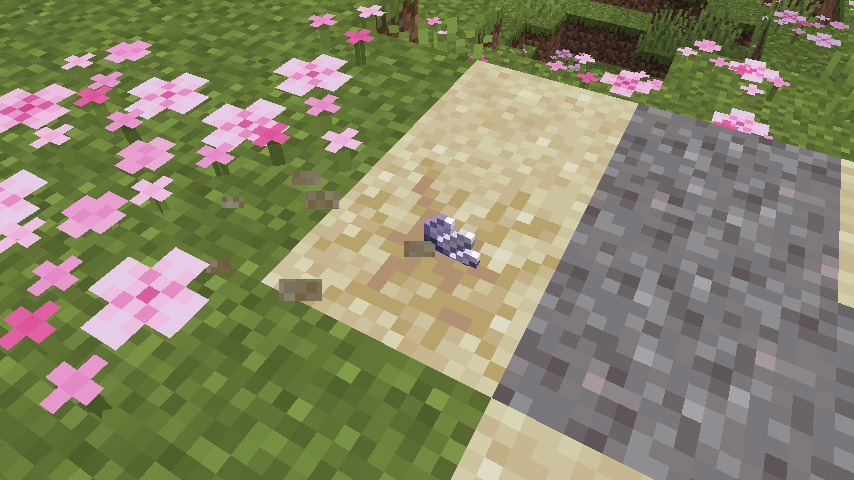
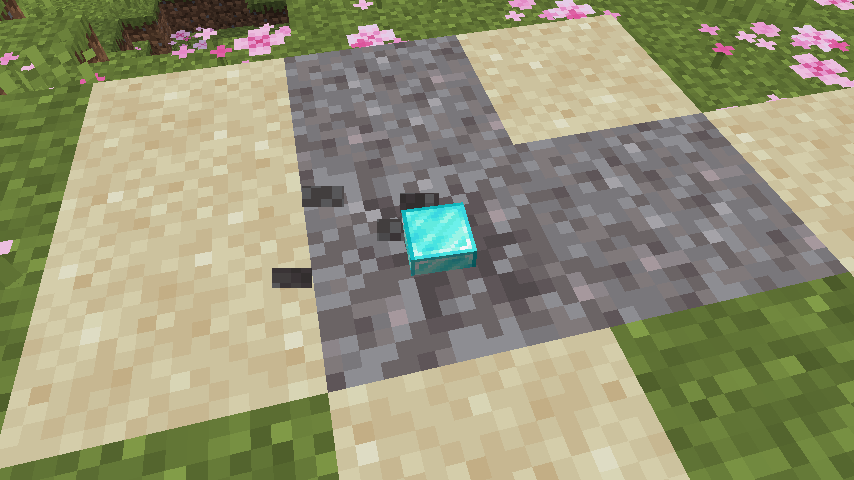
This data pack offers an intuitive way for players to bury their own loot and create their own suspicious sand/gravel by simply placing sand or gravel on top of items.
3 simple steps:
- Throw your item (can be multiple of the same item) onto the ground.
- Place a sand or gravel block onto the same block that it falls on.
- Uncover what you buried by brushing the block as normal.
Few things to note:
- If you break the suspicious sand/gravel you will lose the item you put in it, just as you would normally.
- If you drop multiple of the same item but not at the same time, you will need to wait briefly for them to combine into one item stack for them all to be buried.
- Only items that a player has dropped can be buried. Items dropped from any other sources will not be affected.
Also on Planet Minecraft
常见问题
Custom Archeology 支持哪些 Minecraft 版本?
Custom Archeology 支持 Minecraft Java 版 1.20–1.21.1,共 7 个版本,可用的加载器:Fabric / Forge / NeoForge / Quilt。下载时注意选择和你游戏版本一致的文件。
Custom Archeology 怎么安装?
先用 PCL2 或 HMCL 启动器安装对应版本的 Fabric / Forge / NeoForge / Quilt,再把下载的 .jar 文件放进游戏目录的 mods 文件夹,重新启动游戏即可。开启了版本隔离的,mods 文件夹在 versions/版本名 下面。运行环境:客户端 / 服务端。
michaelo 的其他作品
查看全部 →
No Enchant Block
Decorate your enchanting area with a wider range of blocks. Finally you can freely carpet your floor and still get max level enchantments!

Horse Boat
Look at my horse, my horse is amazing! Don't leave your ride behind!
Custom Archeology
Create archeological dig sites with your own items!

Name Tag Drops
Named mobs drop their name tag!
评论
登录后评论和评分