
介绍
Flashcards
Basically flashcards but inside Minecraft so you can study while playing.
Configuration

Pressing the H key will open the config menu above. Here you can set the number of minutes between each question and toggle it on/off. When toggled off, you can press the G key (for 1.21.6+ this keybind may conflict with vanilla) to prompt a question on-demand. Pressing the “Edit Questions” button will open the screen below.
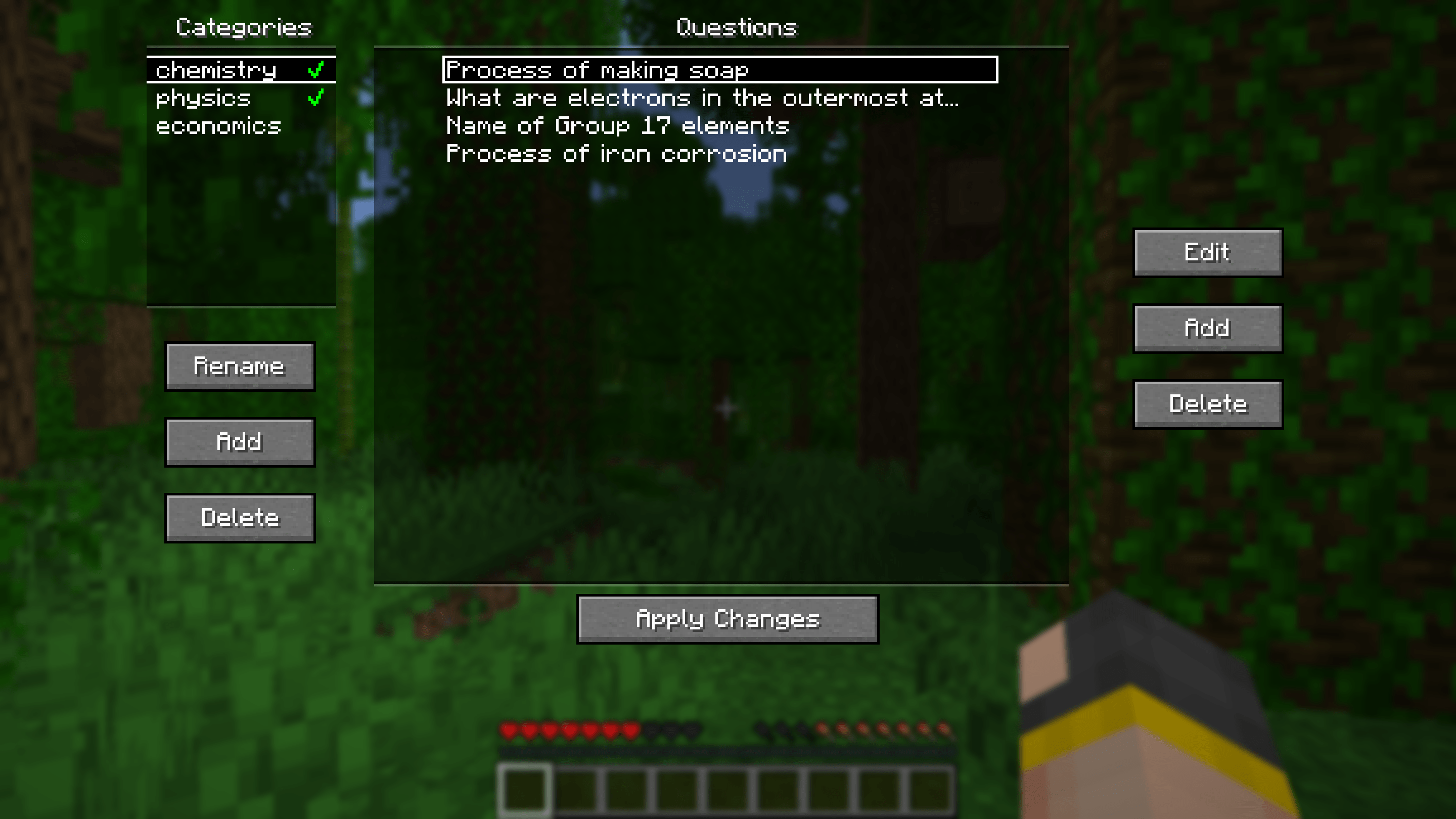
Here you can add, edit and delete questions. Questions can be seperated into different categories for organisational purposes. Clicking the green tick next to a category’s name will enable/disable the questions in that category.
Other stuff
Additional Config

Pressing the “Additional Config…” button on the main config screen will open the menu above. Here you can set rewards/punishments for getting a question correct/wrong via commands. By default, there are no rewards/punishments set. You can do something simple like the image above or you can do something fancier. For example, you can create a loot table in a datapack and use the loot command to give you randomised loot each time you get a question correct.
For convenience, a default datapack with some presets is provided at .minecraft/config/flashcards/flashcards-dp.zip. To use it, copy the ZIP file into the datapacks folder of your world. The presets include:
- function flashcards:presets/random-bad-effect
- function flashcards:presets/random-good-effect
- function flashcards:presets/random-bad-mob
- loot give @s loot flashcards:presets/random-bad-item
- loot give @s loot flashcards:presets/random-good-item
Importing from Anki
Export your flashcards from Anki as a plain TXT file without HTML and media references. Rename the exported file to “anki.txt” and put it into the .minecraft/config/flashcards/questions/ folder. On startup, the mod will automatically convert that TXT file into the mod’s own JSON files. You can import multiple different Anki decks at once as long as the word “anki” is in the name of each TXT file.
If you want to include images in your export, ensure “HTML and media references” is checked. Then, copy the image files from Anki’s media folder into .minecraft/config/flashcards/media/.
Importing from CSV/TSV
Place your CSV/TSV files into the .minecraft/config/flashcards/questions/ folder. On startup, the mod will automatically convert these files into the mod’s own JSON files. The format is as follows:
QUESTION_TEXTANSWER_TEXTQUESTION_IMAGE_FILENAME
QUESTION_IMAGE_FILENAME is optional. Copy the corresponding images into .minecraft/config/flashcards/media/.
Credit to this Reddit post for the original idea of this mod.
常见问题
Flashcards 支持哪些 Minecraft 版本?
Flashcards 支持 Minecraft Java 版 1.21–26.3,共 17 个版本,可用的加载器:Fabric。下载时注意选择和你游戏版本一致的文件。
Flashcards 怎么安装?
先用 PCL2 或 HMCL 启动器安装对应版本的 Fabric,再把下载的 .jar 文件放进游戏目录的 mods 文件夹,重新启动游戏即可。开启了版本隔离的,mods 文件夹在 versions/版本名 下面。运行环境:仅客户端。
Ninjaking312 的其他作品
查看全部 →
TickRate
Tick different chunks/entities at different rates.
Flashcards
Study while playing Minecraft!

Unusual Precipitation (Rain)
This datapack rains random items/mobs/projectiles from the sky!

Mailbox
This datapack adds mailboxes that are used to deliver items between players.
评论
登录后评论和评分