
Cobblemon Outline
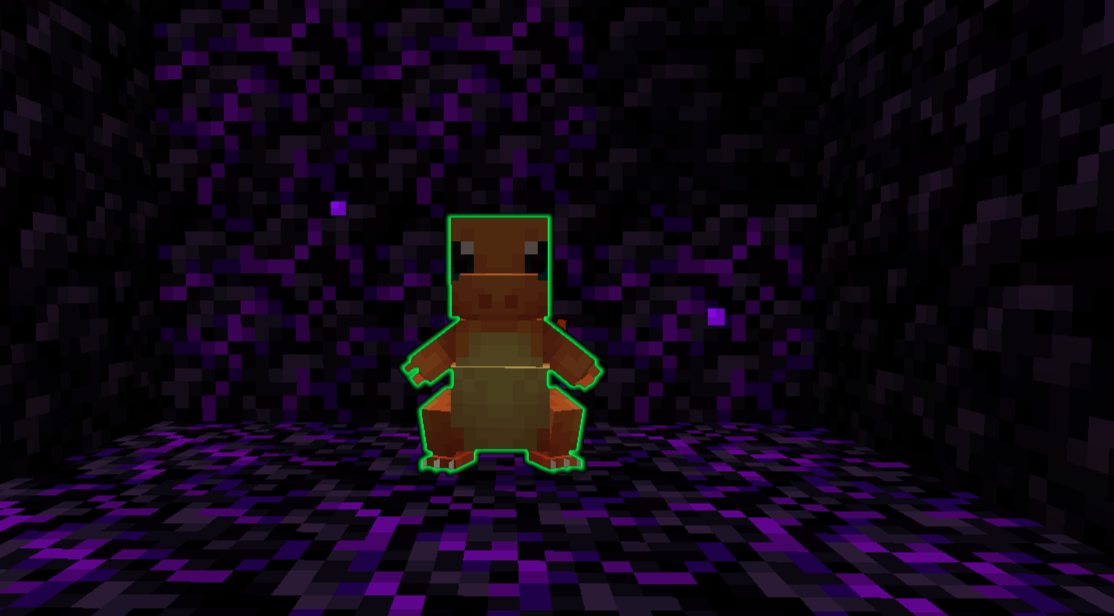
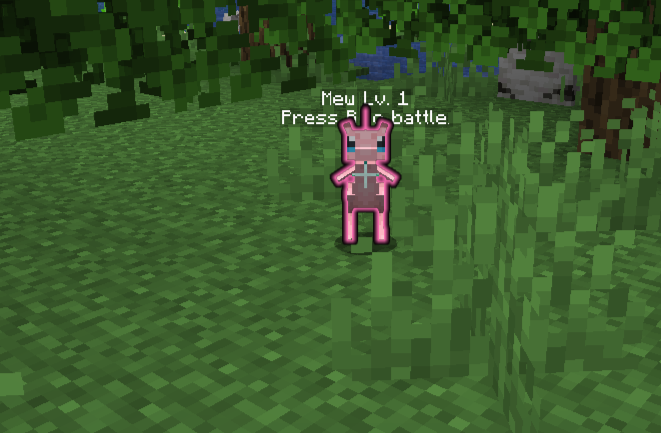
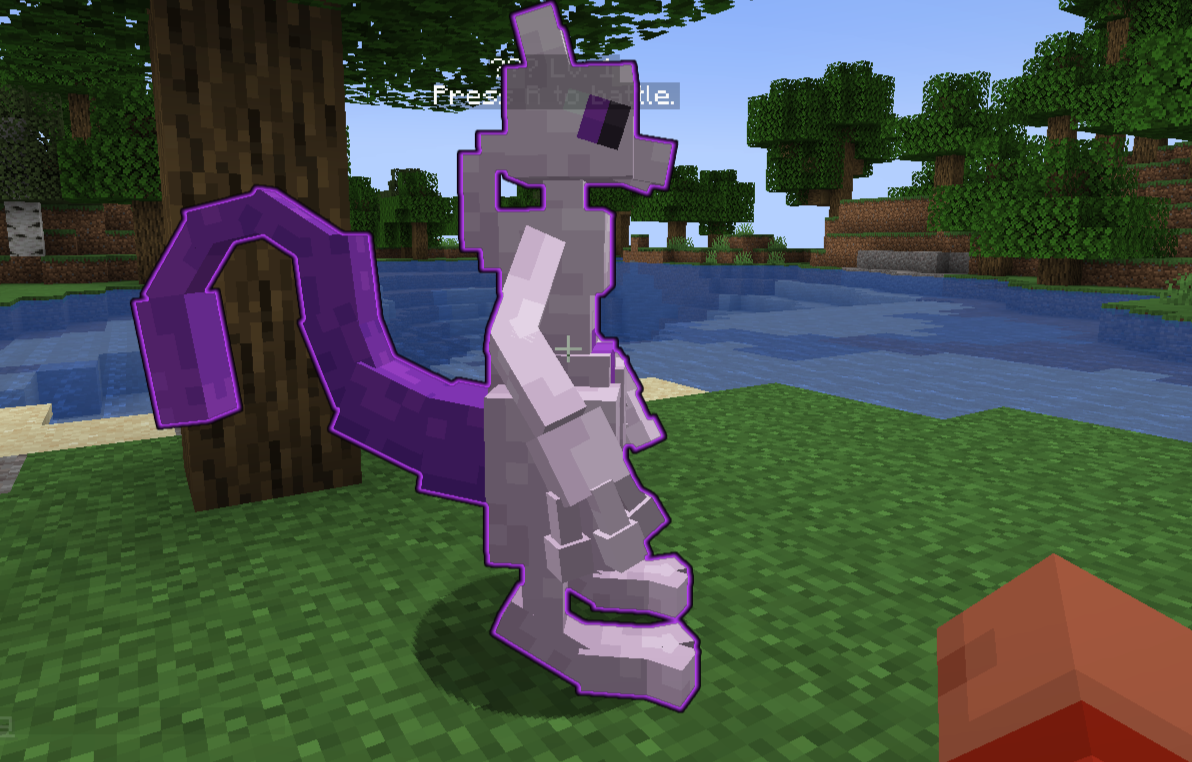
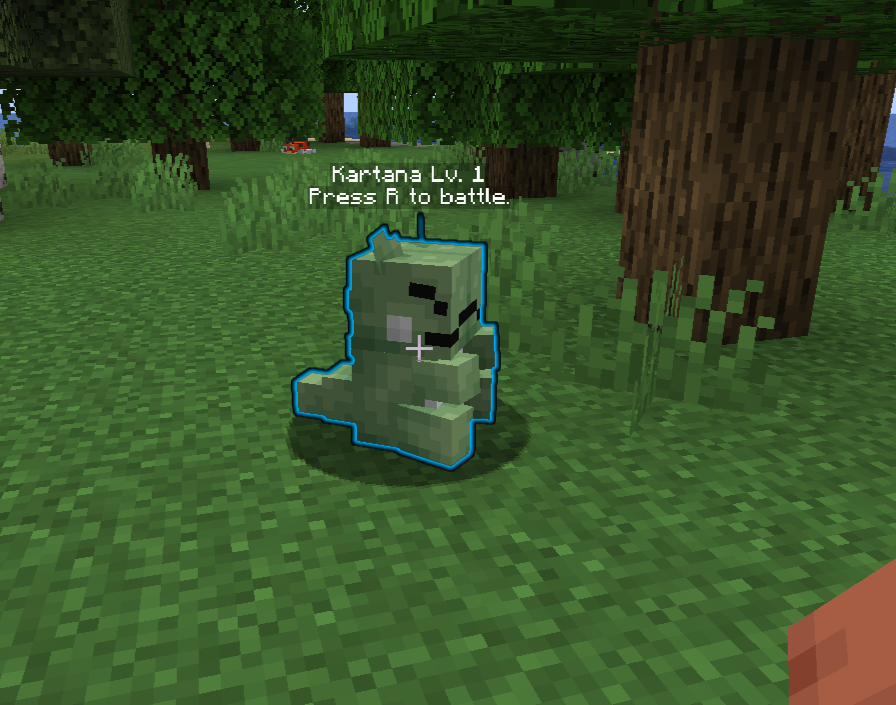
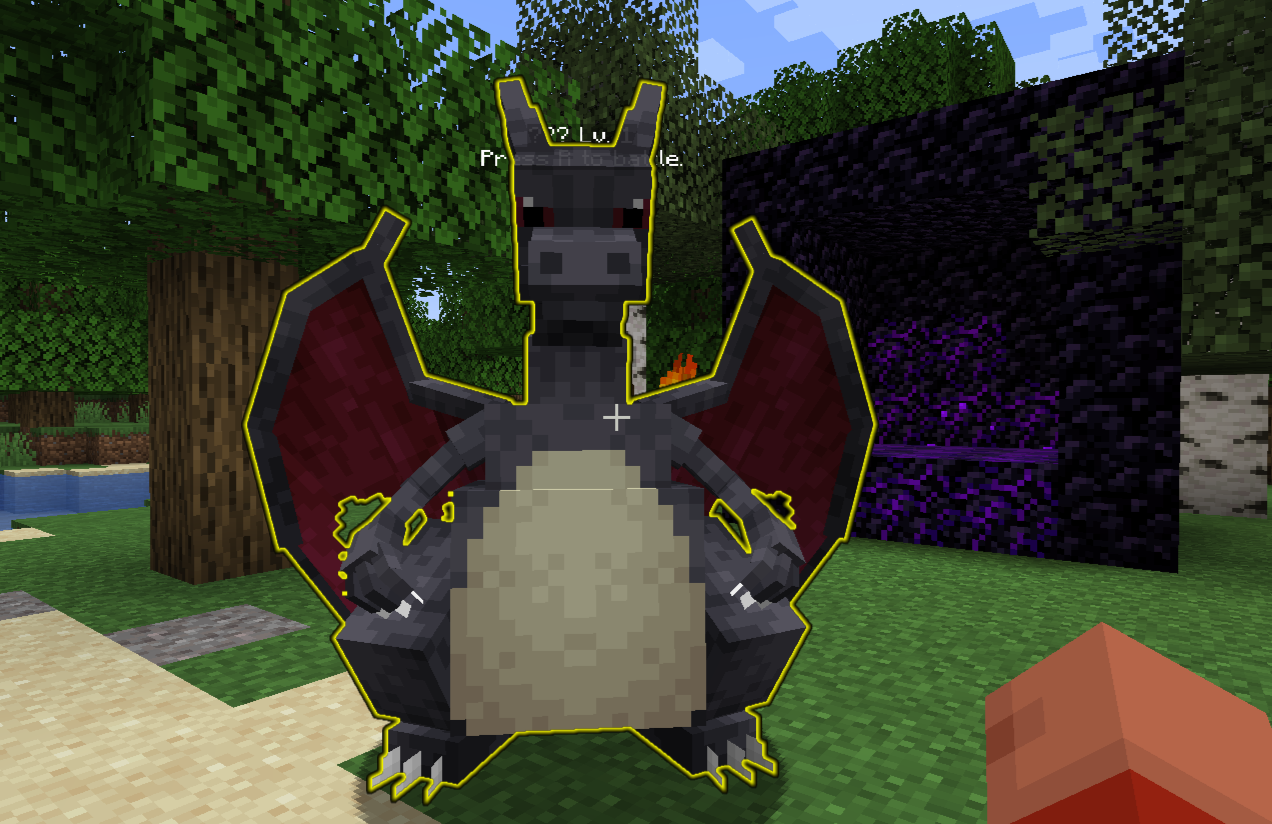
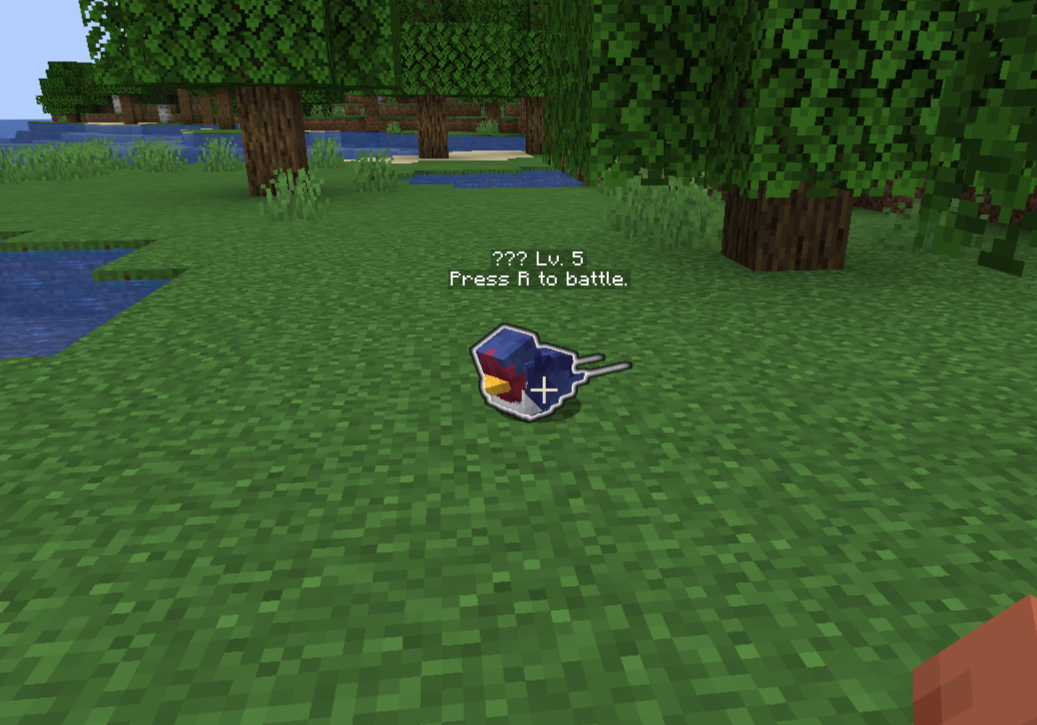
Mod developed for Minecraft (Cobblemon) compatible with both client and server. The mod adds a visual outline around the Pokémon the player is targeting, as long as the Pokémon is within range to initiate a battle using the R key.
截图

介绍
Compatibility: Works on both client and server without causing incompatibilities or performance issues.
Mod Operation
Installed on the Client and Server
All colors work correctly, allowing you to identify any Pokémon type as listed above.
Installed on the Client Only
The yellow outline (Shiny Pokémon) and white outline (Wild Pokémon) work normally.
Other types (your Pokémon, other players’ Pokémon, Mythical, Legendary, and Ultra Beast) will have a white outline as if they were wild Pokémon, except for Shiny Pokémon, which retains the yellow outline.
To identify all categories with their specific colors, the mod must also be present on the server.
This mod adds colored outlines around Pokémon in the world, allowing you to easily identify different types of Pokémon and their properties when targeting them.
Outline Cores
White: Wild Pokémon
Green: Your own Pokémon
Red: Other players’ Pokémon
Yellow: Shiny Pokémon
Pink: Mystical Pokémon
Purple: Legendary Pokémon
Cyan: Ultra Beast
Notes
The outline appears only on Pokémon the player is targeting and within battle range.
The system is entirely visual and does not interfere with battle mechanics or Pokémon behavior.
For the best experience and color compatibility, install the mod on both the client and server.
Customization
This mod allows you to customize the outline colors for each Pokémon type by editing a simple JSON file.
You can change the outline color for your Pokémon (or any other type) by modifying the values in the JSON file — no need to restart the server, just use the reload command!
Reload Command
Use /cobblemonoutline reload to instantly reload the color configuration from the JSON file.
This command allows you to update outline colors on the fly, both on the server and client (if supported).
Configuration File Example
By default, the color configuration file looks like this:
}
  "colorOwner": [0, 255, 80, 255],
  "colorShiny": [255, 255, 0, 255],
  "colorLegendary": [191, 64, 255, 255],
  "colorMythical": [255, 110, 180, 255],
  "colorUltraBeast": [0, 180, 255, 255],
  "colorOwnedByOther": [255, 0, 0, 255],
  "colorDefault": [255, 255, 255, 255]
}
Each value is in the ARGB format: [Alpha, Red, Green, Blue].
You can freely change these values to customize the outline color for each Pokémon type to your preference.
How to Use
Edit the JSON file to set your preferred colors for each Pokémon type.
Run /cobblemonoutline reload in-game or on your server console to apply the new colors immediately.
Enjoy your personalized Pokémon outlines!
常见问题
Cobblemon Outline 支持哪些 Minecraft 版本?
Cobblemon Outline 支持 Minecraft Java 版 1.21.1,可用的加载器:Fabric。下载时注意选择和你游戏版本一致的文件。
Cobblemon Outline 怎么安装?
先用 PCL2 或 HMCL 启动器安装对应版本的 Fabric,再把下载的 .jar 文件放进游戏目录的 mods 文件夹,重新启动游戏即可。开启了版本隔离的,mods 文件夹在 versions/版本名 下面。运行环境:客户端 / 服务端。
MATIASTGM 的其他作品
查看全部 →
CobblemonJob
CobblemonJob turns your Pokémon into true survival allies. They help you mine, chop wood, gather items, and use furnaces and crafting tables.
Cobblemon Outline
Mod developed for Minecraft (Cobblemon) compatible with both client and server. The mod adds a visual outline around the Pokémon the player is targeting, as long as the Pokémon is within range to initiate a battle using the R key.
Lord of Legacy™
Lord of Legacy is ideal for players looking for an immersive and challenging RPG experience, in a completely customized environment and full of original content, all without the need for mods.

Cobblemon Legendary pokelord
This modpack was created from the desire to play Cobbelmon with my friends, it is being made public, but I recommend creating a private server for anyone who wants to play on it, or simply join the official modpack server
评论
登录后评论和评分