
截图

介绍
📥 Installation Guide
BeyondTexturePack is compatible with all Minecraft 1.21.x versions. To install the pack, simply download the .zip file and place it into your Minecraft resourcepacks folder. After that, open Minecraft, go to Options → Resource Packs, and enable the pack.
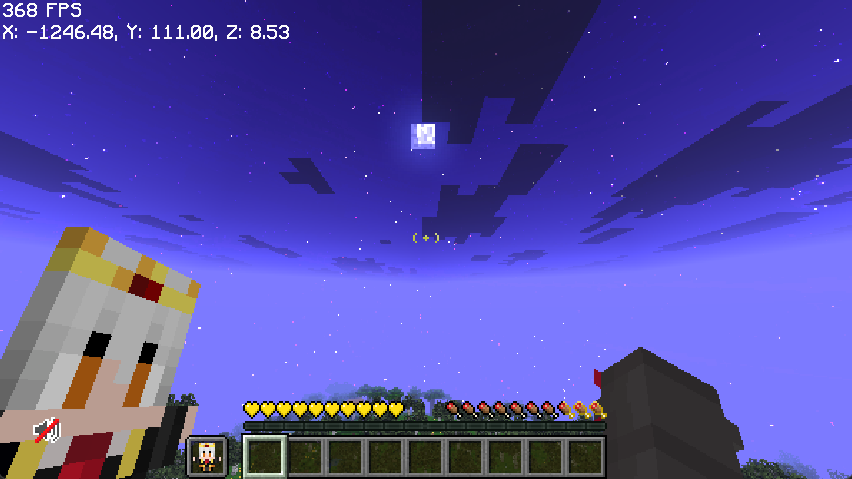
Not sure if the pack was installed correctly? You should immediately notice the custom totem, redesigned health and hunger bars, and the custom crosshair once you join a world.
BeyondTexturePack is designed to keep the vanilla Minecraft style while adding a cleaner and more modern visual experience. The pack works perfectly for survival, PvP, and casual gameplay without changing the core feel of Minecraft.
✨ Features
**Custom Totem
Personalized Health Bar
Personalized Hunger Bar
Custom Crosshair
Vanilla-Friendly Style
Compatible with all Minecraft 1.21.x versions**
Credits to: Xisumavoid for the “vanilla tweaks” page
✅ Compatibility
BeyondTexturePack works with vanilla Minecraft and is also compatible with most popular mod loaders and clients, including Fabric, Forge, and NeoForge. No extra mods are required to use the pack. 😎
常见问题
Beyond TP! 支持哪些 Minecraft 版本?
Beyond TP! 支持 Minecraft Java 版 1.21–1.21.11,共 12 个版本。下载时注意选择和你游戏版本一致的文件。
Beyond TP! 怎么安装?
把下载的 .zip 文件(不用解压)放进游戏目录的 resourcepacks 文件夹,进游戏后在「选项 → 资源包」里把它移到右边启用。
RAndree 的其他作品
查看全部 →
Beyond Optimized!
BeyondOptimized is the ultimate optimization pack for Minecraft 1.21.11, designed to squeeze every last drop of FPS out of your system, even on integrated graphics. Say goodbye to lag, hello to smooth gameplay!

Beyond Craft!
This modpack is focused on people who like Improve the vanilla game experience With the best textures
评论
登录后评论和评分