
截图


介绍

Equip any vanilla cape instantly through a simple in-game menu.
Use BETA code to redeem exclusive beta cape.
Design may change in the future.

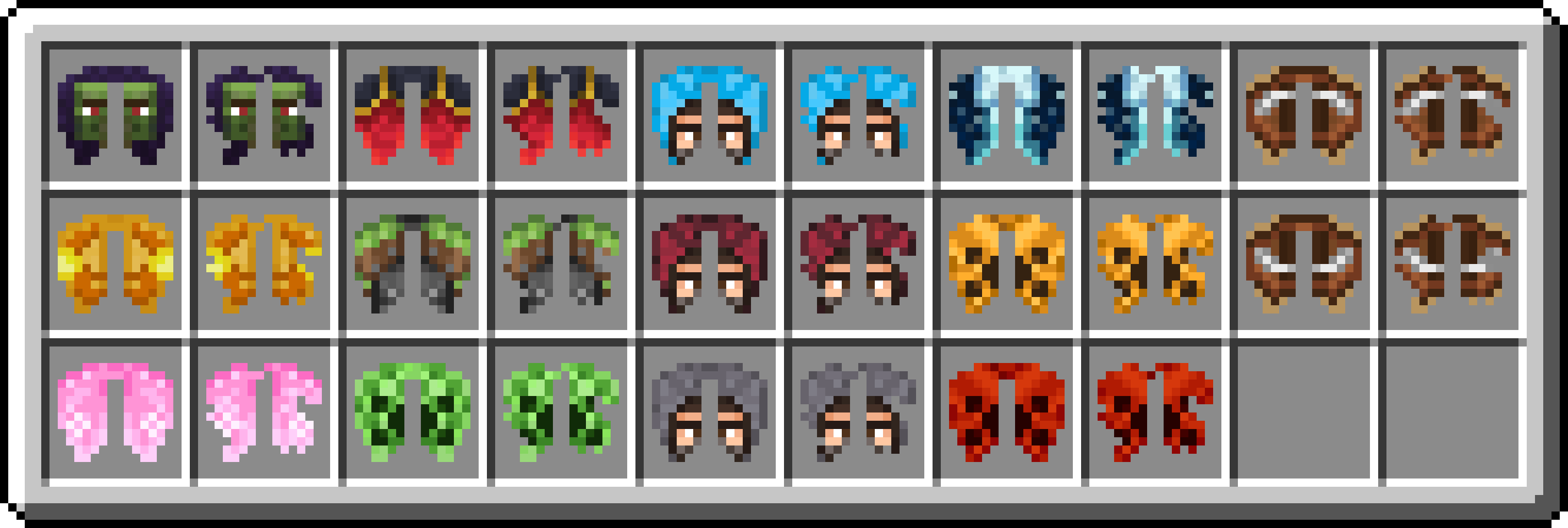
Any Vanilla Cape: Choose from all vanilla capes;
Matching Elytra: Make your Elytra match your cape;
Client-Side Only: No server install, no account changes;
Other Players’ Capes: See the capes other players picked;
Player Badge: A small icon marks players using the mod.

- Open the cape menu by pressing O or through Mod Menu.
- Select the cape you want.
- Done!
Optional: enable the matching Elytra texture.
Your cape updates instantly. If matching Elytra is enabled, the game automatically reloads its textures.

|
In-Game Menu Select your favorite cape. |
Other Players’ Capes See the capes other players selected. |
|
Player Badge Identify other players using the mod with a custom icon. |
Elytra Icons Choose whether your Elytra’s texture matches your selected cape. |
Future Updates 
More capes & Elytra icons.
Exclusive capes, including animated & HD designs.
More features coming soon!
This project is not affiliated with Mojang Studios. 
常见问题
Elytra & Capes 支持哪些 Minecraft 版本?
Elytra & Capes 支持 Minecraft Java 版 1.20.1–26.3,共 14 个版本,可用的加载器:Fabric。下载时注意选择和你游戏版本一致的文件。
Elytra & Capes 怎么安装?
先用 PCL2 或 HMCL 启动器安装对应版本的 Fabric,再把下载的 .jar 文件放进游戏目录的 mods 文件夹,重新启动游戏即可。开启了版本隔离的,mods 文件夹在 versions/版本名 下面。运行环境:仅客户端。

评论
登录后评论和评分