
截图
介绍
Drawing Datapack
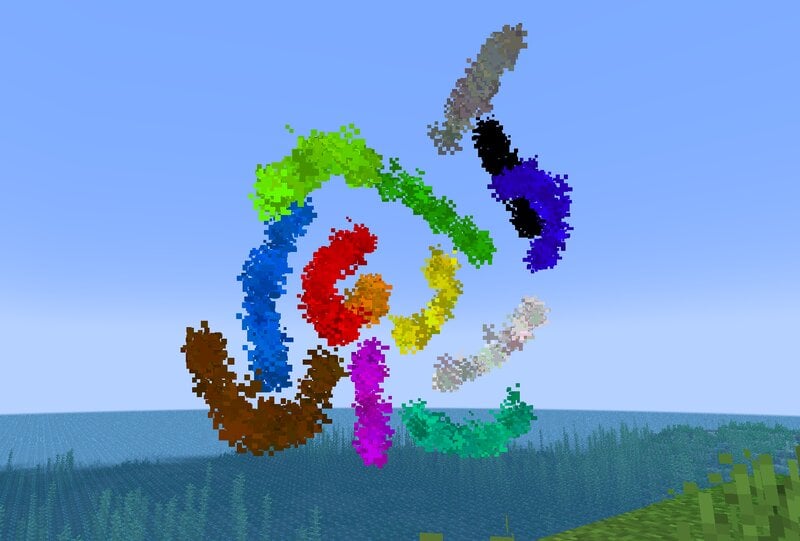
This datapack adds Paint which can be used to draw things in 3D!
How to use
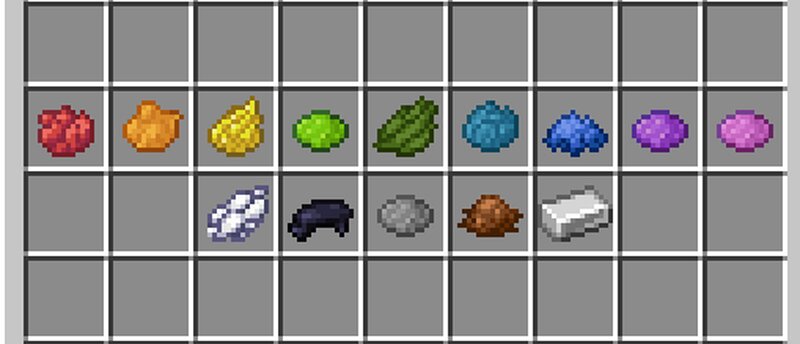
To get Paint, you need to drop any dye on a crafting table. This will create a Paint item of the same color.
To use Paint, you need to hold the item and press F (to move it to your offhand). This will start drawing 4 blocks away from you. You can move around and rotate your camera to form shapes and lines!
To get an Eraser, just drop an Iron Ingot on the crafting table. Then, you can hold it and press F again to remove paint in front of you. The radius of the eraser is around one block.
常见问题
Drawing 支持哪些 Minecraft 版本?
Drawing 支持 Minecraft Java 版 1.16–1.19.3,共 15 个版本,可用的加载器:Fabric / Forge / Quilt。下载时注意选择和你游戏版本一致的文件。
Drawing 怎么安装?
先用 PCL2 或 HMCL 启动器安装对应版本的 Fabric / Forge / Quilt,再把下载的 .jar 文件放进游戏目录的 mods 文件夹,重新启动游戏即可。开启了版本隔离的,mods 文件夹在 versions/版本名 下面。运行环境:客户端 / 服务端。
Silabear 的其他作品
查看全部 →
Realistic Item Drops
This datapack makes dropped items display with physics and rest nicely on the ground (using fun stuff with armor stands)!

VillEdit
Create custom villagers with the VillEdit datapack! This is an easy custom villager creator which works without mods.

BearEdit
A worldedit datapack for 1.20.2+ which is easy to use - no commands required! :D

Potato PC
Adds a literal potato pc with a literal potato operating system
评论
登录后评论和评分