
Evol’s 3D Rocket Variants
A simple mod that adds 32x model and texture for all three flight rockets.
截图


介绍
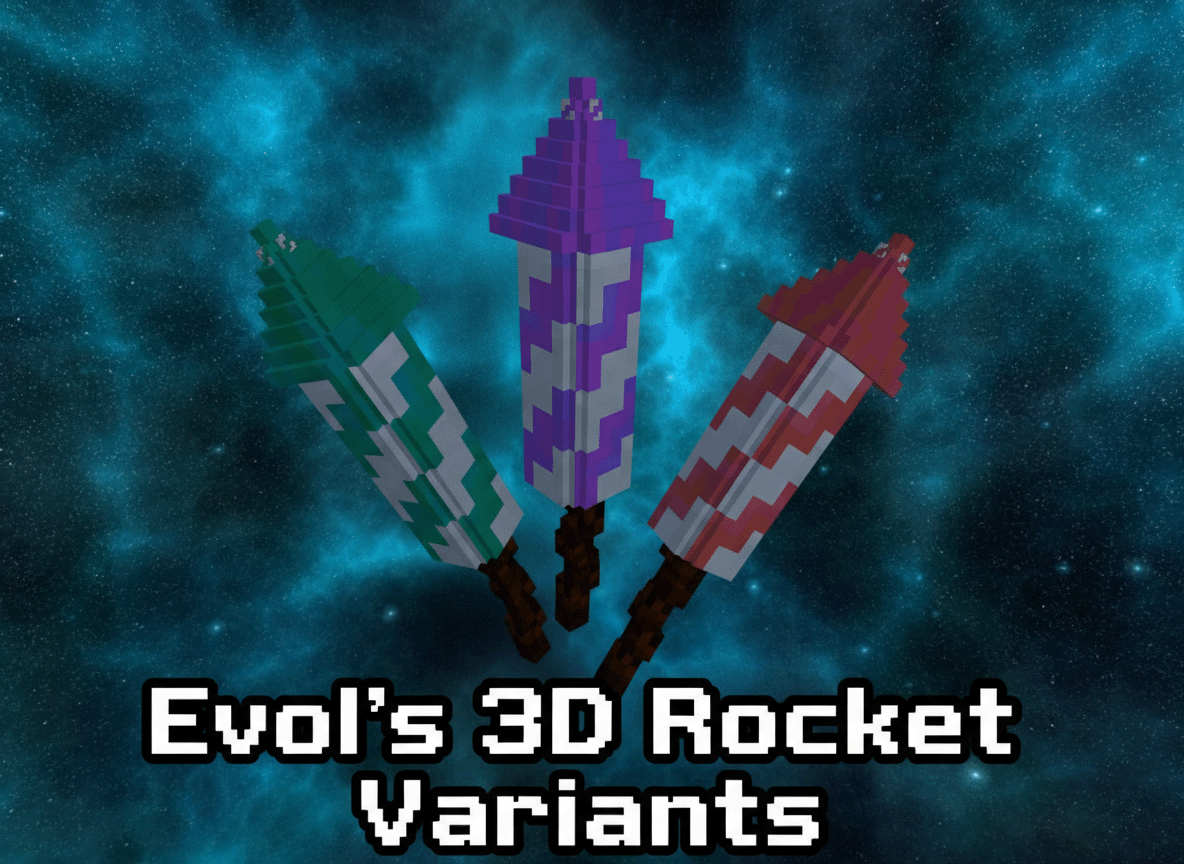
Evol’s 3D Rocket Variants
A resource pack that transforms the default 2D firework rockets in Minecraft into stunning 3D models with unique textures, adding a new layer of visual immersion to your pyrotechnic displays! This pack is designed for use with the Fabric mod loader and requires the variants-cit mod to function correctly.
Features
- 3D Rocket Models: Experience firework rockets like never before with completely new, custom 3D models.
- Variant Textures: Each flight duration (1, 2, and 3) now has its own distinct texture, making it easier to differentiate your rockets at a glance.
- Seamless Integration: Designed to work flawlessly with the
variants-citFabric mod.
Requirements
To use this resource pack, you must have the following installed:
- Fabric Loader: The modern modding toolchain for Minecraft.
- Variants-CIT Mod: This Fabric mod is essential for custom item textures and models based on NBT data. You can find it on CurseForge or Modrinth.
Installation
- Install Fabric Loader: If you haven’t already, install the Fabric Loader for your desired Minecraft version.
- Install Variants-CIT: Download the
variants-citmod (and its dependencies, if any) and place them in your Minecraftmodsfolder. - Download Evol’s 3D Rocket Variants: Get the latest version of this resource pack.
- Place the Resource Pack: Move the downloaded
.zipfile (or the unzipped folder, if you prefer) into your Minecraftresourcepacksfolder.
- To find this folder, open Minecraft, go to
Options->Resource Packs->Open Pack Folder.
- Enable the Resource Pack:
- From the
Resource Packsmenu in Minecraft, move “Evol’s 3D Rocket Variants” from the “Available” column to the “Selected” column. - Ensure it is placed above any other resource packs that might modify firework rockets.
- Enjoy: Load into your world and marvel at your new 3D rockets\!
Troubleshooting
- Rockets still look 2D?
- Make sure
variants-citis installed correctly in yourmodsfolder. - Verify that “Evol’s 3D Rocket Variants” is enabled and at the top of your resource pack list.
- Reload your resource packs in-game by pressing F3 + T.
- Game crashes?
- Ensure you have the correct version of
variants-citfor your Minecraft version. - Check your
latest.logfile in the.minecraft/logsfolder for error messages.
Support
If you encounter any issues not covered here, or have suggestions, please feel free to reach out via [Link to your preferred support channel, e.g., GitHub Issues, Discord, Modrinth Comments].
常见问题
Evol’s 3D Rocket Variants 支持哪些 Minecraft 版本?
Evol’s 3D Rocket Variants 支持 Minecraft Java 版 1.17–1.21.10,共 16 个版本。下载时注意选择和你游戏版本一致的文件。
Evol’s 3D Rocket Variants 怎么安装?
把下载的 .zip 文件(不用解压)放进游戏目录的 resourcepacks 文件夹,进游戏后在「选项 → 资源包」里把它移到右边启用。
Evol-Luci 的其他作品
查看全部 →
Evol’s 3D Lanterns and Chains Enhanced
Evol 的 3D 锁链与灯笼,一个旨在为你的 Minecraft 世界带来新维度的资源包!该资源包通过将锁链、灯笼和灵魂灯笼变为 3D 并提供更新的纹理动画,增强了它们的视觉体验。

Evol’s 3D Amethyst
此资源包将默认的扁平紫水晶板替换为令人惊叹的全 3D 模型,并引入了更新的纹理。为现有紫水晶方块添加了新的变种,支持完整 PBR,并支持自发光以增添额外光芒。

Forbidden Blocks
Forbidden Blocks is a client-side mod for Minecraft that allows players to set specific blocks as forbidden, preventing their placement in the game. This mod is particularly useful for players who want to avoid losing items with specific names or lore.

Evol’s 3D Cactus Overhaul
An overhaul to the cactus, cactus flower and potted cactus. The textures are 32x32 and the potted cactus includes 4 variant pots. This is the Beta Release More Texture work is needed still.
评论
登录后评论和评分