
Thermal Vision Goggles
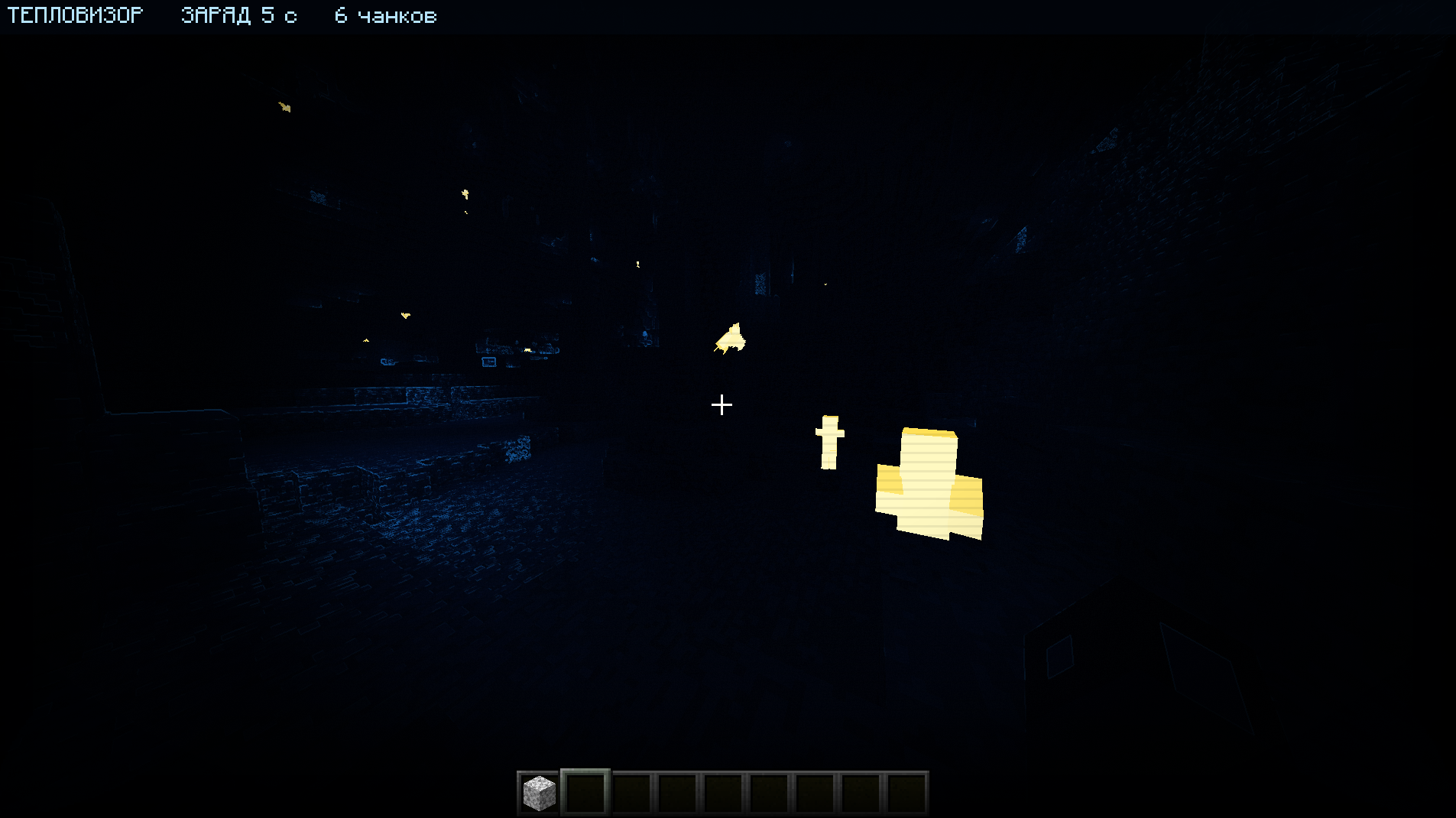
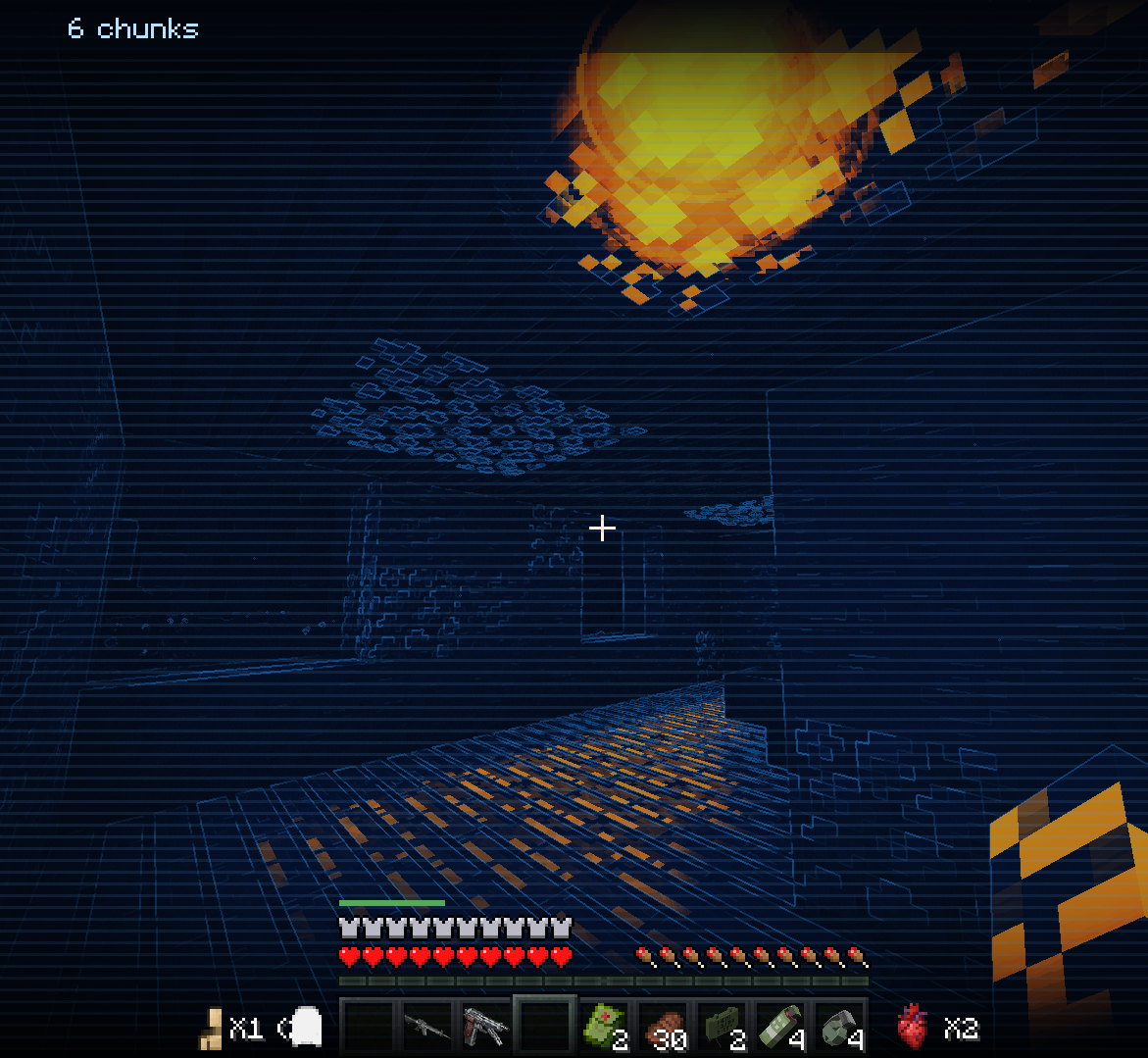
Craftable Thermal, White Hot and Night Vision goggles for tactical PvP and survival. Animated 3D models, rechargeable batteries and optional Curios support.
截图


介绍
Thermal Vision Goggles
Three craftable vision devices for tactical PvP, survival, and modpacks. Choose classic thermal imaging, White Hot, or Night Vision. Originally created for a small Battle Royale server with weapon mods such as TaCZ and Superb Warfare.
New in 5.1: White Hot & Night Vision
| Device | What you see | Center crafting ingredient |
|—|—|—|
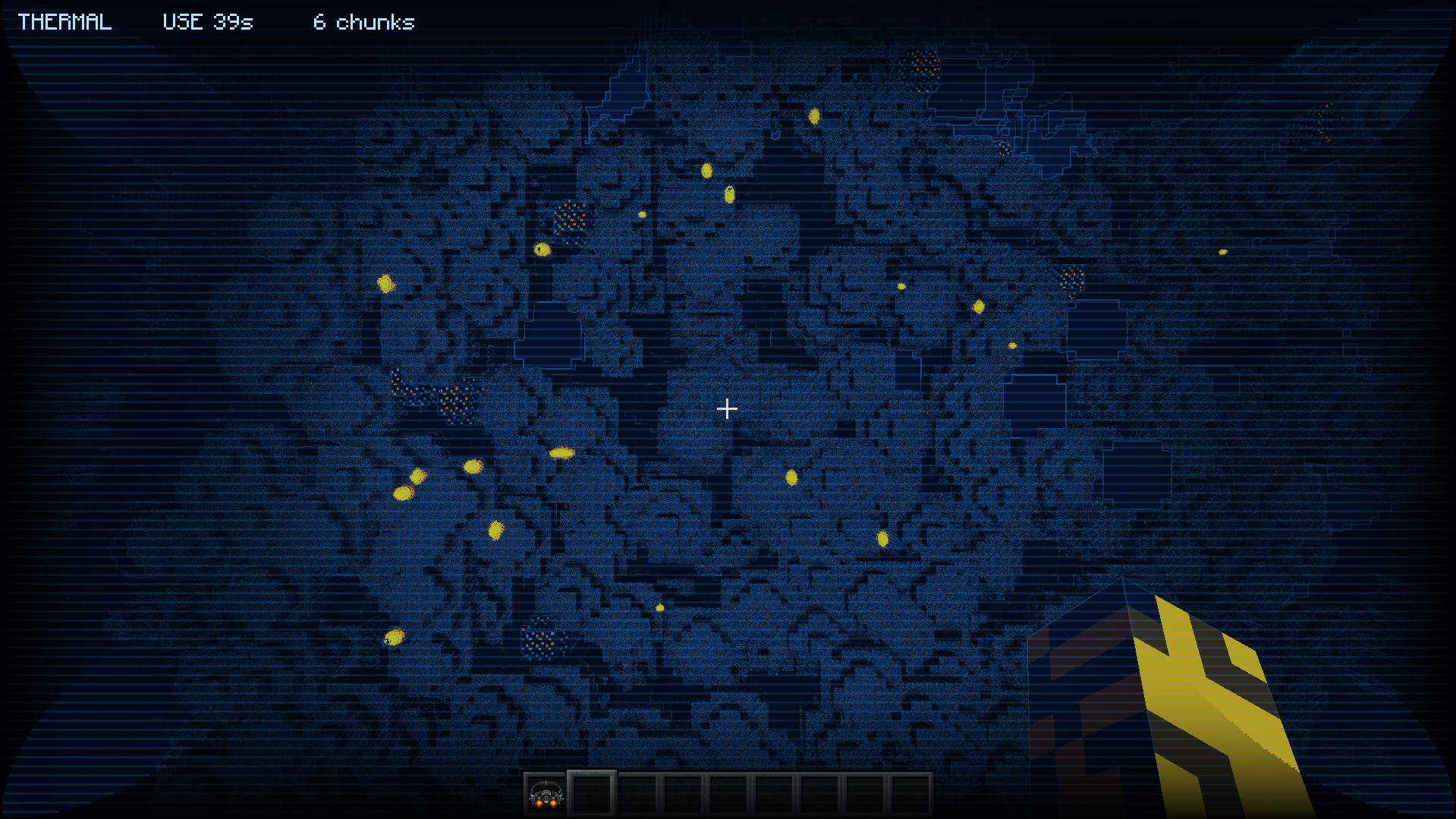
| Thermal Goggles | Living targets in a hot palette against a cold blue world | Amethyst Block |
| White Hot Goggles | White living targets against a grayscale world | Quartz Block |
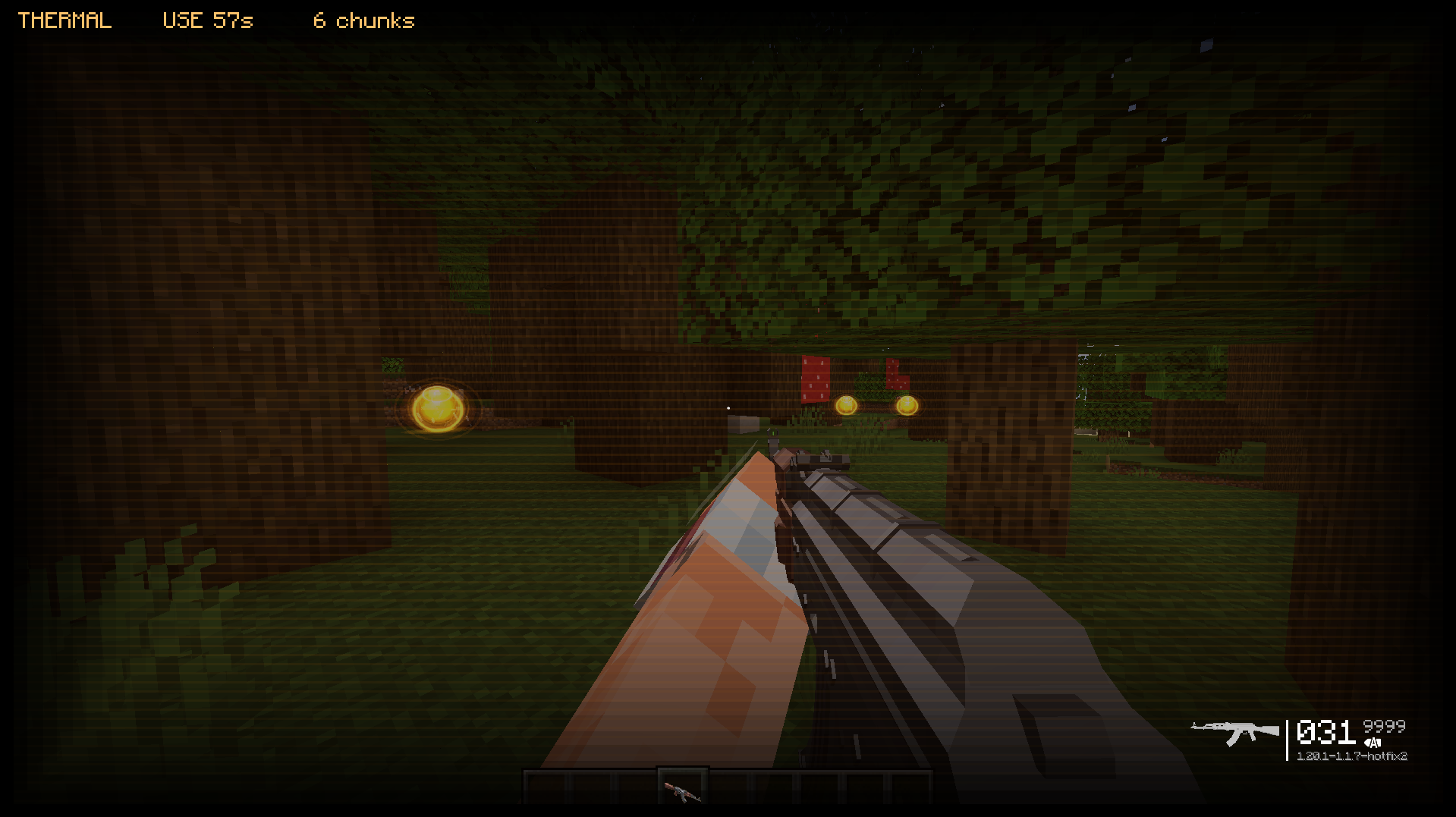
| Night Vision Goggles | Green amplification of existing shadow detail, without heat highlighting | Emerald Block |
These are three separate items, not modes cycled by a key. Equip the goggles you want and press V to turn them on or off.
White Hot
White Hot highlights the actual models of supported living entities. Like the original thermal goggles, it detects targets up to 96 blocks, limited by entity render distance. Thermal highlighting is designed to respect solid-wall occlusion. Invisible entities, spectators, and armor stands are excluded.
Night Vision
Night Vision uses a green palette, grain and a vignette to amplify existing shadow detail. It does not apply a heat mask or an entity-detection radius. Completely black pixels contain no detail for the effect to recover.
Models and inventory icons
Both new devices have their own 3D models, active/inactive textures, and visor raise/lower animations visible to other players. White Hot uses pale textured lenses; Night Vision uses a wide green visor and a dark helmet-style housing.
The original thermal device remains available, including its cold-world effect, luminous-block glows, sounds, and charge HUD. Luminous-block glows are specific to the original thermal mode.
Crafting
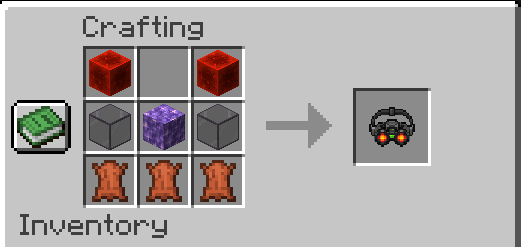
All three goggles use this shaped recipe:
| | | |
|—|—|—|
| Redstone Block | Empty | Redstone Block |
| Tinted Glass | Variant block | Tinted Glass |
| Leather | Leather | Leather |
Use an Amethyst Block for Thermal Goggles, a Quartz Block for White Hot Goggles, or an Emerald Block for Night Vision Goggles.
Thermal Battery — shapeless: 1 Redstone Dust + 1 Iron Ingot.
How to use and recharge
- Craft your preferred device, or obtain it in Creative mode.
- Without Curios, equip it in the helmet slot. With Curios, use the functional Head accessory slot alongside your regular helmet. Cosmetic slots do not activate vision.
- Press V to toggle the equipped device. The binding can be changed in Minecraft’s Controls settings. The HUD identifies the active vision mode and remaining charge.
- A full charge lasts 60 seconds of active use. Power is consumed only while enabled.
- Hold a Thermal Battery and right-click while wearing the goggles to fully recharge them. One battery is consumed in Survival. Running out of charge switches the effect off; the device can be recharged.
The same battery works with all three devices.
Versions and installation
| Minecraft | Loader | Build |
|—|—|—|
| 1.20.1 | Forge 47.x | 5.1, including White Hot and Night Vision |
| 1.21.1 | Forge | 4.0.0-1.21.1 Beta, separate preview without the new 5.1 devices |
For 1.20.1, use Java 17. The 5.1 build is compiled against Forge 47.4.10.
Install 5.1 on both client and server. The network protocol changed from 5.0; update everyone together. TaCZ and Superb Warfare are not required dependencies. Fabric and NeoForge builds are not currently published.
Curios API is optional. For 1.20.1 / Forge, use 5.14.1 or later in the 5.x series.
Compatibility and support
External shader packs, translucent-block behavior, custom living renderers, and the new variants with Curios at runtime have not been comprehensively verified. Compatibility can vary with your modpack.
Report a bug · Source code · Discord community
Please include your Minecraft, Forge and mod versions, rendering mods or shader pack, and screenshots/logs when reporting a problem.
常见问题
Thermal Vision Goggles 支持哪些 Minecraft 版本?
Thermal Vision Goggles 支持 Minecraft Java 版 1.20.1–1.21.1,共 2 个版本,可用的加载器:Forge。下载时注意选择和你游戏版本一致的文件。
Thermal Vision Goggles 怎么安装?
先用 PCL2 或 HMCL 启动器安装对应版本的 Forge,再把下载的 .jar 文件放进游戏目录的 mods 文件夹,重新启动游戏即可。开启了版本隔离的,mods 文件夹在 versions/版本名 下面。运行环境:客户端和服务端都要装。
评论
登录后评论和评分