截图

介绍

ANIMATED FURNACE
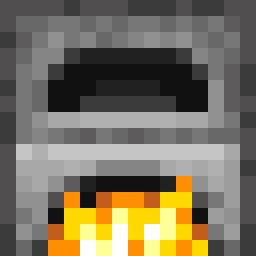
Animated Furnace is a pack which makes your furnace animated when using it. It basically adds a simple animation to the flame of the furnace that looks more realistic and natural.
How to install and use it?
• First click on the download arrow and select your game version, then click for installation.
• Copy or cut the pack and paste it to the _.minecraft_ folder’s resourcepack section.
• Start your game and click on the Animated Furnace resourcepack and enjoy it.
If you want to use this pack in videos or projects, please credit me.
常见问题
Animated Furnace Flame 支持哪些 Minecraft 版本?
Animated Furnace Flame 支持 Minecraft Java 版 1.15–26.2,共 42 个版本。下载时注意选择和你游戏版本一致的文件。
Animated Furnace Flame 怎么安装?
把下载的 .zip 文件(不用解压)放进游戏目录的 resourcepacks 文件夹,进游戏后在「选项 → 资源包」里把它移到右边启用。
Sticky_ 的其他作品
查看全部 →
Faithful 32× Glowing Ores
让 Minecraft 矿石看起来会发光

Pixelated_Armors
A resourcepack that looks your armors pixelated 3D.

Fresh Flower Pot 32×
Detailed flower pots with vanilla-friendly designs and more variety

Ultimate vanilla 16×
This project changes minecraft texture and make minecraft looking Better!
评论
登录后评论和评分