
WindowsStartingOverlay
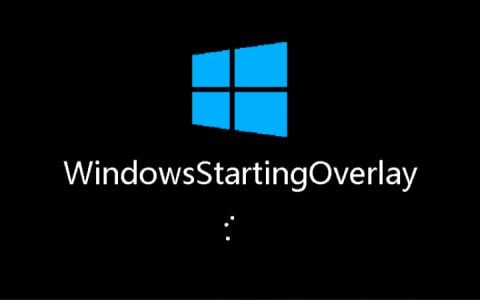
This is an extremely simple mod that changes the game's loading screen at startup to the loading interface of the Windows 10 system.
截图
介绍
This is an extremely simple mod that changes the game’s loading screen at startup to the loading interface of the Windows 10 system, and it has been open-sourced on GitHub.
If you are not satisfied with the default startup icon and loading animation in this mod, you can modify the icons and loading animation frames displayed at startup by changing the icon.png file located in assets/wso/icon.png or the images in the assets/wso/loading directory within the mod’s JAR file, through resource packs or other methods.
常见问题
WindowsStartingOverlay 支持哪些 Minecraft 版本?
WindowsStartingOverlay 支持 Minecraft Java 版 1.20.1–1.21.11,共 4 个版本,可用的加载器:Fabric。下载时注意选择和你游戏版本一致的文件。
WindowsStartingOverlay 怎么安装?
先用 PCL2 或 HMCL 启动器安装对应版本的 Fabric,再把下载的 .jar 文件放进游戏目录的 mods 文件夹,重新启动游戏即可。开启了版本隔离的,mods 文件夹在 versions/版本名 下面。运行环境:仅客户端。
KSmc's Team 的其他作品
查看全部 →
StartupTone
其功能是在你首次启动游戏并进入主菜单时播放提示音。

NoCreativeMode
This is a mod that disables creative mode in the game.
NoCreativeMode
This is a mod that disables creative mode in the game.

DarkTitleBarForge
A mod to add dark mode support to the game window's title bar on Windows 10 version 1809 and above.
评论
登录后评论和评分