
Discord: JustSync
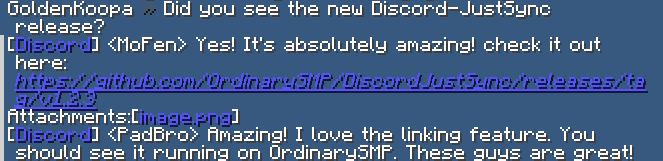
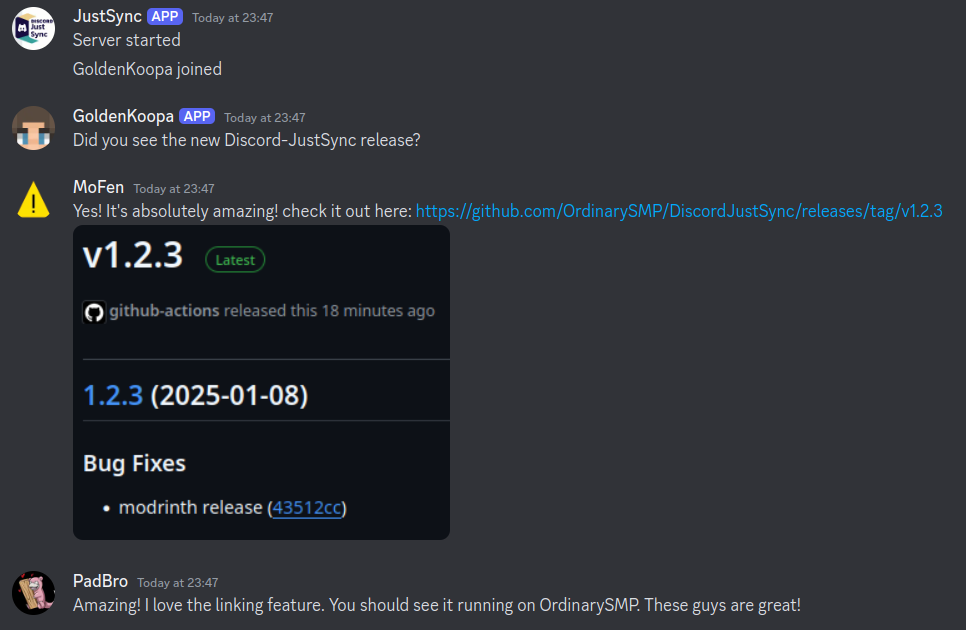
Discord Bridge. Sync your Discord Chat with Minecraft. The mod allows for additional features like whitelisting.
截图
介绍
Discord: JustSync
If your bot can see a total of 10k members or more you will need to verify the bot through discord!
Easily migrate from ErdbeerbaerLP’s Discord Integration with Scripts on our Website tronka.de.
Features
- Send minecraft chat messages to discord
- Send discord messages to the minecraft chat
- Custom whitelisting through discord roles
- Configure alt account usage
- Webhook and Embed support with configurable message formats
- Commands and command logging support
Integrations
The mod easily integrates with:
- Floodgate/Geyser
- Luckperms
- Vanish
More on our wiki page
Config
The config file is located in <minecraft-folder>/config/discord-js/discord-justsync.toml,
it will be created on first launch.
To use the mod you must configure botToken with you discord bot token and
serverChatChannel with the id of the channel you want to use for the minecraft chat channel.
Without doing so minecraft will fail to start.
The Discord Bot
The bot will need following intents: SERVER_MEMBER, MESSAGE_CONTENT
and following permissions: Send Messages, View Channels, Manage Webhooks, Manage Nicknames, Embed Links
For a more detailed step-by-step tutorial refer to our wiki page.
Linking
By enabling the linking.enableLinking option (default: true) players will be required to link their minecraft account to a discord account.
You can control which players can join by configuring linking.requiredRoles with a role id required to join the server.
By default, a player’s discord account will be renamed to their ingame name whenever they join (linking.renameOnJoin).
For this to work the manage roles permission is required.
Commands
Minecraft
/discord reloadreload the configs/discord unlinkremove the link of your minecraft account/discord unlink <player>remove a link from a discord user to a minecraft account (op required)
Discord
/link <code>used to link to your minecraft account/justsync getquery link data for yourself/justsync get <player>query link data for other players (moderate member permission required)/unlinkunlink yourself/justsync unlink <player>unlink a player (moderate members permission required)/listList the currently online players/reloadreload the config file (admin only)
Problems, Suggestions and general Questions
If you encounter any problems or bugs, have a suggestion or have a question for this mod feel free please join our Discord Server.
常见问题
Discord: JustSync 支持哪些 Minecraft 版本?
Discord: JustSync 支持 Minecraft Java 版 1.21.4–26.3,共 13 个版本,可用的加载器:Fabric。下载时注意选择和你游戏版本一致的文件。
Discord: JustSync 怎么安装?
先用 PCL2 或 HMCL 启动器安装对应版本的 Fabric,再把下载的 .jar 文件放进游戏目录的 mods 文件夹,重新启动游戏即可。开启了版本隔离的,mods 文件夹在 versions/版本名 下面。运行环境:仅服务端。
Ordinary Mods 的其他作品
查看全部 →
AltX
AltX is a lightweight serverside mod for minecraft fabric that logs player IP addresses & detects alternate accounts or shared IPs.

TimestampBro
Timestamp Bro adds timestamps to chat messages, so you can see when each message was sent.
TimestampBro
Timestamp Bro adds timestamps to chat messages, so you can see when each message was sent.

GreeterBro
Greeter Bro is a simple Minecraft mod that automatically greets players when they join the game.
评论
登录后评论和评分