
Nations & Villagers – AI Reborn
Town building, AI integration and hole inteactive city system.
截图


介绍
🏙️ NATIONS & VILLAGERS: AI REBORN
🌌 The story line: we create it together – across a multiverse of worlds.
Switch on Online Mode and Crossworld Visits, and other players can visit your single-player world while you play. What happens next in the story? You help decide – live with us.
| 🌐 VRRW.online → Free mods, news & guides |
🟣 Twitch → Live dev, polls & giveaways |
💚 Kick → Live dev, polls & giveaways |
▶️ YouTube → Showcases & dev videos |
||||||||
| 🔴 Live Actions → Live events & gifts |
🎁 Offers → Quizzes & challenge programs |
❓ Reddit Q&A → Ask, share & discuss |
💜 Patreon → Support development |
Community-driven VRRW: give feedback, vote in polls during selected livestreams, join feature suggestion rounds and react to new ideas with Blitz Reactions. AI Reborn also has built-in voting, suggestion and bug-report tools.
🧠 A LIVING AI CIVILIZATION INSIDE MINECRAFT
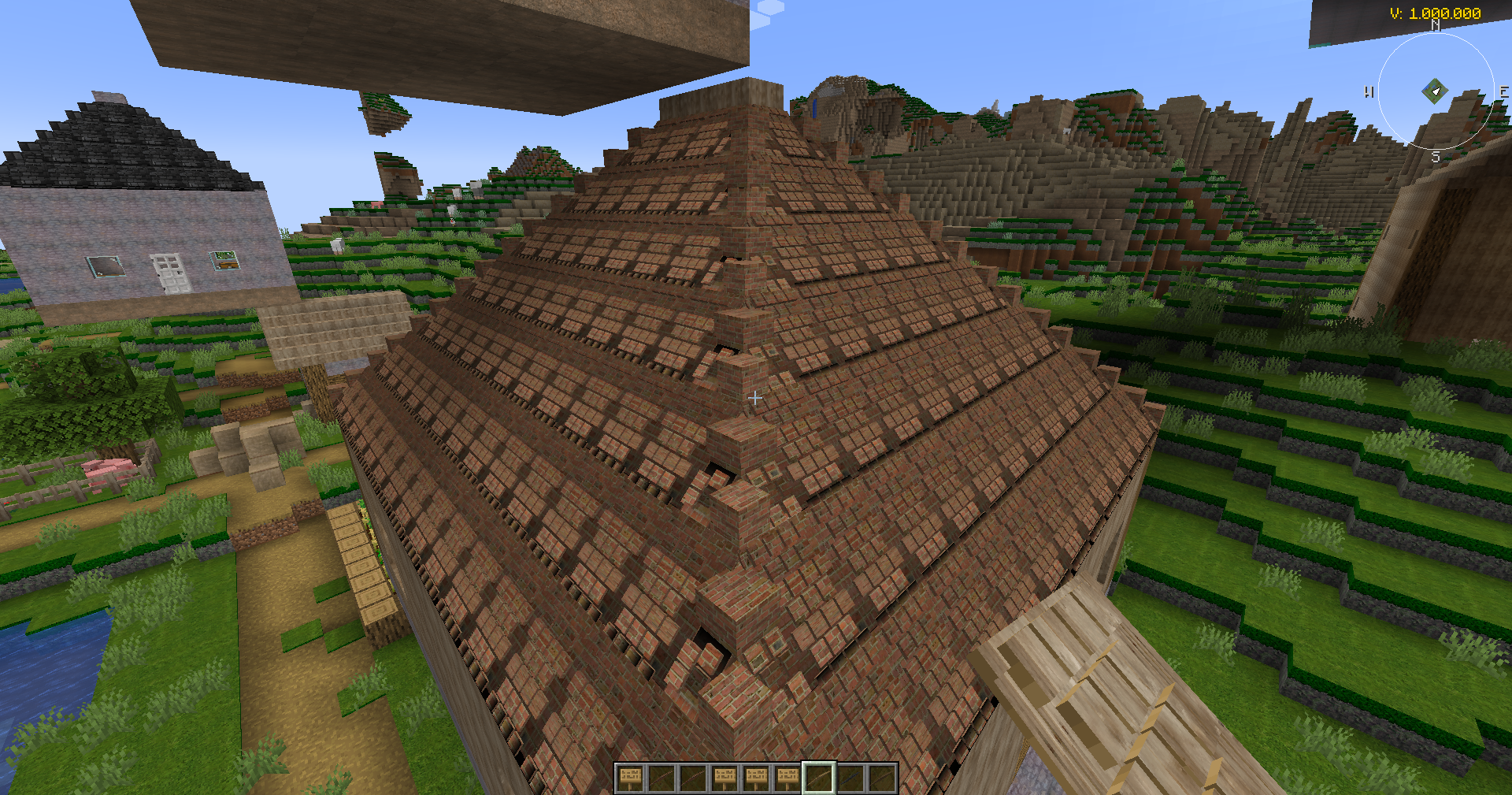
Your citizens think, talk and build. AI Reborn adds AI citizens who take jobs, raise your Town Hall and grow your settlement into a city and then a nation – with economy, laws, diplomacy, war and vehicles all connected in one world.
Talk to them in chat (optional local AI through Ollama), hear them answer (Piper / eSpeak NG voices) and, if you like, open your world to the VRRW multiverse through Crossworld.
🧠 Citizens create settlements. 🏙️ Settlements become cities. 🌍 Cities become nations. 🤝 Nations forge alliances.
Made for players who love city building, colony and nation sims, roleplay servers, long survival worlds and AI NPC experiments.
⚡ AT A GLANCE
| | |
|—|—|
| 🎮 Game | Minecraft Java Edition 1.21.1 · NeoForge 21.1 or newer · Java 21 |
| 🖥️ Install on | Client and server |
| 🔗 Required | MCEF 2.1.6 for NeoForge 1.21.1 – in-game browser for AI Reborn’s tutorials, videos and community hub (client-side mod) |
| 🤖 Optional | Ollama for AI chat · Piper / eSpeak NG for voices · whisper.cpp for speech-to-text |
| 🌐 Online | Online Mode and Crossworld are opt-in and off by default |
| 💰 Fair play | No pay-to-win: V-Credits are an in-game currency and cannot be bought with real money |
🎁 FREE WITH VRRW
- ✅ AI Reborn is free – download it right here on Modrinth. VRRW Overworld and OBJ Anim are free too.
- 🎁 Texture-pack gifts at selected live events – giveaway codes, chat prizes or, when offered, Channel Points rewards on Twitch and Kick. Free giveaways need no channel subscription. Redeem them with a free VRRW account on the VRRW Twitch or Kick page, then download the pack under “Library” in the texture shop. All steps →
- ⭐ VRRW Points – website points, not Channel Points; live prizes can also pay out in points. No plan? Signed-in members can unlock individual texture-pack versions with them. About VRRW Points →
- 🧩 Offers – long-term quizzes and challenge programs on VRRW Offers whenever they run.
Each stream round decides what is offered. Entering is not winning – prizes are reserved after the draw and claimed on the website.
Texture packs are optional extras. You never need one to play AI Reborn.
▶️ WATCH VRRW IN ACTION
🔥 WHAT AI REBORN ADDS
- 🧠 AI citizens you can talk to – write a citizen’s name or role in chat, for example
Hello Umberta, build a Town Hall here.With Ollama, the replies come from a local AI model on your own PC. - 🔊 Voices and listening – citizens answer out loud with Piper or eSpeak NG voices. Optional speech-to-text with whisper.cpp and push-to-talk.
- 🏙️ From settlement to nation – buy land from the Country Seller, hire workers, build a Town Hall, then add homes, warehouses, production and defenses.
- 👷 Real jobs – Miner, Farmer, Lumberjack, Rancher, Builder, Transporter, Postman, Banker, Doctor, Nurse, Pharmacist, Tailor, Artist, Scholar, Spy, Judge, Lawyer, Wandering Professor and more.
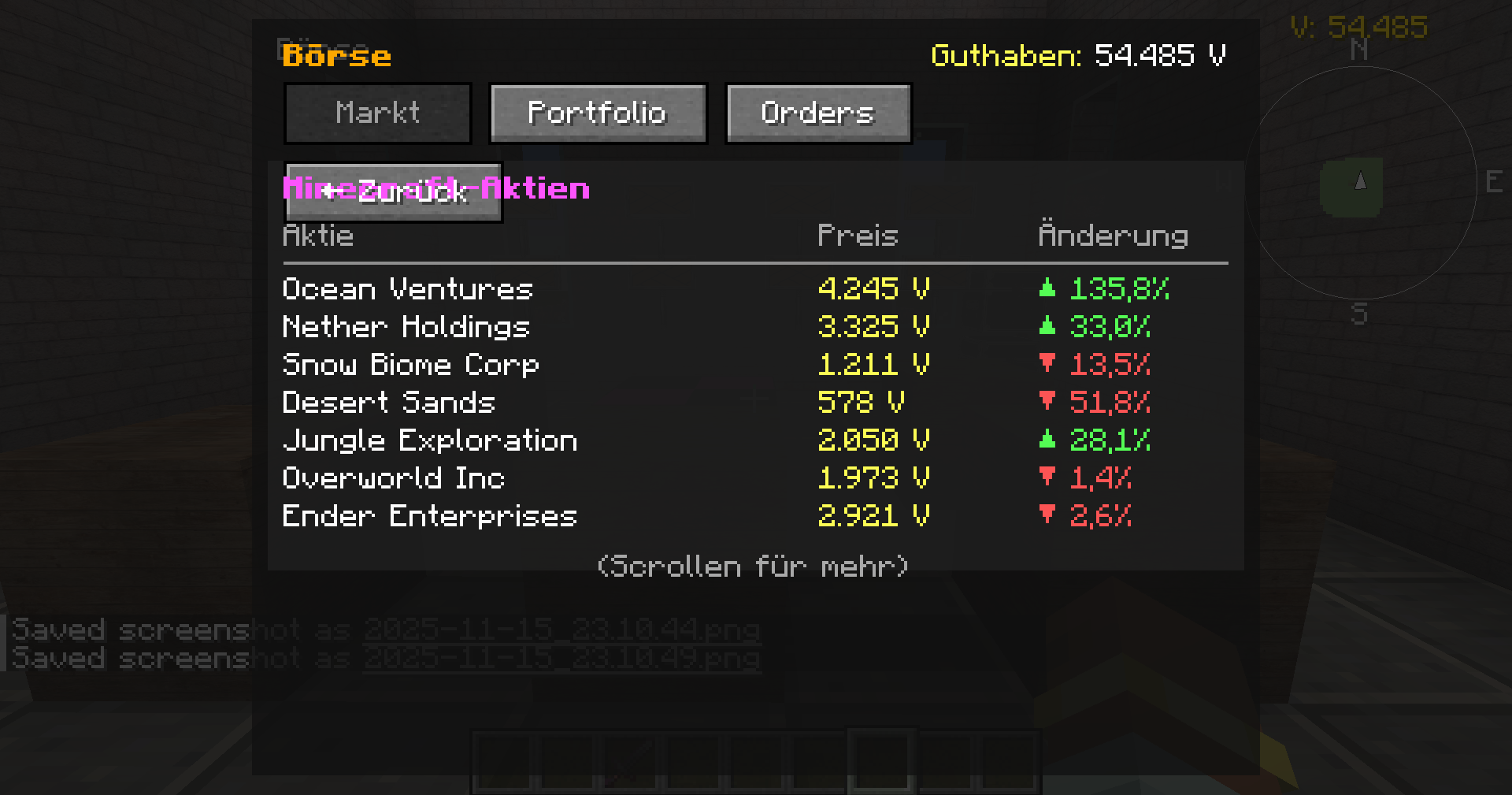
- 💰 Economy – markets, banks, taxes and a stock exchange with resource stocks and town shares, all in V-Credits.
- 🤝 Diplomacy – alliances with name, color and emblem, ranks, peace, tribute and war through the Diplomacy Table.
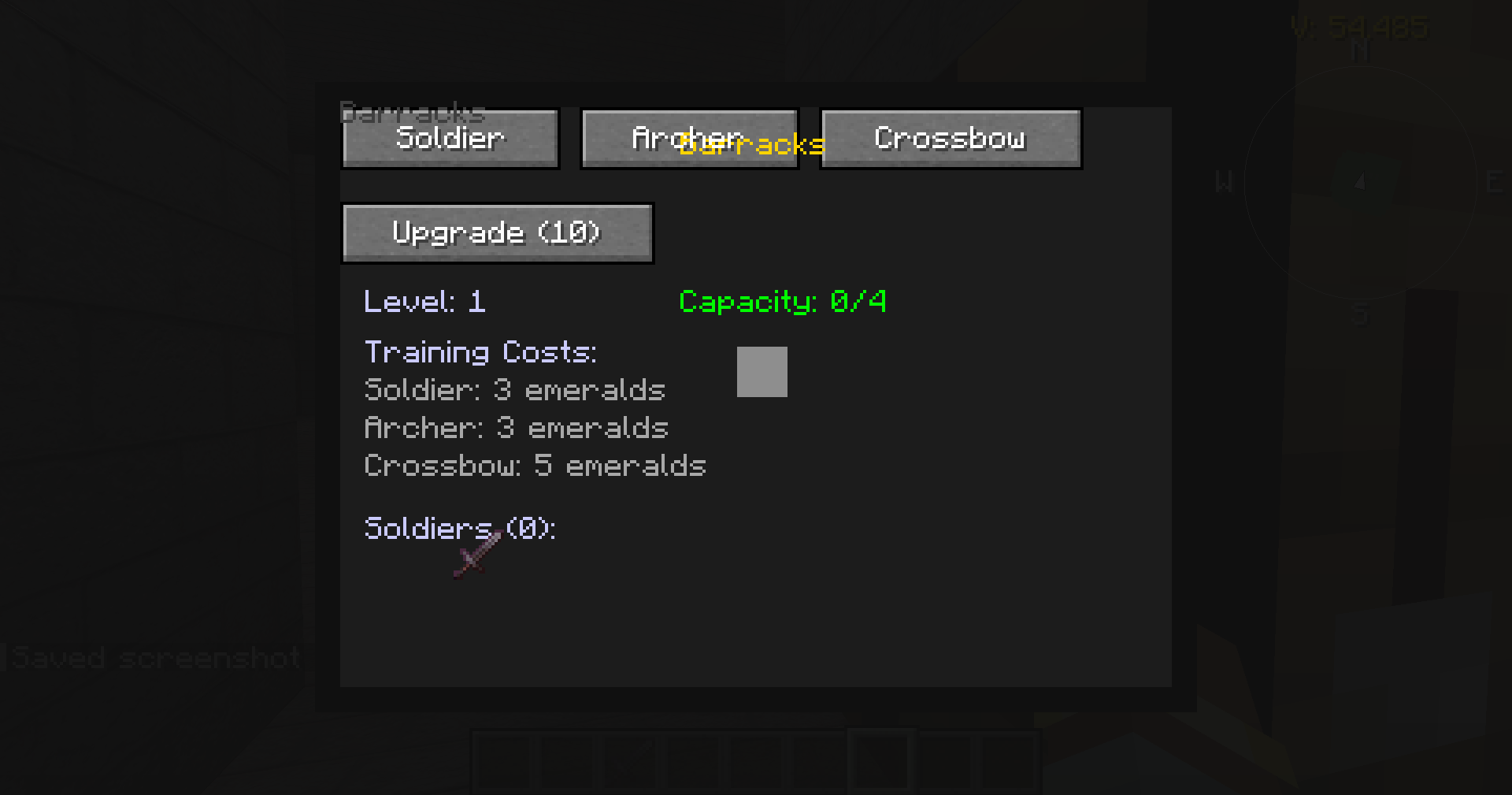
- ⚔️ War and defense – soldiers, archers and crossbowmen, raids, sieges, bunkers, spies, catapults, battering rams, ballistas, tanks and military aircraft.
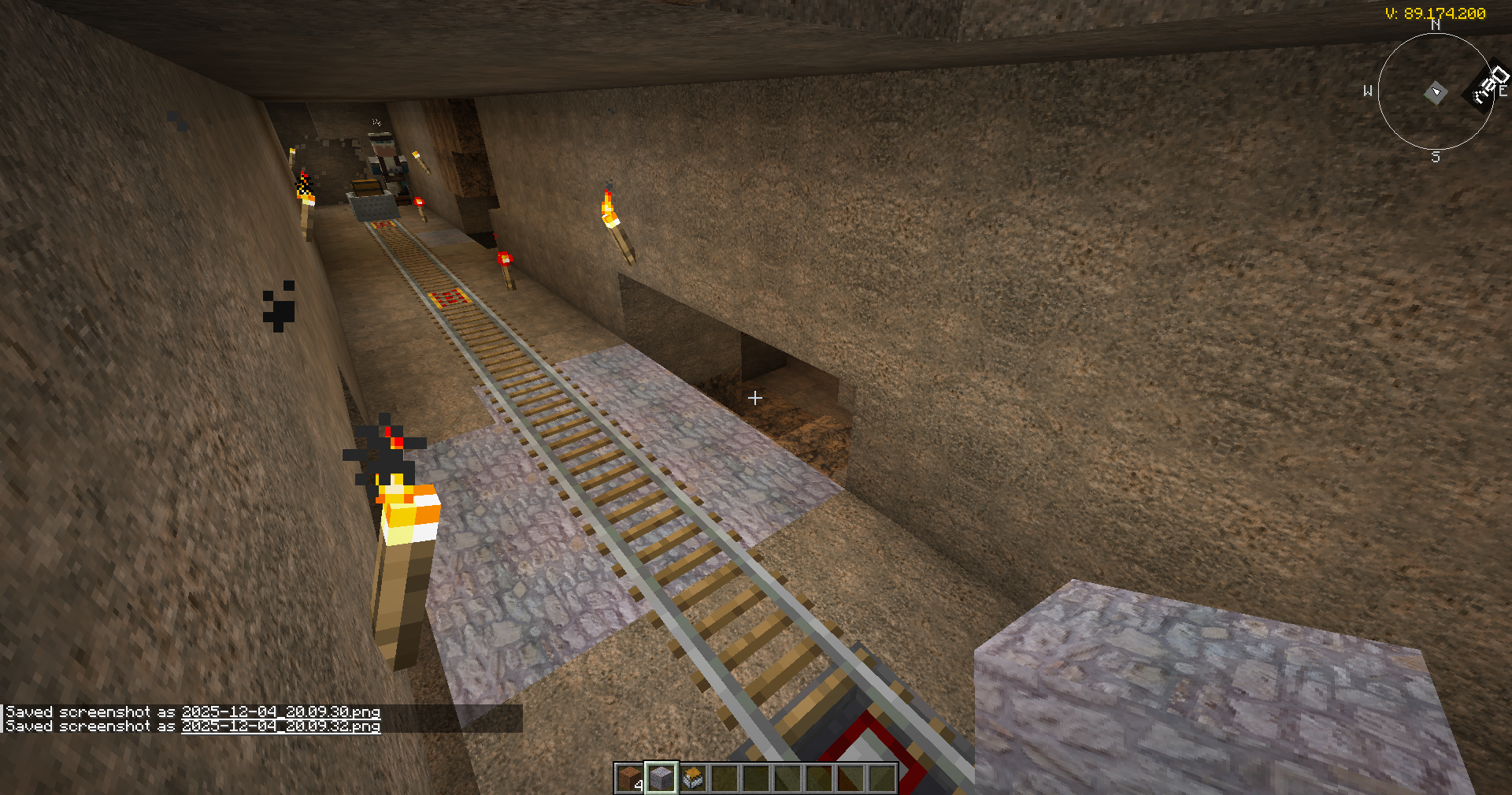
- 🚗 Vehicles built from blocks – cars, trucks, ships, aircraft, submarines, helicopters and mining trains on VRRW’s own collision and motion engine, with no external physics library.
- 🏥 City life – police, courts and prisons, hospitals and pharmacies, a fire department, restaurants and an amusement park with carousel and fairground booths.
- ⚙️ Industry – conveyor belts, power, water processing, sawmills, crude oil, pumpjacks, refineries and pipelines.
- 🌍 5 languages – English, German, French, Spanish and Croatian.
🌌 CROSSWORLD – THE VRRW MULTIVERSE
Online worlds can join one shared VRRW universe:
- 🌐 Online Mode – switch it on in the title screen. When you create a world, the choice (“Online Wallet/Market”) is fixed for that world. It is off by default.
- 🚪 Switch on Crossworld Visits – when you create the world or later through a Crossworld portal. Turning it on is permanent, and your world then appears in the Crossworld portal directory.
- 👥 Other players visit your single-player world through Crossworld portals while you host it. Visitors need an active Online Mode session too. The visit runs over a direct P2P connection (optional WebRTC component), with no router port forwarding.
- 💱 Shared economy – global V wallet, global market, stocks, AI news, quests and events.
- 🏰 Servers become universe nodes – a dedicated server can be a capital, trade hub, fortress or embassy. Dedicated servers need a verified VRRW server key.
Singleplayer worlds become origins. Servers become universe nodes. Alliances become global powers. And the story? We decide it together – live on Kick and Twitch.
🎮 GETTING STARTED
- Install NeoForge for Minecraft 1.21.1. Put AI Reborn and MCEF into your
modsfolder. On a dedicated server AI Reborn goes into the server’smodsfolder too; MCEF is a client-side mod. - Find a Country Seller and buy your first land.
- Hire a worker inside your borders and tell them:
Build a Town Hall here. - Add homes, a Builder’s Hut, warehouses and production buildings.
- Once your Town Hall stands, place a Diplomacy Table to form alliances.
Want AI conversations? Install and start Ollama, then run /ollama setup for the steps. Next, run /ollama test: it checks the connection and downloads the small model llama3.2:1b if no model is installed yet. The in-game AI Setup screen bundles the chat, voice and speech-to-text options.
🏙️ Start with a village. Build something that can become a nation. Press
F6for the in-game tutorial andPfor the map.
🔐 PRIVACY & ONLINE FEATURES – WHAT RUNS WHERE
- 🏠 Local by default. Without Online Mode your worlds stay local.
- 🤖 Local AI. Ollama, Piper and eSpeak NG run on your PC, and you need no API key. If you pick an Ollama Cloud model in AI Setup, your chats go to Ollama’s cloud instead.
- 🎙️ Microphone: speech-to-text for citizens listens only while you hold push-to-talk (default
V). The automatic voice mode has no key until you bind one yourself. Player voice calls use the microphone only during an active call. - ☁️ Cloud text fallback is off by default. It only runs after you switch it on in AI Setup and sign in to VRRW. Requests then go through the VRRW backend to OpenRouter; no provider keys ship with the mod. Cloud voice and cloud speech-to-text are currently disabled.
- 🌐 Online Mode links your Minecraft UUID with the VRRW online system (wallet, market, quests, portals). The backend can validate economy actions, and anti-cheat checks protect the shared economy.
- 🔗 Crossworld P2P and voice calls use an optional WebRTC component. It is downloaded only after you agree (from Maven Central, SHA-256 checked). A direct P2P connection can reveal your public IP address to the other player.
- 📋 Website listing is optional and off by default. Only if you confirm twice do your world title, player name, VRRW mods and player count appear on vrrw.online, and they stay there until you withdraw.
📚 EXPLORE AI REBORN
Open a section for the details.
🤖 AI CHAT, VOICES & SETUP
AI Reborn runs without extra tools. The AI and voice features need these optional components:
| Component | What it does |
|—|—|
| Ollama | Local AI model for citizen conversations and command understanding |
| Piper | Local text-to-speech voices |
| eSpeak NG | Lightweight local text-to-speech |
| whisper.cpp | Local speech-to-text for push-to-talk |
Privacy-first setup: local Ollama for chat · local Piper / eSpeak NG for voices · Online Mode off when you don’t need Crossworld.
Languages: Ollama can reply in supported languages, depending on the model. Voices are language-dependent: citizens only speak aloud in languages with an installed voice.
Talking to the right citizen: write the name or role of the citizen or NPC in chat. For the Country Seller, translated role names may also work, depending on your language setup.
🌐 CROSSWORLD RULES & ONLINE MODE
Crossworld is built for fair survival play.
- 💶 The backend grants your Crossworld starting balance once. It is currently 1,000,000 V.
- 💰 V is an in-game fun currency that you earn in-game. You cannot buy V with real money.
- 🚫 Cheating, hacking, duplication abuse or unfair play can lead to a strict ban.
- 📈 The backend AI and admins may adjust trade rates, market supply, prices, world events, raids and town shares to keep the universe alive and less predictable.
- 🧱 Crossworld cannot be switched on in Creative or Spectator. On dedicated servers only an OP can enable it.
- 🖥️ Online worlds need the optional WebRTC component; offline worlds work without it.
Online Mode features: global V balance, stocks and resources, AI news, quests and Crossworld portals. You don’t need a VRRW.online account for Online Mode, because a local ownership key is stored in your config.
Markets can change. Events can happen. Raids can escalate. Alliances can rise or fall. Play fair. Think big. Survive the universe.
🏙️ BUILDINGS, ECONOMY & DIPLOMACY
Citizens and builders work with blueprints, resource requirements and construction sessions. Your city grows for real instead of only getting decorative blocks.
| Area | Buildings |
|—|—|
| Settlement | Town Hall, Villagers Home, Builder’s Hut, Warehouse, Barracks |
| Production | Lumberjack Hut, Mine, Farm, Rancher, Windmill, Grinding Stone, Sawmill, Solar Panels, Solar Array, Water Purification |
| Economy | Marketplace, Stock Exchange, Tax Office, Bank |
| Services | Hospital, Pharmacy, Fire Department, Police Station, Court, Prison, Restaurant |
| State & military | Airport, Military Airport, Defense Ministry, Spy Center, Research Center, Bunker, Weapons Armory |
| Industry | Oil Pumpjack, Oil Refinery, Oil Pipeline |
💰 Economy: your world runs on V-Credits. It includes:
- a bank with vault, counter, teller window, safe, bank card and deposit box
- a marketplace with collection box
- a stock exchange with resource stocks (gold, diamond, iron, emerald, redstone, lapis, coal, copper and more)
- town shares, taxes and transaction history
🤝 Diplomacy: once your Town Hall is built, place a Diplomacy Table. There you can:
- create alliances with name, color and emblem
- manage ranks and permissions
- declare war, request peace and pay tribute
- send diplomatic messages and call allies for help
Territory colors update on the map and minimap, so allies and enemies show at a glance.
⚔️ WAR, DEFENSE & MILITARY
- Units: melee soldiers, archers, crossbowmen, guards and spies.
- Soldier requests: ask allies for reinforcements through the Diplomacy Table. A request names the unit type, target coordinates and whether it is for defense or attack.
- Systems:
- barracks, defense ministry, spy center and spy maps
- raid planning and raid defense, sieges, conquest and occupation
- war score, peace and tribute, refugees
- military command terminal, bunkers and security terminals
- Siege engines: catapult, battering ram, ballista, crossbow emplacement and the Magma Maw mortar.
- Heavy hardware: tank, Blaze Cannon, Ender Pearl Cannon, Breeze Battery, Sculk Launcher and Star Dome defense, plus aircraft such as the Gale Fighter, Phantom Brood Carrier, Moth Dragon and Wasp Gyrocopter.
🚗 VEHICLES, MAP & HOTKEYS
Build your own vehicles from these parts:
- Driver Seat and Steering Wheel
- Car, Ship and Plane Engines
- Ship, Plane and Submarine Extensions
- Balloon, Landing Runway and Vehicle Lift
Seats, pilots, fuel and speed displays, energy storage and a vehicle inventory are included.
Vehicle types:
- land vehicles, carts and trucks
- ships and cargo boats, aircraft and submarines
- mining trains and wagons
- emergency and military vehicles
- Trade Transport Helicopter, Drill Vehicle, Surface Grading Bulldozer, Horse Carriage and Wasp Gyrocopter
Vehicles move materials between warehouses, production buildings and build sites.
| Key | Action | Key | Action |
|—|—|—|—|
| O | Toggle minimap | P | Full map |
| H | Set home | J | Set field |
| K | Set mine | L | Set lumber area |
| U | Set well crank | Y | Set basin |
| V | Engine start / push-to-talk | B | Brake |
| Left Alt | Handbrake | X | Dismount |
| Tab | Vehicle inventory | Space / Left Ctrl | Plane up / down |
| M | Order move | N | Cycle formation |
| G | Station guard | F4 | Architecture menu |
| F6 | Tutorial | F7 | VRRW Groups |
| F12 | Video tutorials | ; | Twitch / Kick community |
You can change all keys under Options → Controls.
🏥 CITY LIFE – LAW, MEDICAL, FOOD & FUN
- 👮 Law & order:
- police station and police officers
- court and city court with judges, lawyers, prosecutors and jury
- wanted board, prison and cells, sentencing screen
- security scanner and terminal, handcuffs, crime and robbery systems
- an alliance court with arrest warrants
- 🏥 Medical & emergency: hospital, pharmacy, doctors, nurses, pharmacists, paramedics, ambulance, stretcher, fire department and firefighters. The disease systems are experimental.
- 🍽️ Restaurant: chefs and waiters, pizza oven, stove top, preparation table, cutting board, serving counter, dining tables, plates and glasses, food orders and serving.
- 🎠 Amusement park: carousel, ride controller, fairground game booths and park decorations.
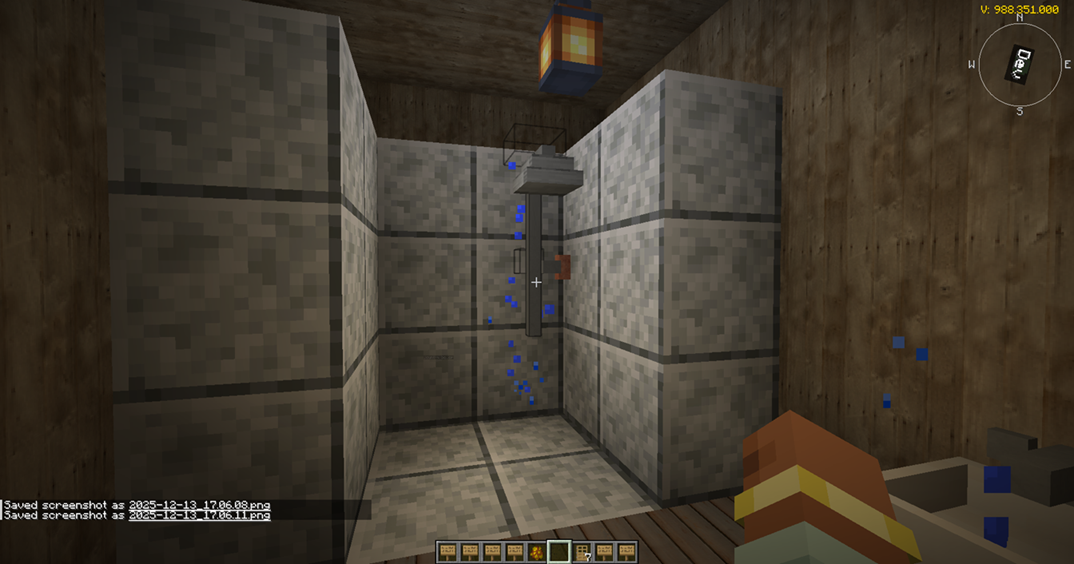
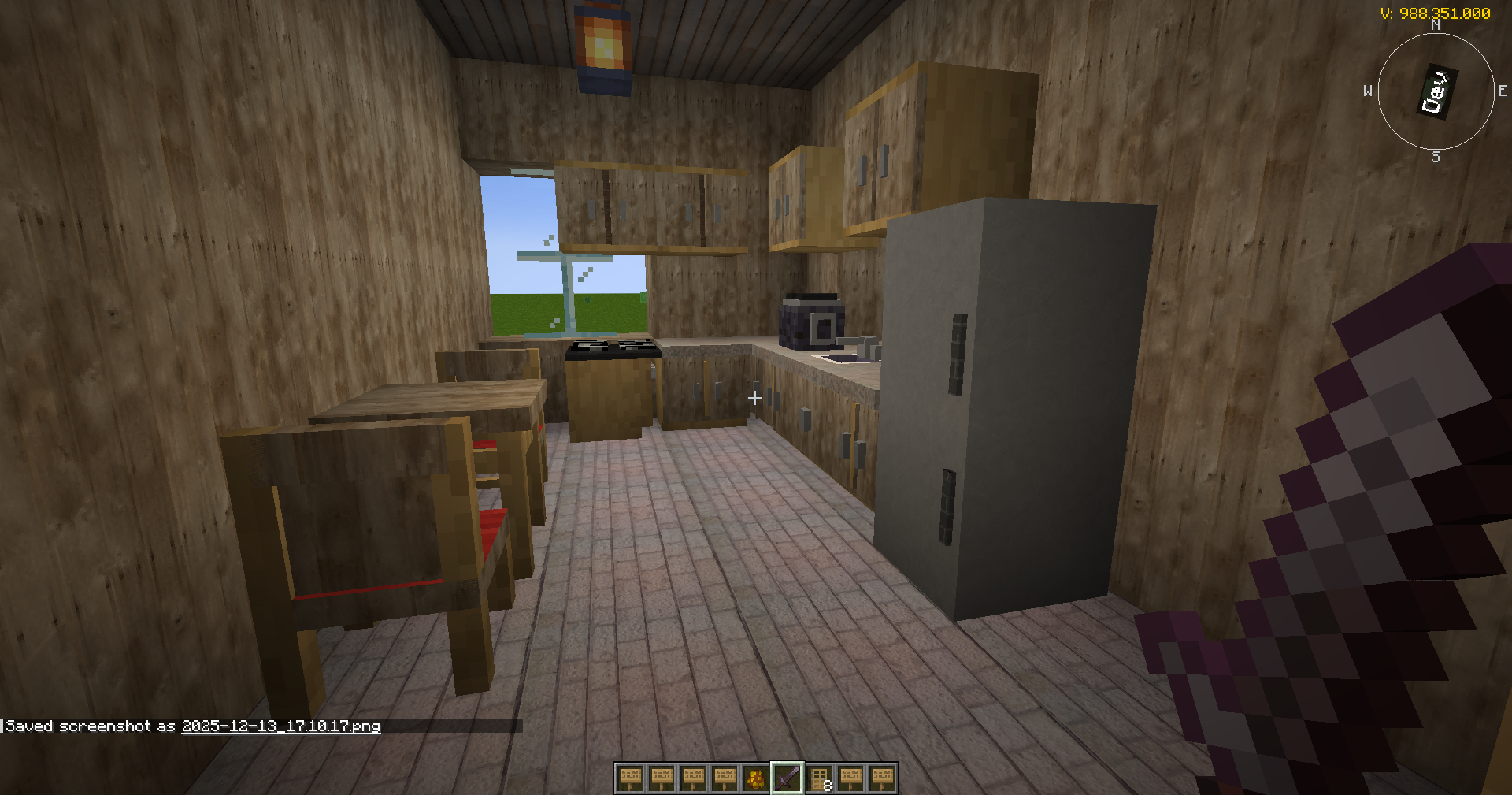
- 🛋️ Homes & decor: interior blocks for homes, kitchens, bathrooms, restaurants and public buildings.
⚙️ INDUSTRY, ARCHITECTURE & CREATIVE TOOLS
- ⚙️ Technology:
- conveyor belts, electrical cables, kinetic shafts and gearbox
- windmill and rotor, solar panel and solar array, kinetic converter
- water purifier, water tank and pipe, evaporation basin, steam capture hood and pump
- sawmill, mixer, sifter and grinding stone
- 🛢️ Oil: crude oil in world generation, pumpjack, refinery and pipeline for fuel and energy gameplay.
- 🧱 Architecture: architecture structure block,
F4menu and a voxel build mode with materials, thickness, shape generation and model loading. - 🎨 Creative: generated images, portrait tools, easel and display blocks, Artist NPCs. AI picture generation, the Artist and the Server Artist use online services and may be temporarily unavailable while the backend is updated.
🖥️ BROWSER, LANGUAGES & MUSIC
MCEF browser: VRRW browser screens, projector browser, YouTube and tutorial screens (F12) and browser recommendations.
Languages: English, German, French, Spanish and Croatian for menus and chat interactions.
Music: custom tracks including AI Reborn DE / EN, VRRW Sunrise Day and AI Don’t Sleep (plus an instrumental version).
Gameplay video – AI Reborn together with VRRW Overworld and OBJ Anim:
🛠️ COMMANDS
AI: /ollama setup · /ollama models · /ollama test · /ollama chat · /ollama_models
Voices: /tts status · /tts list-voices · /tts check-piper · /tts set-citizen "<name>" <voiceId> · /tts set-type <type> <voiceId> · /tts set-nation <nation> <voiceId> · /tts reset
Voice chat: /voicechat status · /voicechat reload · /voicechat clear · /voicechat clearall · /voicechat test
Admin & debug (some need OP permission):
/addv·/findseller·/findoil/vehicledebug info|fix|fuel|activate/ivdebug chunkowner|vehicle|chunks|registry|validate/ivsafezone select|info|clear|remove
📊 PERFORMANCE & WHO IT’S FOR
AI Reborn is a large experimental mod. Performance depends on:
- the number of citizens and active workers, and your settlement size
- vehicles, soldiers and raids
- render distance and texture resolution
- the size of your local Ollama model, your voice setup and browser use
Tips:
- Use Java 21 and allocate enough RAM.
- Keep world backups.
- Start small, expand step by step and test large cities before you commit a survival world to them.
- On weaker PCs, don’t spawn many vehicles or soldiers at once.
Great for: AI villagers, city building, nation simulation, economy, diplomacy, war, vehicles, voice interaction, local AI experiments, roleplay servers and long-term survival worlds.
Maybe not for you if you want: a tiny vanilla-plus mod, no external tools at all, no experimental features, or huge cities on low-end hardware.
❓ GOOD TO KNOW
- 🤖 Do I need Ollama? No. AI Reborn runs without it. AI conversations need Ollama or the opt-in cloud fallback.
- 👥 Multiplayer? Yes. Install AI Reborn on the client and the server. Crossworld adds visits between Online worlds.
- 🏷️ Mod list name: in-game it currently appears as “Intelligent Villagers” (mod ID
intelligentvillagers). - ⌨️ Shared default keys: the VRRW mods share some default keys – for example
O,P,M,F6andV(AI Reborn / OBJ Anim) andF7,F8(AI Reborn / VRRW Overworld). Rebind them under Options → Controls. OBJ Anim’s climb grip always reacts toV, so move AI Reborn’s push-to-talk to another key. VRRW Options also open from the pause menu. Inside AI Reborn, push-to-talk and engine start both useV. - 🎮 Community hub in-game: press
;to open the Twitch / Kick community hub. Twitch is the default, and a toggle switches to Kick. Voting, suggestion and bug-report screens are built in. - 🧪 Experimental: some systems may change between updates. Always back up important worlds before you update.
🌍 JOIN THE VRRW COMMUNITY
Follow live development on Twitch or Kick and vote on what comes next. The community pages show the stream schedule and channel recommendations – and that’s where you redeem live gifts.
- 🟣 Twitch community & stream schedule →
- 💚 Kick community & stream schedule →
- 🔴 Community Live Actions – current activities & gifts →
- 📰 VRRW News →
- ❓ Questions? r/MinecraftVRRW →
🌐 MORE FROM VRRW
- 🌿 VRRW Overworld – Foliage and Trees → – redesigned foliage, trees, vegetation, rocks and natural surface detail, combined with VRRW’s own visual and shader systems. Requires OBJ Anim.
- ✨ VRRW Animation – OBJ Anim → – the 3D model and animation toolkit: import OBJ models, animate entities and props, edit models in-game and play on smooth SurfaceNet terrain.
- 🌌 VRRW Unlimited – all three mods in one modpack. Coming soon.
🌿 VRRW Overworld = environment and visuals · ✨ OBJ Anim = models and animation · 🏙️ AI Reborn = civilization and connected gameplay
Better together: AI Reborn runs on its own. With OBJ Anim and VRRW Overworld installed, workers also handle OBJ Anim’s smooth SurfaceNet terrain (tree felling, drilling, leveling) and work with VRRW Overworld’s trees and ground.
🎨 OPTIONAL: VRRW TEXTURE PACKS
VRRW also makes realistic texture packs in three resolution levels – Copper, Silver and Gold – with the same content; a lower level needs less VRAM. They are offered separately in the VRRW texture shop and are not required for AI Reborn. The mod itself does not download texture packs.
📜 License: Apache-2.0. Third-party licenses and notices ship inside the JAR (META-INF/LICENSES.md, META-INF/licenses/).
🖥️ Affiliate link: need a server for VRRW? Kinetic Hosting – code VRRW.
⚖️ Not an official Minecraft product. Not approved by or associated with Mojang or Microsoft.
常见问题
Nations & Villagers – AI Reborn 支持哪些 Minecraft 版本?
Nations & Villagers – AI Reborn 支持 Minecraft Java 版 1.21.1,可用的加载器:NeoForge。下载时注意选择和你游戏版本一致的文件。
Nations & Villagers – AI Reborn 怎么安装?
先用 PCL2 或 HMCL 启动器安装对应版本的 NeoForge,再把下载的 .jar 文件放进游戏目录的 mods 文件夹,重新启动游戏即可。开启了版本隔离的,mods 文件夹在 versions/版本名 下面。运行环境:客户端和服务端都要装。
BasteGK 的其他作品
查看全部 →
VR Realistic Worlds 3D
Realistic Modpack - Improve Physics, game mechanics, Adventures & animations
VR Realistic Worlds 3D Server
Serv ermodpack of VR MRWS

VRRW animation – OBJ ANIM
Exchange Items, blocks, Steves, entitys to Animated OBJ

VRRW Overworld / Foliage and Trees
Realistic Overworld foliage and more
评论
登录后评论和评分