
截图
介绍
ModernUI+ Feature Description
Overview
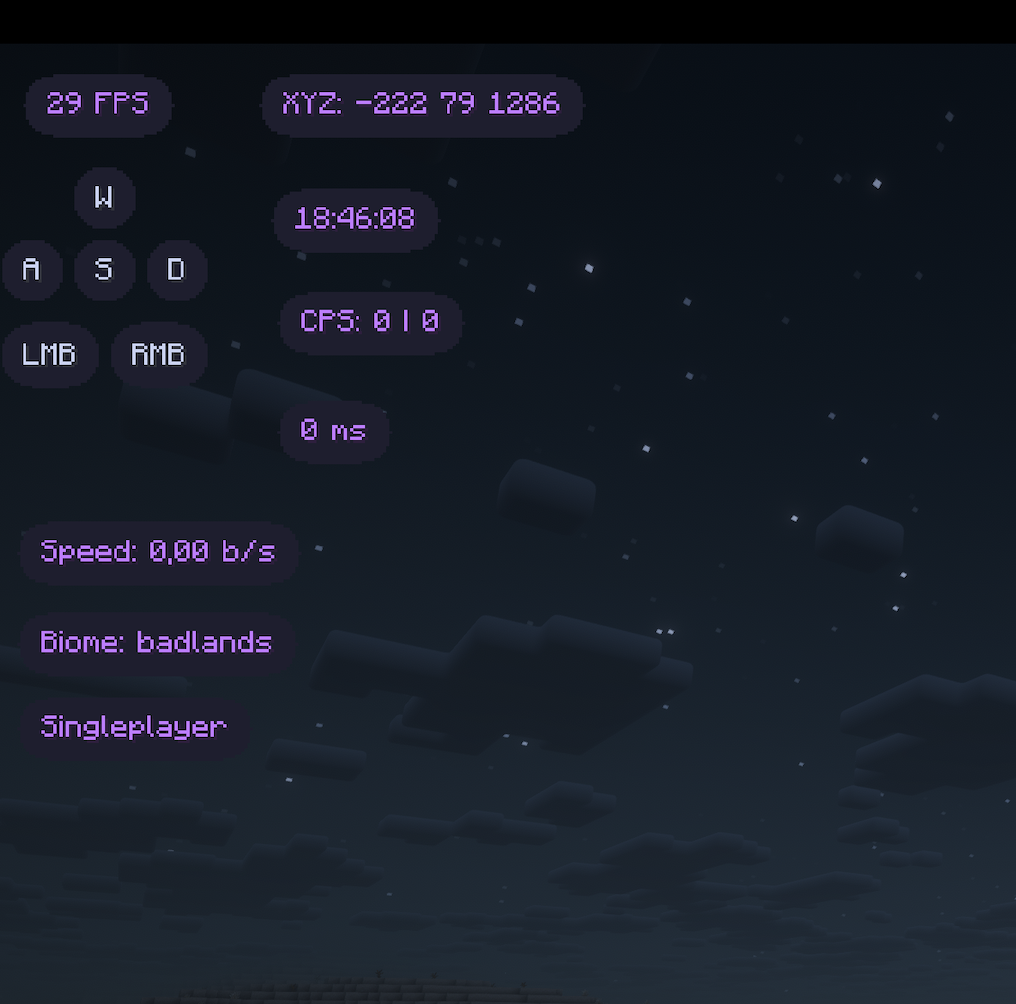
ModernUI+ is a comprehensive HUD and GUI mod designed to provide a futuristic, efficient, and highly customizable user experience for Minecraft. It replaces standard HUD elements with modern counterparts and introduces essential PVP utilities.
Main Features
🖥️ Modern Draggable HUD
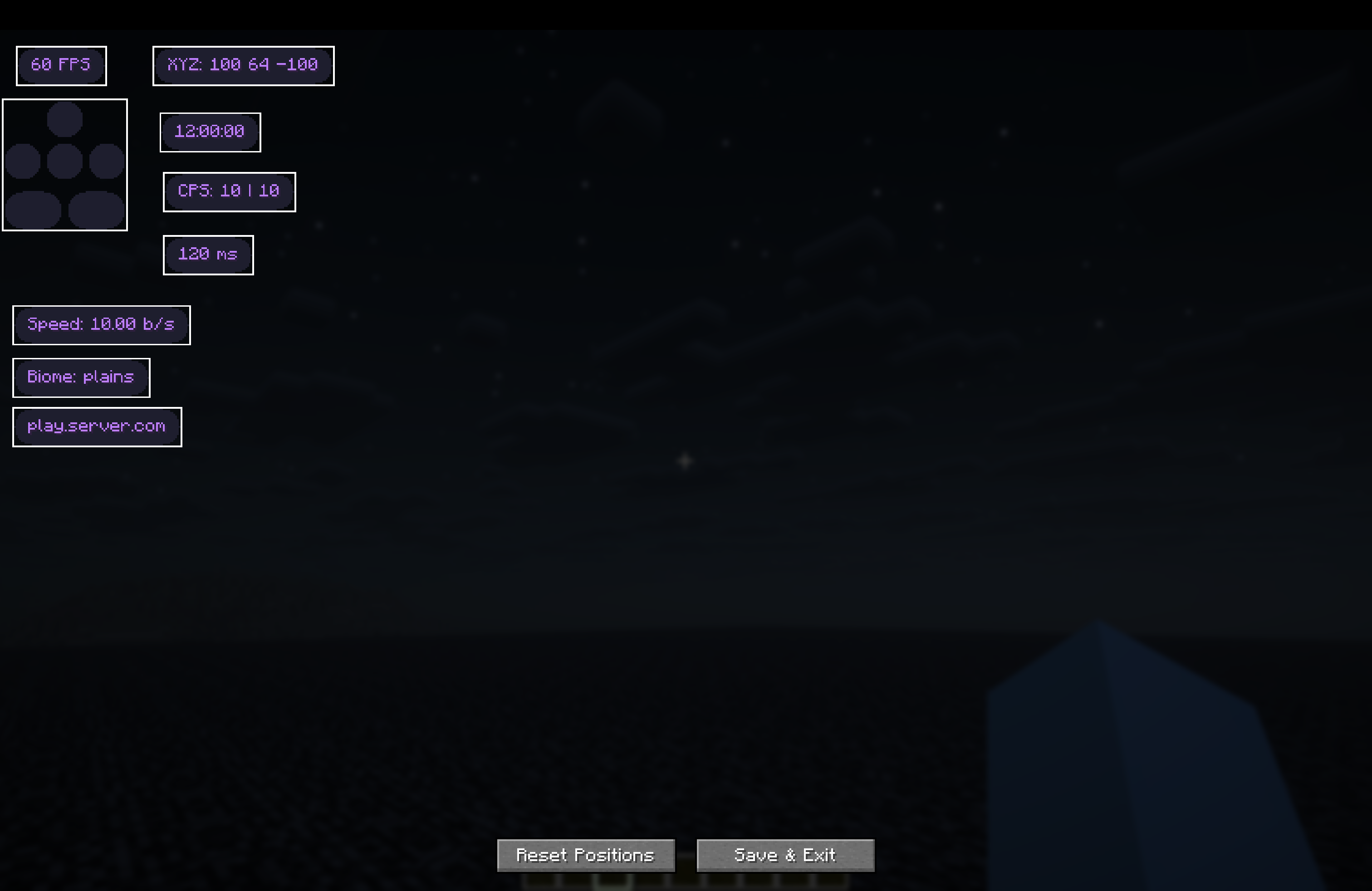
All HUD elements can be positioned anywhere on the screen using the Layout Editor.
- Scale: Adjust the global scale of all HUD elements (0.5x to 2.0x).
- Draggable: Open the editor to drag and drop elements.
- Live Preview: See exact positions before saving.
⚔️ PVP Utilities
Enhanced information for combat scenarios.
- Toggle Sprint: Automatically sprints when moving forward. No need to hold the sprint key.
- Armor Status: Displays currently equipped armor (Helmet, Chestplate, Leggings, Boots) with durability bars.
- Potion Status: Shows active potion effects with amplifier and duration remaining.
- CPS Counter: Tracks Left and Right clicks per second in real-time.
- Ping Display: Shows your current latency to the server.
🌍 Info & Navigation
- FPS Counter: Real-time Frames Per Second.
- Coordinates: Display your X, Y, Z position.
- Biome: Shows the current biome you are in.
- Server IP: Displays the current server address (or “Singleplayer”).
- Real Time: Shows the current local time (HH:mm:ss).
- Speedometer: Displays your movement speed in specific blocks per second (b/s).
⌨️ Keystrokes
Visualizes your movement keys (WASD) and mouse clicks (LMB/RMB).
- Animations: Smooth fading animations when keys are pressed.
- Layout: Compact and clean design.
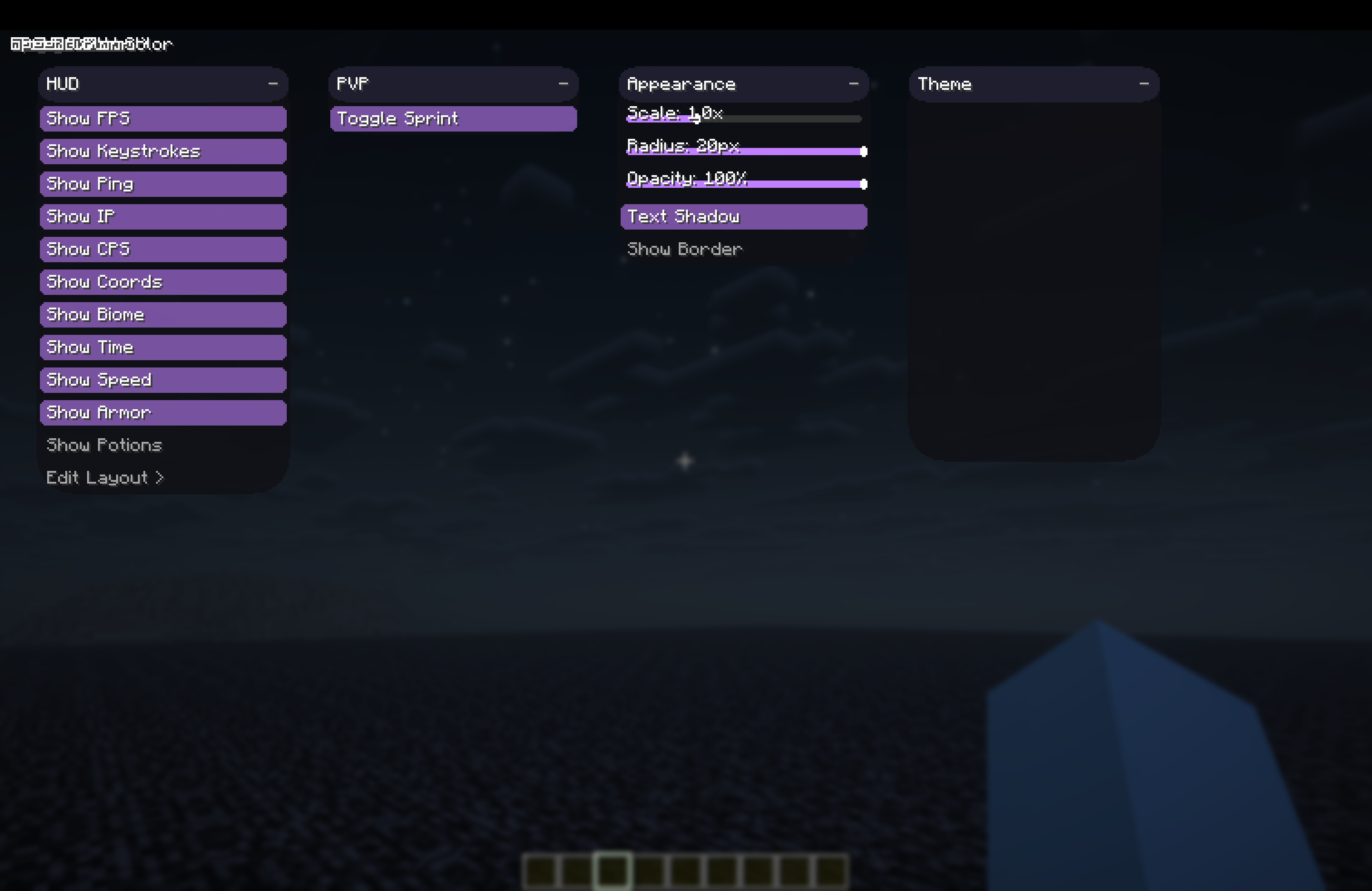
🎨 Extensive Customization
Tailor the look and feel to your preference.
- Theme Colors:
- Global Accent: Set a primary color for all elements.
- Per-Element Color: Override colors for specific elements (e.g., make FPS red and Speed blue).
- Styling:
- Background Opacity: Adjust transparency of the element backgrounds (0-100%).
- Background Color: Choose a custom background color.
- Border: Toggle a clean border around elements and choose its color.
- Text Shadow: Toggle text shadows for better readability or a cleaner flat look.
- Review Corner Radius: Adjust the roundness of the element corners.
How to Use
- Open Menu: Press Right Shift (default) to open the ClickGUI. from there you can toggle features and adjust settings.
- Edit HUD: In the ClickGUI, click “Edit Layout >” to enter the HUD Editor. Drag elements to your desired position.
常见问题
ModernUI+ 支持哪些 Minecraft 版本?
ModernUI+ 支持 Minecraft Java 版 1.21.1–1.21.11,共 11 个版本,可用的加载器:Fabric。下载时注意选择和你游戏版本一致的文件。
ModernUI+ 怎么安装?
先用 PCL2 或 HMCL 启动器安装对应版本的 Fabric,再把下载的 .jar 文件放进游戏目录的 mods 文件夹,重新启动游戏即可。开启了版本隔离的,mods 文件夹在 versions/版本名 下面。运行环境:仅客户端。
Kisliy 的其他作品
查看全部 →
OreHighlighter+
it help's you to see ore's in caves, IT IS NOT X-RAY, it shows or that you really can see!

Visual+
Project for just fun visuals for your Minecraft PVP

BunnyHop+
Source/CS-style BunnyHop and air strafing with a speedometer. Fabric 1.16.5 – 1.21.8.

Elytra+
Mod for better fly by Elytra. With some features.
评论
登录后评论和评分