
BakaDanmaku
Used to display Bilibili live broadcast message in the in-game chat area
截图

介绍
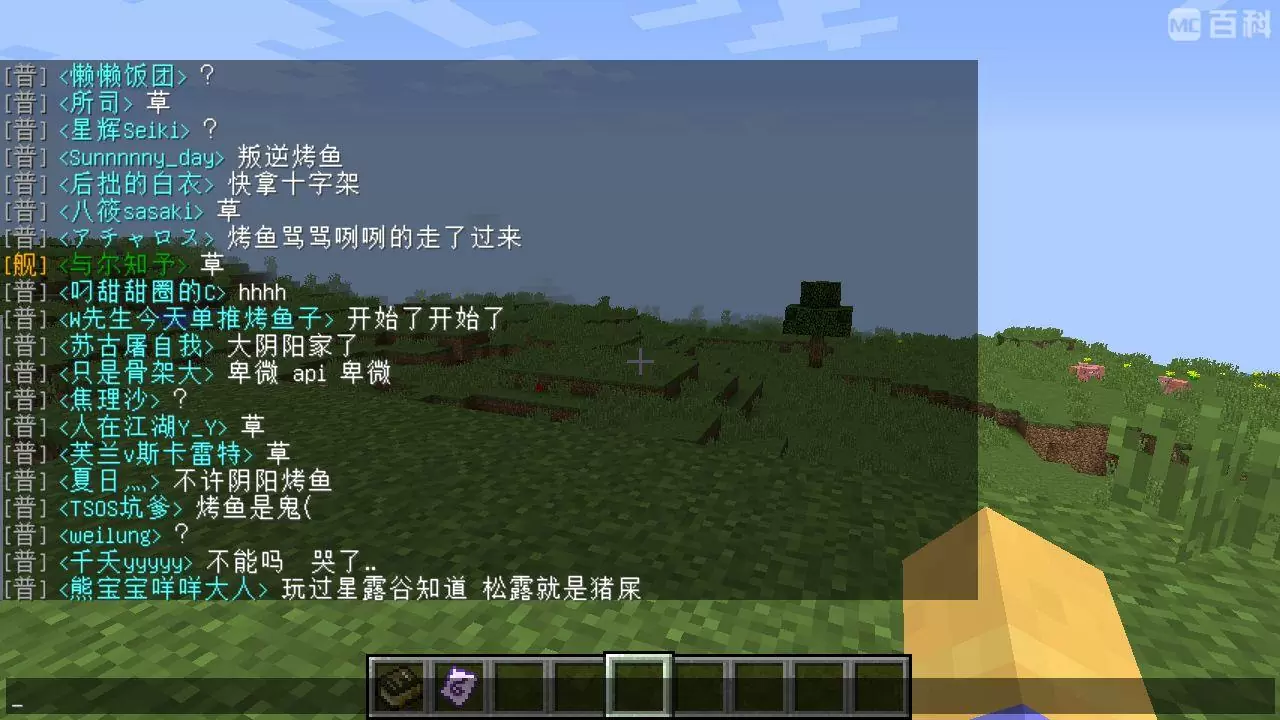
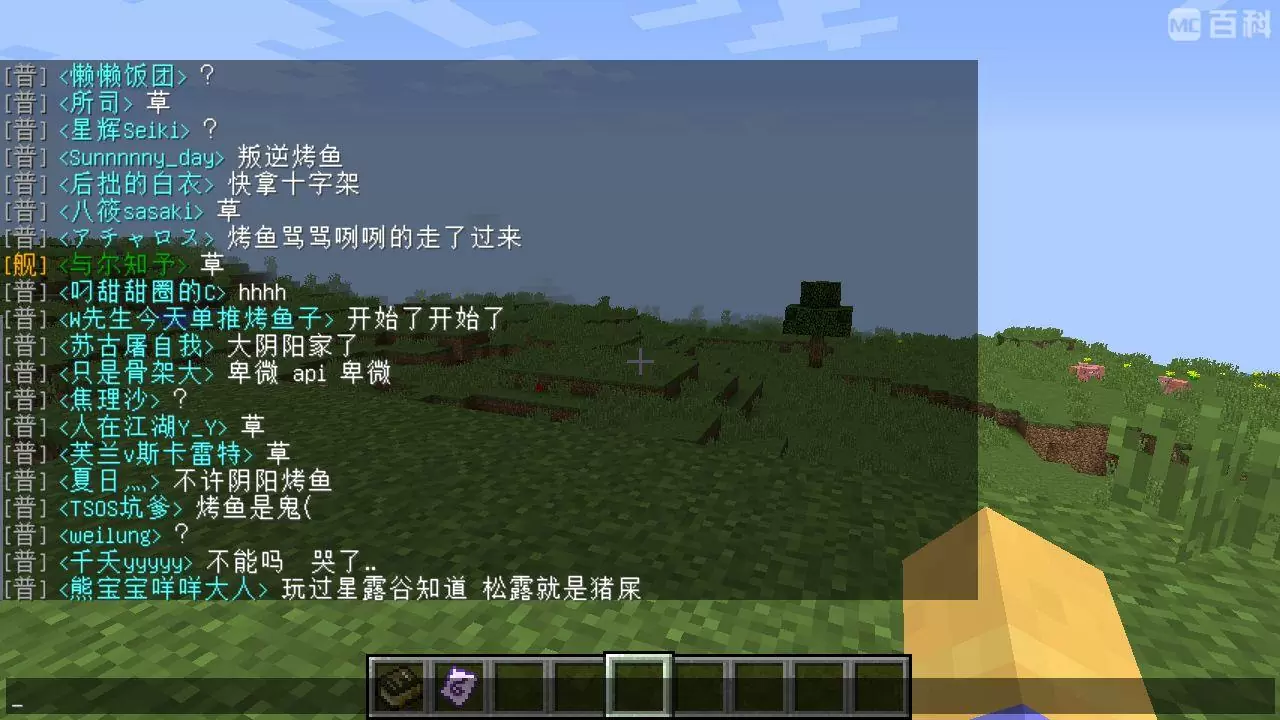
A mod for displaying the message of Bilibili live in the chat bar in the game. Just drop it into the mod folder, start the game, and set the room number to connect to the server and realize the function of outputting live message screen in the game.
The specific effect is shown in the figure below:
- Forge version:
- 1.12.2 and below use the /BakaDanmaku command to reload the configuration.
- 1.13.2 and above use the shortcut key Alt+B to reload the configuration.
- Fabric version: shortcut key B to reload the configuration.
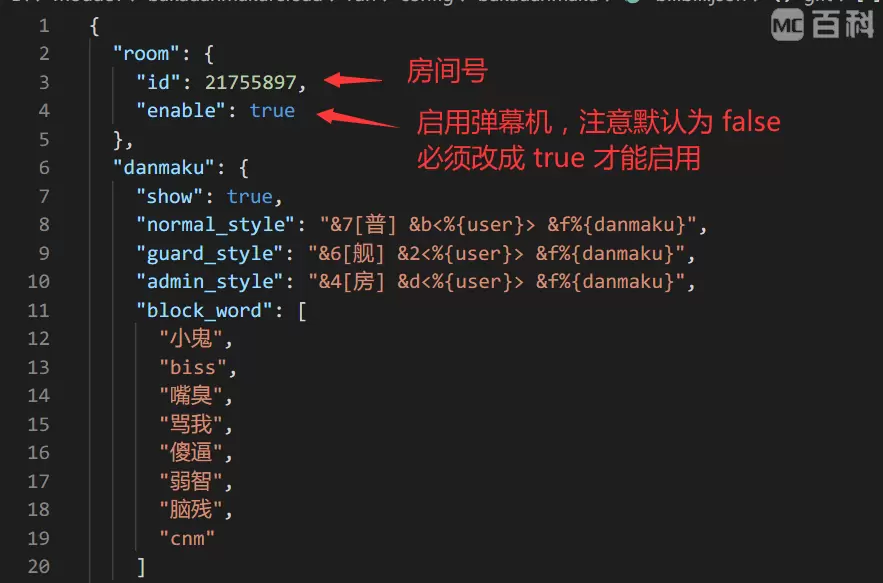
The configuration file is in config/bakadanmaku/bilibili.json in the main directory of the game. It is recommended to use software such as Sublime Text and Visual Studio Code to open this file.
Generally speaking, you only need to modify the room number and enable it, which means you only need to modify the following two places:
常见问题
BakaDanmaku 支持哪些 Minecraft 版本?
BakaDanmaku 支持 Minecraft Java 版 1.7.10–1.21.1,共 35 个版本,可用的加载器:Fabric / Forge / NeoForge。下载时注意选择和你游戏版本一致的文件。
BakaDanmaku 怎么安装?
先用 PCL2 或 HMCL 启动器安装对应版本的 Fabric / Forge / NeoForge,再把下载的 .jar 文件放进游戏目录的 mods 文件夹,重新启动游戏即可。开启了版本隔离的,mods 文件夹在 versions/版本名 下面。运行环境:仅客户端。
TartaricAcid 的其他作品
查看全部 →
[TaCZ] Timeless and Classics Zero Guns
Minecraft 中最具沉浸感与可定制性的现代 FPS 体验——由原团队打造的 TaC 枪械模组完整重制版。

[TaCZ] Timeless and Classics Zero
Minecraft 中最具沉浸感、最可自定义的现代 FPS 体验——由原团队打造的 TaC 枪械模组完整重制版。

Touhou Little Maid
一款以女仆和东方Project为主题的模组,新增东方Project风格的女仆模型。

Yes Steve Model
一个修改原版玩家模型的模组
评论
登录后评论和评分