
截图
介绍
Mecha Solider PLASTAR

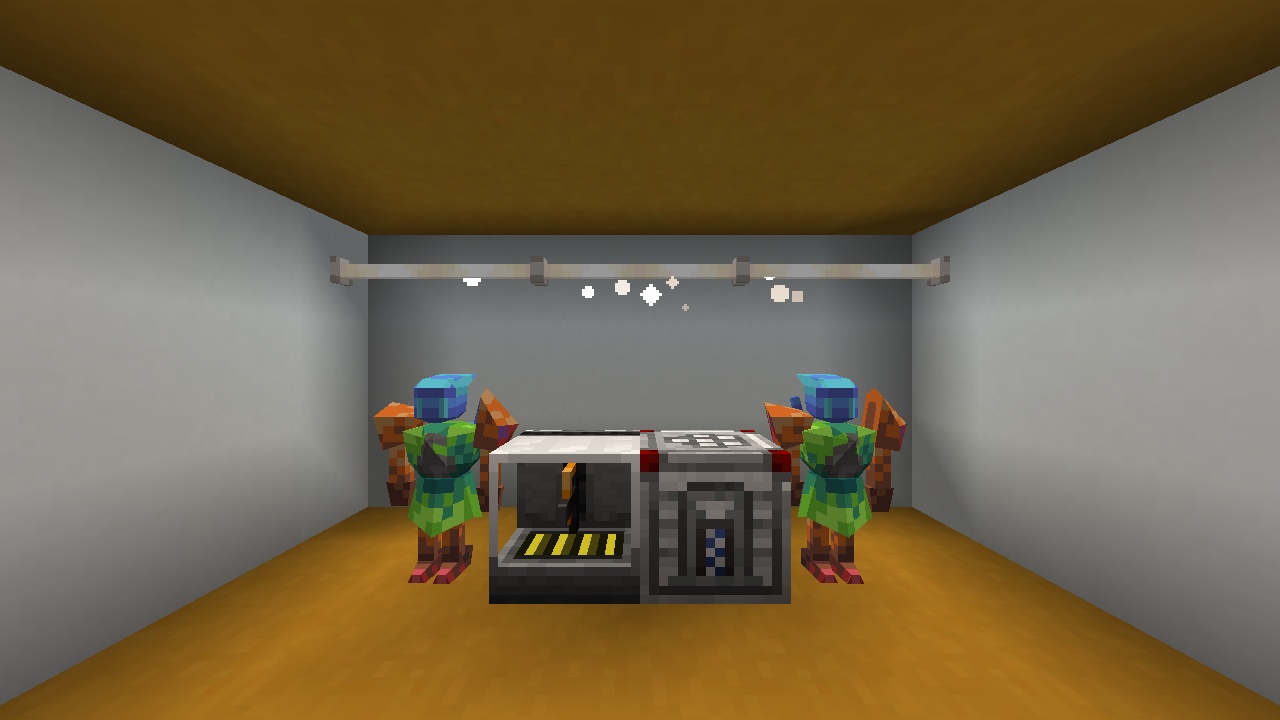
This mod adds tiny mechas that can do your work for you. The mechas are assembled from individual parts that can all be painted in a variety of patterns and colors.
Getting started
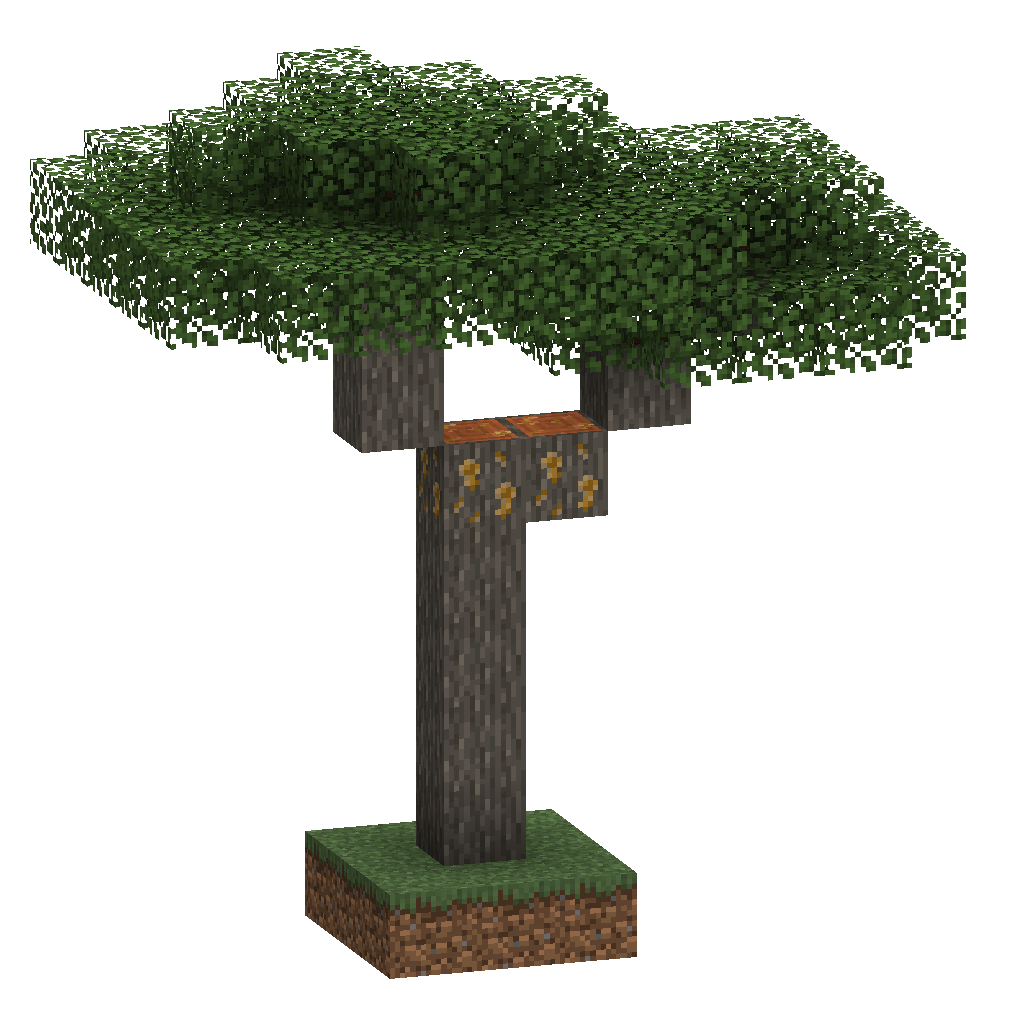
To begin your journey, find yourself a sappy acacia tree in a nearby savanna. Using a tree tap, you can harvest the sap from the logs by clicking on them, giving you styrol. The sap will slowly regenerate, but this ability will dissapper if you break the log without Silk Touch.
You can smelt the styrol in a furnace to turn it into polystyrene. After that you can create a part printer and add your polystyrene to the left slot of it. Then you can select the part you want to make and take it out. You can also add in an additive, such as redstone into the right slot. Additives change the properties of the plastic, changing the stats of the part.
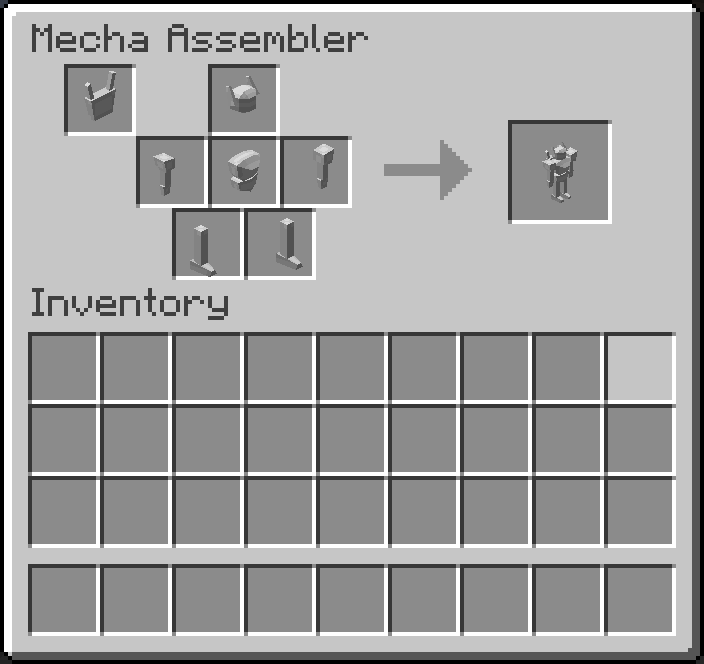
Once you’ve printed some parts, go ahead and craft a mecha assembler. The mecha assembler combines your parts into a proper mecha. You’ll need at least a head, a torso, one of each arm, and one of each leg. You can also optionally include a backpack. You can shift click in items to ensure they go into the correct places.
After taking out the mecha from the assembler, you can place it by using it on the ground. You can pick your mecha up again by sneak-clicking it. The mecha won’t currently do anything besides wander around and look pretty, but in the future they’ll be a powerful automation tool.
To-Do
This mod is still in early beta, and is missing a lot of the features that’ll make it fun and useful. Here’s a short list of things we still plan on adding:
- A block to paint mecha parts
- A way to assign jobs to mechas
- Different stats for different parts
- More additives
常见问题
Mecha Soldier PLASTAR 支持哪些 Minecraft 版本?
Mecha Soldier PLASTAR 支持 Minecraft Java 版 1.21–1.21.1,共 2 个版本,可用的加载器:Fabric / NeoForge。下载时注意选择和你游戏版本一致的文件。
Mecha Soldier PLASTAR 怎么安装?
先用 PCL2 或 HMCL 启动器安装对应版本的 Fabric / NeoForge,再把下载的 .jar 文件放进游戏目录的 mods 文件夹,重新启动游戏即可。开启了版本隔离的,mods 文件夹在 versions/版本名 下面。运行环境:客户端和服务端都要装。
MattiDragon 的其他作品
查看全部 →
Extended Drawers
添加储物抽屉等内容
Fabricae Ex Nihilo
Ex Nihilo for Modern Fabric

Fabricae Ex Nihilo
Fabricate From Nothing
Fabricae Ex Nihilo
Fabricate From Nothing
评论
登录后评论和评分