
Super Factory Manager Retro
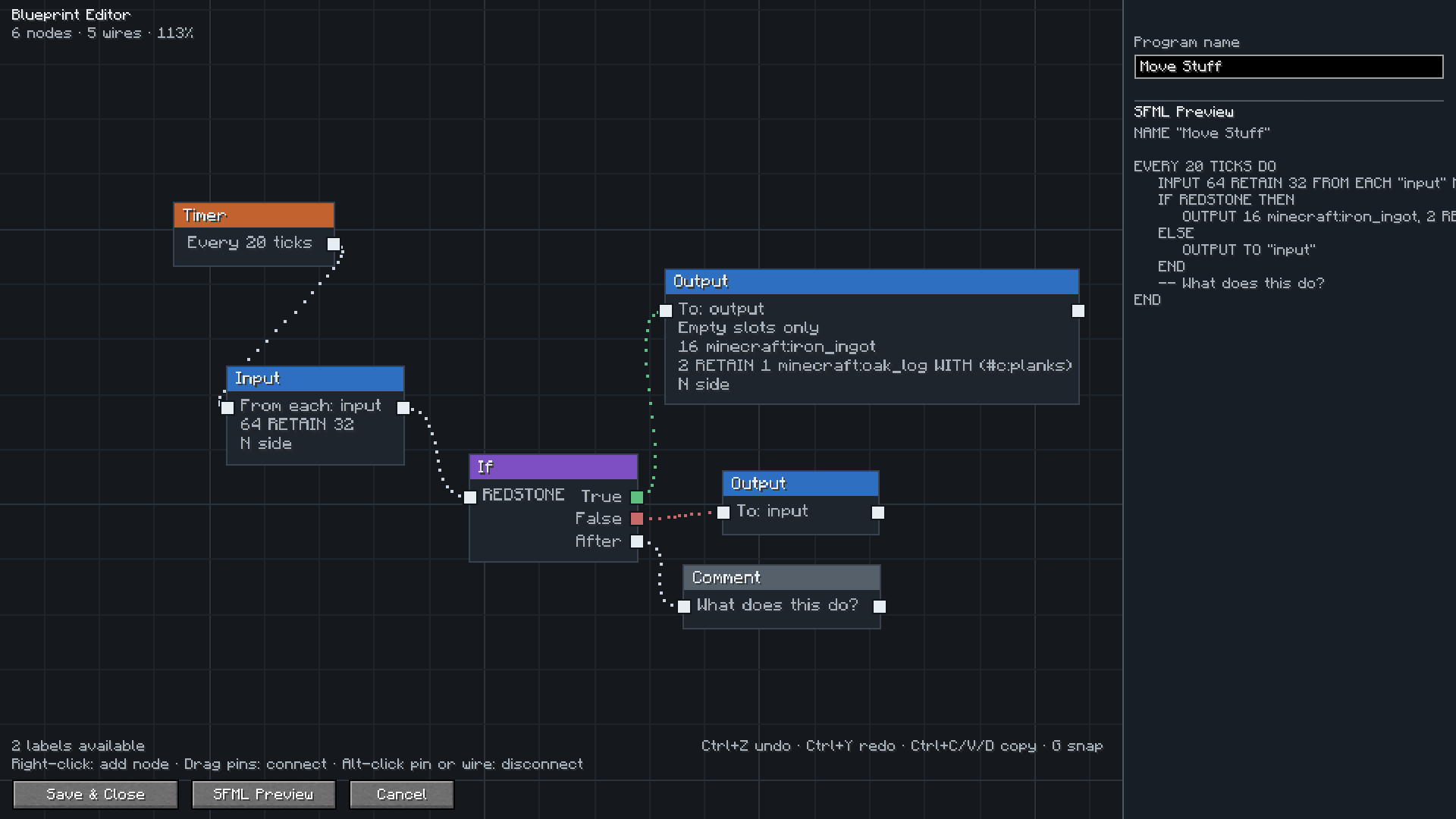
Build Super Factory Manager programs on a visual node canvas instead of writing SFML by hand. Drag nodes, wire them together, search items and fluids by name, and import/export programs you have already written.
截图
介绍
Retro Factory Manager
An addon for Super Factory Manager that lets you write SFM programs as a node graph instead of as text.
Requires Super Factory Manager.
What you get
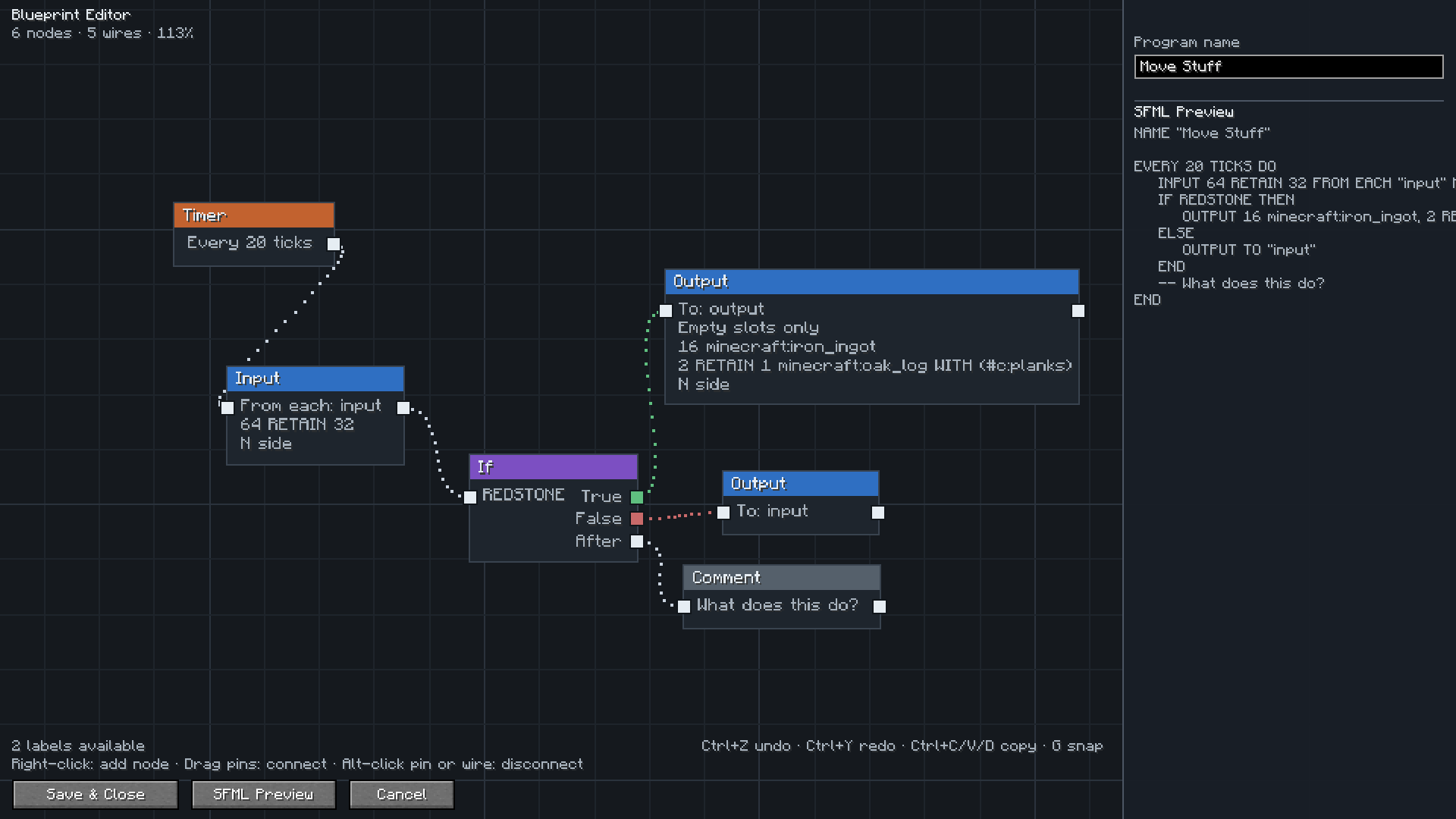
Open a Disk or a Factory Manager and you get a canvas instead of a text box. Place a trigger, chain Input and Output nodes onto it, branch with If nodes, and the SFML is written for you as you go. The preview panel shows exactly what will be saved.
Everything the language can do is in the editor: intervals and redstone triggers, amounts and retain amounts, multiple filters per node, item and tag filters, except lists, sides, slot ranges, round robin, conditions, Forget and Comment nodes.
Picking items and labels
Type a few letters and pick what you want from a list with icons. Items, fluids, gases and energy are all searchable, so you do not need to remember ids.
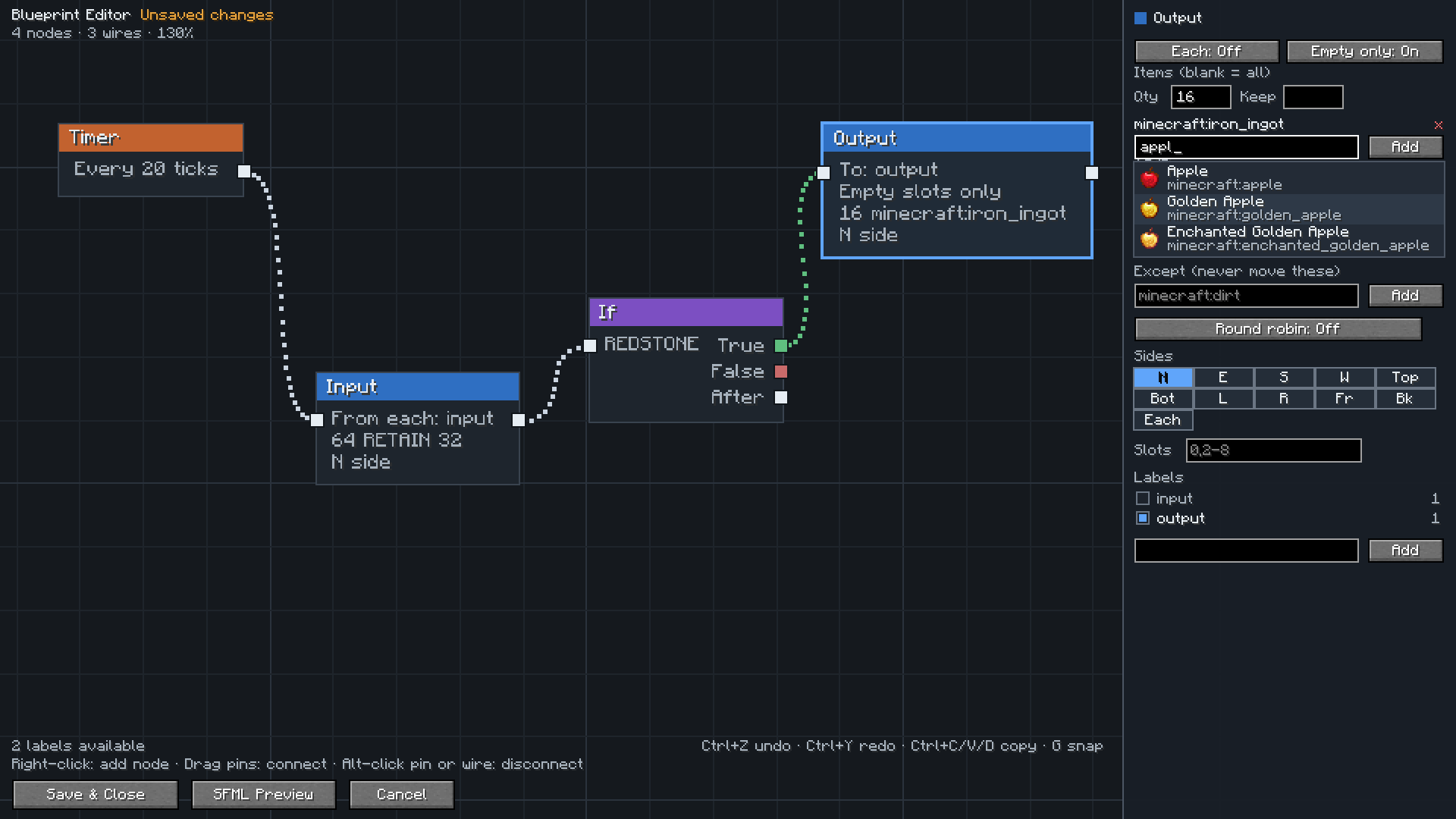
Labels come from your label gun, and the editor shows how many blocks each label covers so you can spot one you forgot to assign.
Already have programs?
Open one and press Import to canvas. It is rebuilt as a graph, and the editor checks its own work and tells you whether anything was lost.
Your programs stay normal SFM programs. You can copy the text, share it, or switch back to the text editor whenever you want. The node layout is saved with the program, so reopening the editor gives you your graph back.
Setup
Install both mods, then open config/sfm-client-program-editor.toml and set:
preferredEditor = "retrofactorymanager:blueprint"Right click a Disk, or press Edit in a Factory Manager, and the canvas opens. Set it back to sfm:v1 at any time to return to the text editor.
Controls
| Action | How |
|—|—|
| Add a node | Right click the canvas |
| Add a connected node | Drag from a pin and release on empty space |
| Connect nodes | Drag from one pin to another |
| Disconnect | Alt click a pin or a wire |
| Move around | Drag with middle or right mouse button |
| Zoom | Scroll wheel |
| Select | Click, shift click, or drag a box |
| Delete | Select and press Delete |
| Undo and redo | Ctrl+Z and Ctrl+Y |
| Copy, paste, duplicate | Ctrl+C, Ctrl+V, Ctrl+D |
| Snap to grid | Press G |
| Frame everything | Press Home |
Credits
Thanks to TeamDman for Super Factory Manager and for making the editor pluggable, and to vswe for the original Steve’s Factory Manager.
常见问题
Super Factory Manager Retro 支持哪些 Minecraft 版本?
Super Factory Manager Retro 支持 Minecraft Java 版 1.21.1–26.1.2,共 4 个版本,可用的加载器:NeoForge。下载时注意选择和你游戏版本一致的文件。
Super Factory Manager Retro 怎么安装?
先用 PCL2 或 HMCL 启动器安装对应版本的 NeoForge,再把下载的 .jar 文件放进游戏目录的 mods 文件夹,重新启动游戏即可。开启了版本隔离的,mods 文件夹在 versions/版本名 下面。运行环境:客户端和服务端都要装。
Saereth 的其他作品
查看全部 →
Animus
为你的血魔法注入更多魔法。

Animus
血魔法附属模组,包含仪式等内容

Simple Teleporters Reforged
简易传送器模组添加了一个可合成的传送器方块,让你快速穿梭于世界之间!

Neo Vitae
以鲜血献祭,换取力量。吞噬生命的祭坛、扭曲世界的印记、无尽地牢中的自定义恶魔、汲取灵魂的有意识盔甲,以及能用精华替你承受伤害的盾牌。自底层起由数据包驱动。
评论
登录后评论和评分