
Automatic Potion Restocker
作者:Draaagonix
Automatic Potion Restocker is a mod that instantly refills the hotbar slot with the next matching potion every time you finish drinking or throwing one.
截图
介绍
中文介绍正在准备中,下面暂时显示原文。
Automatic Potion Restocker
Automatic Potion Restocker is a client-side Fabric mod for Minecraft 1.21.10 that keeps your hotbar stocked with potions during combat.
The moment you finish drinking or throwing a potion, the mod uses legitimate inventory actions to:
- Drop the empty bottle (for drinkable potions), and pull the next matching potion—identical bottle or same effect set—from your inventory back into the same hotbar slot (See Video at the bottom) .
- It supports drink, splash, and lingering potions, so you never have to open your inventory mid-fight.
Features
- Automatic restocking after using a potion
- Works with all potion types such as drinkable, splash, and lingering potions
- All actions go through normal inventory packets, so the mod behaves like a real player and remains compatible with vanilla and most other servers.
HUD Overlay
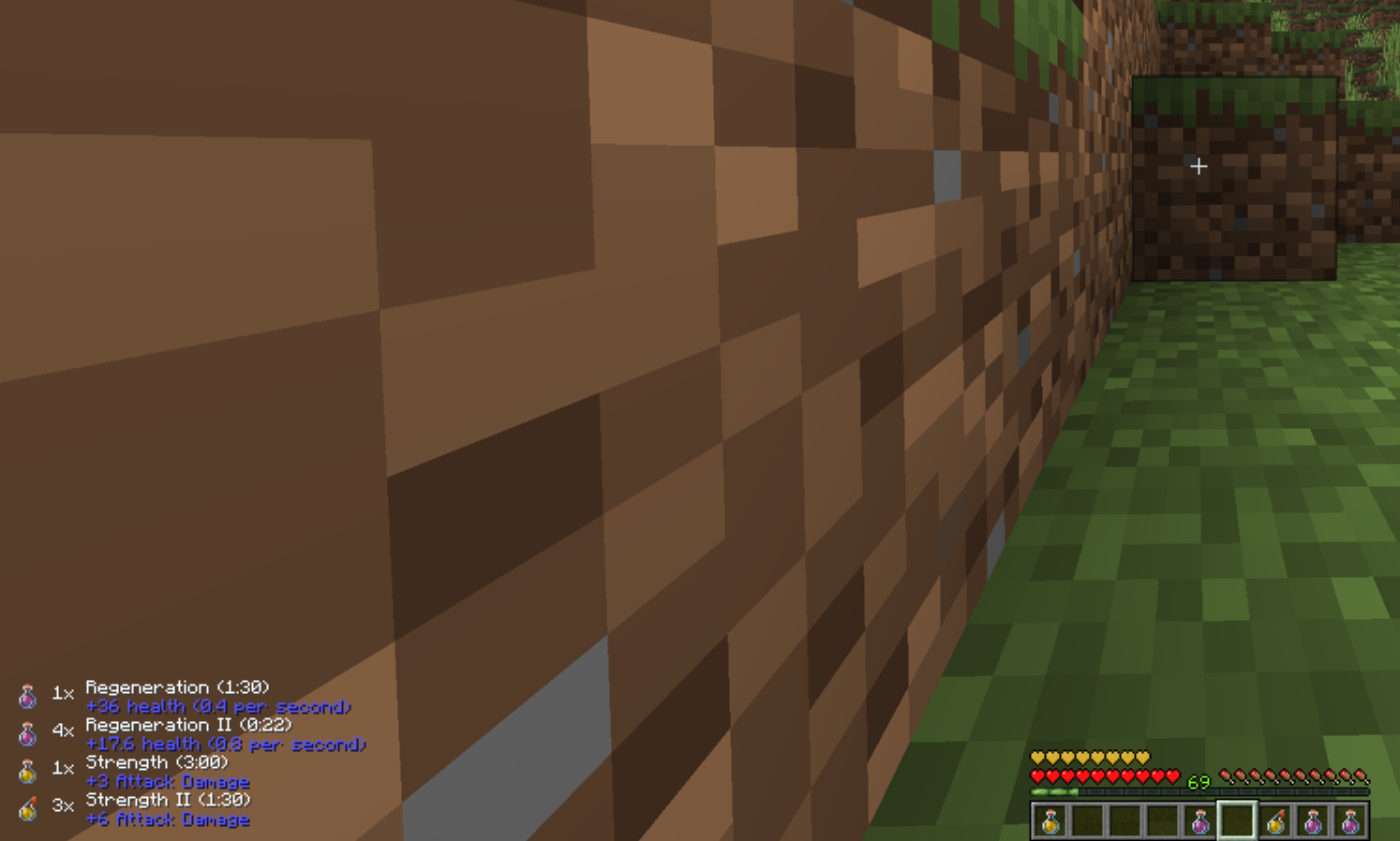
- A lightweight HUD in the bottom-left corner shows how many potions of each type you still have.
- Toggle HUD visibility with P.
- Hold Tab to reveal effect names and duration of the potions next to each icon for quick reference.
- The HUD is minimal and designed not to clutter your screen during combat.
Configuration
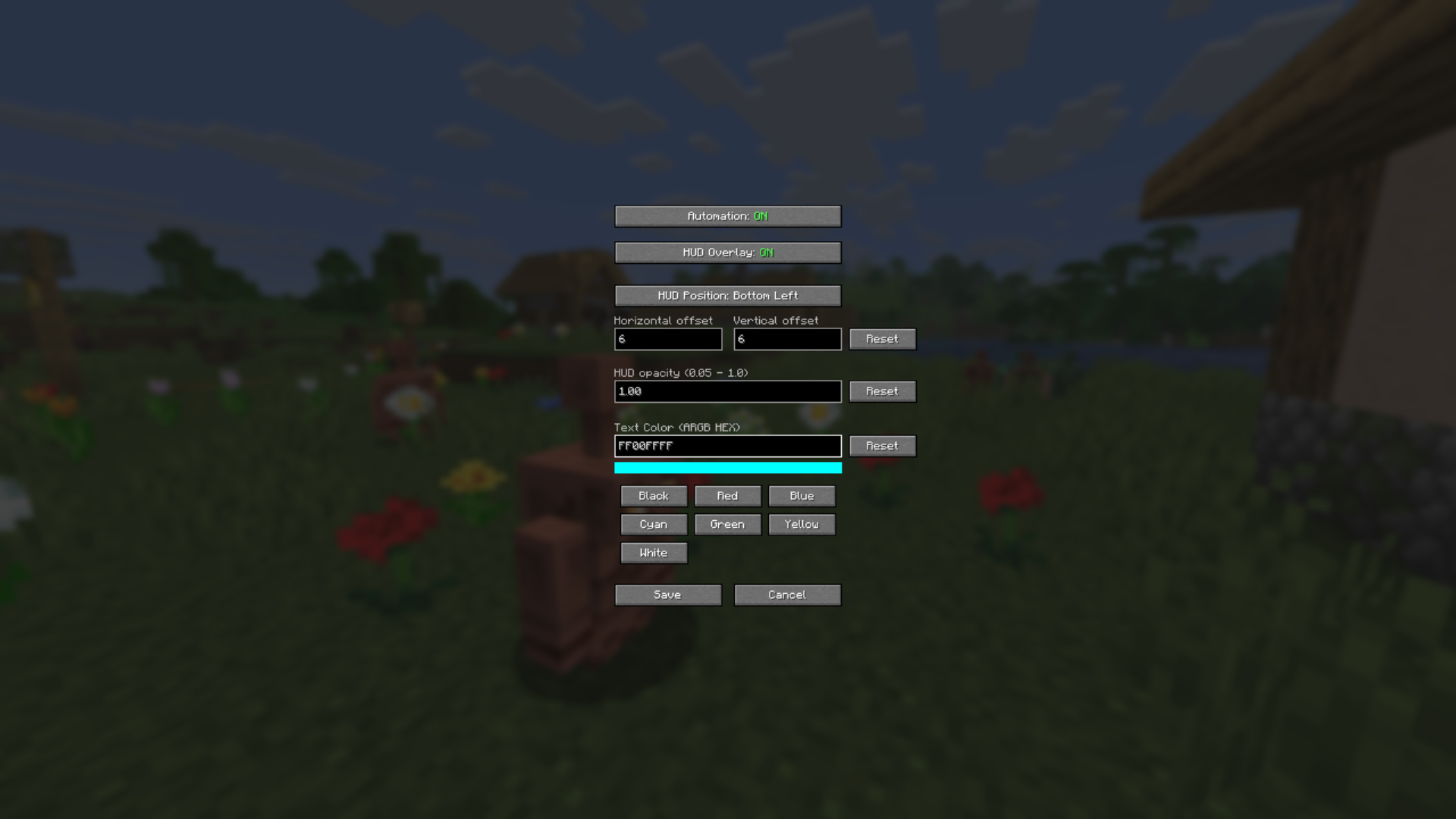
- The mod integrates with Mod Menu and provides a simple configuration screen:
- Enable or disable the automation entirely.
- Toggle the HUD overlay.
- Change the Position (via Offset).
- Change the opacity
- Choose the HUD text color via presets colors or ARGB HEX Codes.
Compatibility
- Client-side only
- Works on any vanilla and most other servers
- Uses only normal inventory actions, making it broadly compatible with other client-side mods
常见问题
Automatic Potion Restocker 支持哪些 Minecraft 版本?
Automatic Potion Restocker 支持 Minecraft Java 版 1.21–26.3,共 17 个版本,可用的加载器:Fabric。下载时注意选择和你游戏版本一致的文件。
Automatic Potion Restocker 怎么安装?
先用 PCL2 或 HMCL 启动器安装对应版本的 Fabric,再把下载的 .jar 文件放进游戏目录的 mods 文件夹,重新启动游戏即可。开启了版本隔离的,mods 文件夹在 versions/版本名 下面。运行环境:仅客户端。
评论
登录后评论和评分