
YetGamer’s Custom Fog
Mod that allows you customize fog, its color and applicability for specific players.
截图
介绍
What does this mod do?
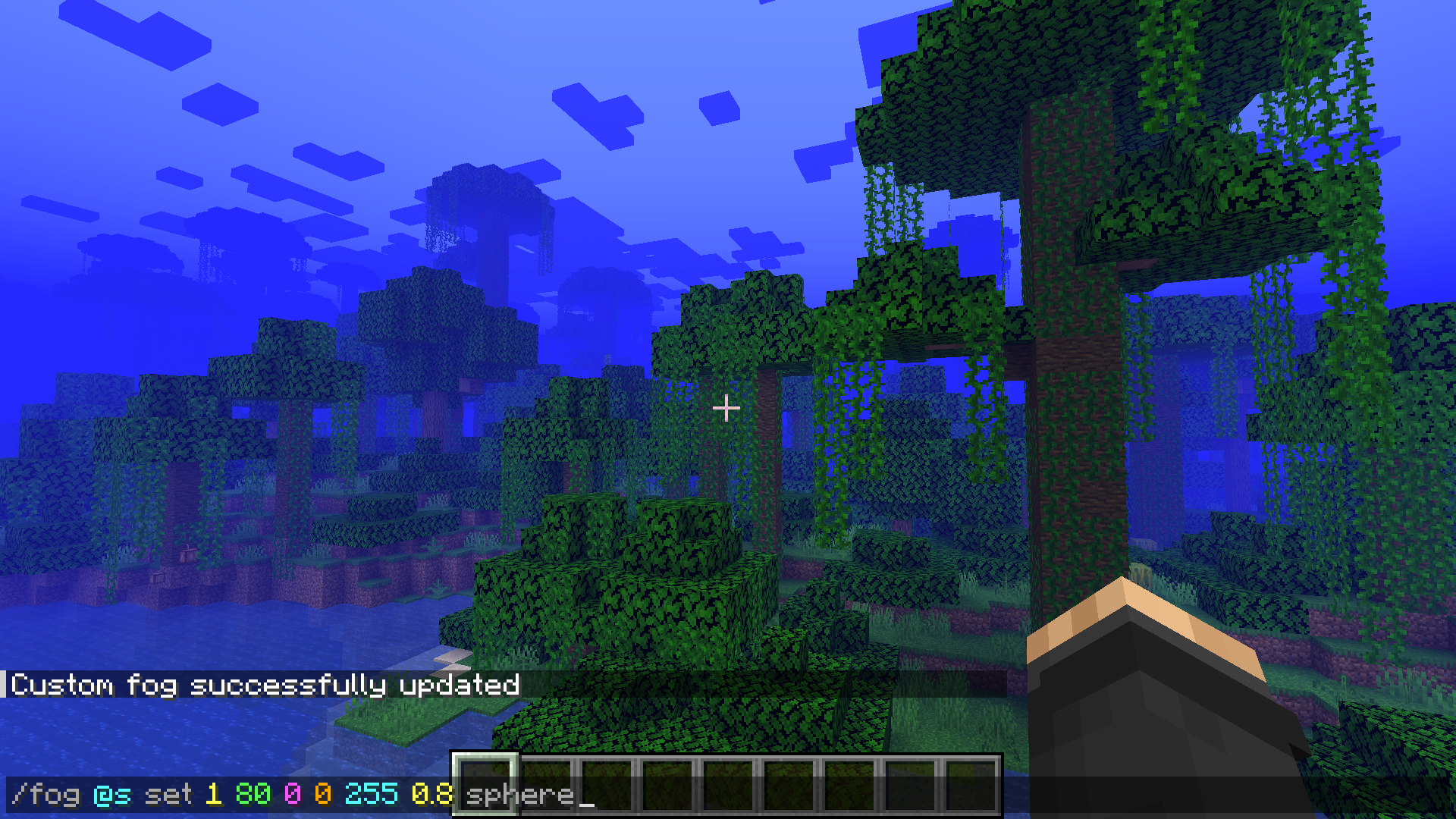
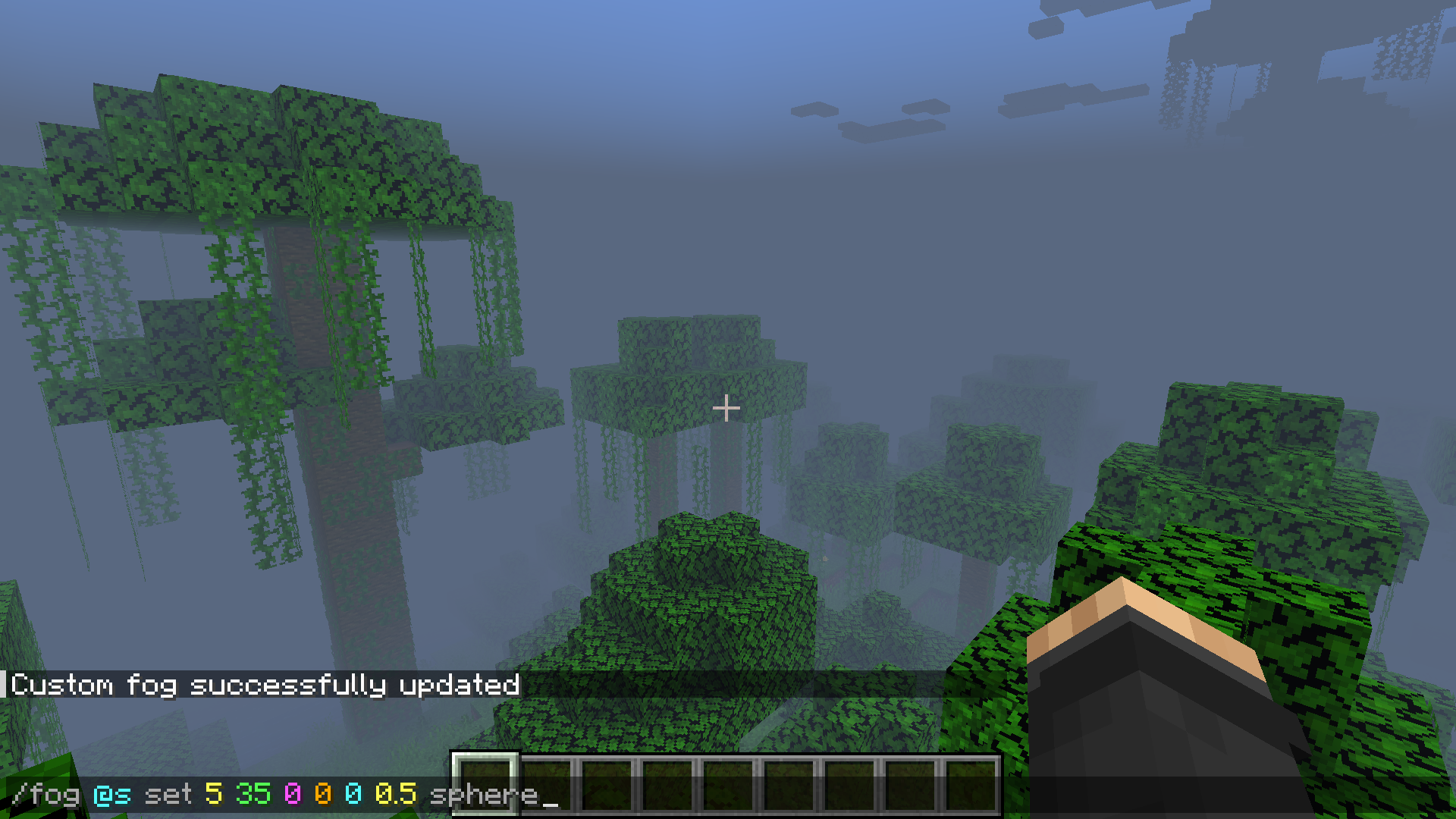
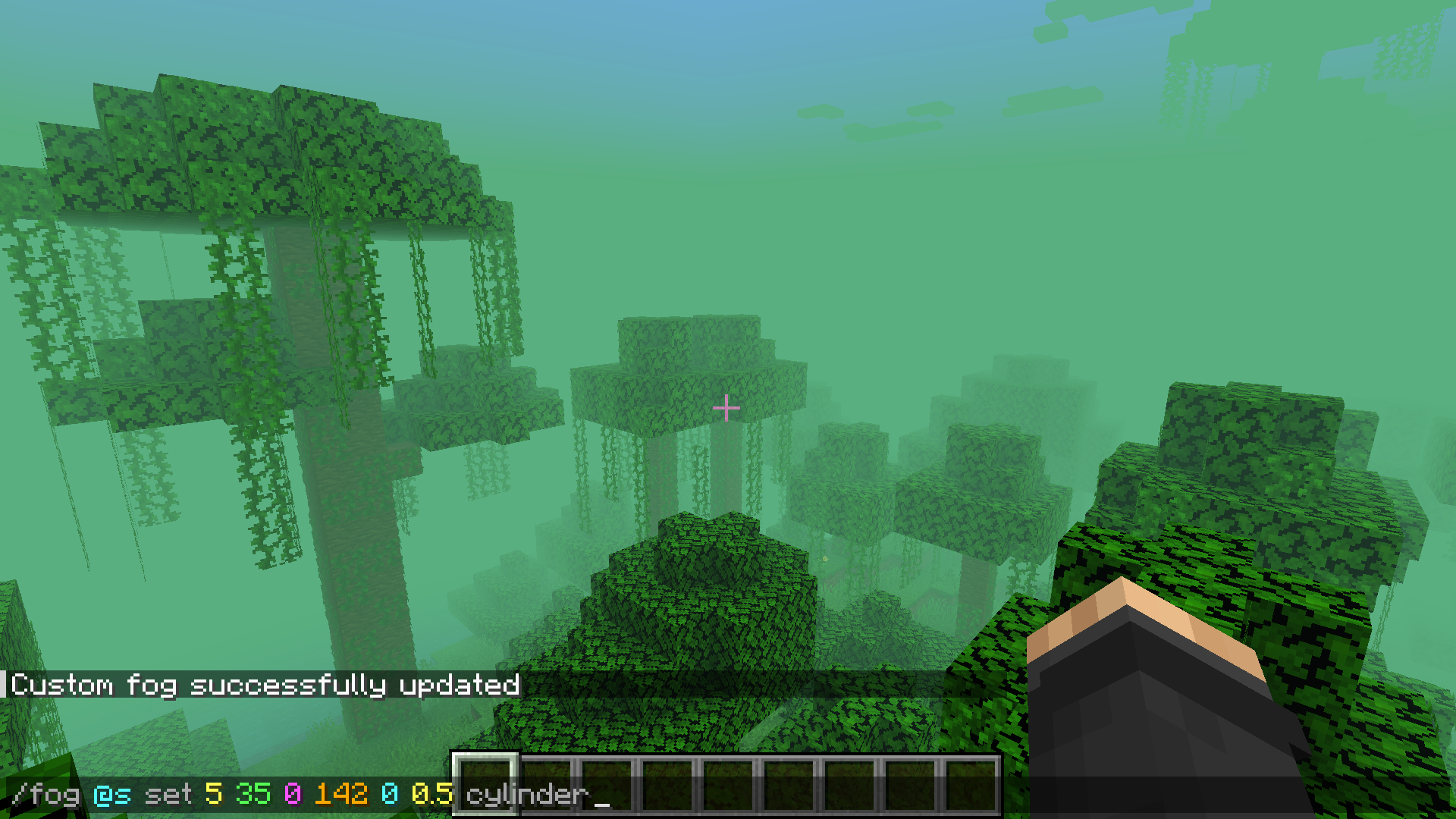
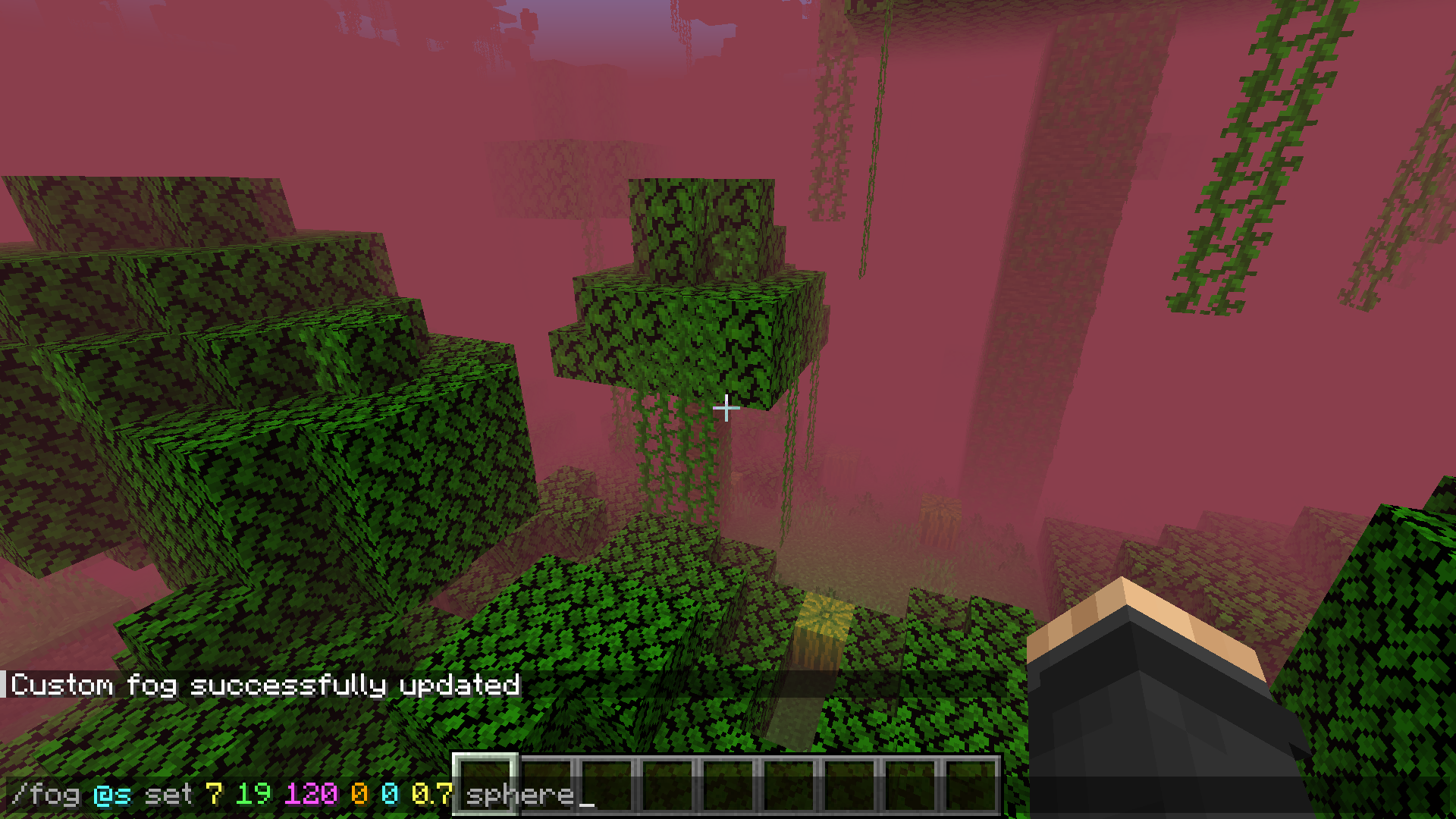
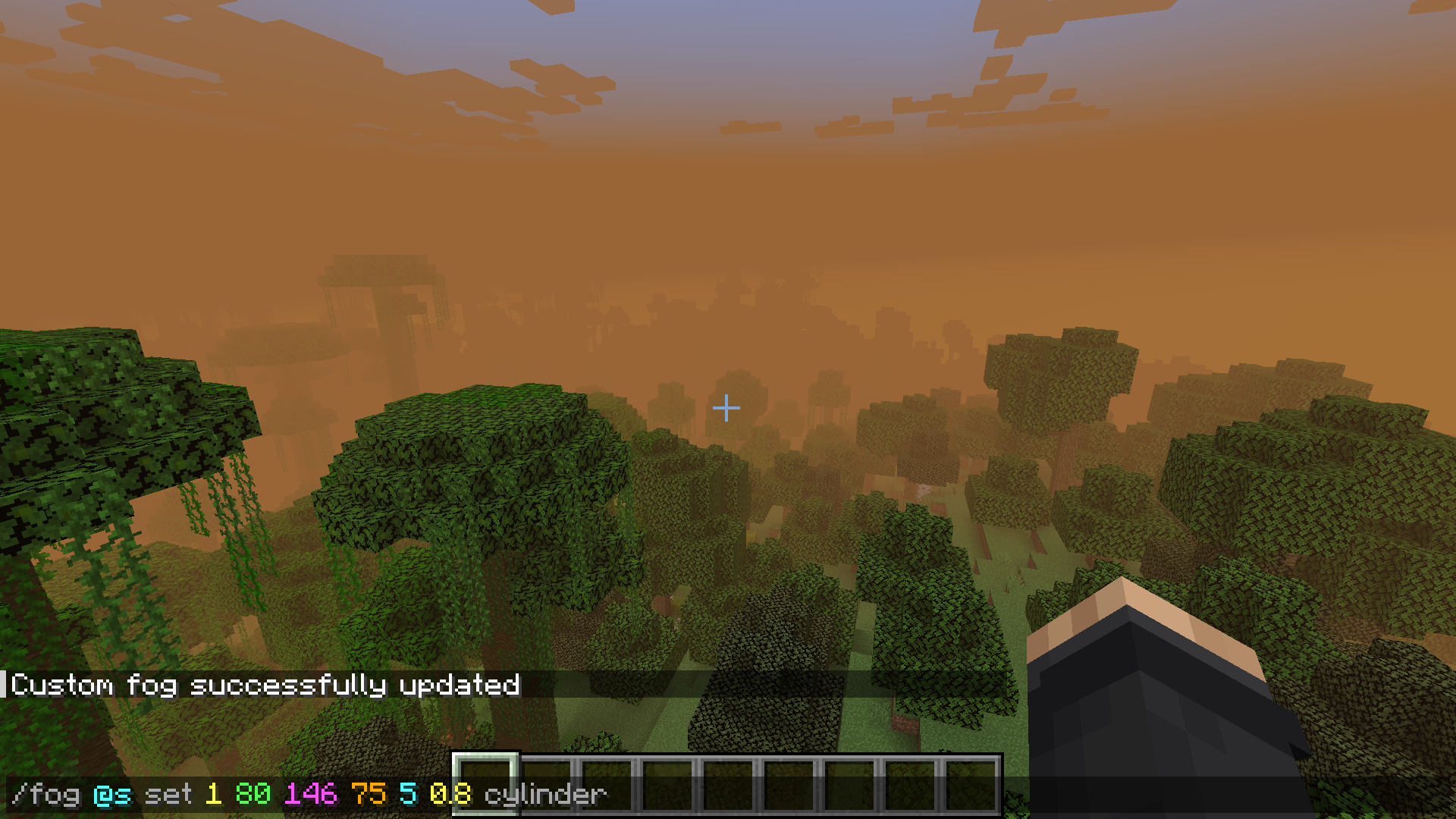
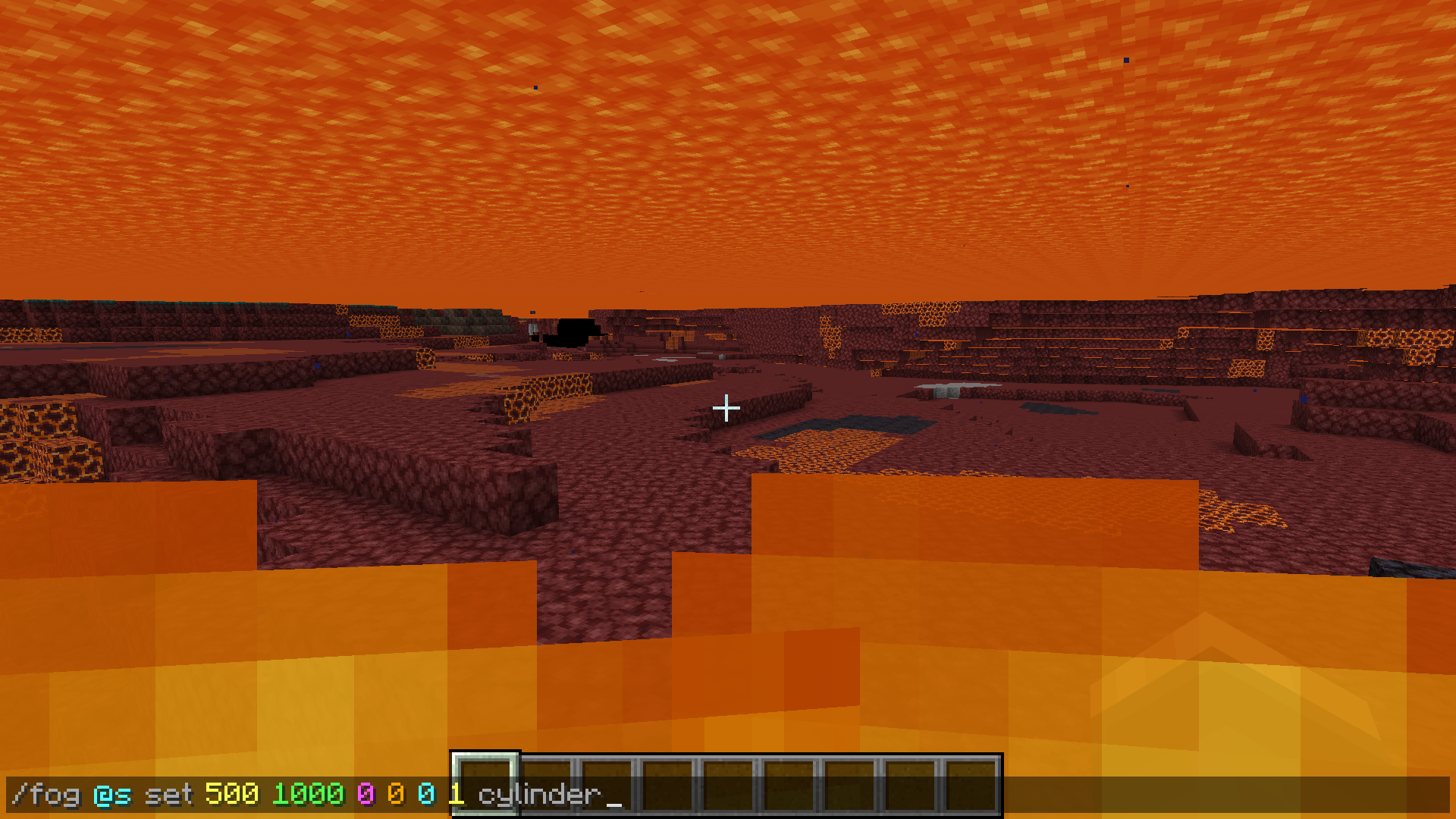
_The mod adds a new command – /fog. It syntax looks like this:_
/fog <Targets> set|reset <MinDistance> <MaxDistance> <ColorRed> <ColorGreen> <ColorBlue> <ColorSaturation> cylinder|sphere_Reset fog to default:_
/fog <Targets> reset_If you need to disable command output to chat, execute this:_
/gamerule sendCommandFeedback falseThis is a vanilla command, and it disables the output to chat for any commands._
The command may look complicated, but here’s a detailed explanation if you need it:
- – The purpose for which the fog is applied. Only players are supported
- set|reset – Command execution scenario. Set will require the arguments below, while reset will end the command and reset the user fog.
- – The distance from the player where the fog begins. 0-∞
- – The distance from the player at which the fog becomes opaque. 0-∞
- – RGB value for the RED number. 0-255
- – RGB value for the GREEN number. 0-255
- – RGB value for the BLUE number. 0-255
- – Saturation, where 0 is dim and where 1 is brightest, use fractional values. 0-1
- cylinder|sphere – What shape will the fog be? Cylindrical or spherical
Why do I need this mod?
_You will be able to customize the fog for your own mod, datapack or map. My mod allows you to customize the fog in detail, its color, as well as the player for whom the fog will be changed. As an example, see the screenshots, there I have shown how the command looks like and the fog it will create!_
常见问题
YetGamer’s Custom Fog 支持哪些 Minecraft 版本?
YetGamer’s Custom Fog 支持 Minecraft Java 版 1.20.1,可用的加载器:Forge。下载时注意选择和你游戏版本一致的文件。
YetGamer’s Custom Fog 怎么安装?
先用 PCL2 或 HMCL 启动器安装对应版本的 Forge,再把下载的 .jar 文件放进游戏目录的 mods 文件夹,重新启动游戏即可。开启了版本隔离的,mods 文件夹在 versions/版本名 下面。运行环境:客户端和服务端都要装。
YetGamerPro 的其他作品
查看全部 →
YetGamer’s Crawling
This mod allows you to crawl by pressing a key.

YetGamer’s Illegal blocks
This mod will allow you to place technical blocks directly from your inventory.

Specific Items Holding
This mod will allow you to change the holding of the item. The mod is intended as an assistant to the creation of maps and datapacks.
评论
登录后评论和评分