截图

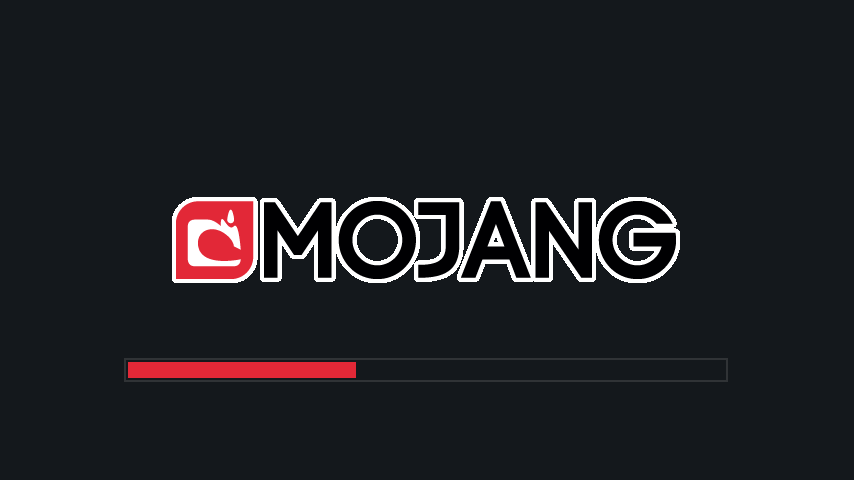
介绍
介绍由机器翻译自 Modrinth 原页面,仅供参考。
一个简单的 Fabric 模组,用于让加载界面变得更暗。
更新日志可在此查看。
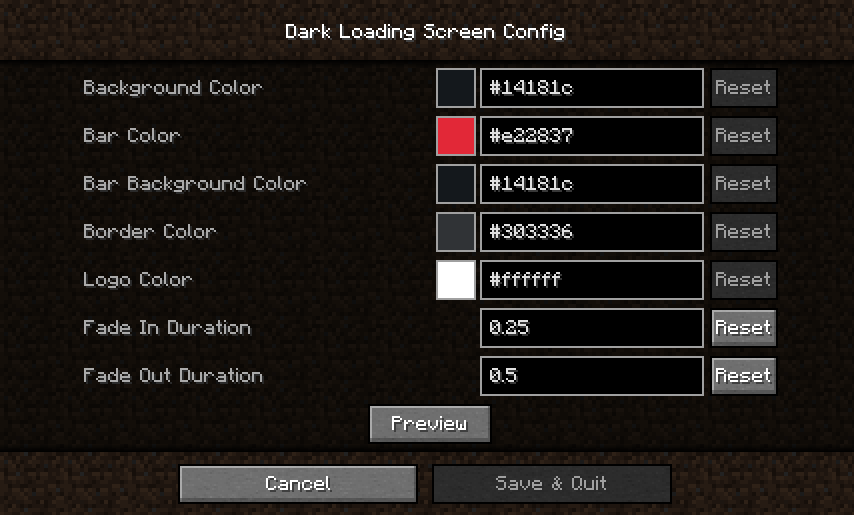
颜色配置
安装 Mod Menu 和 Cloth Config 后,可以在游戏内修改颜色。
手动配置
创建或编辑 .minecraft/config/dark-loading-screen.json,默认配置如下:
{
    "background": "14181c",
    "bar": "e22837",
    "barBackground": "14181c",
    "border": "303336",
    "logo": "ffffff",
    "fadeIn": 1.0,
    "fadeOut": 2.0
}
手动修改后,只有重启游戏才能生效。
鸣谢
- 配置界面使用 shedaniel 的 Cloth Config 制作
- Logo 颜色方案由 Minenash 提议
- 进度条背景颜色方案由 Chrisblox 提议
bg_bg翻译由 natee22 提供de_de翻译由 Der_Anderl 和 moritz-htk 提供es_xx翻译由 Haseck 提供it_it翻译由 Ocizuko 提供ko_kr翻译由 gyular 提供pl_pl翻译由 DarkKnightComes 和 goodideagiver 提供pt_br翻译由 FITFC 提供ru_ru翻译由 Felix14-v2 提供sv_se翻译由 Luracasmus 提供tr_tr翻译由 Mid0aria 提供uk_ua翻译由 BurrConnie 提供zh_cn翻译由 GodGun968、Hambaka、w5860363 和 Q2297045667 提供
链接:CurseForge · GitHub · Modrinth


评论
登录后评论和评分