
截图

介绍
Pixel-Hud Mod
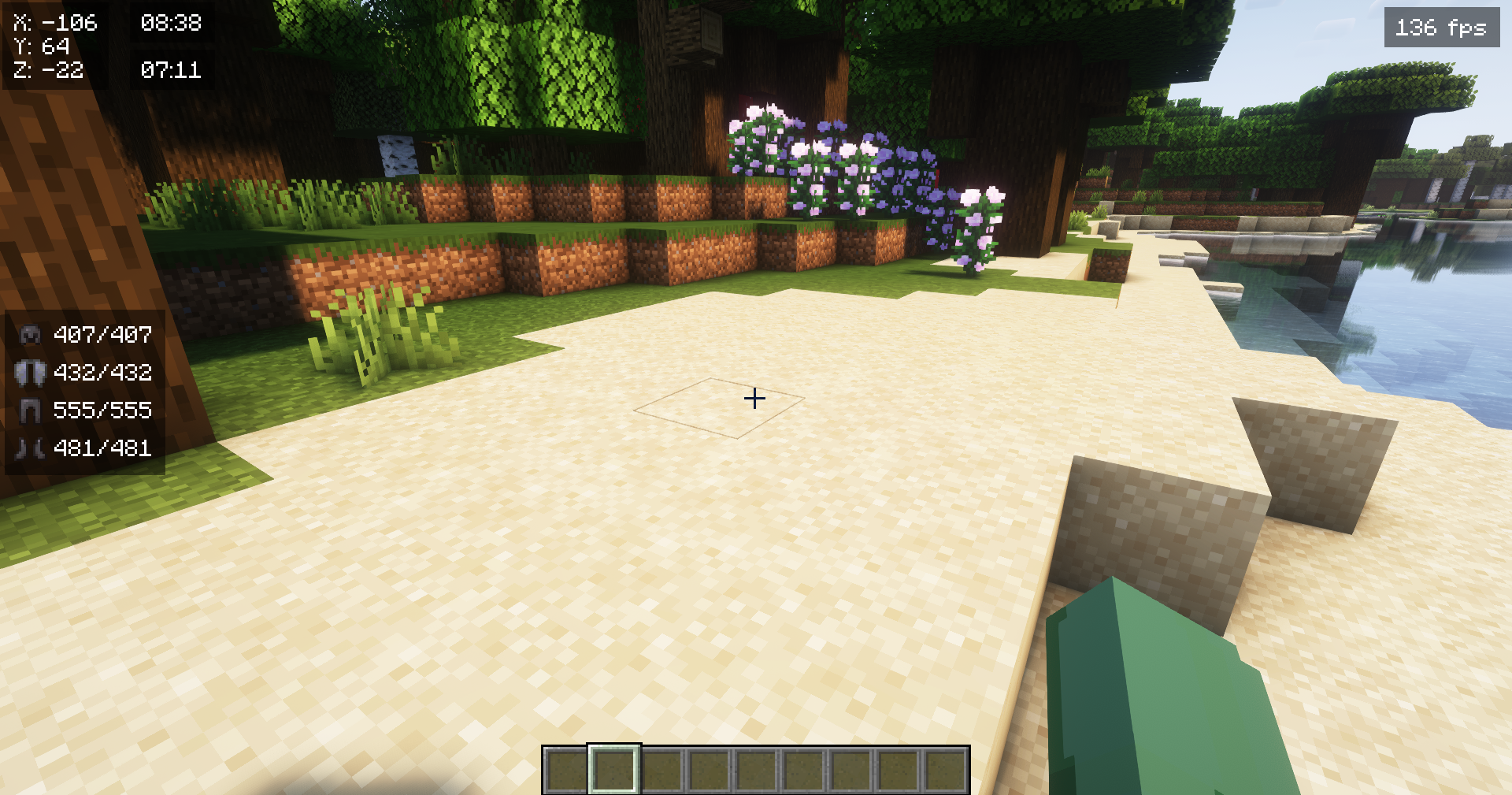
Enhance your Minecraft gameplay experience with Pixel-Hud! This mod provides a customizable heads-up display (HUD) that allows you to monitor various in-game elements. From player coordinates to armor and item status.
Need Cloth Config API
Features
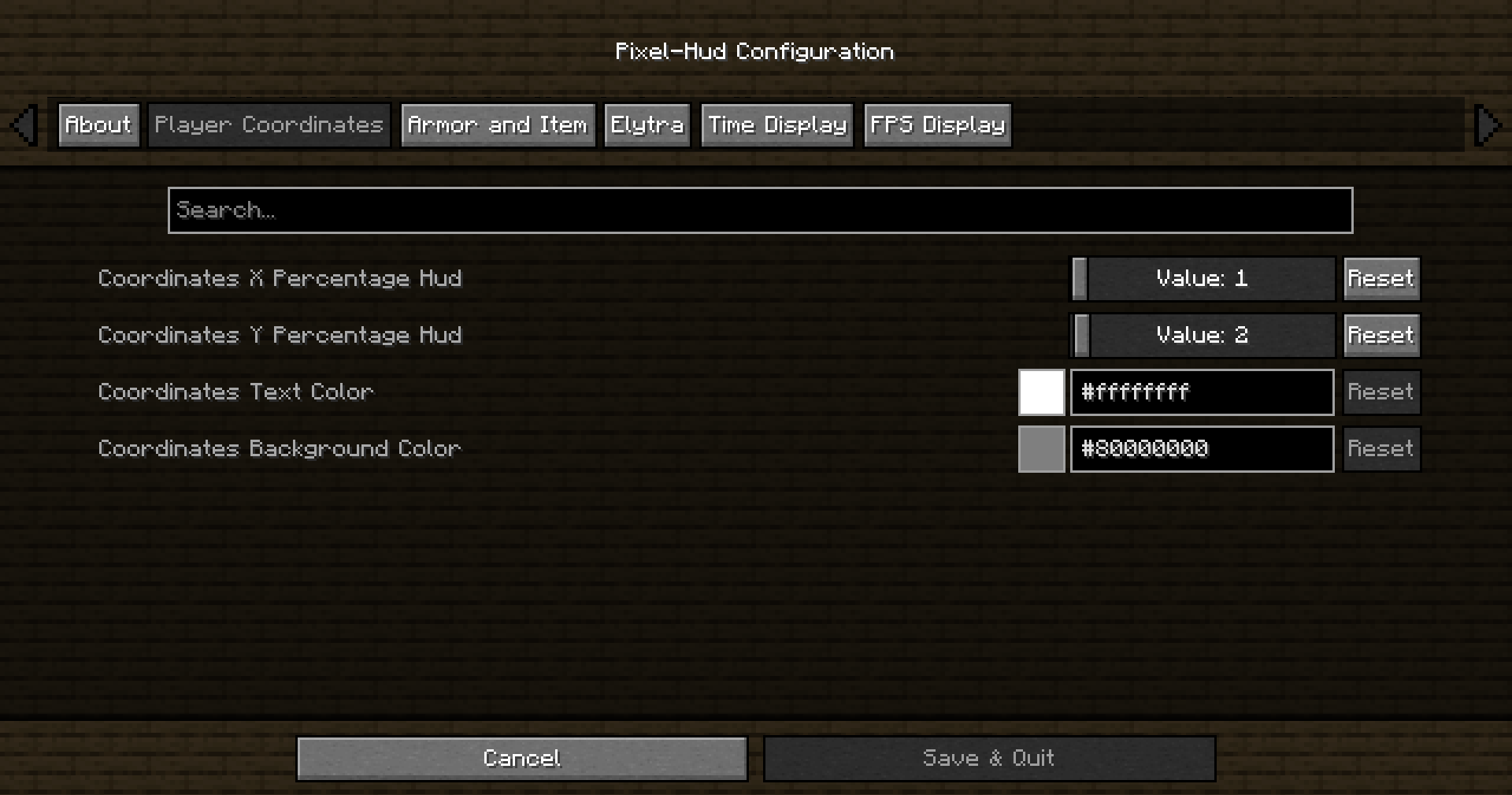
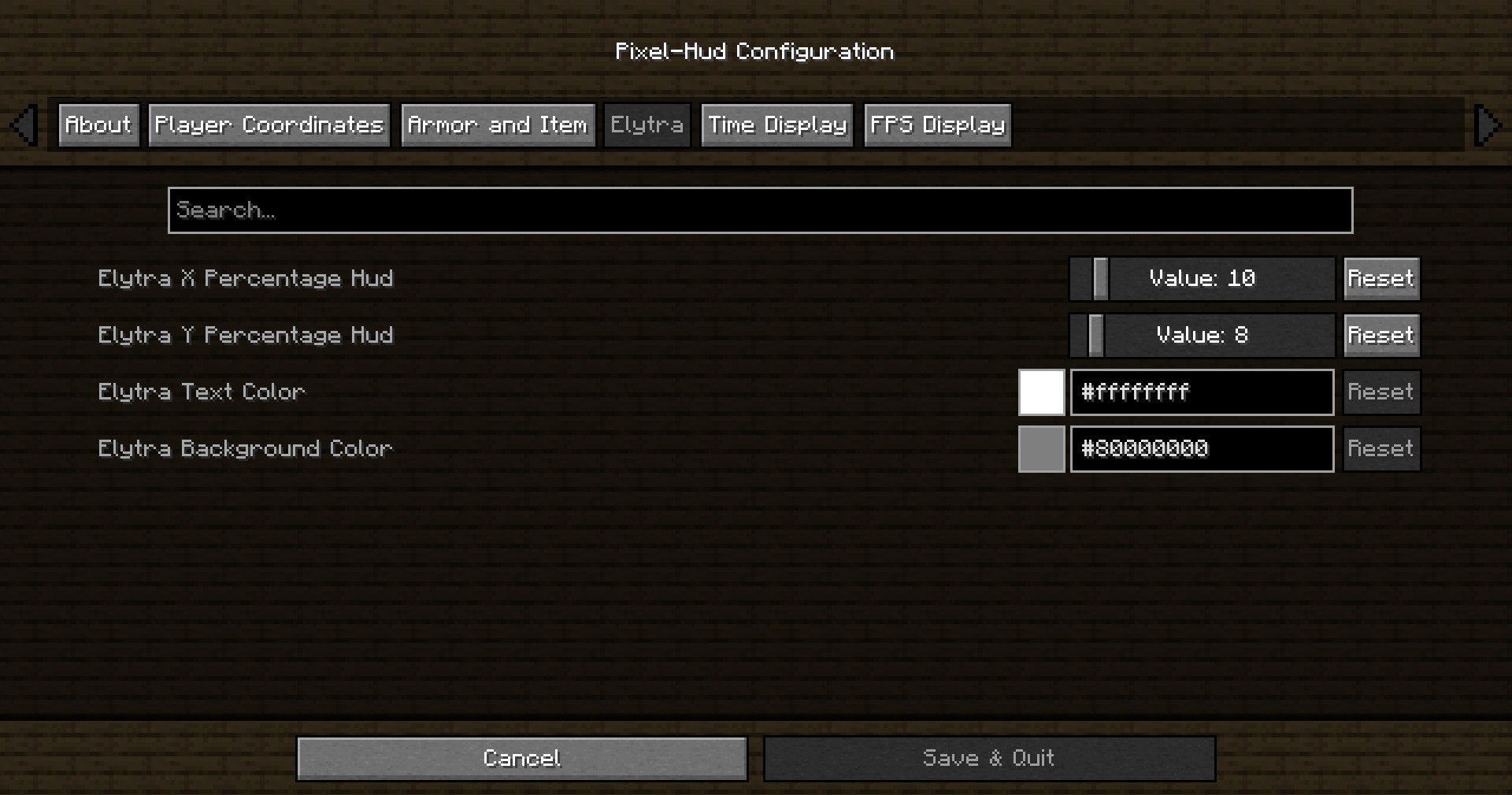
You can choose the position, text color, and background color to suit your preferences for every element.
- Player Coordinates: Keep track of your X, Y, and Z coordinates with a customizable HUD.
- Armor and Item Display: Monitor the durability and quantity of your armor and held items.
- Elytra Information: For adventurers using Elytra, the mod displays remaining durability and other relevant information.
- Time Display: Stay aware of the in-game time with a stylish time display.
- FPS Display: Keep an eye on your game’s frames per second (FPS) with a customizable FPS display.
Configuration
Pixel-Hud comes with an easy-to-use configuration menu accessible in-game with a key or with ModMenu
Support MineMath
Are you interested in supporting me and the development of MineMath ? If so, I suggest trying out BisectHosting. As a new customer, use the Oiha to receive a 25% discount on your first month of a gaming server. With 24/7 support and rapid response times

常见问题
Pixel-Hud 支持哪些 Minecraft 版本?
Pixel-Hud 支持 Minecraft Java 版 1.18–1.21.1,共 17 个版本,可用的加载器:Fabric。下载时注意选择和你游戏版本一致的文件。
Pixel-Hud 怎么安装?
先用 PCL2 或 HMCL 启动器安装对应版本的 Fabric,再把下载的 .jar 文件放进游戏目录的 mods 文件夹,重新启动游戏即可。开启了版本隔离的,mods 文件夹在 versions/版本名 下面。运行环境:仅客户端。


评论
登录后评论和评分