
HudFabric
A client-side Fabric HUD editor with movable modules, private settings codes, a personal note board, and Minecraft 1.21–26.3 support.
截图

介绍
HudFabric
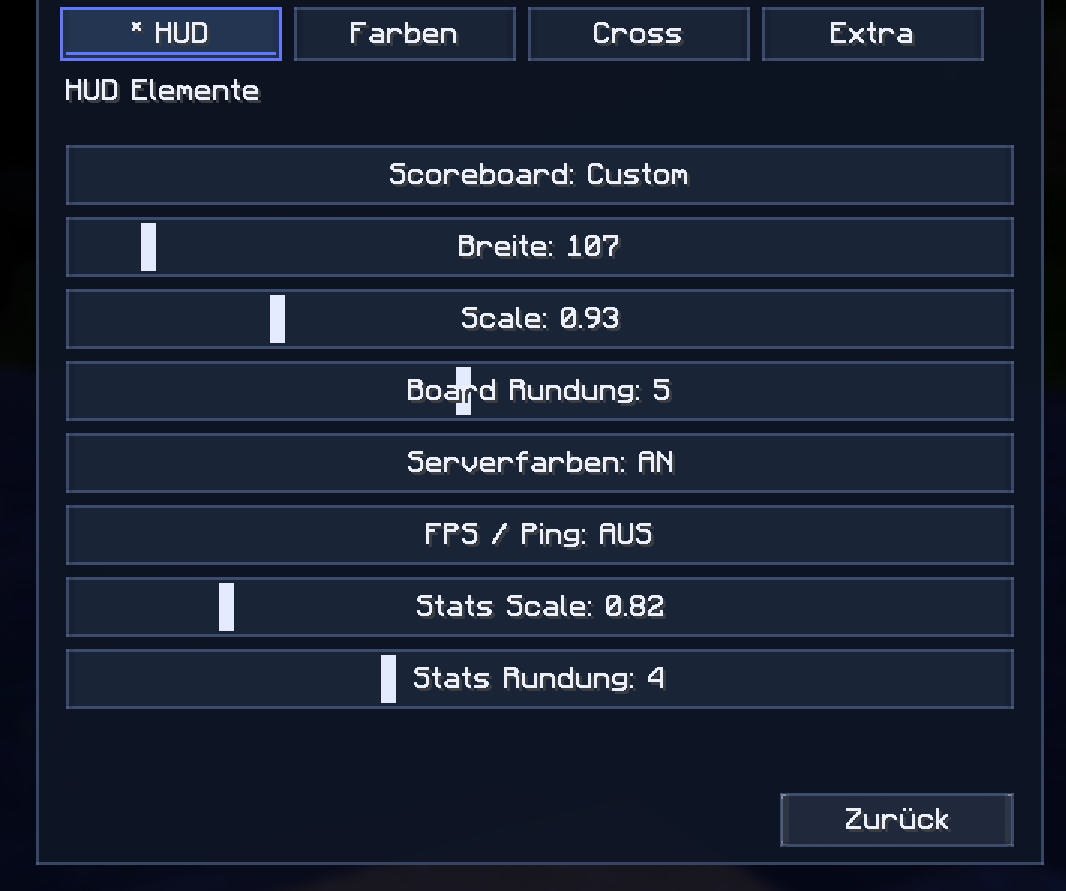
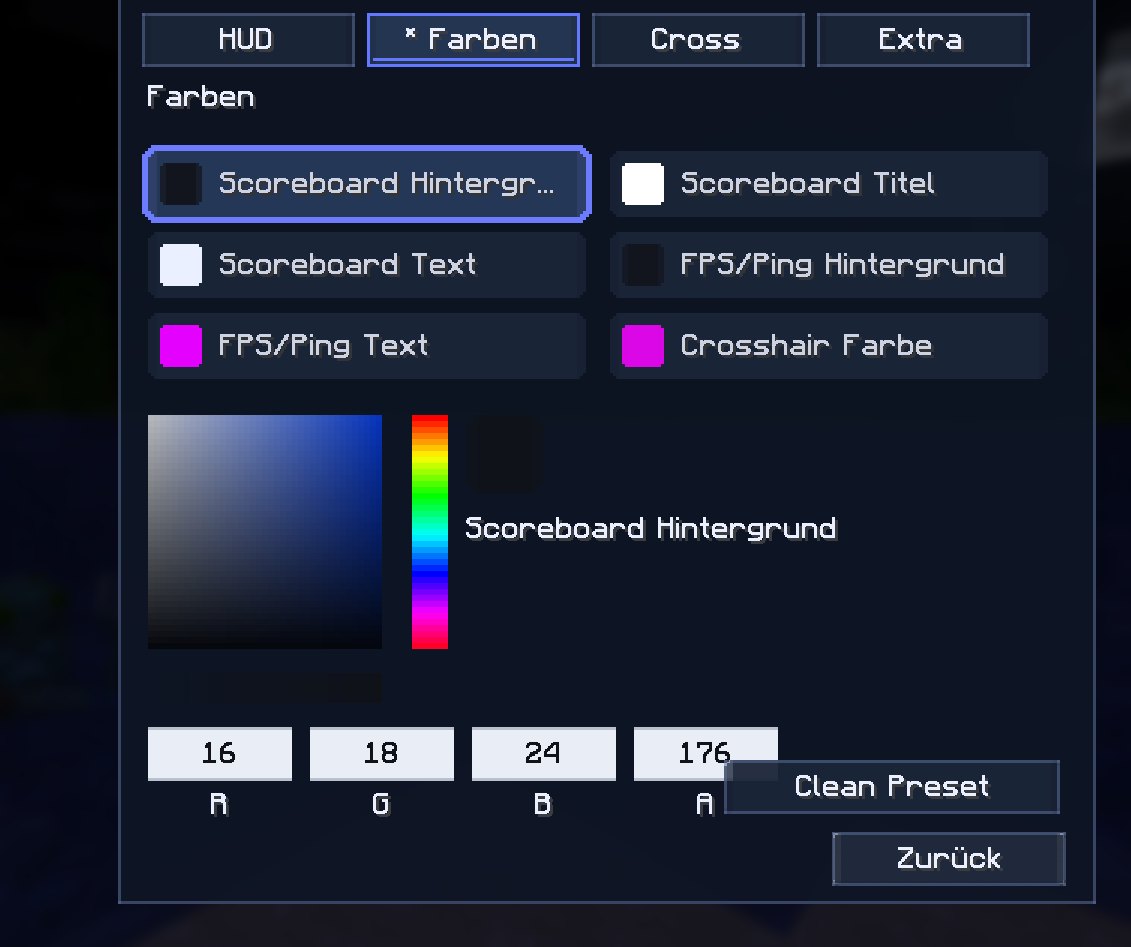
HudFabric is a client-side Fabric HUD mod by ABC_Nova. Arrange a useful, readable overlay in Minecraft with an in-game editor: move and scale modules, choose colors and styles, and reset individual settings when you want a fresh layout. Nothing needs to be installed on a server.
GitHub source · HudFabric 1.0.8 release · Report an issue
HUD modules
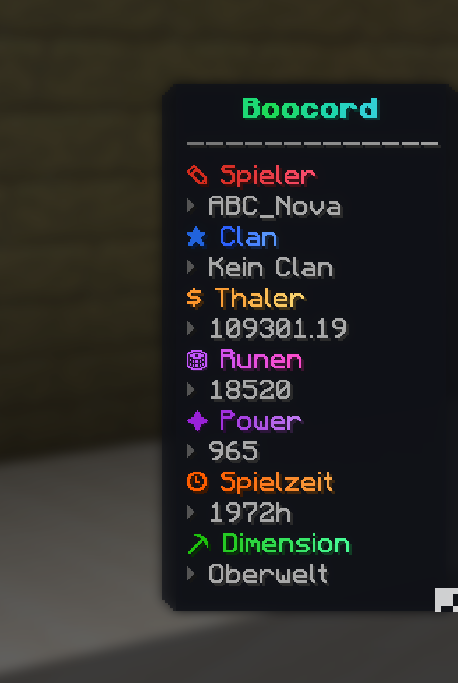
- Custom scoreboard with server formatting support
- FPS, ping, coordinates, and biome
- Potion effects with icons and remaining time
- Left/right CPS and a Jump Reset Indicator for PvP timing practice
- Configurable crosshair, Crosshair Indicator, and block outline
- Armor and tool durability, including a hotbar-style armor widget, placement options, and bar, number, or percentage display
- Inventory, carried totem, and next active-arrow counters
- A movable personal note board
Editor and configuration
Move and scale modules directly in game. Adjust per-module colors, width, scale, and corner radius. The editor has compact controls for smaller windows and reset options for one module, the crosshair, extra settings, or the whole configuration. HudFabric also supports server-specific profiles, settings migration, and auto-respawn and auto-reconnect helpers.
Highlights in 1.0.8
- Copy a privacy-safe settings code to share your HUD layout. Server addresses and server-specific profiles are left out; importing a code preserves the recipient’s local profiles.
- Reposition the pause-menu HUD Editor button with its pencil control or configurable Right Alt drag mode.
- Use vanilla hotbar slot sprites for separate armor widgets, including resource-pack textures.
- Write on a redesigned wooden note board with cork backing, pinned paper, and ruled lines. Notes stay on your client.
- Show carried totems and the next active arrow type. Enable an optional armor-break warning if you want it; it is off by default.
- Move HUD modules on Minecraft 26.3 with corrected SDL3 mouse-button handling, verified by an automated client drag test.
Minecraft compatibility
Nine grouped 1.0.8 builds cover 1.21–1.21.1, 1.21.2–1.21.5, 1.21.6–1.21.7, 1.21.8, 1.21.9–1.21.10, 1.21.11, 26.1–26.1.2, 26.2, and 26.3. Pick the JAR whose filename matches your Minecraft version.
Required: Fabric Loader and Fabric API. Minecraft 26.x requires Java 25. Optional: Mod Menu. HudFabric runs on the client and works with vanilla servers.
Languages, privacy, and license
English, German, French, and Spanish are included. The note board and settings stay in the local client configuration; the note board is not synchronized with other players or a server. HudFabric is open source under the MIT License.
常见问题
HudFabric 支持哪些 Minecraft 版本?
HudFabric 支持 Minecraft Java 版 1.21–26.3,共 17 个版本,可用的加载器:Fabric。下载时注意选择和你游戏版本一致的文件。
HudFabric 怎么安装?
先用 PCL2 或 HMCL 启动器安装对应版本的 Fabric,再把下载的 .jar 文件放进游戏目录的 mods 文件夹,重新启动游戏即可。开启了版本隔离的,mods 文件夹在 versions/版本名 下面。运行环境:仅客户端。
评论
登录后评论和评分