
Biome Powder: Paint Biomes
Change Biomes in your Builds to make them Extra Special! Survival-Friendly & for Creative. Modify Foliage & Grass colors into all 16 vanilla colors.
截图



介绍

<img alt="image of modrinth download badge" src="https://img.shields.io/modrinth/dt/NbjFQwaF

?style=flat&logo=modrinth&label=Download&labelColor=eeeeee&color=2ead64″>
Allows you to change the biome in a Survival-Friendly way. Simply right-click with a Biome Powder to use it. The Biome Powders are also really useful for Builders in Creative Mode. You always get 8 Biome Powder from a single crafting process.
📶 Sizes
Biome Powders come in 3 different Sizes:
- Small
- Mid
- Big
Each Biome Powder has 2-3 Ingredients. The amount of times you use these Ingredients while Crafting will Change the size.
Small
Use Ingredients once for small Biome Powder. This is meant to be used for details, corrections and for pathways.
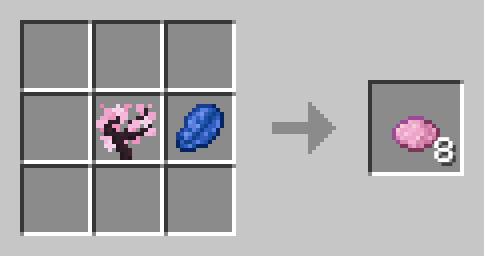
Mid
Use Ingredients twice for mid-sized Biome Powder. you can use this to fill rather small areas.
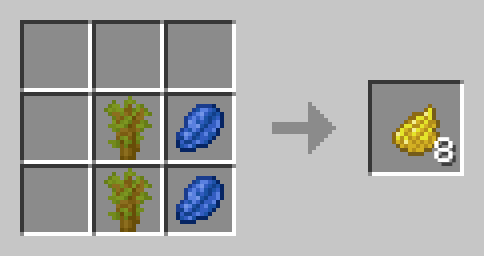
Big
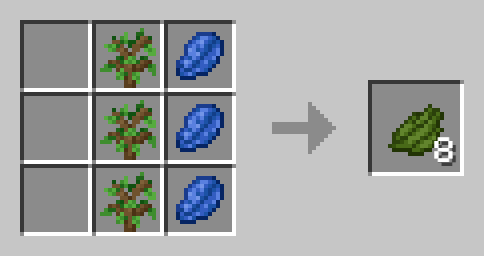
For most bigger areas, you will want to use the big biome powder. It is crafted by using the ingredients three times.
🏞️ Included Biomes
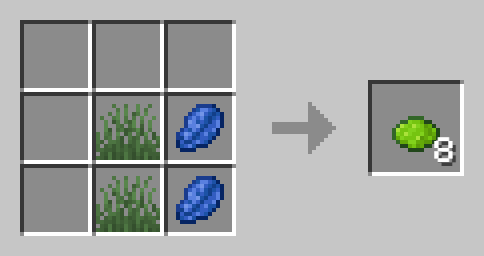
Plains
Short Grass and Lapis Lazuli
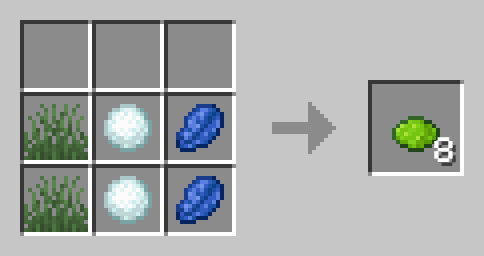
Snowy Plains
Short Grass, Snowball and Lapis Lazuli
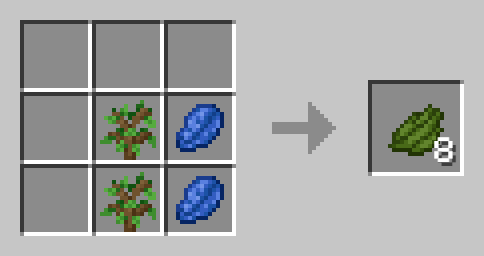
Forest
Oak Sapling and Lapis Lazuli
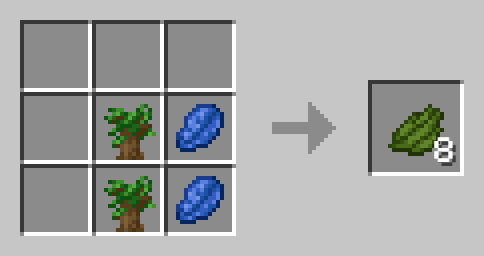
Dark Forest
Dark Oak Sapling and Lapis Lazuli
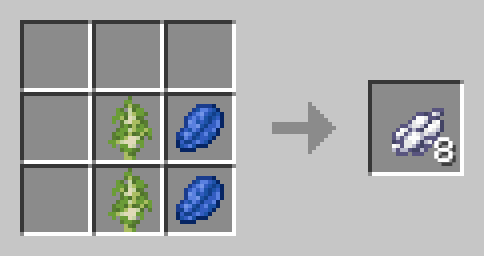
Birch Forest
Birch Sapling and Lapis Lazuli
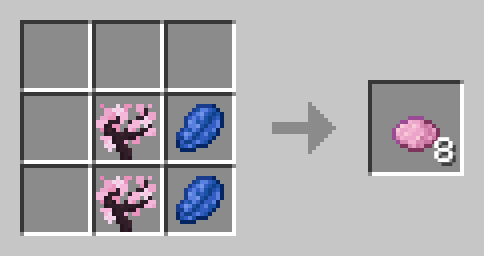
Cherry Grove
Cherry Sapling and Lapis Lazuli
Savanna
Acacia Sapling and Lapis Lazuli
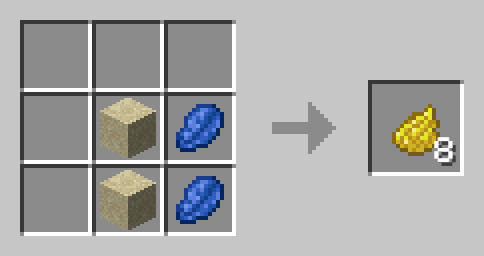
Desert
Sand and Lapis Lazuli
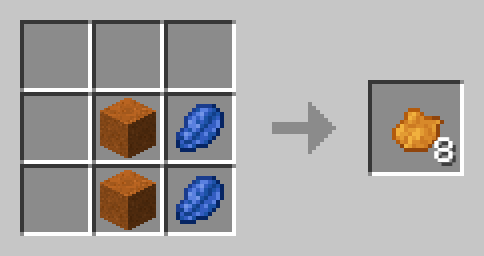
Badlands
Red Sand and Lapis Lazuli
Swamp
Lily Pad and Lapis Lazuli
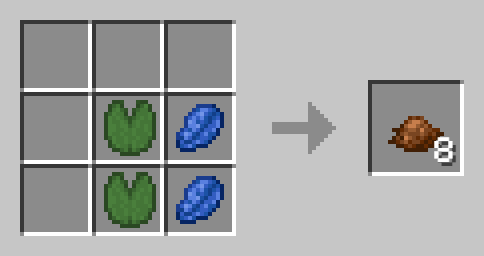
Mangrove Swamp
Mangrove Sapling and Lapis Lazuli
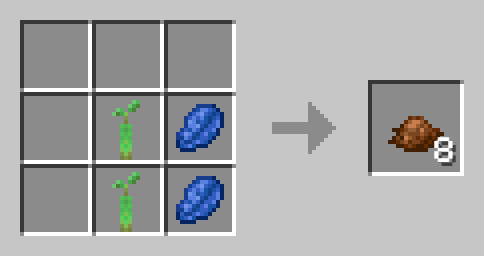
Jungle
Jungle Sapling and Lapis Lazuli
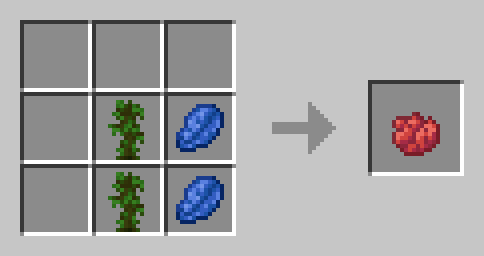
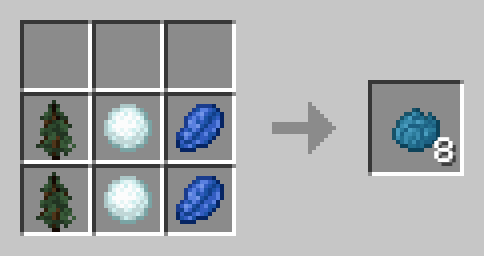
Taiga
Spruce Sapling and Lapis Lazuli
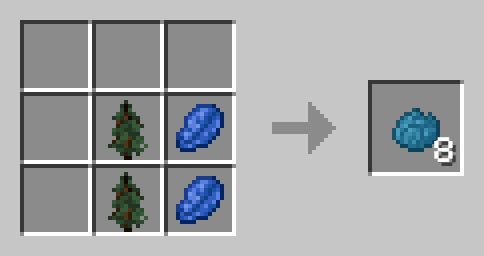
Snowy Taiga
Spruce Sapling, Snowball and Lapis Lazuli
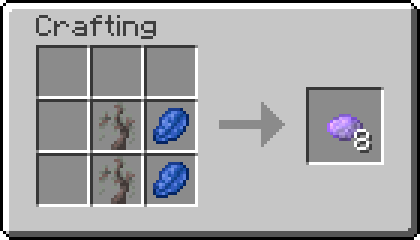
Pale Gardens
Pale Oak Sapling and Lapis Lazuli
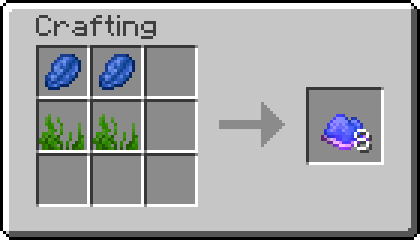
Ocean
Seagrass and Lapis Lazuli
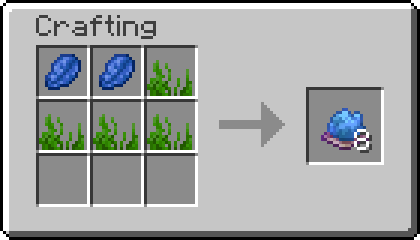
Lukewarm Ocean
2x Seagrass and Lapis Lazuli
 !
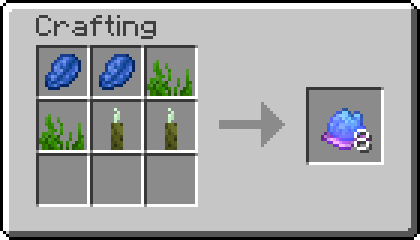
Warm Ocean
Seagrass, Sea Pickle and Lapis Lazuli
 !
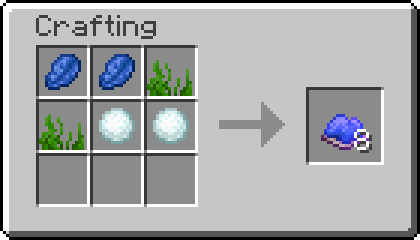
Cold Ocean
Seagrass, Snow and Lapis Lazuli
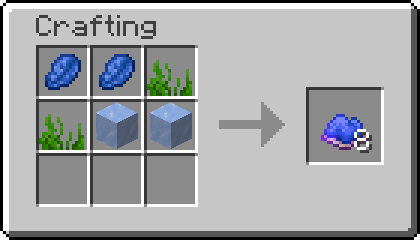
Frozen Ocean
Seagrass, Ice and Lapis Lazuli
Legacy
Colored Plains (1.2-1.3 only)
Short Grass, any Dye and Lapislazuli
📗 How to add all Recipes to the Recipe Book?
Without Commands
By simply crafting and using the Biome Powder Knowledge Book you will gain all the recipes.
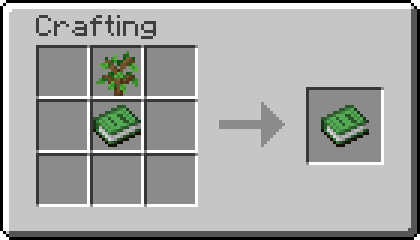
To craft Knowledge Books, you will need “Craftable Knowledge Book“.
With Commands
You can add all recipes to the Recipe Book by using the command /function biome_powder:unlock_all_recipes. If you want to give all players all Recipes, use /execute as @a run function biome_powder:unlock_all_recipes instead.
🛠️ Installation
Datapack Installation Guide
Copy the .zip archive into the “.minecraft/saves/yourworldname/datapacks” folder, where yourworldname is the name of your world.
Mod installation Guide
Copy the .jar archive into the folder your Mod Loader of choice provides.
⚙️ Compatibility
Do not use an “Unlock all achievements” datapack after having installed this datapack!.
Recipes are Subject to Change in Future Versions.
🤝 Attributions
Datapack is loosely inspired by Terraria
❗Issues and Suggestions
Please report issues on My Discord.
常见问题
Biome Powder: Paint Biomes 支持哪些 Minecraft 版本?
Biome Powder: Paint Biomes 支持 Minecraft Java 版 1.20.5–1.21.10,共 7 个版本,可用的加载器:Fabric / Forge / NeoForge / Quilt。下载时注意选择和你游戏版本一致的文件。
Biome Powder: Paint Biomes 怎么安装?
先用 PCL2 或 HMCL 启动器安装对应版本的 Fabric / Forge / NeoForge / Quilt,再把下载的 .jar 文件放进游戏目录的 mods 文件夹,重新启动游戏即可。开启了版本隔离的,mods 文件夹在 versions/版本名 下面。运行环境:客户端 / 服务端。
fishbowlforever 的其他作品
查看全部 →
Sky Artifacts (Change Weather & Time)
Change Time, Freeze Time, Stop and Start Rain & Thunder with powerful Artifacts!

Nostalgic Bed
Replaces the modern Bed crafting system with the oldschool nostalgic Red Bed Recipe.

Builders Dream
Adds more than 100 Craftable Mini-Blocks which will make your Builds stand out!

No Raw Ore
Ore Blocks drop themselves, instead of Raw Ore, like in older Versions
评论
登录后评论和评分