
截图
介绍
Not Enough Experience❇️
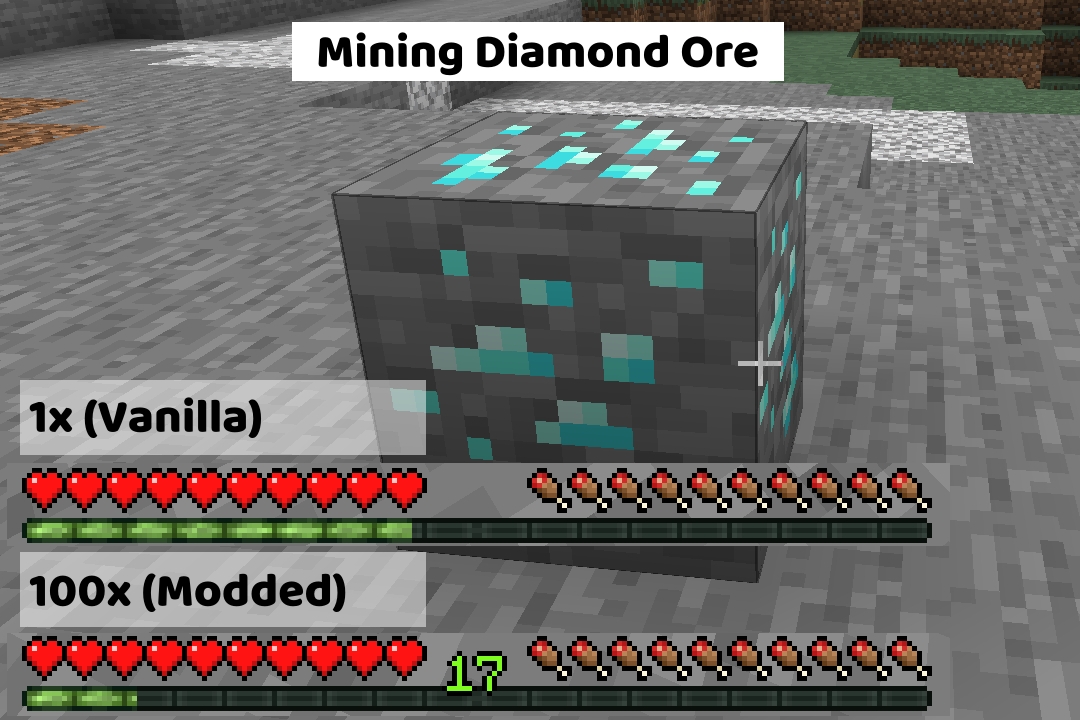
Adds configurable multipliers to various xp sources.
Recommended Mods💡
These mods arent required, but I think they pair really well with this mod.
Clumps
- If you plan on using this mod to increase the xp dropped to insane amounts, I highly recommend installing this mod. It will not only help with the lag, but also reduce the time you are waiting to “soak up” the xp (without this mod, it can be several minutes if you have really high multipliers)
Configured
- Configured (and similar mods) will make editing the config a breeze and allow you to edit the file in-game
Configuration⚙️
The multipliers can be edited in the server config file. Scroll down to see the “Locating the Config File” section if your having trouble finding it.
Once opened, it should look something like this:
🟡Use Global Modifier?
This setting is to let the game/mod know which option you want to use.
- If you want to use the global modifier, set it to true and it will use the global modifier and ignore all individual modifiers
- If you want to use the individual modifiers, set it to false and it will use the individual modifiers and ignore the global modifier
This value can only be true or false. Default: true
🟢Global Multiplier
This multiplier is just for convenience. If you plan on using the same number for every category, you can just use this multiplier instead.
This value can be any number between 0 and 1000000 (one million). Default: 1.0
🔵Individual Multipliers
These multipliers are used for more fine tuning over the xp drops. It is broken down into 9 categories:
- Mining Ores
- Killing Mobs
- Smelting
- Trading
- Breeding
- Fishing
- Throwing Enchanting Bottles
- Getting Advancements
- Using The Grindstone
These values can be any number between 0 and 1000000 (one million). Default: 1.0
Locating the Config File
The config file will get generated when the world gets created, so make sure to do that first before trying the next steps.
The name of the file your looking for is notenoughexperience-server.toml
- While in game you can enter the command
/config showfile notenoughexperience SERVER
- This will send a clickable link to the file in the in-game chat (if the file exists). Example
- If the file doesnt exist (for example, if you’re on a server), you will need to manually navigate to the file location.
- Look for a folder named
saves, then just clicksaves>YourWorldName>serverconfigand you should see the file listed there
常见问题
Not Enough Experience 支持哪些 Minecraft 版本?
Not Enough Experience 支持 Minecraft Java 版 1.16.5–1.20.1,共 6 个版本,可用的加载器:Fabric / Forge / NeoForge。下载时注意选择和你游戏版本一致的文件。
Not Enough Experience 怎么安装?
先用 PCL2 或 HMCL 启动器安装对应版本的 Fabric / Forge / NeoForge,再把下载的 .jar 文件放进游戏目录的 mods 文件夹,重新启动游戏即可。开启了版本隔离的,mods 文件夹在 versions/版本名 下面。运行环境:仅服务端。

评论
登录后评论和评分