
截图


介绍

为你提供披风!
你可以从各种提供方中进行选择,也可以添加自己的提供方。
改进/重制版的 “Capes”模组:
- 改进并简化披风提供方的集成
- 支持对提供方进行排序
- 支持自定义提供方
- 提供更多选项,以微调披风的应用方式
- 完全使用 Java 编写(无需 Kotlin)
- 各种修复与改进
创建自定义披风提供方
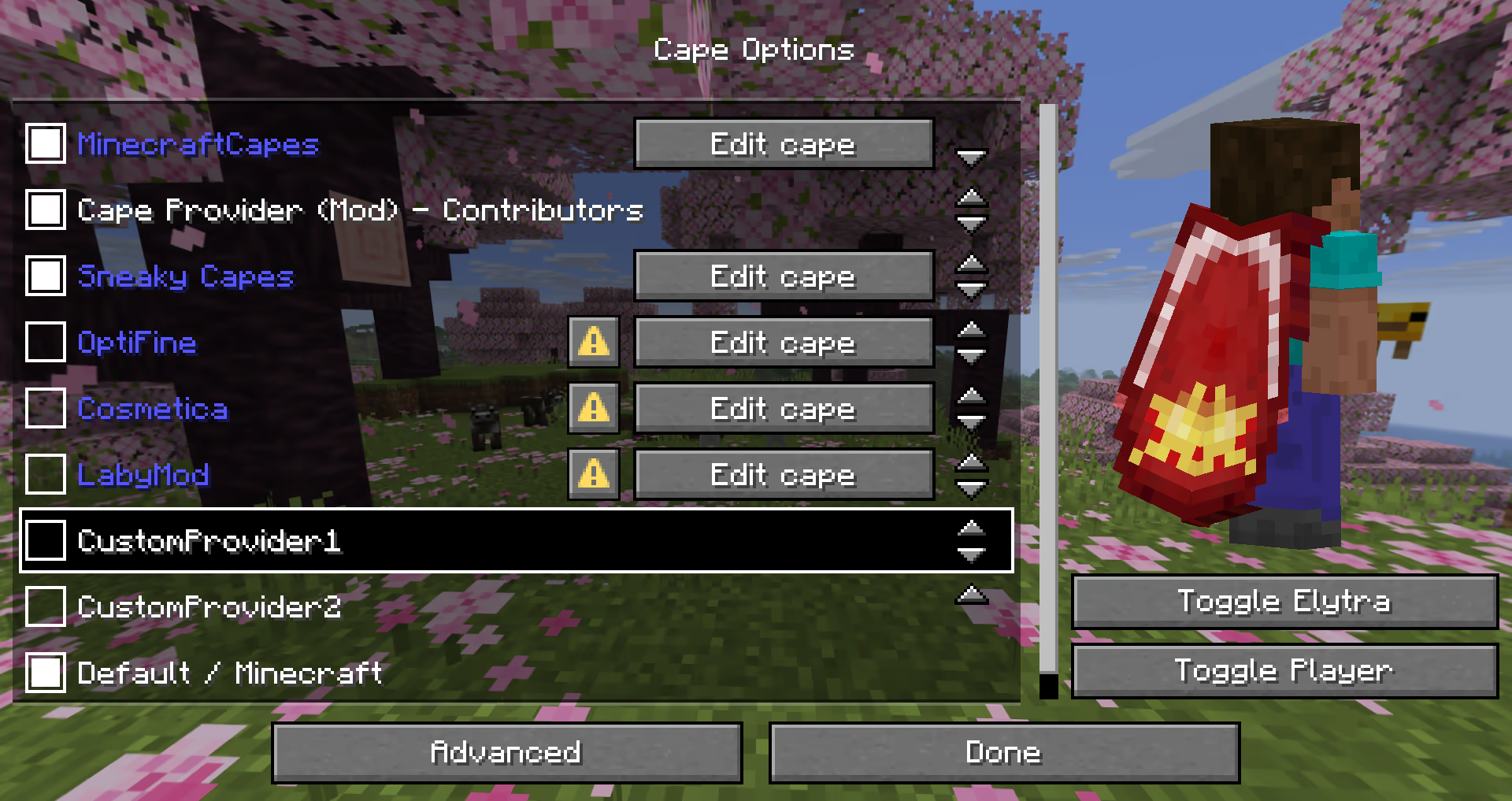
该模组提供了多种添加提供方的方式。
以下可能性按简单程度排序:
简单本地提供方
推荐给:
* 只想要可自定义披风的用户
* 整合包(使用
config/cape-provider/simple-custom)
显示披风最简单的方法是进入 config/cape-provider 目录,并创建一个名为 cape.png 的披风纹理文件。
此外还有以下可选文件:
owners.txt– 决定哪些玩家名称或 UUID 会显示该披风。如果不存在此文件,则所有玩家都会显示该披风。name.txt– 用于覆盖提供方的显示名称
你还可以通过在 config/cape-provider/simple-custom 中创建对应的目录来添加更多提供方。
示例:config/cape-provider/simple-custom/my-super-cool-provider/cape.png
配置中的远程提供方
推荐给:
* 想要添加自定义远程提供方的用户
此示例展示了如何在 `custom-cape-demo` 中应用披风。
- 打开位于 `
config/cape-provider/config.json` 的配置文件 - 在 `
remoteCustomProviders` 部分添加以下条目:
    {
      "id": "cp1",
      "name": "CustomProvider1",
      // You can replace uuid with $id, $name or $idNoHyphen to customize the cape per Player
      "uriTemplate": "https://raw.githubusercontent.com/litetex-oss/mcm-cape-provider/refs/heads/dev/custom-cape-demo/uuid.png"
    }
SkinMC 示例
    {
      "id": "skinmc",
      "name": "SkinMC",
      "uriTemplate": "https://skinmc.net/api/v1/skinmcCape/$id"
}- 重启游戏并启用该提供方
有关更多详细信息,请参阅 RemoteCustomProvider 和 RemoteCustomProviderConfig
注意:可以使用 textureResolverId 属性选择纹理解析器(详情见下文)。
通过模组
推荐给:
* 模组
如果你是模组开发者,想要为模组的支持者或贡献者显示披风,可以通过模组的资源和/或 fabric.mod.json 中的元数据来提供披风。
整体行为类似于 [modmenu`](https://github.com/TerraformersMC/ModMenu?tab=readme-ov-file#fabric-metadata-api) 的处理方式。
本地/简单方式(推荐)
此方式不需要网络通信,是推荐的方式。
它通过读取 cape 目录中的元数据和资源来实现。
示例如下:
- 添加以下模组元数据:`
fabric.mod.json`
    {
      ...
      "custom": {
        "cape": "Contributors"
      }
}- 在
resources中创建一个cape目录 - 将披风纹理添加到
cape/cape.png - 在
cape/owners.txt中添加应获得披风的玩家 UUID 或名称
注意:还有一种更详细的变体
`fabric.mod.json`
{
  "custom": {
    "cape": {
      "name-extra": "Contributors",
      "owners": {
        // You can also used UUIDs
        "names": [
          "Notch"
        ]
      }
    }
  }
}
该模组本身也采用了这种策略。详情请参阅 fabric.mod.json 或 cape 目录。
远程方式
以下是一个示例实现,展示了如何添加远程披风提供程序:
`fabric.mod.json`
{
  ...
  "custom": {
    "cape": "https://raw.githubusercontent.com/litetex-oss/mcm-cape-provider/refs/heads/dev/custom-cape-demo/uuid.png"
  }
}
以下是一个更详细的变体
`fabric.mod.json`
{
  "custom": {
    "cape": {
      // Gives everyone a christmas cape
      // You can also use variables here, like $uuid. See above for more details
      // You may have to escape the $ with \ or you can alternatively use § instead of $
      // Alternative: "uriTemplate"
      "url": "https://example.org/textures/§uuid.png",
      "changeCapeUrl": "https://...",
      "rateLimitedReqPerSec": 20 // Default is 20
    }
  }
}
编程方式
你也可以创建一个编程式披风提供程序。
其他说明
最大大小
图像/纹理大小不应超过 10MB,否则可能会被忽略。
纹理解算器/动态纹理
目前内置了以下解算器:
| 解析器 ID | 动画 | 格式 | 示例 | 备注 |
| — | — | — | — | — |
| default / null | ❌ | PNG | uuid.png | |
| sprite | ✔ | 堆叠式 PNG | animated.png | |
| gif | ✔ | GIF | animated.gif | 不推荐使用
与 PNG 等较新的格式相比,GIF 需要更多资源。 |
请注意,可以在设置中冻结或完全禁用动画纹理。
评论
登录后评论和评分