
Emberveil Additions
This is a resource pack very specifically built for Emberveil Modpack.
截图
介绍
🧱 Emberveil Additions – Resource Pack for Emberveil
📌 Description
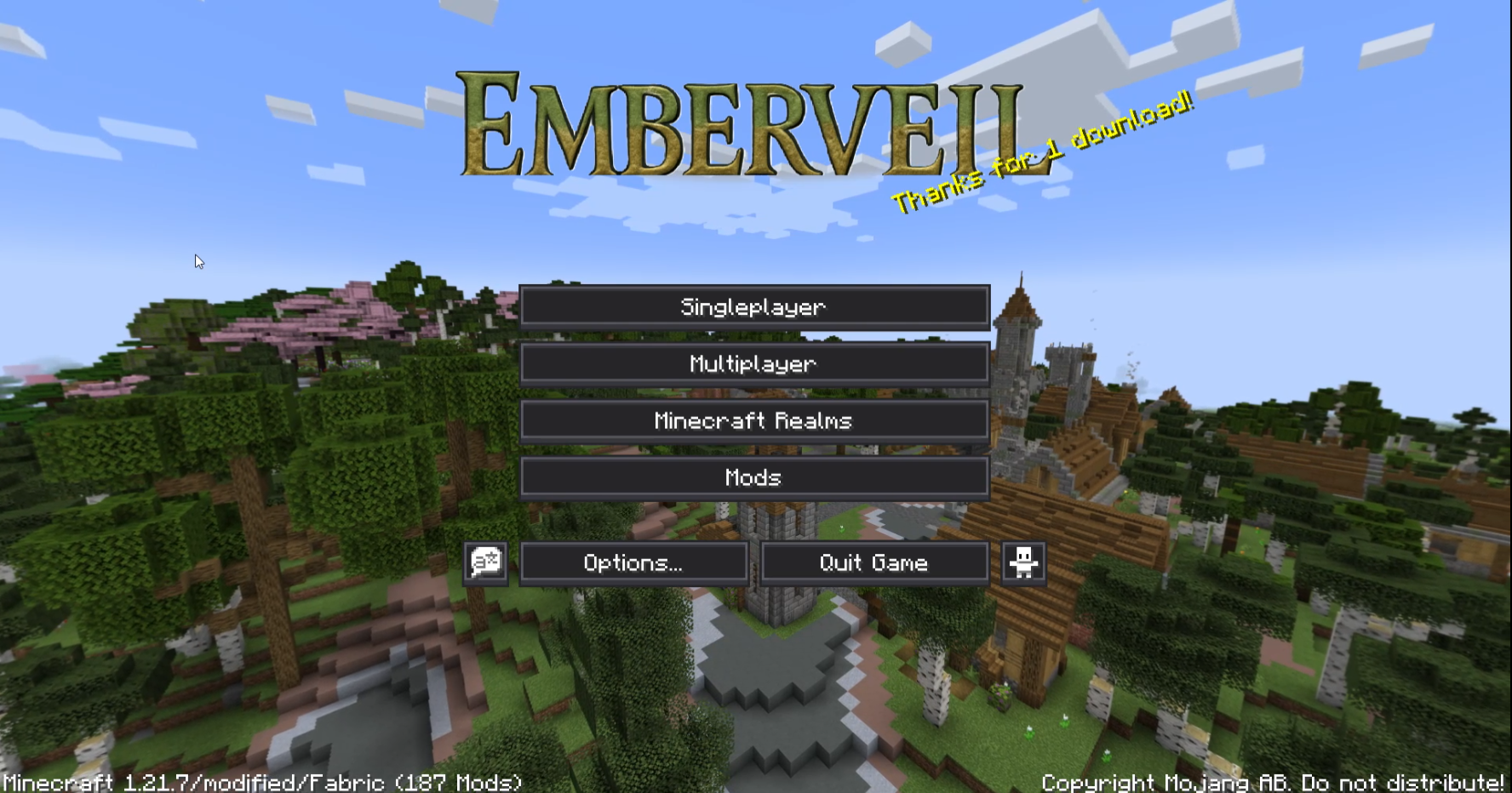
Emberveil Additions is the official resource pack companion for the Emberveil Modpack, built with custom textures, UI tweaks, and visual polish tailored exclusively for the world of Emberveil.
This pack only changes the logo and splash text & in-game UI. It does not affect in-game textures.
We have uploaded this to bundle it with my modpacks only, because external resource packs for modpacks wasn’t configurable well
From pixel-style menus to immersive overlays, every asset is finely tuned to match Emberveil’s aesthetic and gameplay experience. This is not a general-purpose pack — it is a modpack-specific experience enhancer.
Whether you’re exploring twisted biomes or battling through cursed lands, Emberveil Additions adds the final layer of atmosphere that makes the modpack come alive.
⚠️ Important Notice
### ❗ Not recommended for standalone or vanilla use!
This pack is heavily optimized & customised for the Emberveil Modpack (v0.7+). Using it outside the intended modpack may result in:
– 🚫 Unwanted GUI options.
– 🚫 Replacement of Minecraft Logo with Emberveil
– 🚫 Visual inconsistencies
It is not intended as a plug-and-play pack for other packs or vanilla gameplay.
🛠️ Compatibility
- ✅ Works best with Emberveil Modpack (version 0.7f and later)
- ⚠️ May have issues outside our environment.
- ❌ Not created for vanilla Minecraft
📃 License
This resource pack is licensed under the MIT License.
You’re free to use, modify, and distribute with proper credit — but please do not misrepresent it as a general-use pack…
🔗 Quick Links
- 🔥 Emberveil Modpack: [[Modrinth link here]](https://modrinth.com/modpack/emberveil)
- 🧠 Creator: Quantum Creeper
常见问题
Emberveil Additions 支持哪些 Minecraft 版本?
Emberveil Additions 支持 Minecraft Java 版 1.21.1–26.1.2,共 6 个版本,可用的加载器:Fabric。下载时注意选择和你游戏版本一致的文件。
Emberveil Additions 怎么安装?
把下载的 .zip 文件(不用解压)放进游戏目录的 resourcepacks 文件夹,进游戏后在「选项 → 资源包」里把它移到右边启用。
评论
登录后评论和评分