
Cinematic Smoothness
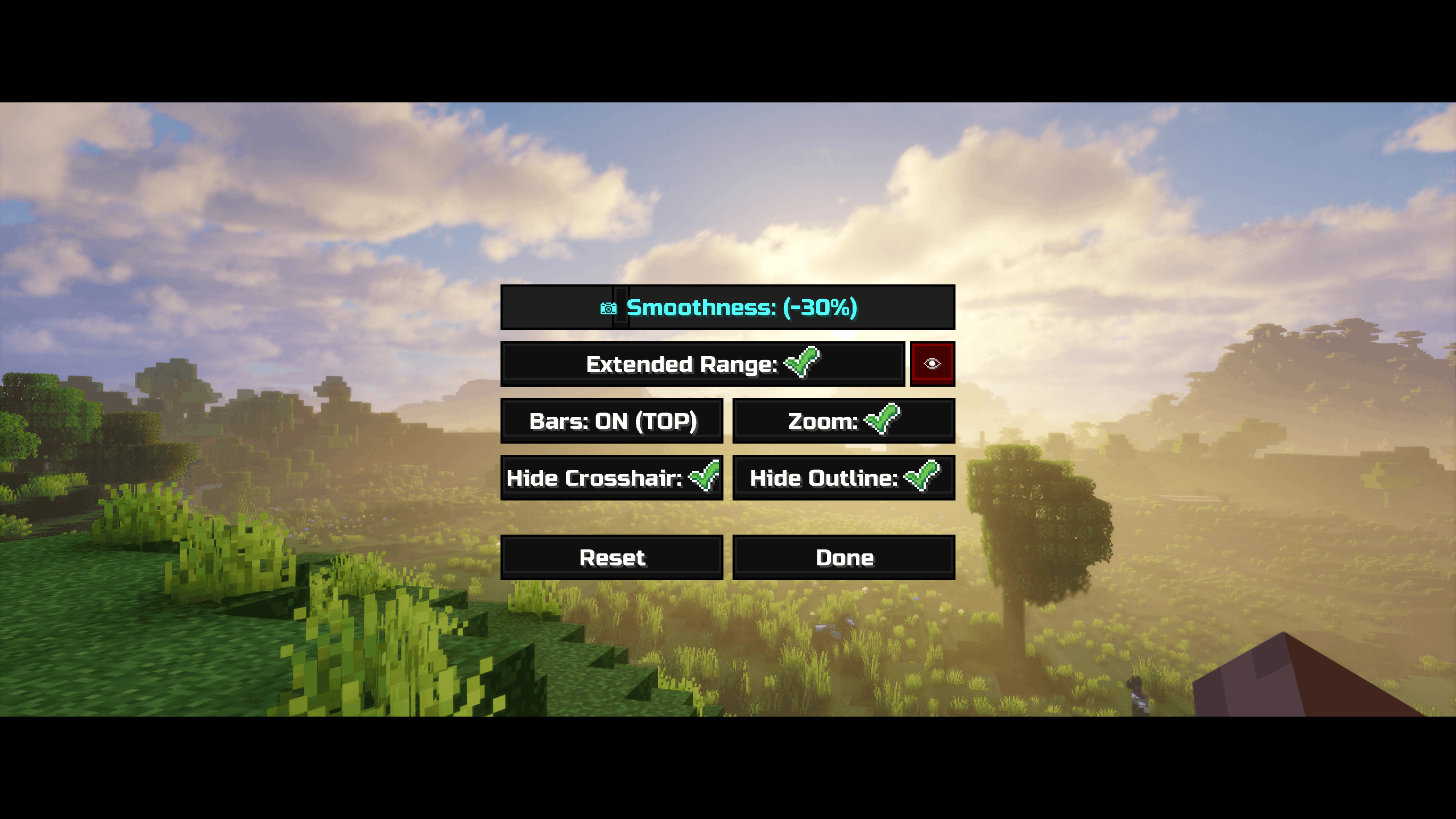
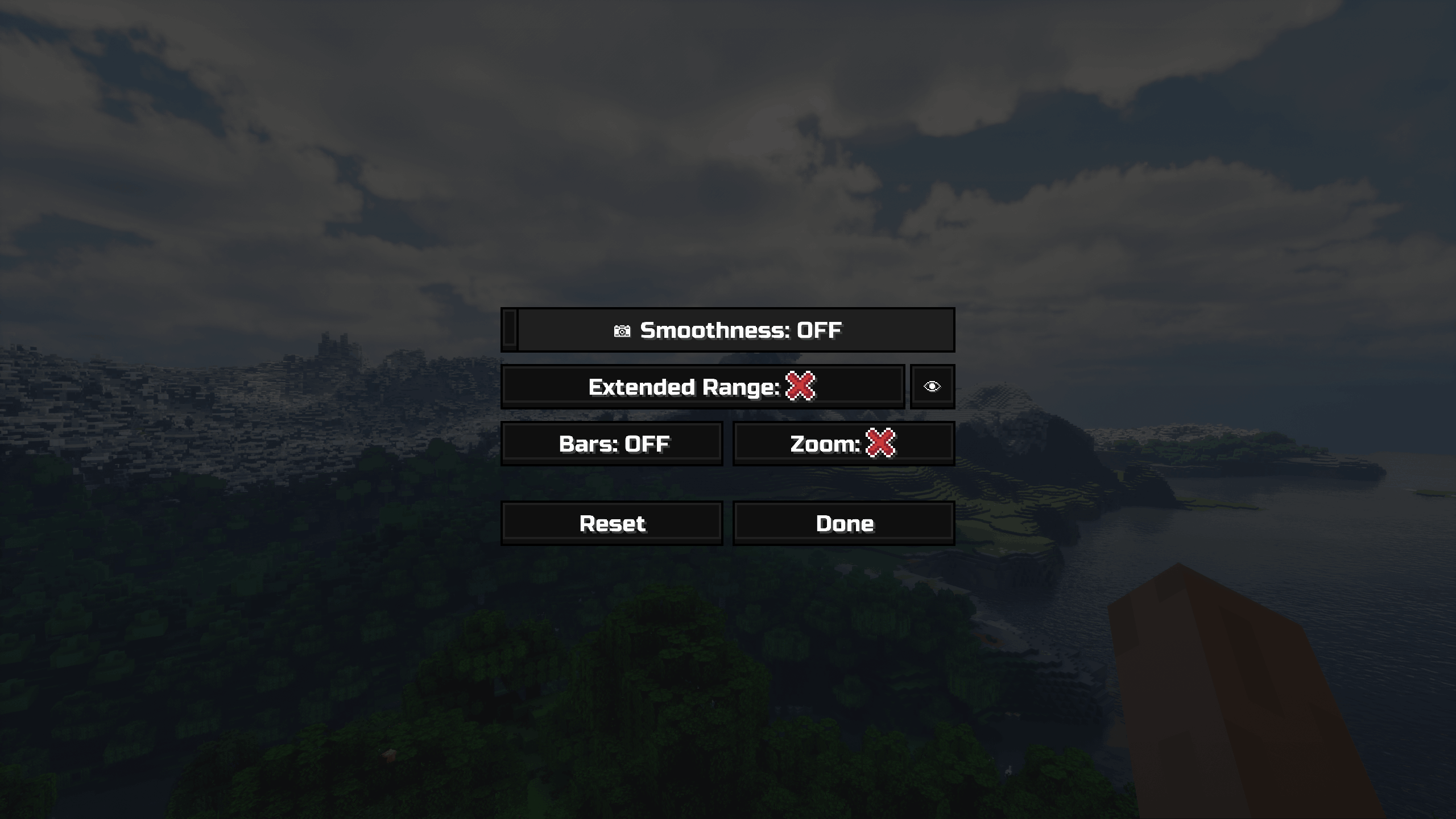
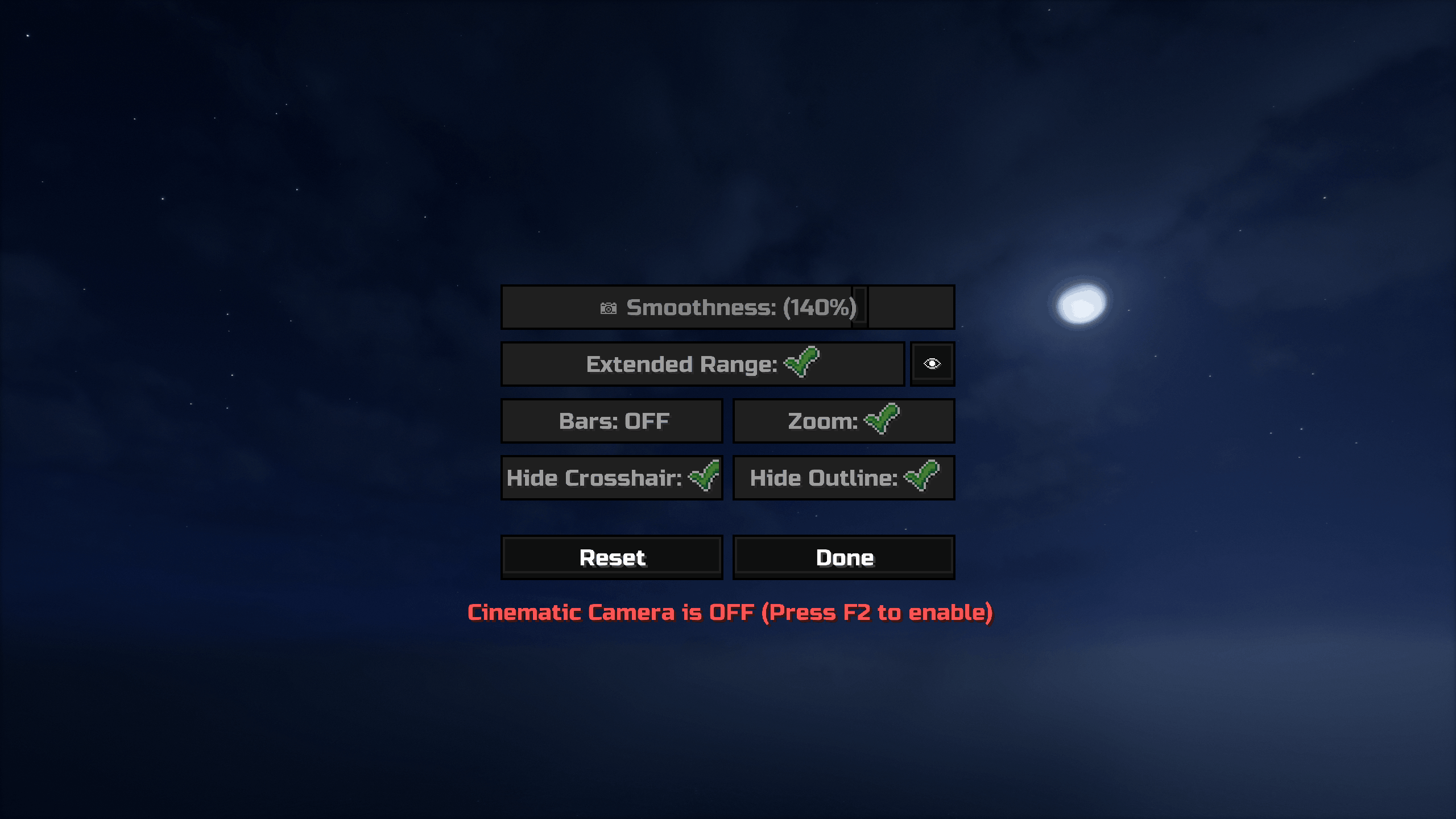
A lightweight mod to customize and enhance Minecraft's cinematic camera with variable smoothness, letterbox bars, and a settings menu.
截图
介绍
🎥 Cinematic Smoothness


📹 A lightweight enhancement for Minecraft’s Cinematic Camera mode.
Includes additional tools: cinematic letterbox bars (black bars), a subtle FOV tightening toggle, and UI visibility controls.


✨ Key Features:
- 🎯 Precision Smoothness: Go beyond vanilla limits. Adjust camera “drag” from 0–100% with more Extended Range -100% for Sharper, more responsive to 200% for ultra-slow, sweeping movement.
- 🎬 Professional Letterboxing: Toggle cinematic black bars with two modes: Behind HUD or Cover HUD.
- 🔍 Subtle FOV Tightening: Slightly narrows the Field of View for cleaner focal shots.
- 🚫 Clean View Toggles: Optionally hide the Crosshair and Block Selection Outline for pure cinematic recordings.
- 💾 Auto-Save + Reset: Your settings are saved between sessions , Built-in Reset button to instantly restore default values
🛠️ Quick Start:
- Default Key: Press F4 to open the Cinematic Smoothness settings.
- Customization: Go to
Options > Controls > Key Binds. Under the “Miscellaneous” category, you can rebind both the “Toggle Cinematic Camera” and the “Cinematic Smoothness Settings”.
🔍 Frequently Asked Questions
- Does this replace vanilla cinematic mode? No — it enhances it. It uses the same cinematic toggle but gives you more control over the physics.
- Is it client-side? Yes. 100% client-side. Safe for servers.
💻 Development
🤖 The technical coding, custom UI design, and internal camera math were developed with the assistance of Gemini (Google AI) and Claude (Anthropic AI), built using IntelliJ IDEA.


🧩 Requirements
- Fabric API
(Essential library)
- Mod Menu
(in‑game mod list)
常见问题
Cinematic Smoothness 支持哪些 Minecraft 版本?
Cinematic Smoothness 支持 Minecraft Java 版 1.21.11–26.1.2,共 4 个版本,可用的加载器:Fabric。下载时注意选择和你游戏版本一致的文件。
Cinematic Smoothness 怎么安装?
先用 PCL2 或 HMCL 启动器安装对应版本的 Fabric,再把下载的 .jar 文件放进游戏目录的 mods 文件夹,重新启动游戏即可。开启了版本隔离的,mods 文件夹在 versions/版本名 下面。运行环境:仅客户端。
Naw7 的其他作品
查看全部 →
Scroll Walk
Alt+Scroll to slow down. Total control over your walking speed.

Morphling
Shapeshift into mobs. Each morph matches vanilla sounds, abilities, and animations.
Morphling
Shapeshift into mobs. Each morph matches vanilla sounds, abilities, and animations.

Subtitles+
Replaces Minecraft’s subtitles with a customizable system that adds color‑coded sounds, sound icons, background options, and a drag‑and‑resize on‑screen editor.
评论
登录后评论和评分