
Modern Art (Probably)
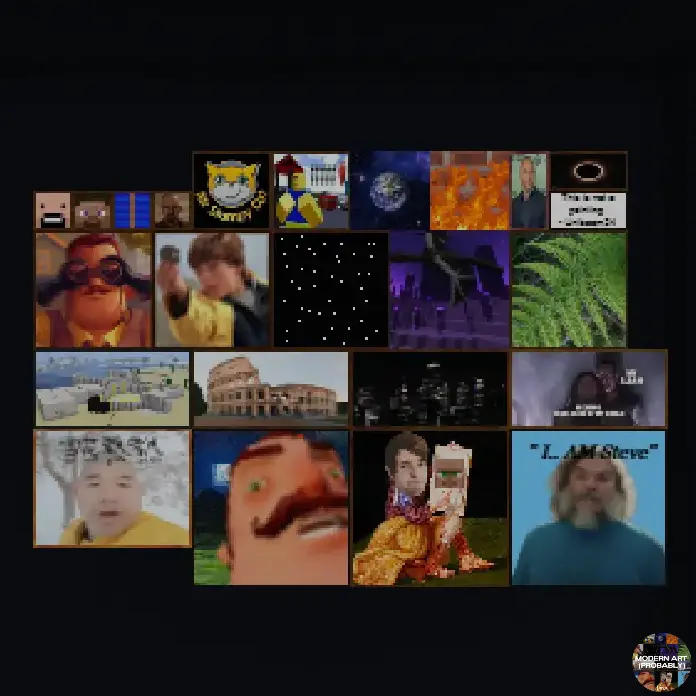
This mod replaces the in-game paintings with a collection of funny memes and nostalgic images.
截图

介绍
🖼️ Modern Art (Probably)
Replace Minecraft’s vanilla paintings with hilarious memes, iconic internet moments, and nostalgic classics.
✨ Features
- Replaces 22 vanilla paintings
- Filled with memes and funny references
- Includes nostalgic internet classics
- Lightweight resource pack with no gameplay changes
- Works in any world or server that supports resource packs
🖼️ Replaced Paintings
- Alban
- Aztec (1 & 2)
- Backyard
- Burning Skull
- Pigscene
- Unpacked
- Baroque
- Bomb
- Cavebird
- Changing
- Bust
- Cotan
- Courbet
- Creebet
- Donkey Kong
- Earth
- Endboss
- Fern
- Fighters
- Finding
- Fire
- Graham
📦 Installation
- Download the resource pack.
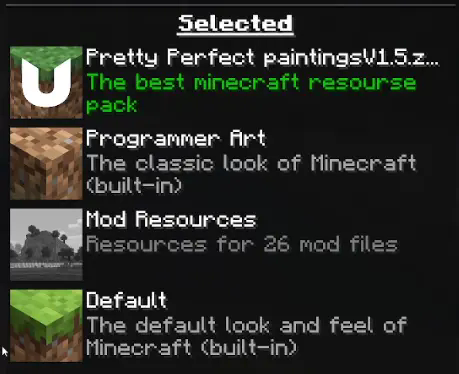
- Open Options → Resource Packs.
- Enable Meme Paintings.
- Move it to the top of your resource pack list.
If another resource pack changes paintings and is above this one, its paintings will take priority.
❓ Frequently Asked Questions
My paintings aren’t changing
Make sure the pack is at the very top of your enabled resource packs. If another pack replaces paintings and has a higher priority, these textures won’t appear.
Does this work in multiplayer?
Yes! As long as you have the resource pack enabled, you’ll see the custom paintings. Other players will need the pack as well if they want to see the same artwork.
Does this affect gameplay?
No. This is a purely visual resource pack that only changes painting textures.
🚧 Beta
This resource pack is currently in beta.
Some paintings may be updated, improved, or replaced in future releases based on community feedback.
常见问题
Modern Art (Probably) 支持哪些 Minecraft 版本?
Modern Art (Probably) 支持 Minecraft Java 版 1.19–26.2,共 28 个版本。下载时注意选择和你游戏版本一致的文件。
Modern Art (Probably) 怎么安装?
把下载的 .zip 文件(不用解压)放进游戏目录的 resourcepacks 文件夹,进游戏后在「选项 → 资源包」里把它移到右边启用。
评论
登录后评论和评分