
Custom Map Resetter
map resetter in the spirit of Atum, made with the CTM (Complete the Monument) community in mind
截图
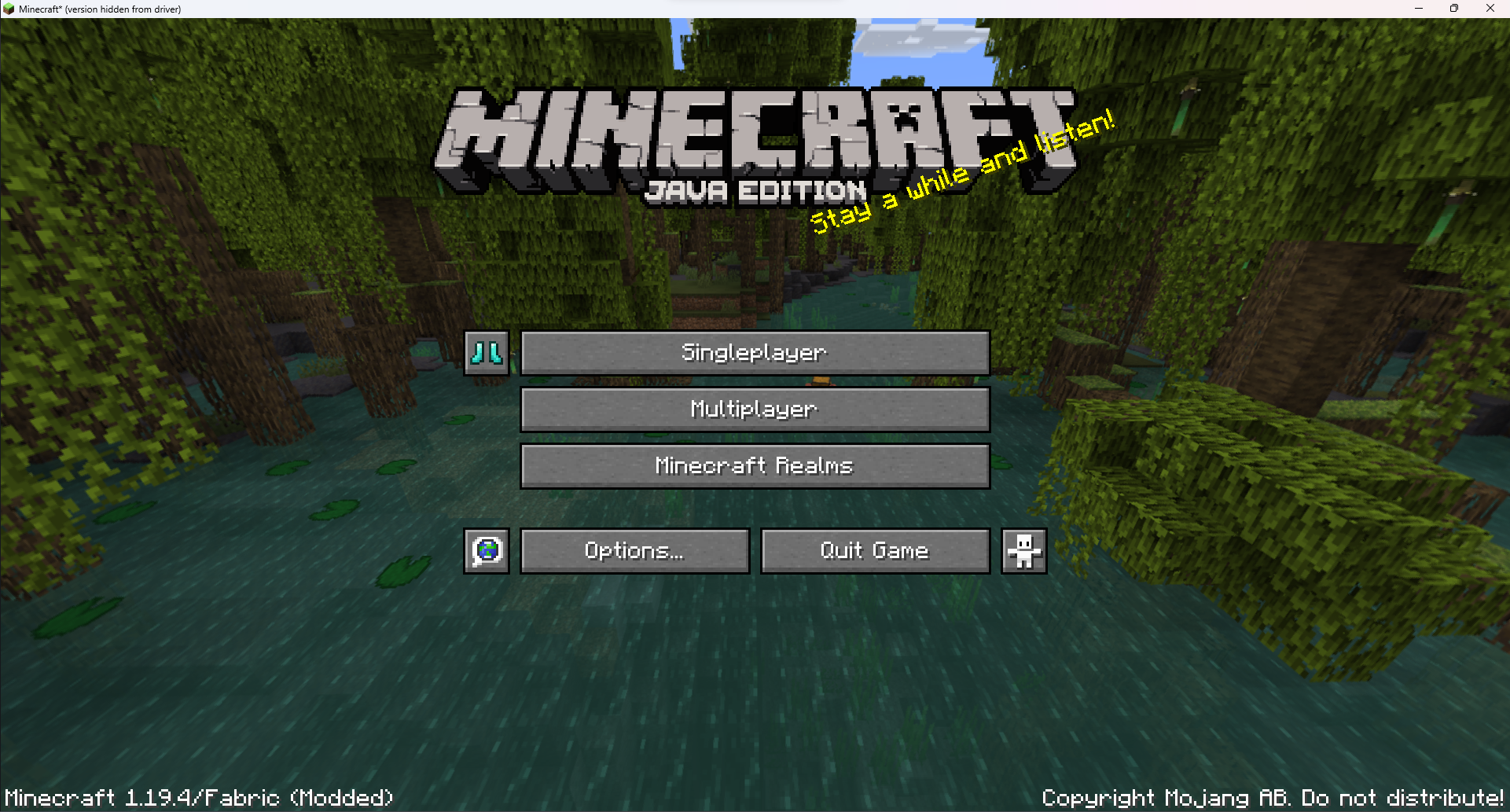
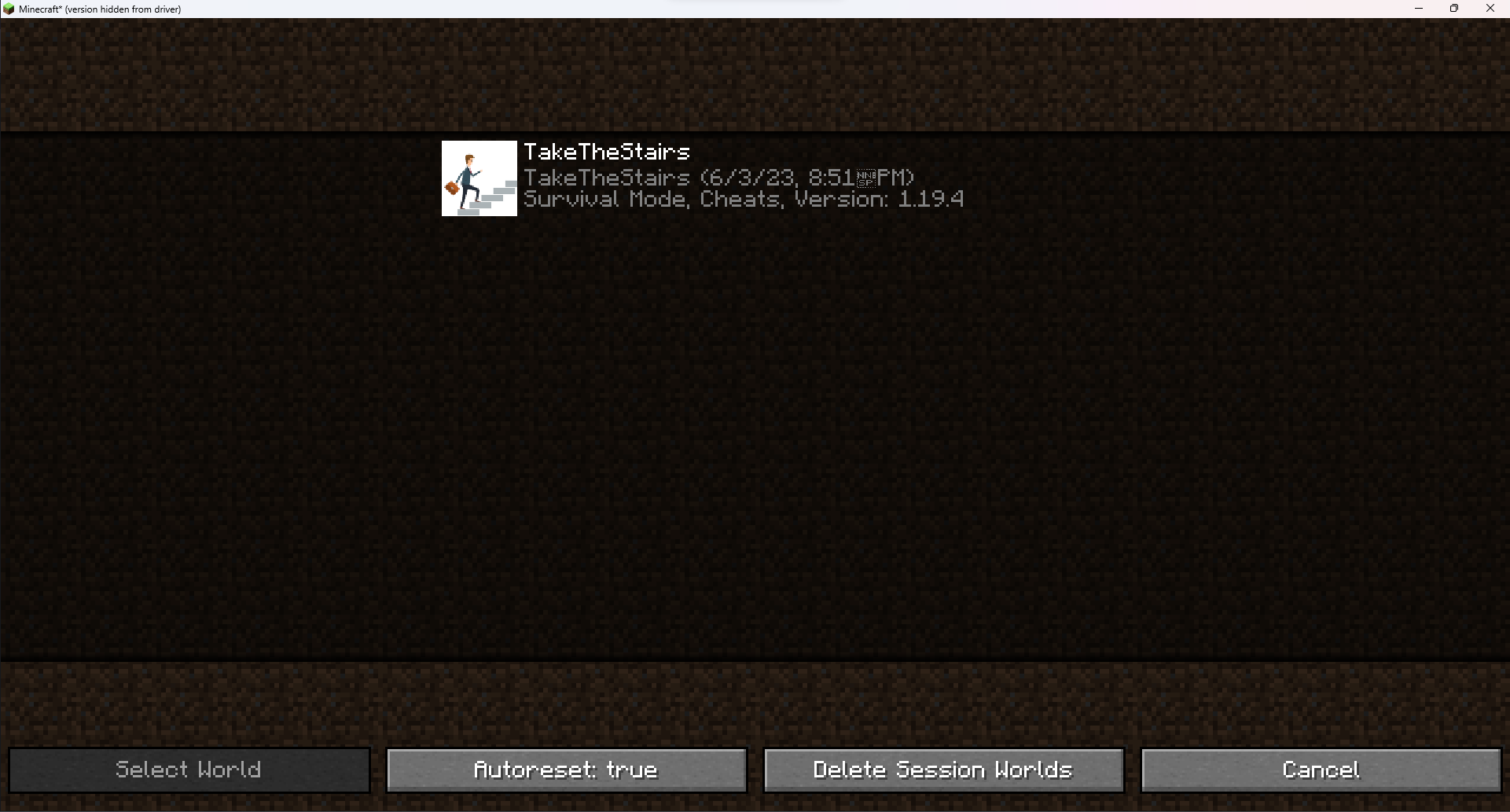
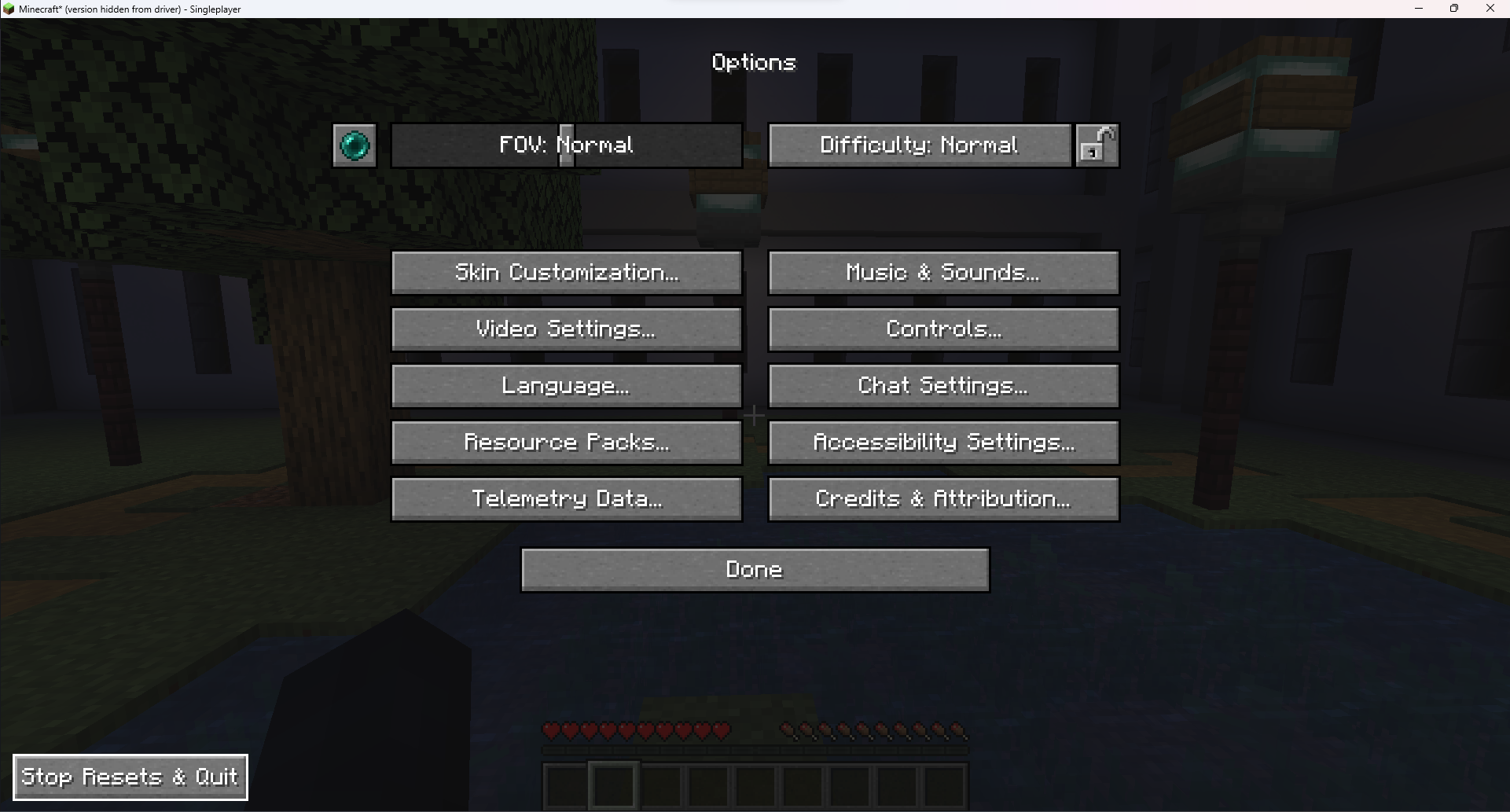
介绍
A mod that copies and reloads a specific world file for reset efficiency in custom map speedrunning.
The version-by-version changelogs are in the original github releases, or the commit history if you’re that kind of person.
how to use (written by Qwuiblington)
shift + click the diamond boots icon on the main menu next to singleplayer to select a world
click on the diamond boots again to start resetting that world
once you’re resetting, the save & quit to title button will immediately create a new copy of the world & put you in it
to exit, you have to go into options, & click the “stop resets & quit” button on the bottom left corner of the screen
(you may also turn off autoresetting, to only make use of the world copying & deleting functionality)
after this, you can shift + click on the diamond boots again & click “delete session worlds” to delete every copy made by the mod
if you close the game, it won’t save which worlds were created by the mod, so you’ll have to delete the saves manually or with an external script
attempt counters are kept track of by world folder name, & stored in [instance folder]\config\custom-map-attempts.txt
there is also a read-only file containing only the current map’s reset count, for obs file reading, in [instance folder]\attempt.txt
常见问题
Custom Map Resetter 支持哪些 Minecraft 版本?
Custom Map Resetter 支持 Minecraft Java 版 1.3.1–1.21.4,共 70 个版本,可用的加载器:Fabric / Quilt。下载时注意选择和你游戏版本一致的文件。
Custom Map Resetter 怎么安装?
先用 PCL2 或 HMCL 启动器安装对应版本的 Fabric / Quilt,再把下载的 .jar 文件放进游戏目录的 mods 文件夹,重新启动游戏即可。开启了版本隔离的,mods 文件夹在 versions/版本名 下面。运行环境:客户端和服务端都要装。
tildejustin 的其他作品
查看全部 →
Minecart Turning
MC-201 fix; player camera turns with minecart (and other uncontrolled entities)

Legacy OptiFabric
OptiFabric for Legacy Fabric (1.3.1 to 1.13.2) and Ornithe (b1.7.3 to 1.14.4)

planifolia
speedrunning sodium via mixins

Half-Heart Hardcore
mod that makes all worlds hardcore and gives the player half-a-heart max health
评论
登录后评论和评分