
Archive Downloader
Download and use the latest redstone contraptions made by the Storage Catalog community and other archives
截图
介绍

Previously known as ST2-Downloader
Get the latest technical Minecraft contraptions without leaving your game! Browse schematics, world downloads, and more!
Storage Catalog is a community-run organization dedicated to the development of new storage technologies in Minecraft. Join our community of experienced players to learn more about how you can design your own advanced storage!
Browse designs on our website:
https://storagecatalog.org/
Or join our Discord to play on the public CMP and submit your own designs:
https://discord.gg/hztJMTsx2m
How to use
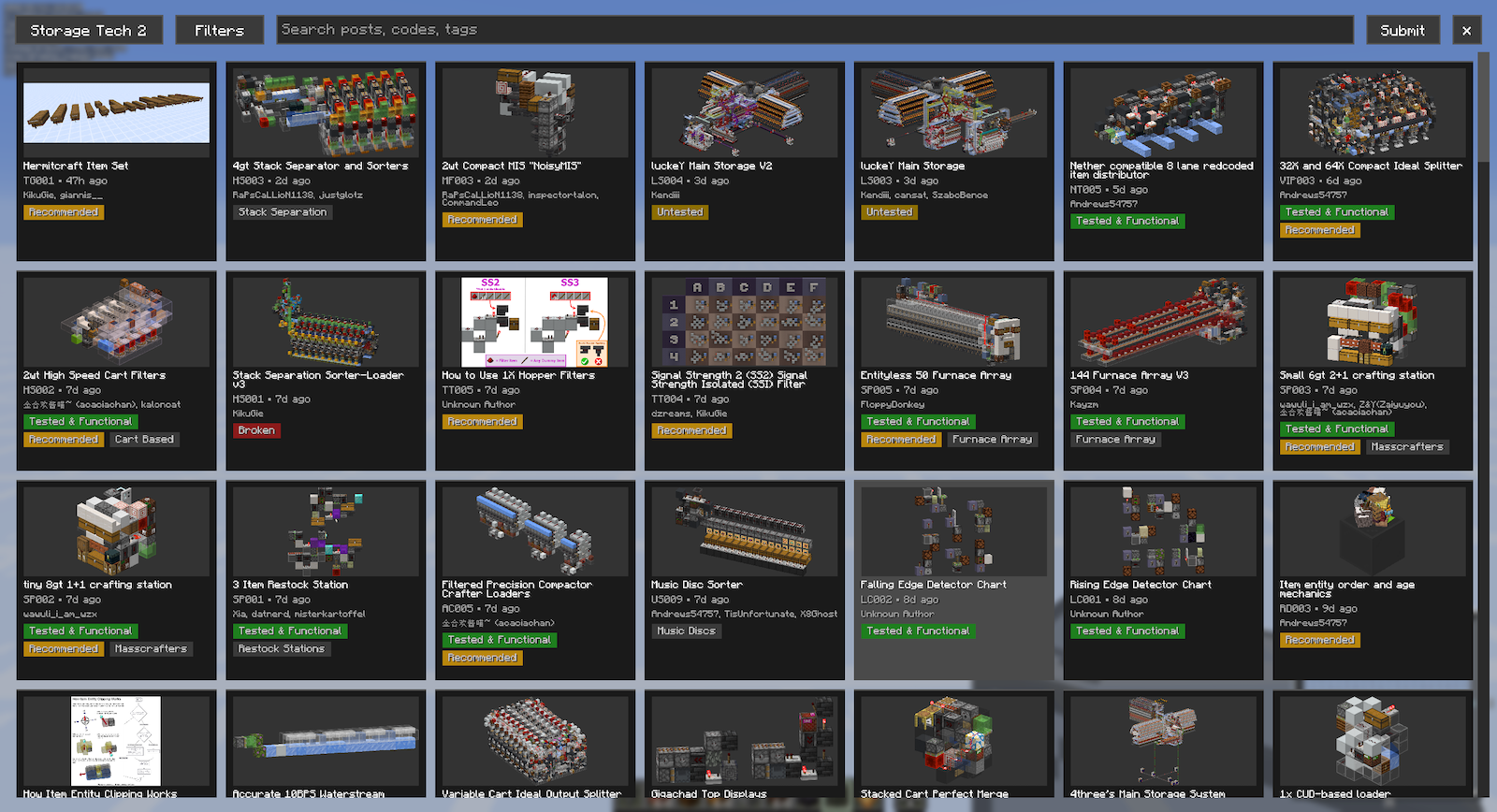
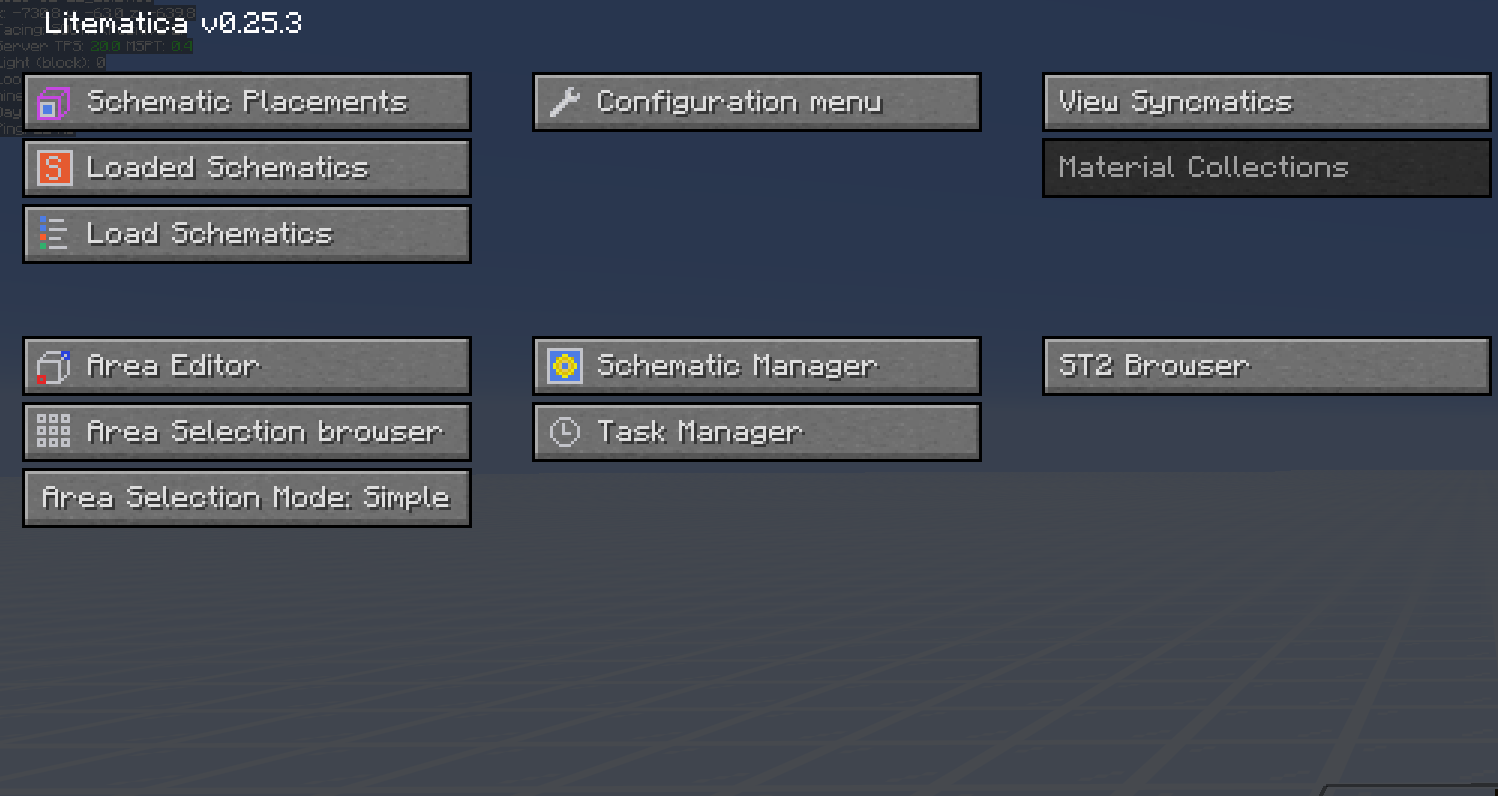
Press “N” (keybind configurable in your game options) to open the interface. Alternatively, if you have Litematica, you can open the Litematica mod menu and click on the “Archive Browser” button added there. Afterwards, click on “Filters” and select what you’re interested in

Click on a post, then scroll down to see what’s available

Click on any file to download! This mod mainly supports two kinds of files:
- Litematic files are schematics used by the Litematica mod. If you have it installed this mod will auto-load the schematic placement for you!
- World downloads (WorldDL or WDLs) are save files containing typically more larger and complex builds. This mod will automatically unzip and put the saves in your saves folder, so you can open it in singleplayer immediately.
That’s not all! You can click on the “Storage Catalog” button in the top left corner to view other Technical Minecraft archives using the Llama archiving system!

Recommended Litematica Settings
- datafixerMode: Set to Always to ensure that schematics from older versions are loaded with inventories correctly.
- entityDataSync and pasteUsingServux: Set both to true so that you can paste instantly with inventories on servers using the Servux mod.
常见问题
Archive Downloader 支持哪些 Minecraft 版本?
Archive Downloader 支持 Minecraft Java 版 1.20.2–26.3,共 22 个版本,可用的加载器:Fabric。下载时注意选择和你游戏版本一致的文件。
Archive Downloader 怎么安装?
先用 PCL2 或 HMCL 启动器安装对应版本的 Fabric,再把下载的 .jar 文件放进游戏目录的 mods 文件夹,重新启动游戏即可。开启了版本隔离的,mods 文件夹在 versions/版本名 下面。运行环境:仅客户端。
评论
登录后评论和评分