
截图


介绍
中文介绍正在准备中,下面暂时显示原文。
Minecraft Resource Pack: Superior Pack 16x
Step into a world of crisp visuals and charming details with Superior Pack 16x. Designed for the discerning builder and the adventurous explorer alike, this resource pack elevates your Minecraft experience to new heights of clarity and style.
Features:
- 16x Resolution: Each block and item is meticulously crafted at a 16x resolution, offering a perfect balance between performance and aesthetic detail.
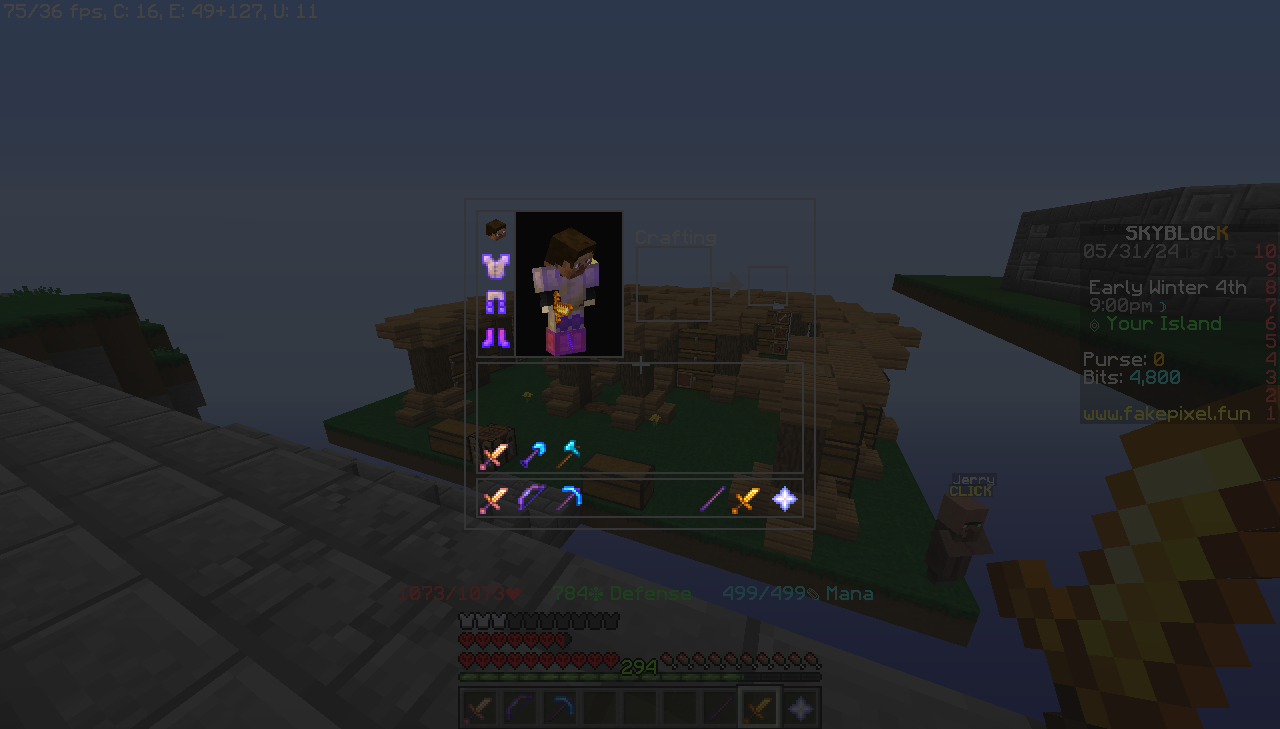
- Custom GUI: A sleek and modern interface that’s easy on the eyes. The GUI is intuitive, ensuring that your crafting, inventory management, and exploration are seamless.
- Revamped Blocks: From the rustic charm of oak planks to the shimmering obsidian, every block is reimagined to bring a fresh look to your world without straying too far from the classic Minecraft feel.
- Revamped Main Menu: Step into a new realm the moment you start the game with SuperiorPack’s main menu. It features a modern design that’s clean and accessible, with quick links to all your favorite game modes and settings.
- Vibrant Textures: Colors pop and textures come to life, whether you’re mining deep underground or building your fortress in the sky.
- Optimized for Performance: Despite the enhanced visuals, Pixel Precision 16x is optimized for smooth performance, ensuring that gameplay remains fluid and responsive.
- Mini Swords: Our mini swords are a game-changer for combat enthusiasts. These elegantly designed weapons provide a clear view during battle without losing the essence of Minecraft’s iconic tools. Each sword is a work of art, boasting vibrant textures and a unique style that makes fighting more enjoyable
Transform your Minecraft world with SuperiorPack 16x and experience the game like never before. It’s not just a resource pack; it’s an upgrade to your entire Minecraft journey!
常见问题
SuperiorPack 支持哪些 Minecraft 版本?
SuperiorPack 支持 Minecraft Java 版 1.8–1.8.9,共 10 个版本。下载时注意选择和你游戏版本一致的文件。
SuperiorPack 怎么安装?
把下载的 .zip 文件(不用解压)放进游戏目录的 resourcepacks 文件夹,进游戏后在「选项 → 资源包」里把它移到右边启用。
评论
登录后评论和评分