
BasicHUD
作者:Marschi
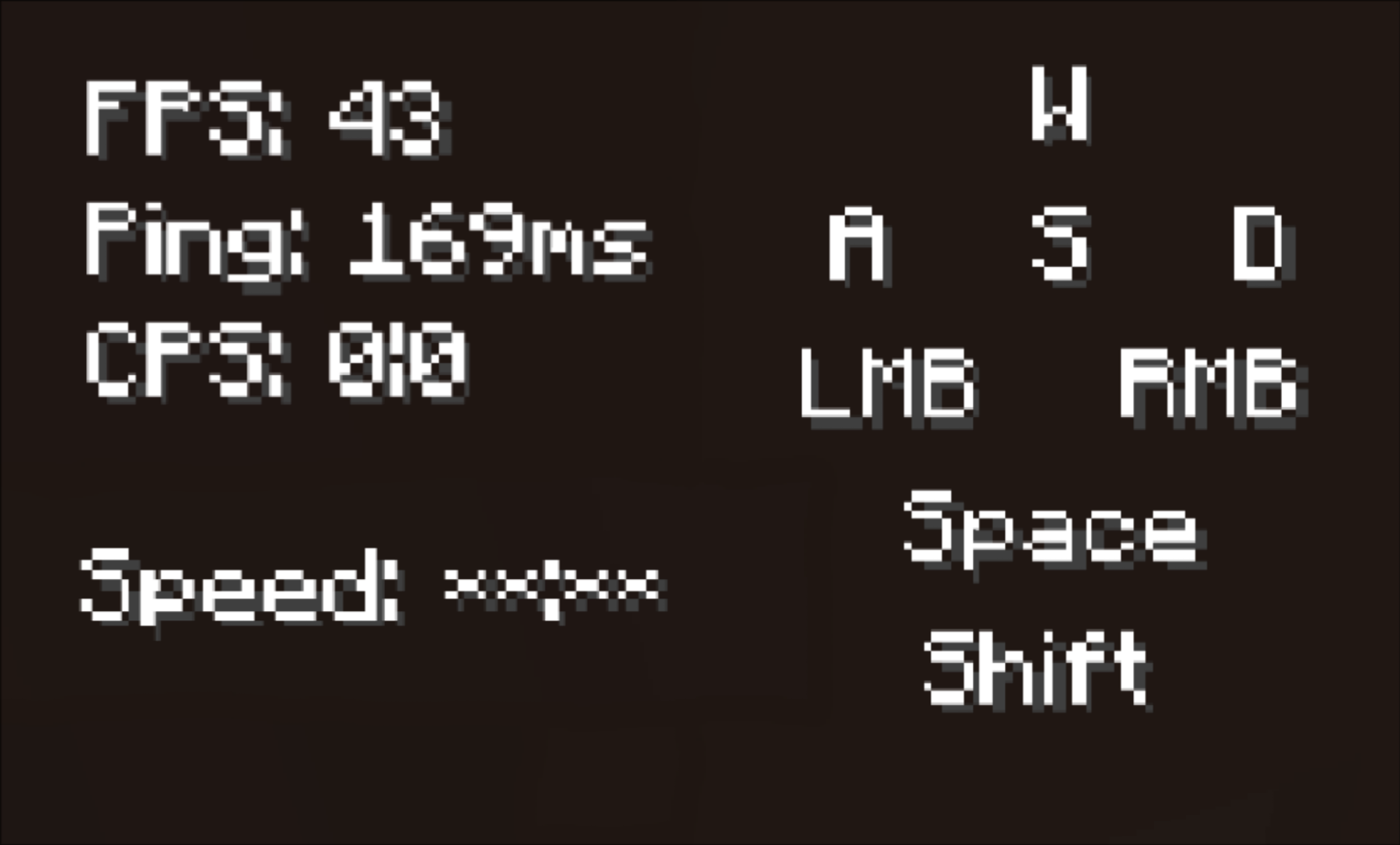
BasicHUD is a Forge mod for Minecraft 1.8.9 that displays basic information (Real-time FPS, Ping, CPS, Keystrokes and active Potion Effects) as a customizable HUD.
截图

介绍
中文介绍正在准备中,下面暂时显示原文。

BasicHUD
BasicHUD is a Forge mod for Minecraft 1.8.9 that displays basic information as a customizable HUD.
Features
- Stats Display: Real-time FPS, Ping, CPS, Keystrokes and active Potion Effects.
- Customization: Fully configurable position, text colors (incl. RGB/Chroma), background and on/off toggle.
- GUI: Built-in config menu (default Shortcut: K) for easy adjustments with Drag and Drop to change the Position.
Screenshots


Installation
Download jar file manually
- Download the latest
.jarfrom Modrinth / Curseforge / the Releases tab. - Make sure you have Minecraft Forge 1.8.9 installed.
- Drop the file into your
.minecraft/modsfolder.
Use Prism Launcher
- Open Prism Launcher and select your Minecraft 1.8.9 Forge instance.
- Click on Edit in the right-side menu.
- Navigate to the Mods tab in the left sidebar and click Download Mods at the top right.
- Search for BasicHUD (ensure Modrinth or CurseForge is selected as the source), select the mod, and click Review and Confirm.
Use Modrinth / Curseforge Lauchner
- Use Modrinth / CurseForge Launcher
- Open your Modrinth App or CurseForge Launcher.
- Navigate to your Minecraft 1.8.9 Forge profile/instance.
- Click the Add Mods button (Modrinth App) or Add More Content button (CurseForge).
- Search for BasicHUD and click Install.
Usage
- The HUD appears automatically when you join a world or server.
- To edit settings: Press K to open the config, there you can edit the position (Drag and Drop) and more settings (Open more settings button) of the HUD Elements.
Credits
- Created by Marschi47.
- Based on Forge1.8.9Template by lineargraph.
常见问题
BasicHUD 支持哪些 Minecraft 版本?
BasicHUD 支持 Minecraft Java 版 1.8.9,可用的加载器:Forge。下载时注意选择和你游戏版本一致的文件。
BasicHUD 怎么安装?
先用 PCL2 或 HMCL 启动器安装对应版本的 Forge,再把下载的 .jar 文件放进游戏目录的 mods 文件夹,重新启动游戏即可。开启了版本隔离的,mods 文件夹在 versions/版本名 下面。运行环境:仅客户端。
评论
登录后评论和评分