
截图


介绍
Style your Enchantments & Potions with Icons!
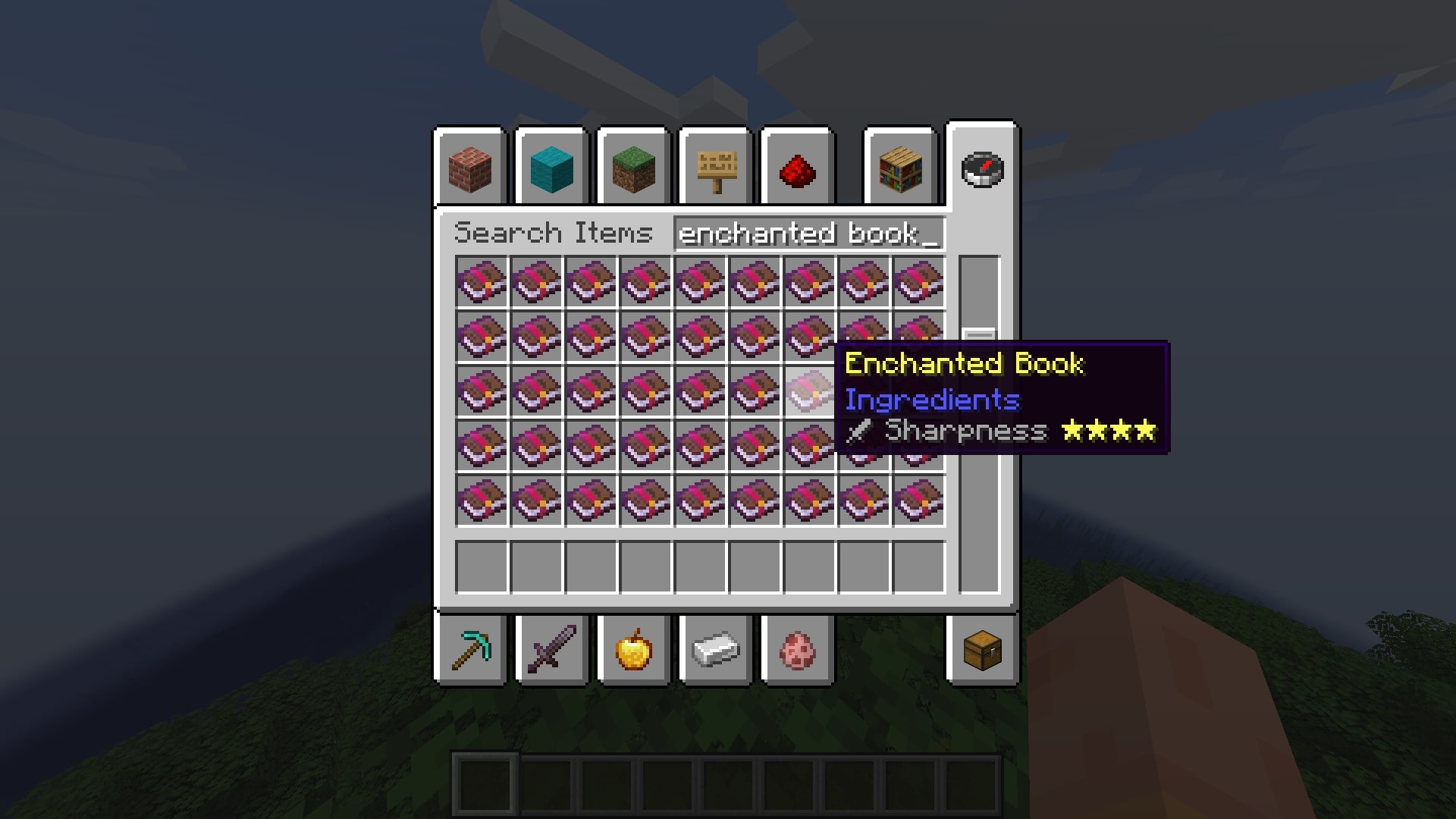
This mod will remove the Roman numbers of Enchantments & Potions and instead put Stars to represent the level! You can also add an icon before the Enchantment to represent which tools/gears it should be applied.
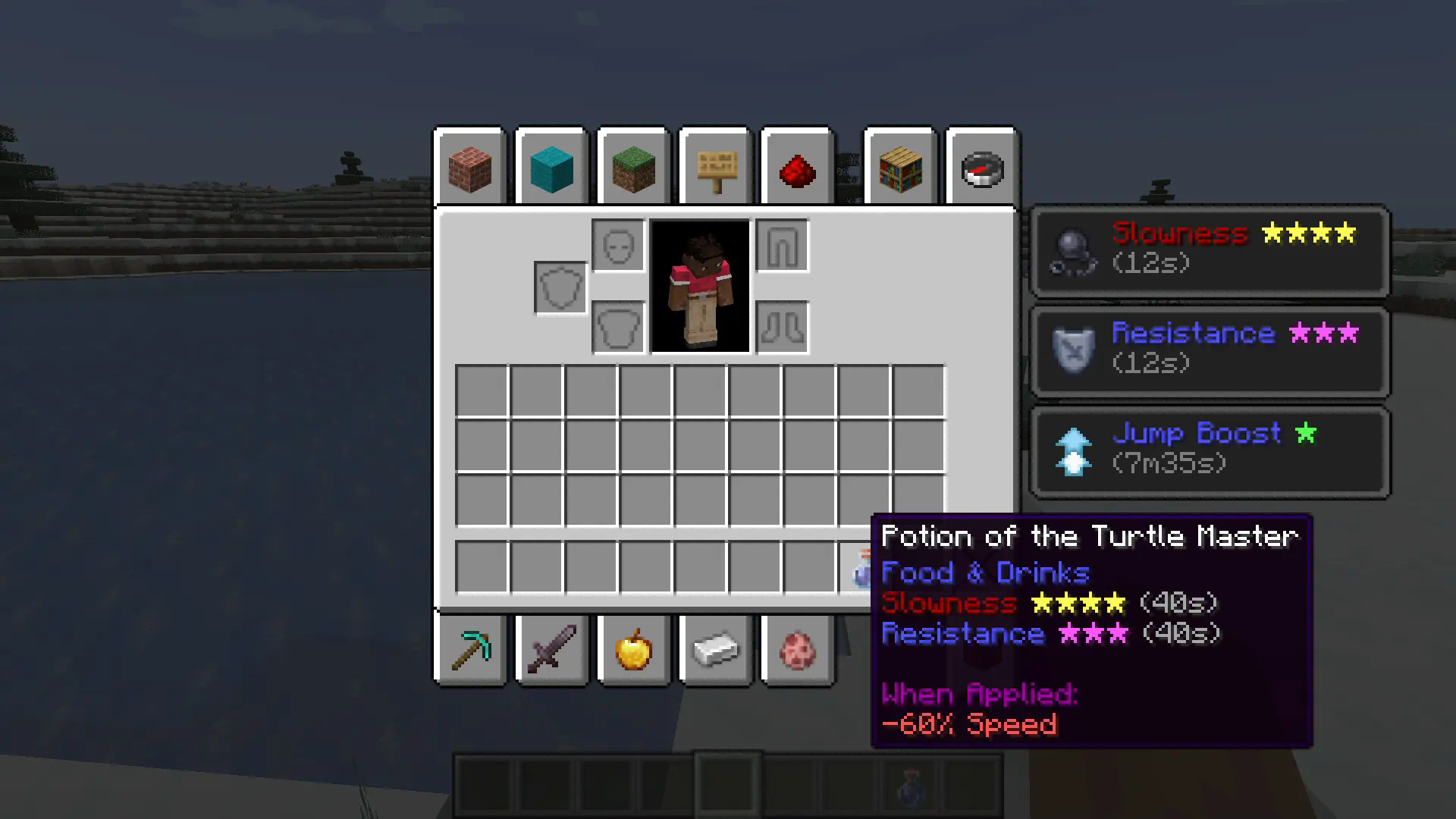
Potions effect time will now be in h/m/s format (for example: 1h35m14s)
(enabled by default)
If an Enchantment is at its max Level, the color of the stars will change to Gold by default!
(you can disable it in the config file)
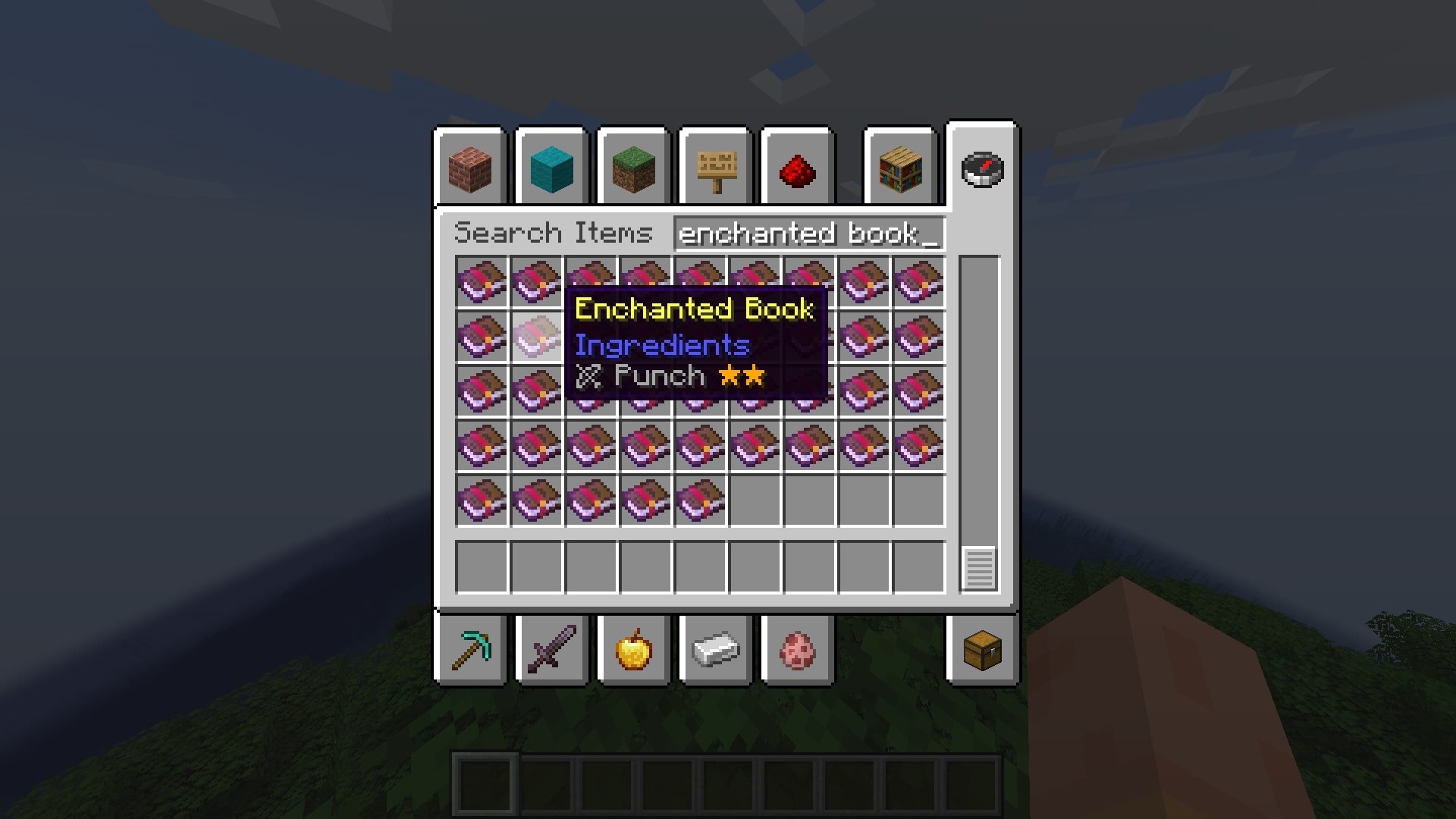
You can also add Enchantments from mods, just put it in the list as the following: “mod_id:enchantment_id”. (This is only for the icon before the name. For the stars, you don’t need to do it.)
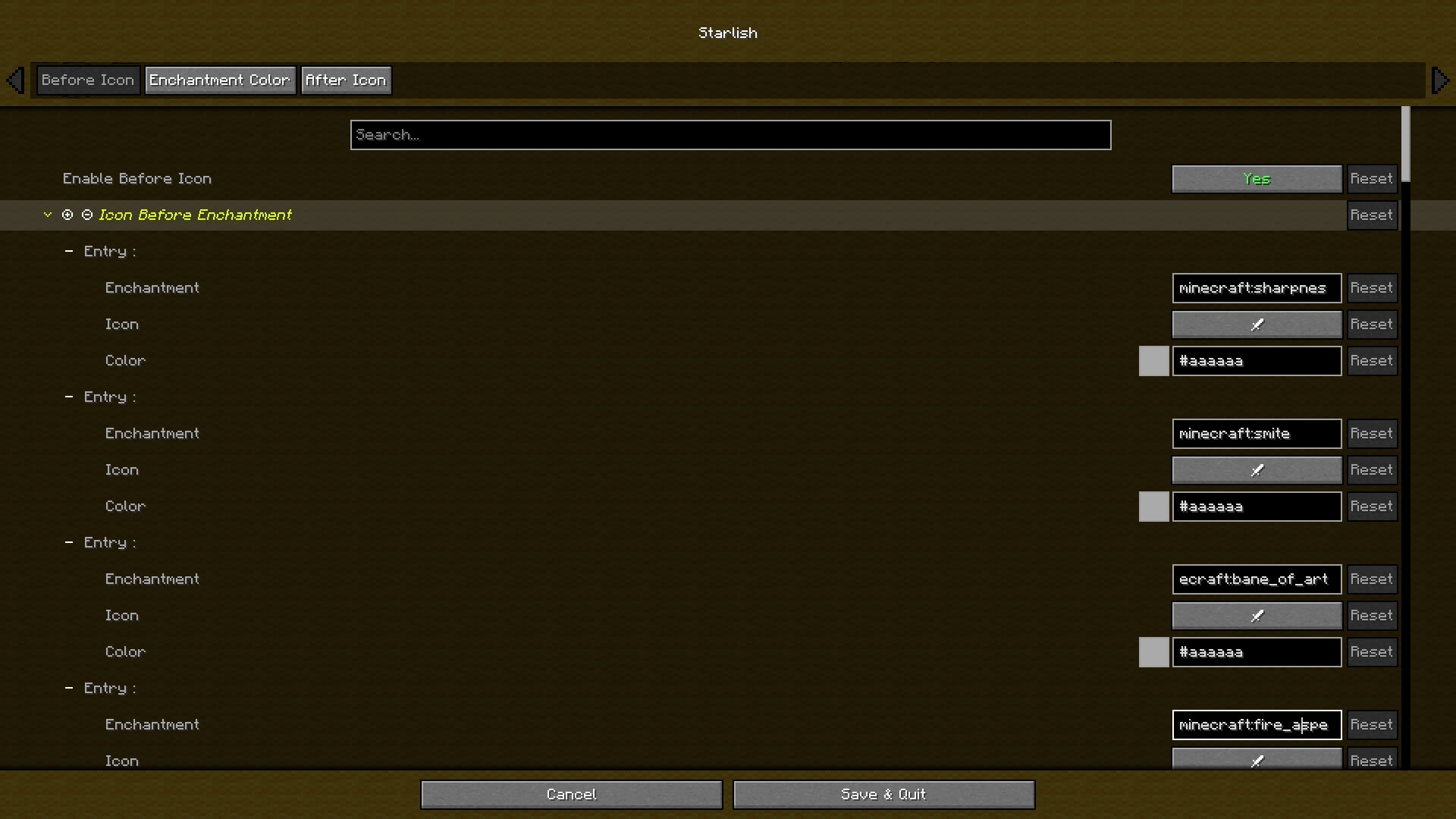
Here’s what you can customise:
- Color of the Enchantment if it is a Treasure, Curse or Normal Enchantment.
- Color and Form of the icons.
- Color of the Potion if it is Beneficial, Harmful or Neutral.
- Color and Format of the Potion effect time.
Modpacks
You are free to use this mod in any modpacks, as long as you provide a link to this page.
常见问题
Starlish ⭐ 支持哪些 Minecraft 版本?
Starlish ⭐ 支持 Minecraft Java 版 1.20–1.21.4,共 8 个版本,可用的加载器:Fabric。下载时注意选择和你游戏版本一致的文件。
Starlish ⭐ 怎么安装?
先用 PCL2 或 HMCL 启动器安装对应版本的 Fabric,再把下载的 .jar 文件放进游戏目录的 mods 文件夹,重新启动游戏即可。开启了版本隔离的,mods 文件夹在 versions/版本名 下面。运行环境:仅客户端。
Gauraaaaaaaa 的其他作品
查看全部 →
2D Projectiles ➵
让投射物(箭、烟花火箭、三叉戟等)呈现为 2D 效果!

Gaura’s 2D Projectiles
Makes projectiles (arrows, firework rockets, trident, etc.) look 2D!
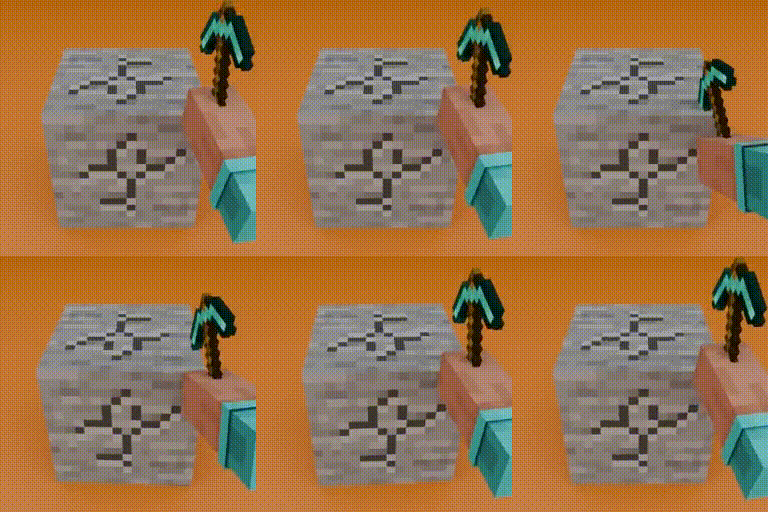
Mining & Placing Animations
Adds customizable animations to blocks when mining and placing! (Mining Quakes successor)

Mining & Placing Animations
Adds customizable animations to blocks when mining and placing! (Mining Quakes successor)
评论
登录后评论和评分