
Afterimages
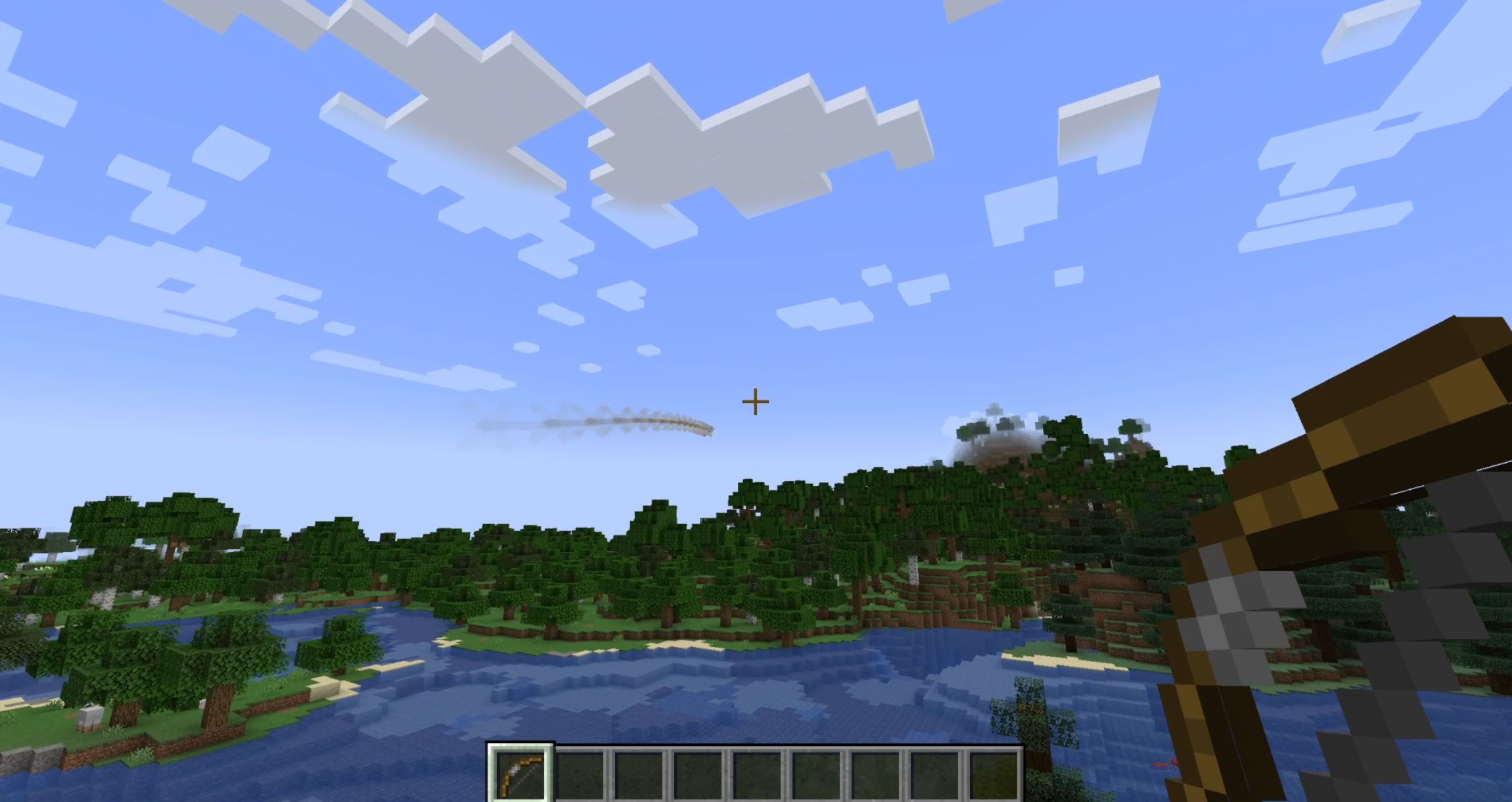
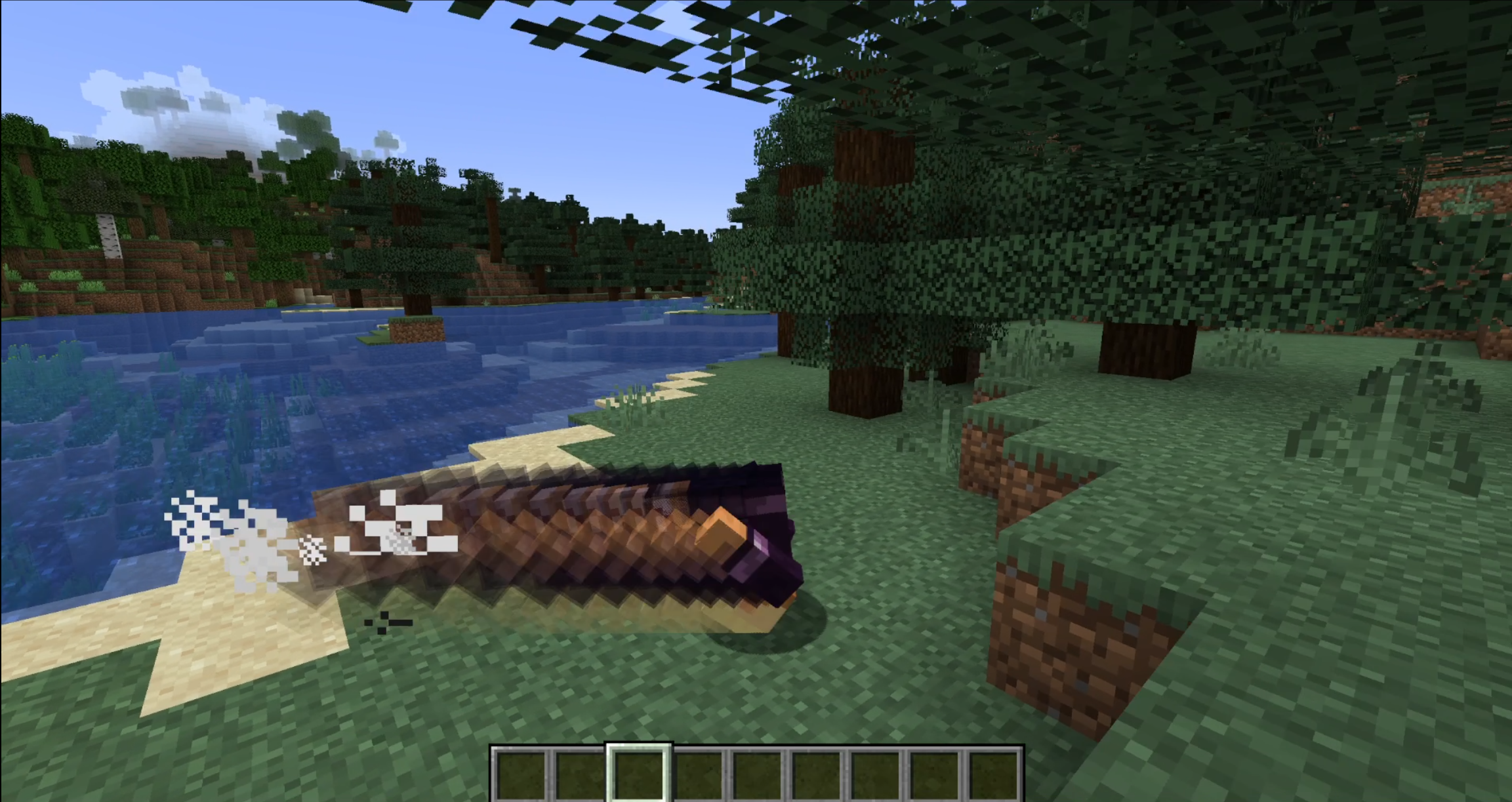
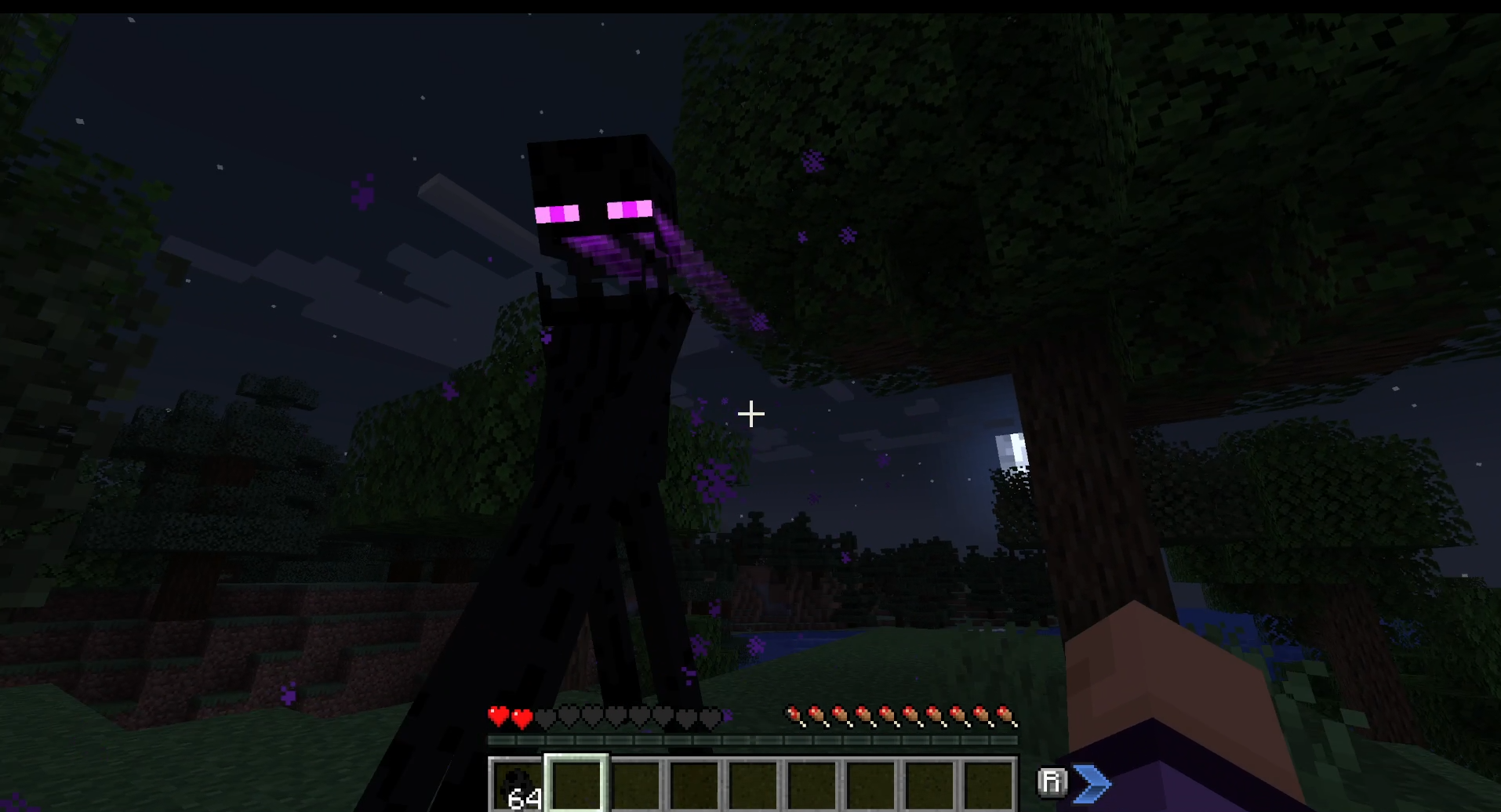
A lightweight, data-driven mod that adds visual afterimage trails to entities!
截图
介绍

A lightweight, data-driven mod that adds visual afterimage trails to entities! You can configure which entities have afterimages, how they look, and when they appear—entirely through Resource Packs.
Features
- Data-Driven: Every aspect of the afterimage (duration, color, triggers) is controlled via JSON files.
- Mod Compatible: Built-in support for Combat Roll and other mods in the future, upon request.
Global Configuration
This mod uses Cloth Config for global settings. You can access the config menu via Mod Menu (on Fabric) or the configured keybind.
| Option | Default | Description |
| — | — | — |
| Step Size | 0.25 | Controls the density of the afterimage trail. Lower values (e.g. 0.1) create smoother, connected trails but may impact performance. Higher values create distinct “snapshots”. |
Entity Configuration
To add an afterimage to an entity, create a JSON file in your resource pack at:
assets/<namespace>/afterimages/entities/<entity_name>.json
Example: Standard Arrow Trail
assets/example/afterimages/entities/arrow.json
{
  "entity": "minecraft:arrow",
  "speed_threshold": 0.5,
  "duration": 5,
  "color": "0xFFFFFF",
  "start_alpha": 0.6
}
Example: Combat Roll Exclusive
assets/example/afterimages/entities/player.json
{
  "entity": "minecraft:player",
  "combat_roll_only": true,
  "duration": 15,
  "start_alpha": 0.8
}
Configuration Fields
| Field | Type | Default | Description |
| — | — | — |————————————————————————————————————————————–|
| entity | String | Filename | The entity ID (e.g. minecraft:ender_pearl). If omitted, the mod tries to guess based on the JSON filename. |
| speed_threshold | Double | 0.5 | The minimum speed (blocks/tick) required to trigger the effect. Ignored if combat_roll_only is true. |
| duration | Integer | 10 | How long the afterimage trail lasts in ticks. |
| color | Hex String | "0xFFFFFF" | A hex color code to tint the afterimage. |
| start_alpha | Float | 0.5 | The opacity of the afterimage when it first appears (0.0 to 1.0). |
| overlay_only | Boolean | false | If true, the afterimage will render only the overlay layer (e.g., skin outer layer, armor glint). Useful for ghost-like effects. |
| combat_roll_only | Boolean | false | If true, afterimages will only appear when the entity is performing a Combat Roll (requires the Combat Roll mod). |
Mod Integration
Combat Roll
Afterimages has native support for the Combat Roll mod.
- Usage: Set
"combat_roll_only": truein your player configuration file to make trails appear exclusively during a roll dodge.
License
This project is licensed under the MIT License.
Contributing
Contributions are welcome! If you find a bug or have a feature request, please open an issue or submit a pull request.
常见问题
Afterimages 支持哪些 Minecraft 版本?
Afterimages 支持 Minecraft Java 版 1.20.1–1.21.11,共 4 个版本,可用的加载器:Fabric / Forge / NeoForge。下载时注意选择和你游戏版本一致的文件。
Afterimages 怎么安装?
先用 PCL2 或 HMCL 启动器安装对应版本的 Fabric / Forge / NeoForge,再把下载的 .jar 文件放进游戏目录的 mods 文件夹,重新启动游戏即可。开启了版本隔离的,mods 文件夹在 versions/版本名 下面。运行环境:仅客户端。
evanbones 的其他作品
查看全部 →
Shield Expansion
为盾牌加入弹反、附魔、等级和自定义功能,让盾牌玩法更有趣!

Cultural Delights
一个为农夫乐事添加世界各地美食系统的附属模组。

Sun and Moon Celestial Configuration
改变太阳和月亮的大小!

Wolf Armor Compat (Fabric)
为 Wolves With Armor 与其他热门模组添加兼容性
评论
登录后评论和评分