
InventoryHUD
See your whole inventory at a glance — no more opening your bag mid-fight.
截图
介绍
🎒 InventoryHUD
See your whole inventory at a glance — no more opening your bag mid-fight.
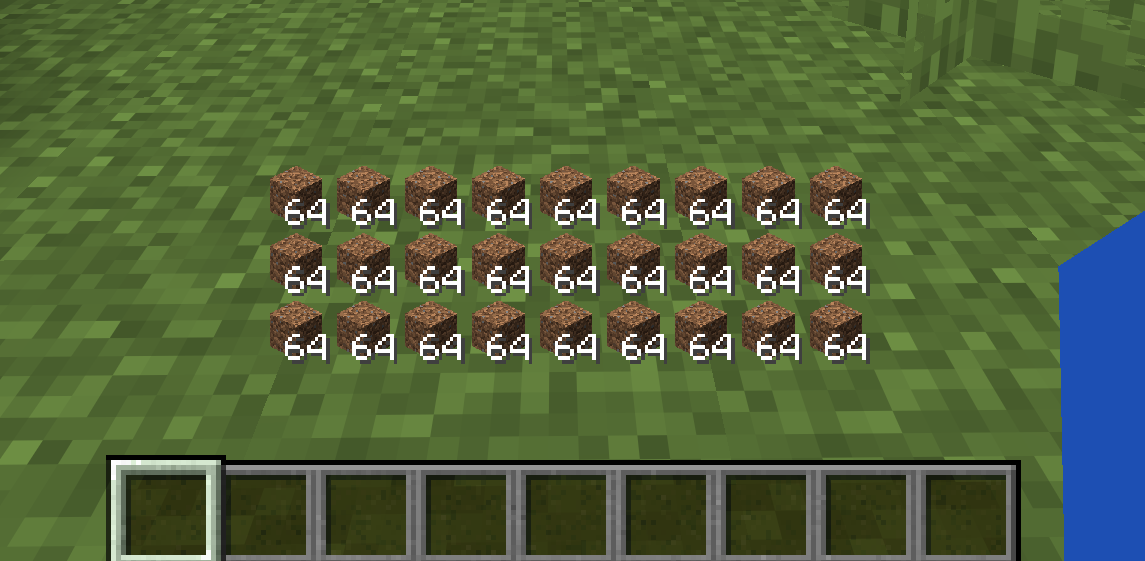
InventoryHUD shows your main inventory (the 27 backpack slots) as a clean, always-on overlay, so you can keep an eye on your items, food and blocks without ever pressing E. Lightweight, fully configurable, and completely client-side.
✨ Features
- 🎒 Live inventory overlay — your 3 main inventory rows rendered right on the HUD, with stack counts
- 🖱️ Drag to move — place it anywhere on screen
- 🔍 Resize freely — scroll or use buttons (25% – 300%)
- 👁️ Instant toggle — show/hide with a single key
- 💬 Renders behind chat — your chat and hotbar stay fully readable
- 💾 Settings are saved — position, size and on/off persist across restarts
- 🌐 English & Japanese built in
- 🪶 Client-side only — works on vanilla servers, Realms and multiplayer; nothing to install server-side
⌨️ Controls
Rebindable in Options → Controls → “InventoryHUD”.
| Key | Action |
|—–|——–|
| K | Open the InventoryHUD settings screen |
| N | Toggle the HUD on / off |
⚙️ Configuration
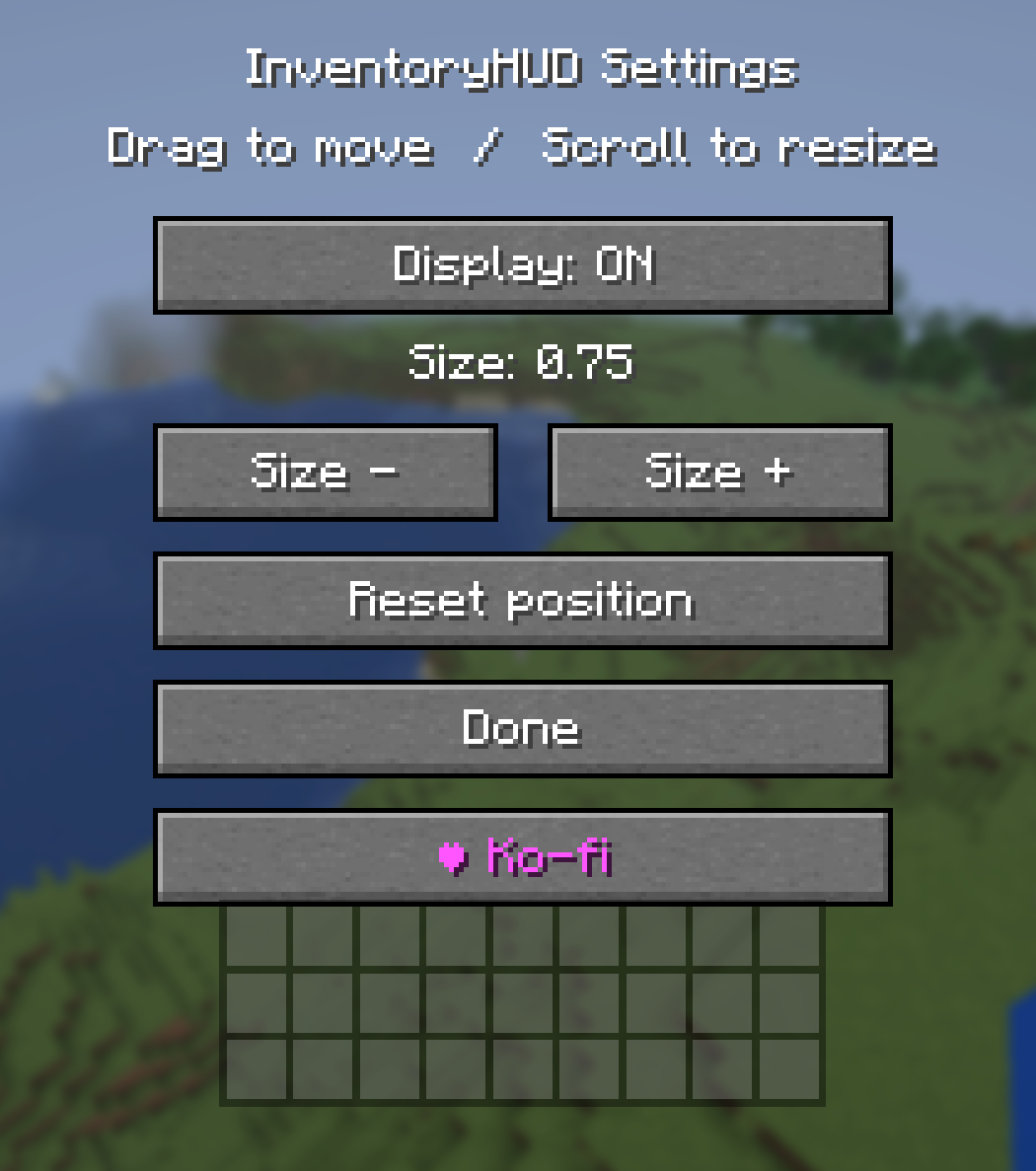
Press K to open settings, where you can:
- Toggle the display ON / OFF
- Change the size (− / +)
- Drag the inventory grid to reposition it
- Scroll over it to resize
- Reset the position to default
📦 Requirements
- Fabric builds require Fabric API.
- Forge / NeoForge builds have no dependencies.
⚠️ Download the file that matches both your Minecraft version and your mod loader.
🧩 Supported versions
- Fabric: 1.20.1 / 1.20.2 / 1.20.4 / 1.20.6 / 1.21.1 / 1.21.3 / 1.21.4 / 1.21.5 / 1.21.8 / 1.21.10 / 1.21.11
- Forge: 1.20.1 / 1.20.2 / 1.20.4 / 1.20.6
- NeoForge: 1.21.1 / 1.21.3 / 1.21.4 / 1.21.5 / 1.21.8 / 1.21.10 / 1.21.11 / 26.1
❤️ Support
If you enjoy InventoryHUD, you can support development on Ko-fi — thank you!
常见问题
InventoryHUD 支持哪些 Minecraft 版本?
InventoryHUD 支持 Minecraft Java 版 1.20.1–26.1.2,共 14 个版本,可用的加载器:Fabric / Forge / NeoForge。下载时注意选择和你游戏版本一致的文件。
InventoryHUD 怎么安装?
先用 PCL2 或 HMCL 启动器安装对应版本的 Fabric / Forge / NeoForge,再把下载的 .jar 文件放进游戏目录的 mods 文件夹,重新启动游戏即可。开启了版本隔离的,mods 文件夹在 versions/版本名 下面。运行环境:仅客户端。
NEKOZAME_Garo 的其他作品
查看全部 →
GPTShader
A fantasy-soft Iris shader pack for 1.20.1 with warm filmic lighting, procedural sky/water, and deep in-game tuning.

DuraView
A lightweight HUD mod that displays real-time durability for your armor and items.

SleepAnyway
Allows you to sleep even when monsters are nearby
SleepAnyway
Allows you to sleep even when monsters are nearby
评论
登录后评论和评分