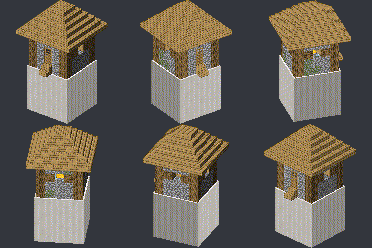
Convert blocks to block displays
Convert block areas into block display structures. Works well with Axiom mod.
截图

介绍
Convert blocks to block displays
This configurable datapack allows to select an area of blocks in worldedit style and convert all the blocks into corresponding block displays. This datapack works very well with Axiom mod, as it allows to group display entities and manipulate them easily afterwards.
Version: 1.21.4 — 1.21.11
Usage
/function btobd:admin/give_converter_stick– gives you the stick to set pos1 and pos2:Right click→ set Pos1Right click again→ set/move Pos2Shift + Right click→ clear Pos1 and Pos2/function btobd:admin/convert– start the conversion process (only works when both pos1 and pos2 entities are loaded);/function btobd:admin/settings– open up settings;/function btobd:admin/convert_macro {x:<num>,y:<num>,z:<num>,x2:<num>,y2:<num>,z2:<num>}– convert an area by writing specific coordinates instead of<num>.
Watch this demo video:
Credit
This datapack uses Triton365’s “Blockstate” library.
常见问题
Convert blocks to block displays 支持哪些 Minecraft 版本?
Convert blocks to block displays 支持 Minecraft Java 版 1.21.4–1.21.11,共 8 个版本,可用的加载器:Fabric / Forge / NeoForge / Quilt。下载时注意选择和你游戏版本一致的文件。
Convert blocks to block displays 怎么安装?
先用 PCL2 或 HMCL 启动器安装对应版本的 Fabric / Forge / NeoForge / Quilt,再把下载的 .jar 文件放进游戏目录的 mods 文件夹,重新启动游戏即可。开启了版本隔离的,mods 文件夹在 versions/版本名 下面。运行环境:客户端 / 服务端。
SuperAnt_ 的其他作品
查看全部 →
No Dark Inventory Overlay
Removes dark background overlay from inventories and pause menu

Remove Damage Overlay
Removes hit color (tint) from all entities!

Custom Damage Overlay Color
Change hit color (tint) of all entities to ANY color!

No Light — No Color!
Blocks gradually turn black and white as light levels decrease.
评论
登录后评论和评分