
截图
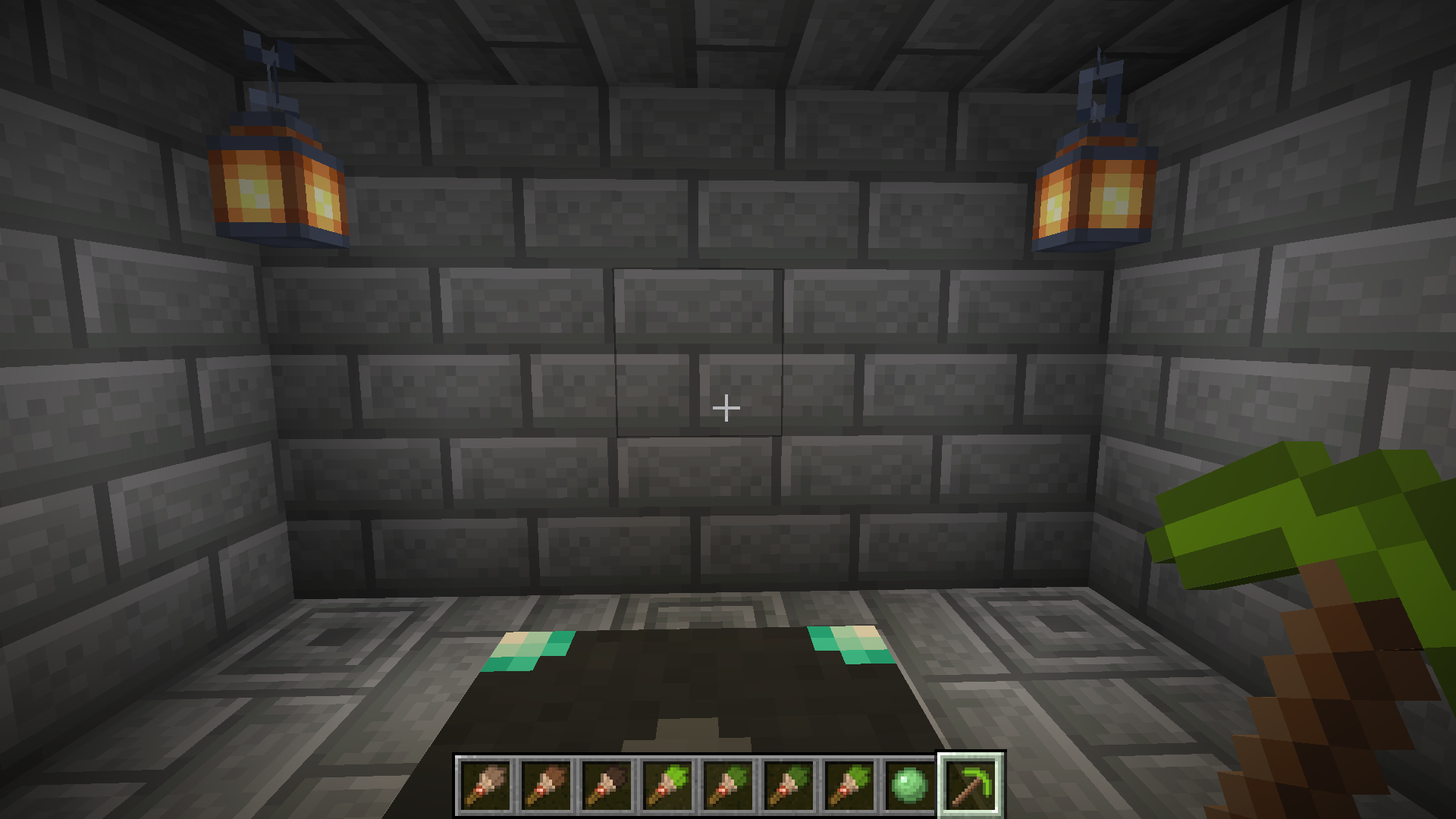
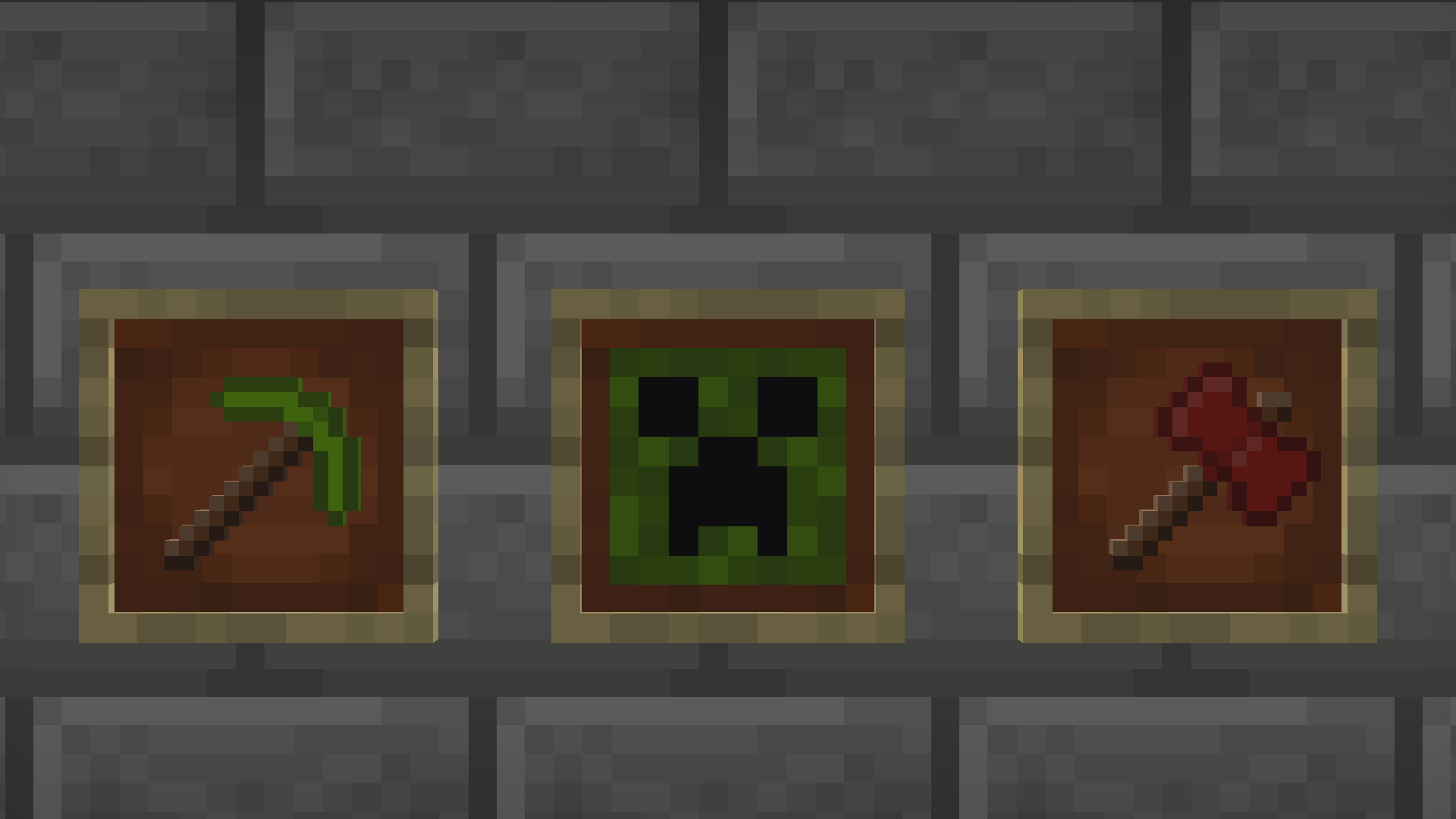
介绍
Resource Pack Info
This datapack requires the included resource pack to function! The resource pack is included as GlamourRP.zip in the root directory of the datapack. You can also download the resource pack on its own from the page for the specific version here on Modrinth. Regardless of how you download it, make sure it’s added to your Minecraft resources directory and enabled in game!
Introduction
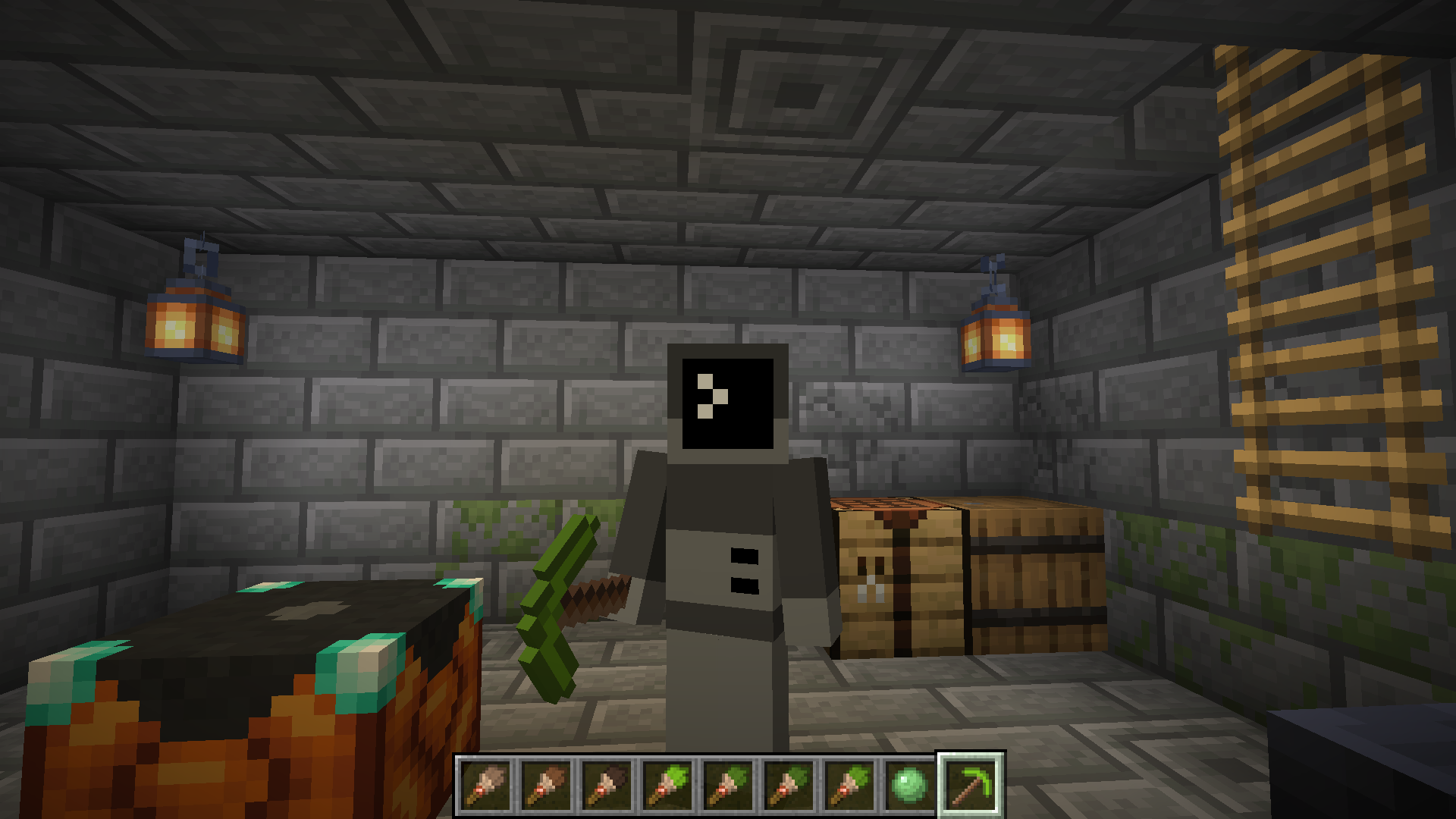
This datapack adds a two new utility blocks to Minecraft – the Painting Table and the Glamour Table.
The painting table can be used to create 1×1 custom paintings that can be hung in item frames.
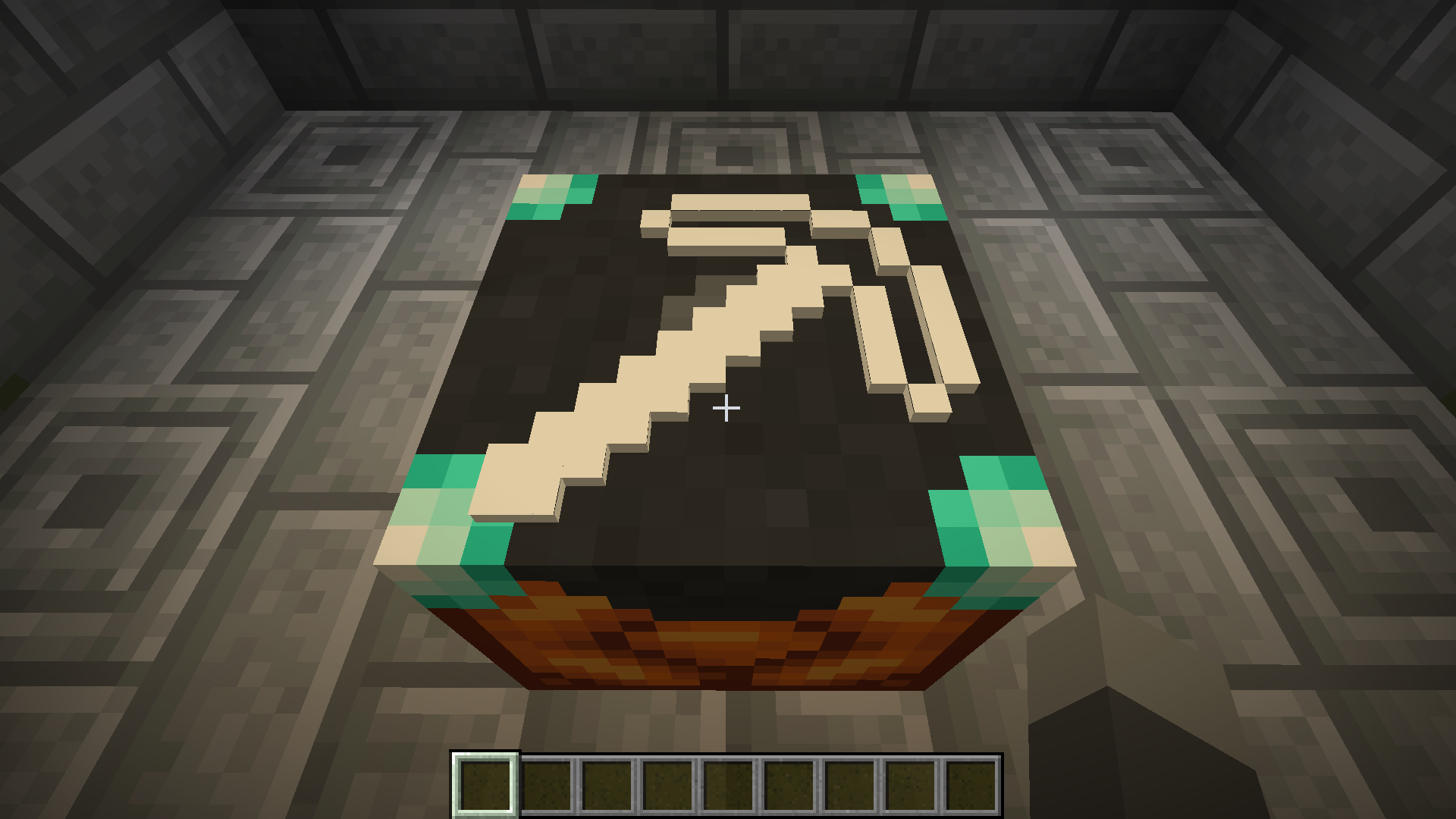
The glamour table can be used to change the appearance of tools.
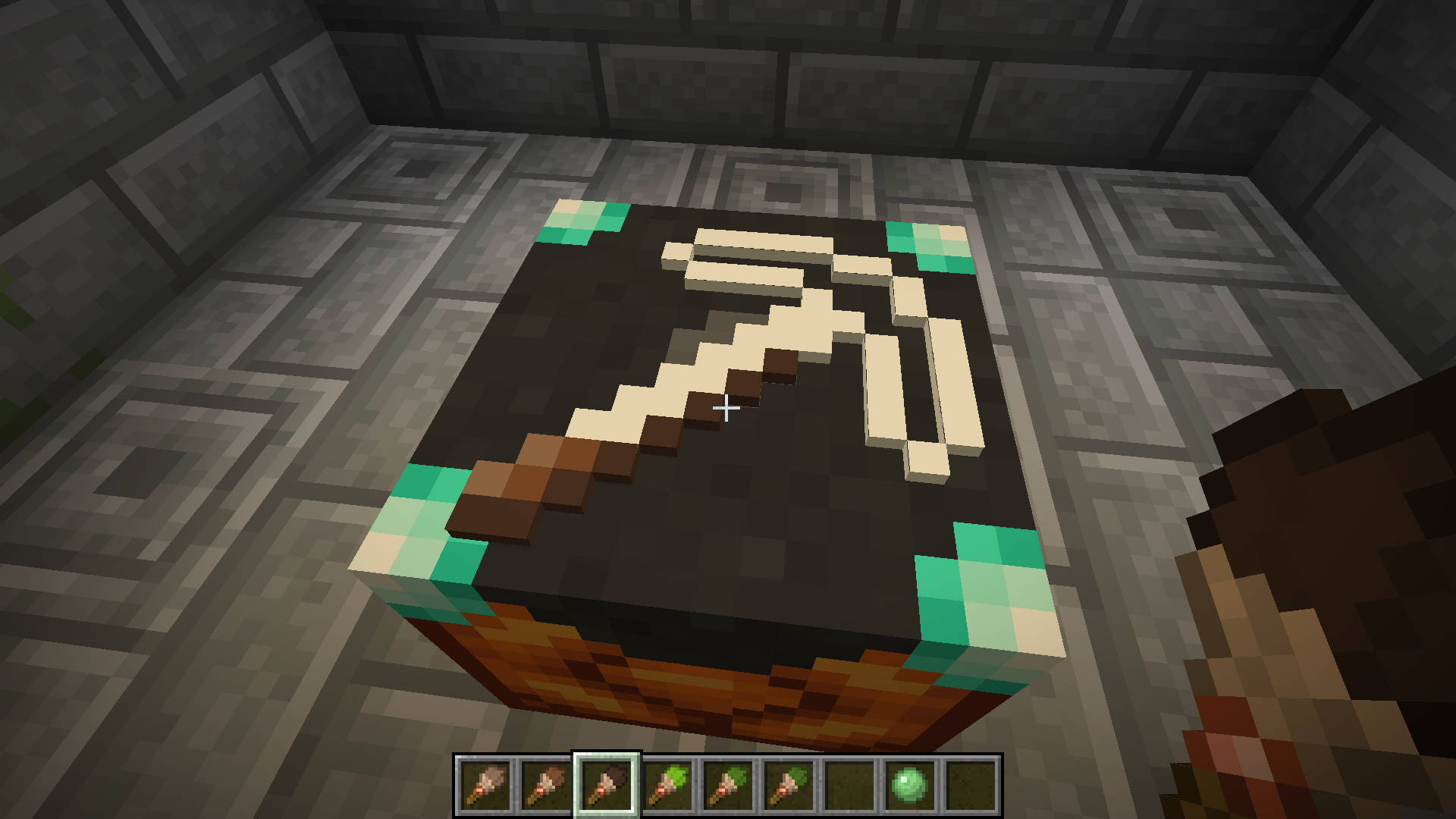
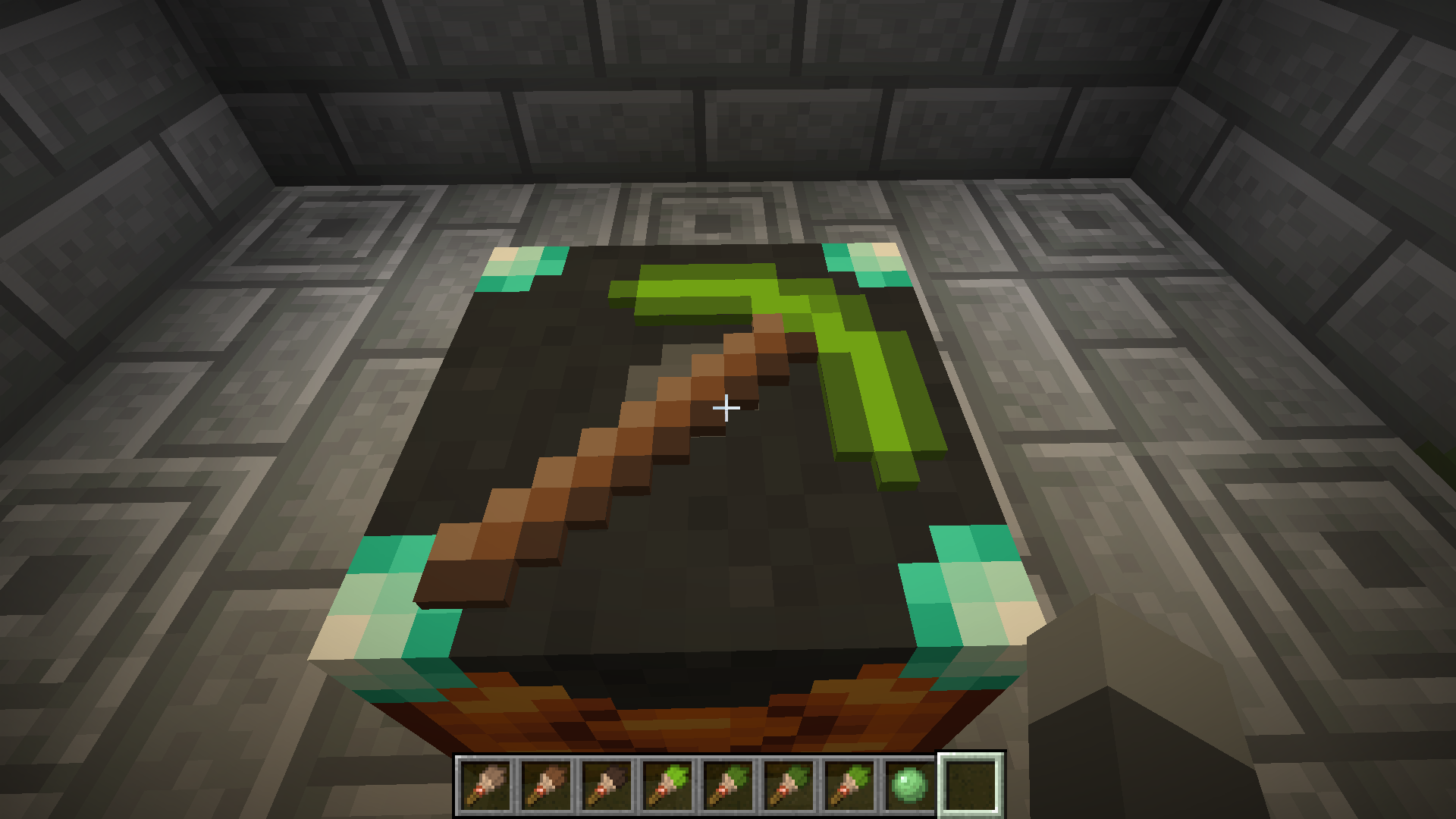
Both tables use paintbrushes to edit textures entirely in game.
Recipes
The painting table can be crafted using planks, a bowl, and a brush:
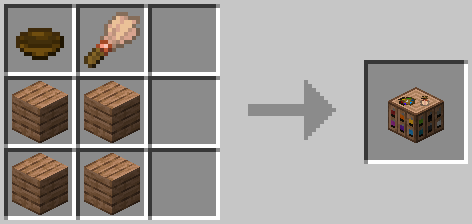
To use a painting table, you’ll need to create canvases using sticks and a carpet. The color of carpet used will determine the base color of the canvas:
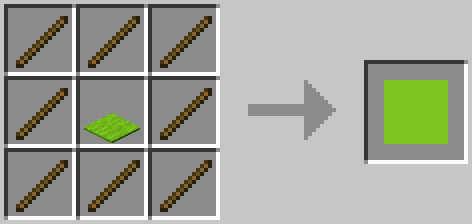
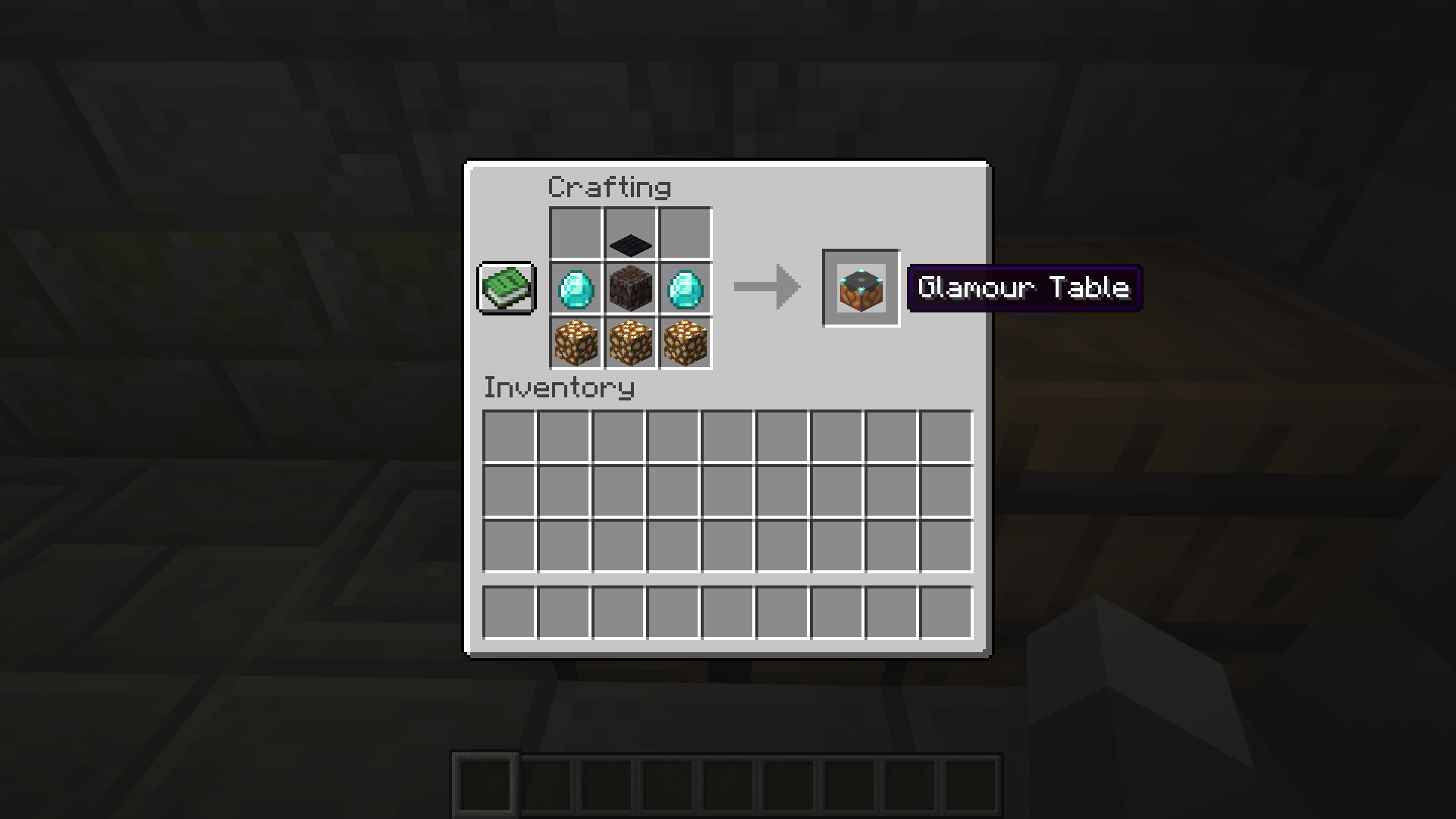
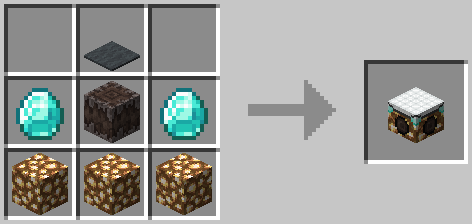
The glamour table can be crafted using glowstone, a creaking heart, diamonds, and any carpet:
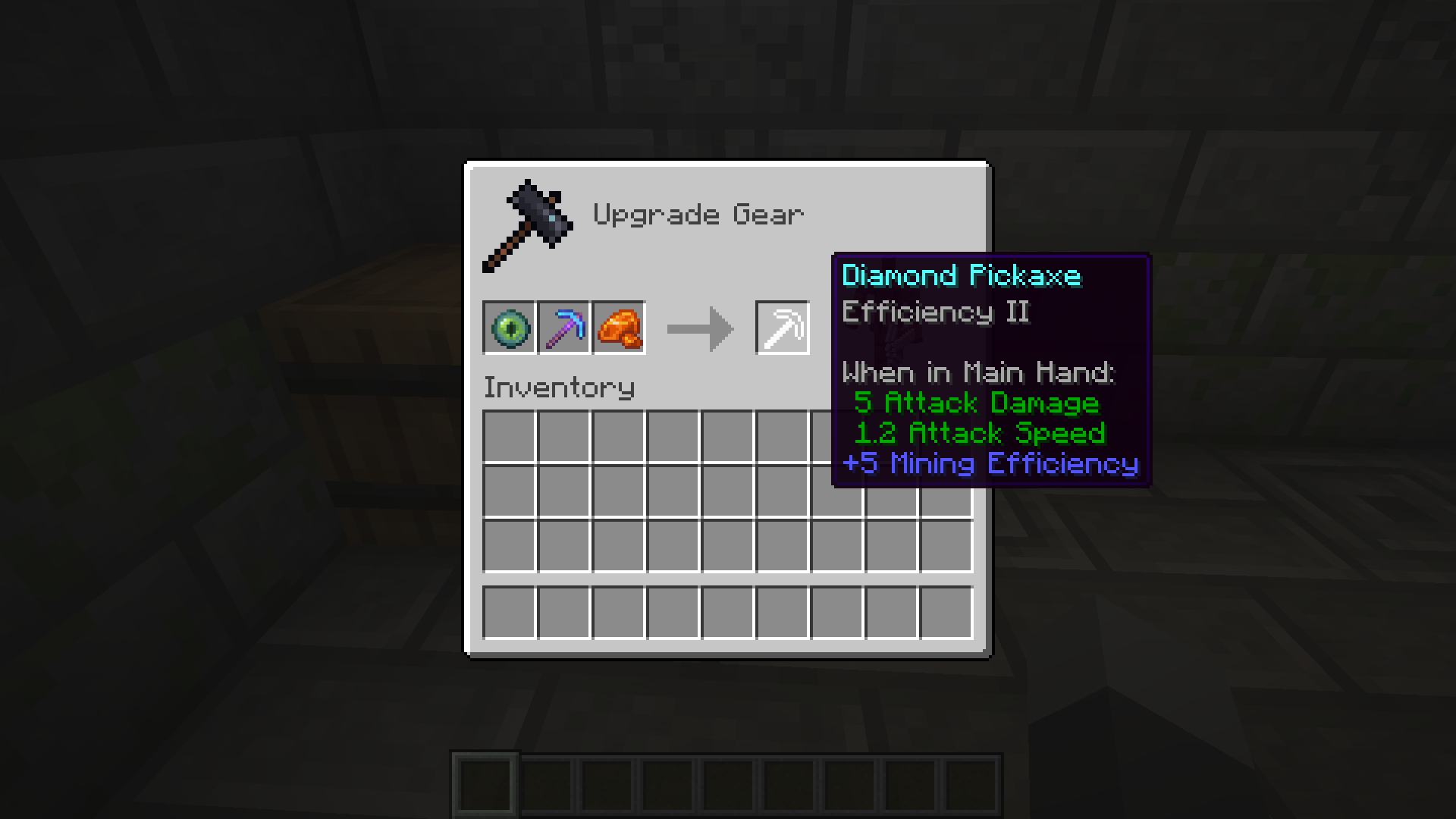
To use the glamour table, you’ll need to prepare your tools in a smithing table. Add an eye of ender and a piece of glowstone, and your tool’s texture will be updated to an outline.

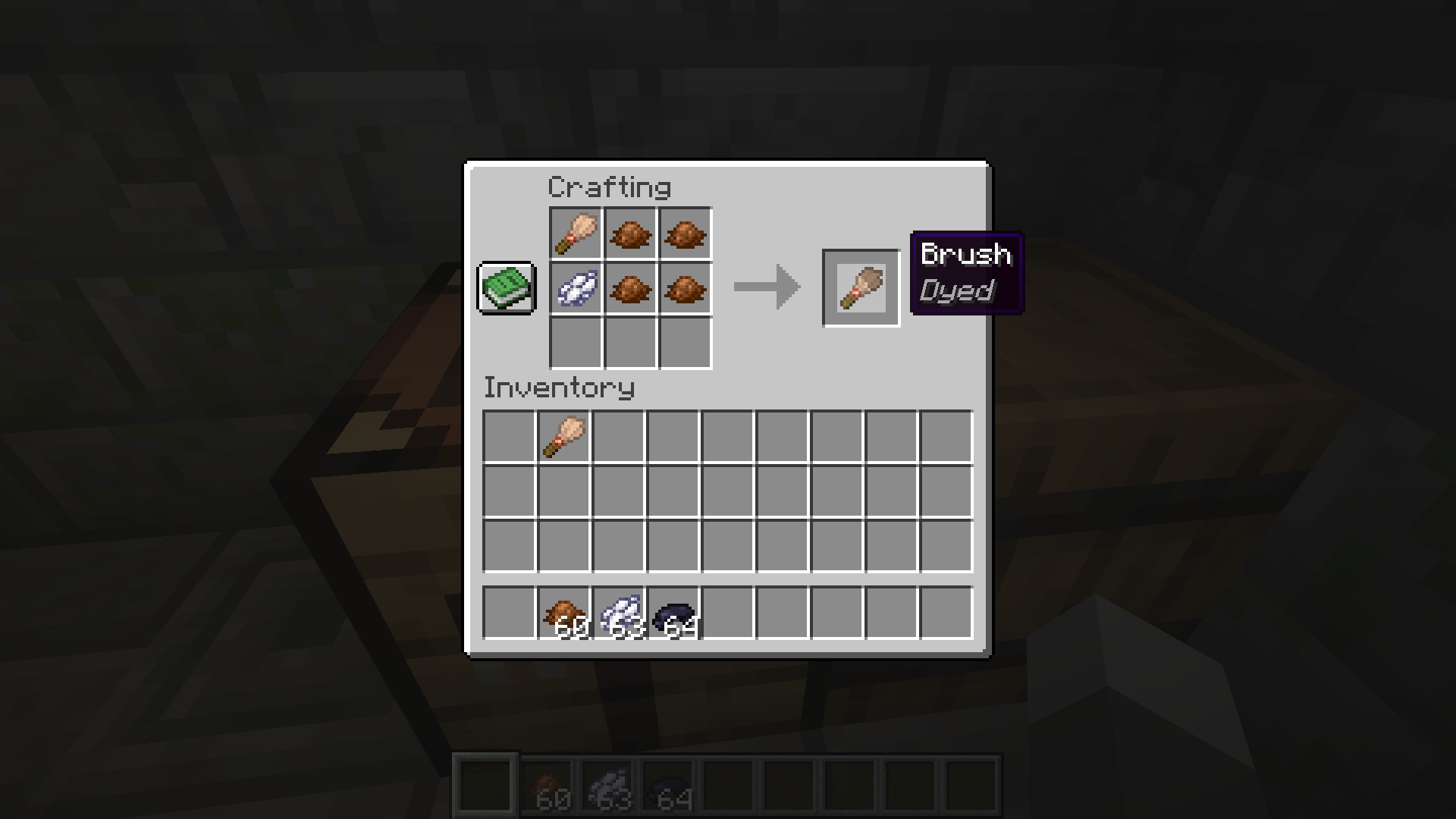
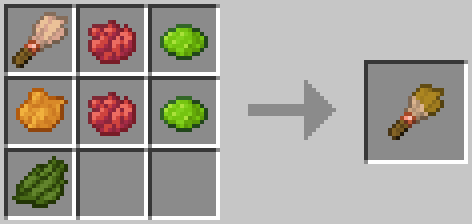
To create paint brushes, add dye to brushes in a crafting table. The final color of the paint brush is determined using the same formula as dyed armor:
Editing Textures
Right click the glamour or paint table with the item you’d like to edit to place it. Paint tables can only edit canvases, and glamour tables can only edit items.
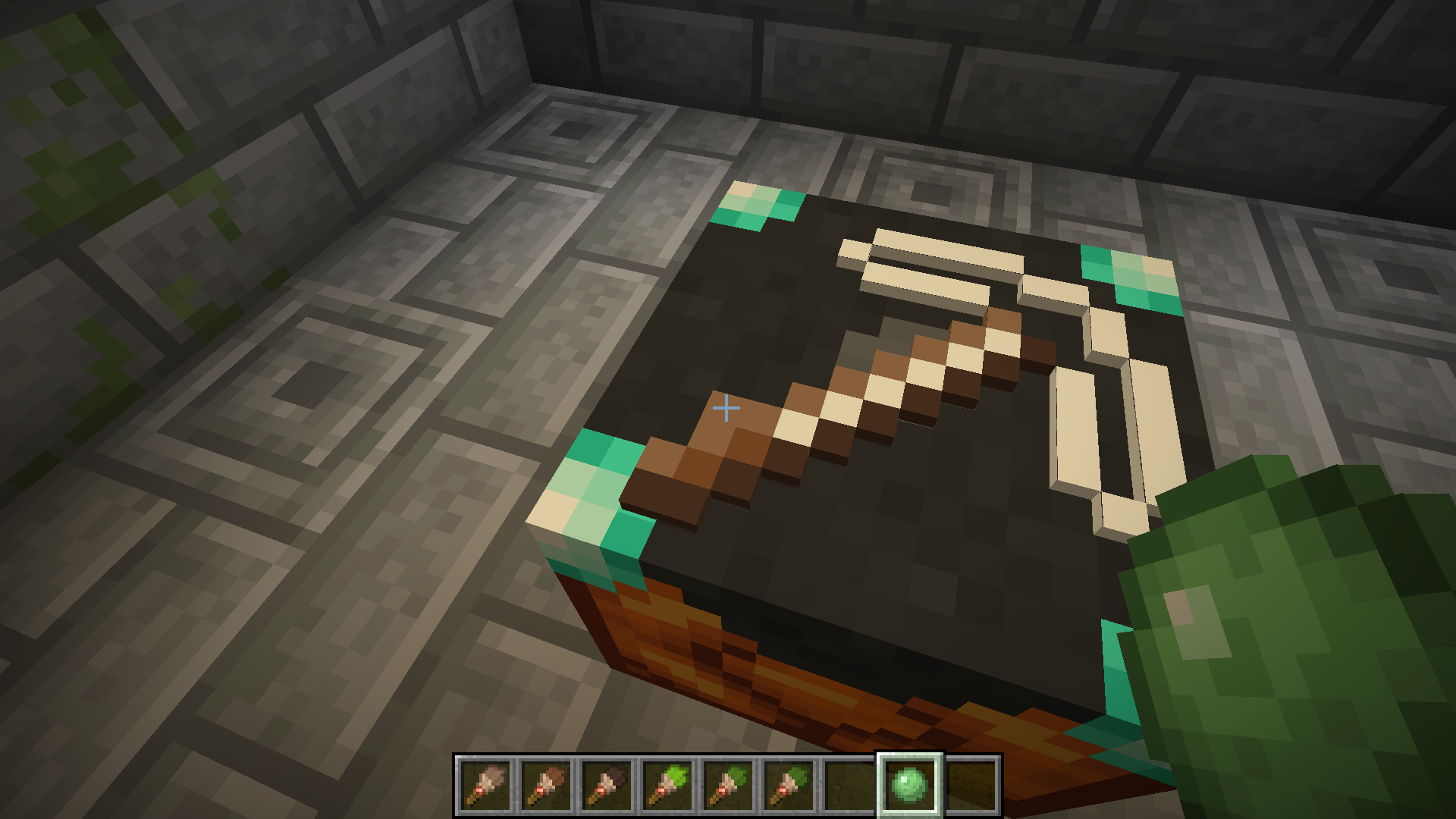
To edit the item’s texture, you can either use dyes directly, or use a paintbrush. Just right click the pixel you want to edit with the dye or brush! You can also right click with a slime ball to remove a pixel.
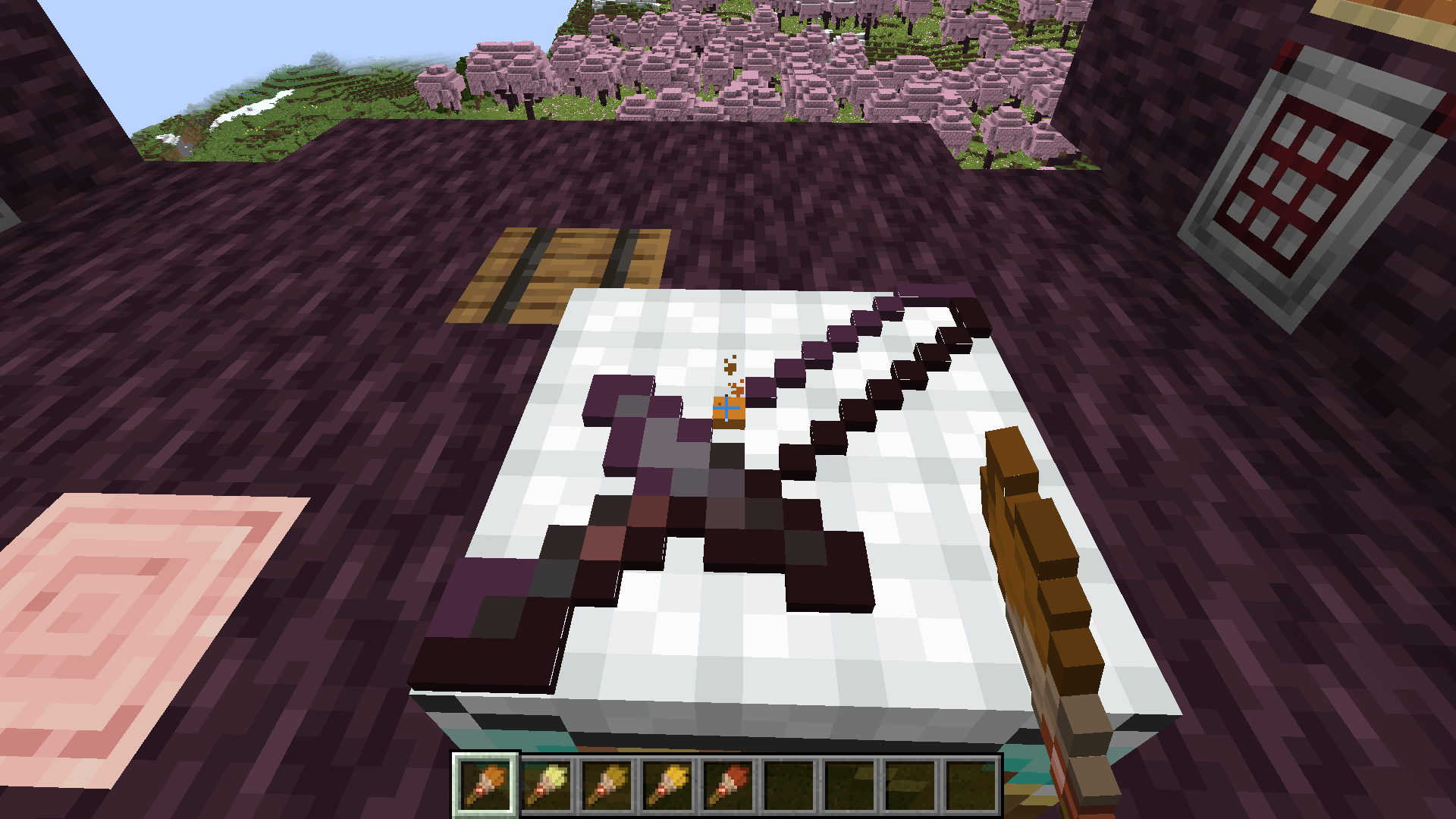
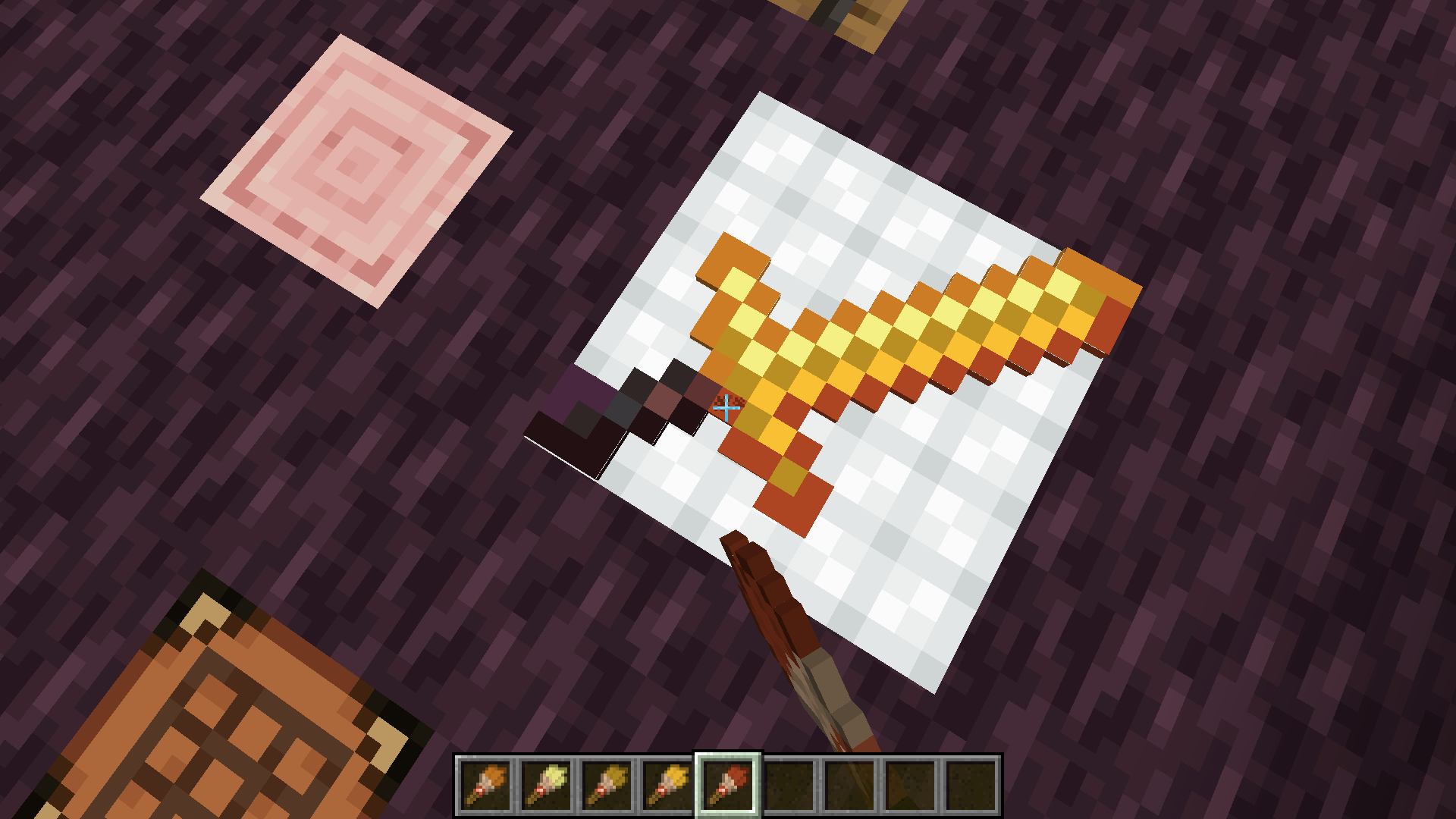
Once you’re satisfied with the updated texture, just right click with an empty hand to retrieve your tool!
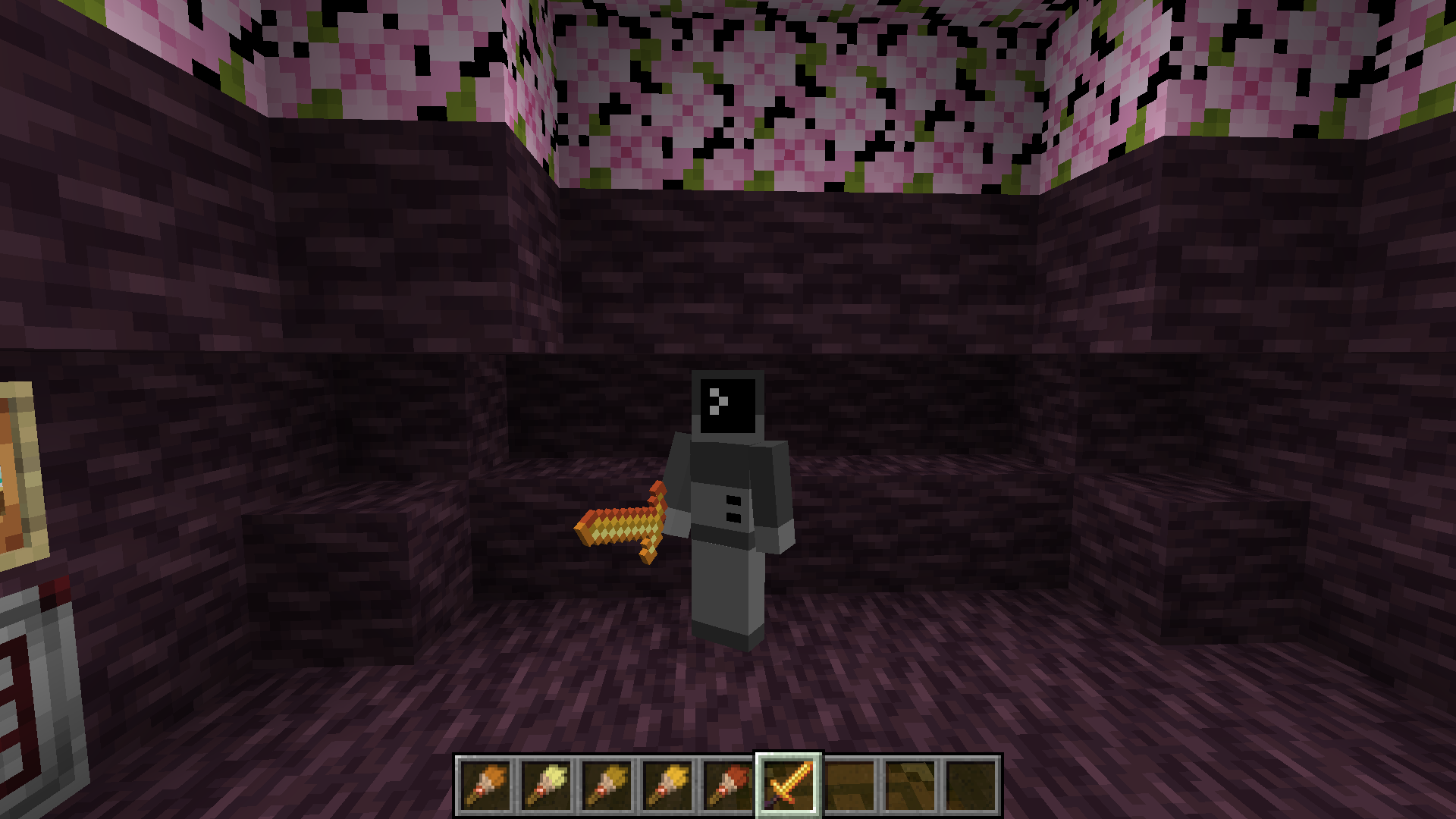
If you want to remove the texture from a tool, place it on the glamour table and right click with a wet sponge. The custom texture will be removed from your item.
Items that can have glamours applied include:
- All pickaxes, axes, shovels, hoes, and swords.
- Maces
Texture Helper Tool
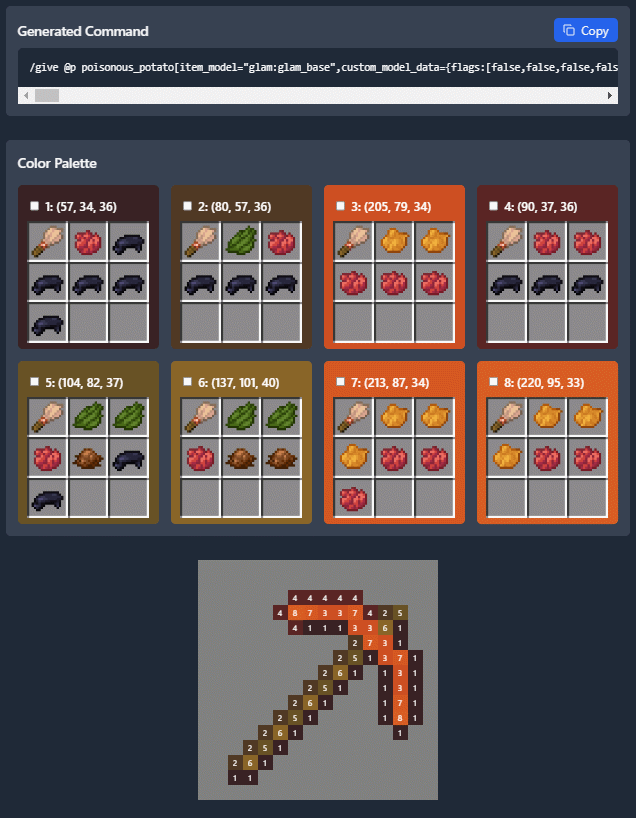
With some help from Arubik, I’ve put together a webapp to help create items compatible with this resource pack. This tool can either generate a give command for an item with exact RGB values for each pixel, or reduce the colors in the texture to those obtainable by dyes and generate a paint-by-number template to create the texture in survival.
The tool can be accessed here: https://dqwertyc.github.io/glamour-table/
常见问题
Glamour Table 支持哪些 Minecraft 版本?
Glamour Table 支持 Minecraft Java 版 1.21.4–26.3,共 10 个版本,可用的加载器:Fabric / Forge / NeoForge / Quilt。下载时注意选择和你游戏版本一致的文件。
Glamour Table 怎么安装?
先用 PCL2 或 HMCL 启动器安装对应版本的 Fabric / Forge / NeoForge / Quilt,再把下载的 .jar 文件放进游戏目录的 mods 文件夹,重新启动游戏即可。开启了版本隔离的,mods 文件夹在 versions/版本名 下面。运行环境:客户端 / 服务端。
dqwertyc.dev 的其他作品
查看全部 →
Enchanted Elytra
Unique Elytra enchantments to provide more mobility options!

Vanilla Entity Shader Effects
This resource pack allows for the creation of animated entity textures, with effect such as glowing, flowing fluids, end-portal stars, and others! Also includes a demo pack that applies the end portal shader to endermen and dragon wings!

Ore Scanner
A consumable ore scanner that highlights nearby ores through walls.
Ore Scanner
A consumable ore scanner that highlights nearby ores through walls.
评论
登录后评论和评分