
截图

介绍


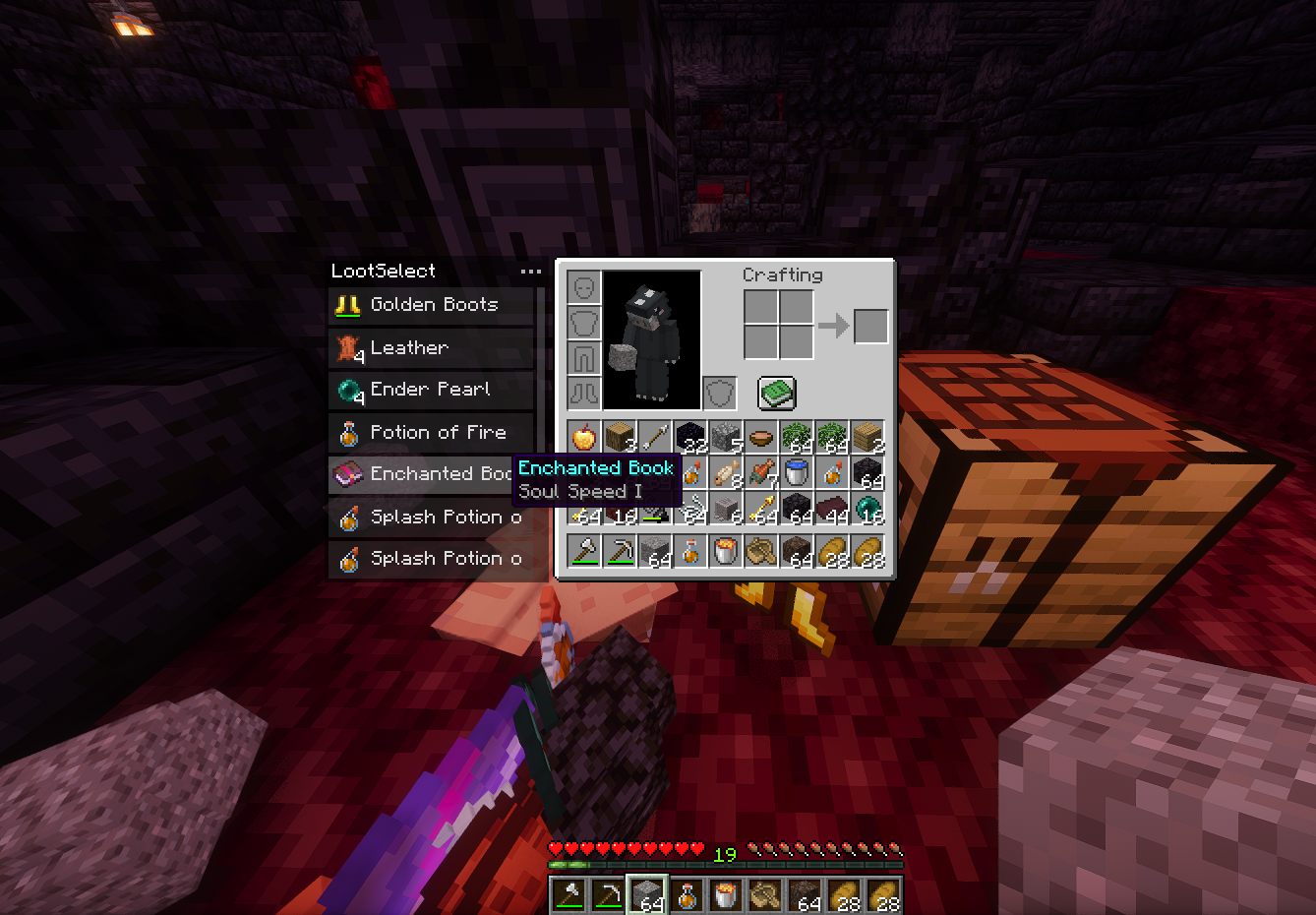
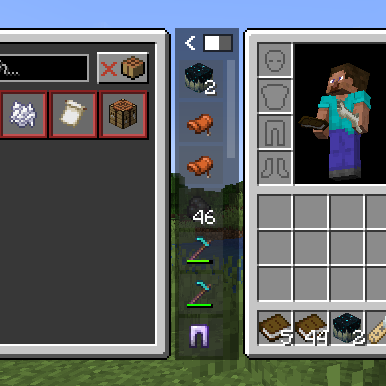
When your inventory is full and the ground is littered with loot, constantly dropping items to pick up the ones you want is a hassle. LootSelect solves this by adding a sleek, scrollable list next to your inventory screen, showing all items within reach and allowing you to pick up just the ones you want directly from there.
Requirements & Recommendations
Fabric: Fabric API
Forge (1.20.1/1.21.1): Sinytra Connector + Forgified Fabric API
Recommended: InvMove, Stxck
Key Features
- Pick & Swap: Click any item in the list to “grab” it. You can place it directly into an empty slot or swap it with an existing item in your inventory.
- Auto-Pickup Toggle: Easily switch vanilla auto-pickup on or off using the toggle button in the panel or shortcut (Default:
P). While disabled, item can only be collectible via the LootSelect panel.
- Minimize/Maximize Toggle: Easily switch the panel size using the button in the panel.
- Half Pickup:
Right-clickan item in the list to take half of the stack instead of the full amount.
- Dispose:
Middle-clickan item to discard it directly from the ground.
- Rapid Collection: Use
Shift-Clickto instantly move items from the ground into your bags. This is useful for quickly equipping armor, shields, or totem.
- Sticky Item Hovering: The scroll position intelligently adjusts when the item list updates, keeping your hovered item under the cursor whenever possible.
- Hotbar Swap: Pressing
Ctrl + 1-9while hovering over an item allows quick-swapping to your hotbar.
- Offhand Swap: Press the
Fkey while hovering over an item to instantly swap it with your offhand slot.
- Detailed Tooltips: Hover over items in the list to view full tooltips, including enchantments, potion effects, and durability—no need to pick them up first.
Mod Compatibility
LootSelect features seamless integration with several popular mods to enhance your looting experience:
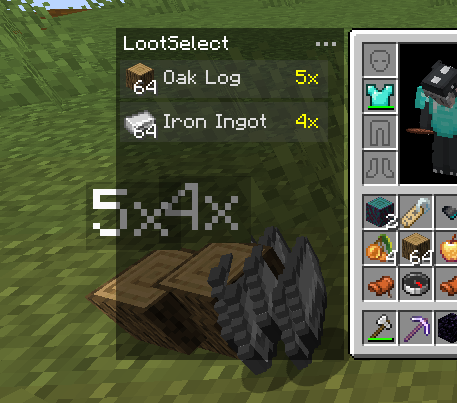
- Staaaaaaaaaaaack (Stxck): Grouped item entities are correctly reflected in the list. When items are stacked on the ground, the list displays the total quantity (e.g., “2x”, “12x”) in yellow, matching the mod’s overlay.
- Inventorio: Smartly sorts tools and off-hand items into the correct Toolbelt or Utility Belt slots when using Shift-Click or F key. It prioritizes the currently selected utility slot and respects Inventorio’s UI toggle states.
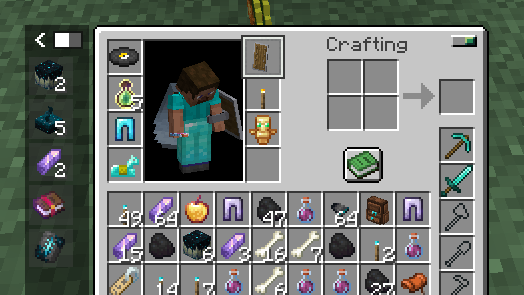
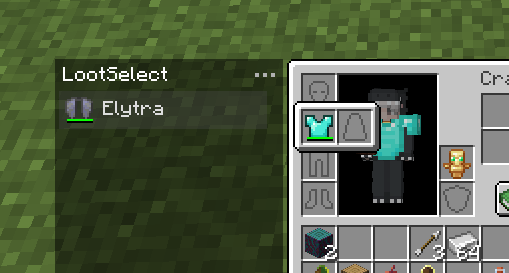
- Elytra Slot & Charm of Undying: When using Shift-Click to pick up items, LootSelect intelligently prioritizes moving Elytras and Totems of Undying into the dedicated slots provided by these mods.
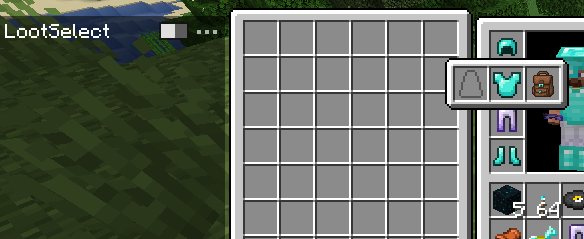
- YyzsBackpack: Full integration for dynamic inventory layouts. LootSelect’s panel automatically adjusts its position when the backpack is equipped or opened. Additionally, items from this mod (and others) intelligently prioritize Trinkets or Curios slots when using Shift-Click.
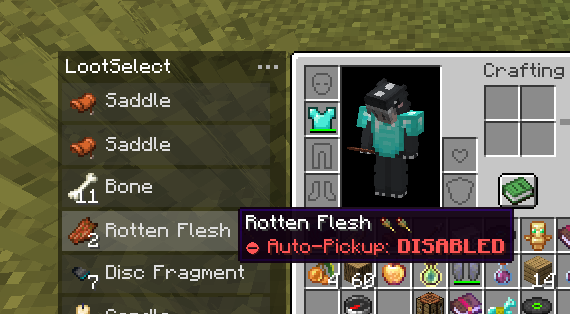
- Auto Pickup Filter: Items you’ve configured to “Auto-Pickup: DISABLED” will only be collectible via the LootSelect list. You can quickly toggle the auto-pickup status for any item directly in the list by pressing the “I” key.
Modpacks
Feel free to include LootSelect in modpacks.
常见问题
LootSelect 支持哪些 Minecraft 版本?
LootSelect 支持 Minecraft Java 版 1.20.1–1.21.11,共 3 个版本,可用的加载器:Fabric / Forge / NeoForge。下载时注意选择和你游戏版本一致的文件。
LootSelect 怎么安装?
先用 PCL2 或 HMCL 启动器安装对应版本的 Fabric / Forge / NeoForge,再把下载的 .jar 文件放进游戏目录的 mods 文件夹,重新启动游戏即可。开启了版本隔离的,mods 文件夹在 versions/版本名 下面。运行环境:客户端和服务端都要装。
sheeta 的其他作品
查看全部 →
Slide!
Adds a momentum-based sliding mechanic to Minecraft.

Spatial Relics
Adds a collection of spatial relics that complement vanilla mechanics and enhance the survival experience.

sheeta’s Armor Hud
Minimalist vanilla-like HUD widget to display your armor and Trinket items with their durability. Forked by sheeta.
sheeta’s Amethyst Tools
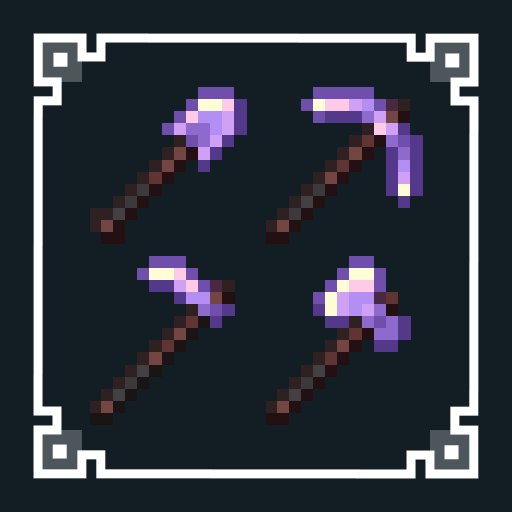
Adds powerful amethyst tools that can be evolved from Netherite tools.
评论
登录后评论和评分