Torch’s Dark Aesthetics
A dark mode resource pack that is designed to give a simple and more visible feel to the Minecraft GUI.
截图


介绍
Torch’s Dark Aesthetics
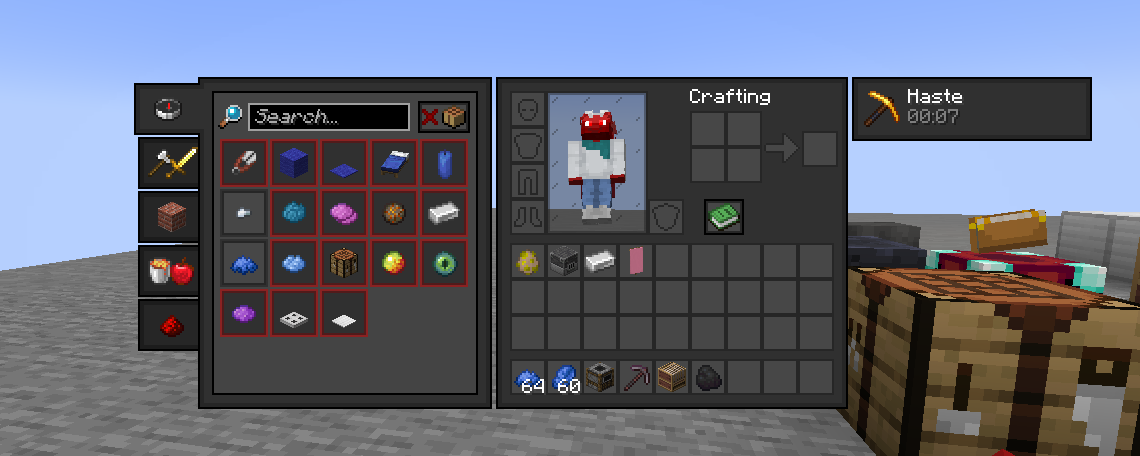
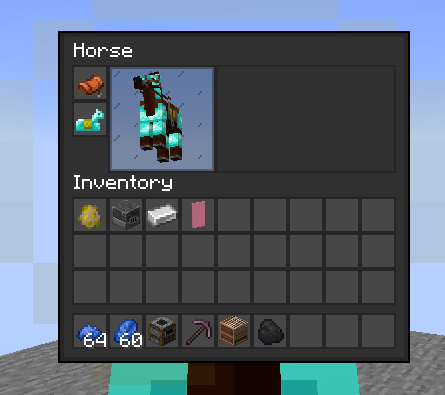
Makes Minecraft’s interface fit a darker aesthetic while also making it more squared off and visible. All textures were handmade by me. The idea for this pack was to make a simple GUI pack that I could work off of for a mod based resource pack that wouldn’t be complicated to work with. With my pack, due to me simplifying the shapes of the GUI’s by squaring them off, it not only makes it have a bit more visibility, it also for allows easier edits to a mod’s textures to match this simplicity. In the future, there will be “[Color] Aesthetic” versions of this pack as well, changing small things like the player background or progress bars to match a certain color.
Mod Support can be found here:

Important Information
The translucent textures in this resource pack on MC Version 1.21.1 will not work without a mod like Neo TranslucencyFix.
Recommended Mods
- Neo TranslucencyFix: Makes translucent textures ACTUALLY translucent. (not needed if on version 1.21.2 or above)
- TranslucencyFix: Makes translucent textures ACTUALLY translucent. (needed if on version 1.20.1 or below)
- Raised Mod: Moves the hotbar so it doesn’t crop the texture.
常见问题
Torch’s Dark Aesthetics 支持哪些 Minecraft 版本?
Torch’s Dark Aesthetics 支持 Minecraft Java 版 1.20–1.21.5,共 8 个版本。下载时注意选择和你游戏版本一致的文件。
Torch’s Dark Aesthetics 怎么安装?
把下载的 .zip 文件(不用解压)放进游戏目录的 resourcepacks 文件夹,进游戏后在「选项 → 资源包」里把它移到右边启用。
评论
登录后评论和评分