
A7MD’s Orange Hotbar
A resource back that changes the way the Minecraft Hotbar looks like
截图
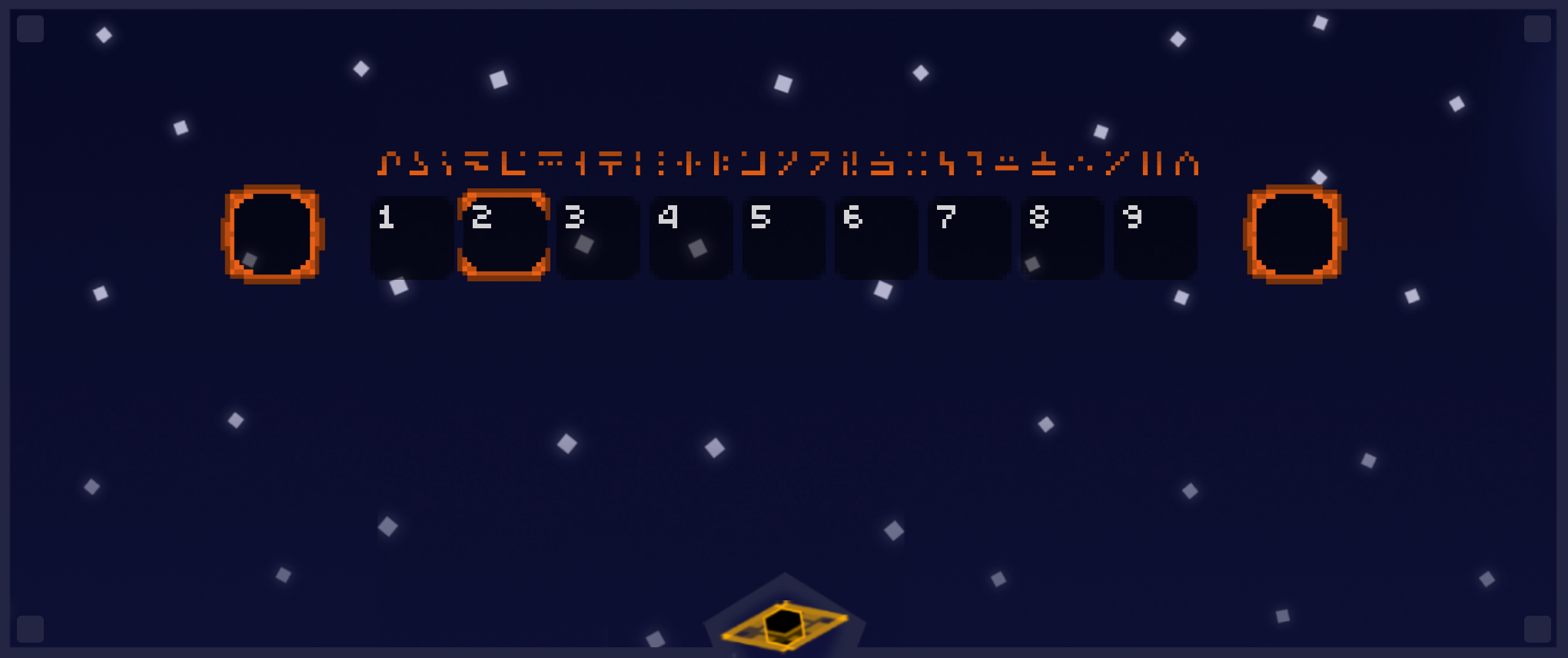
介绍
🟧 Orange Hotbar Resource Pack 🟧
Upgrade your Minecraft experience with this custom hotbar resource pack!
This pack redesigns the default hotbar with a fresh, stylish look, making your gameplay more immersive and visually appealing.
_✨ Features:_
✔️ Unique Hotbar Design – A sleek, custom-styled hotbar for a modern or themed experience.
✔️ Enhanced Selection Indicator – Easily see which item is selected with a vibrant highlight.
**✔️ Minimalist & Clean Aesthetic – Designed to improve visibility without cluttering your
screen.**
✔️ Themed Variations – (Optional) Different styles to match your favorite texture packs or playstyle.
✔️ Lightweight & Compatible – Works with all versions of Minecraft without affecting performance.
_🎮 How to Install:_
Download the pack (.zip file).
Place it in your resourcepacks folder.
Activate it in Minecraft Settings > Resource Packs.
Enjoy your new hotbar!

常见问题
A7MD’s Orange Hotbar 支持哪些 Minecraft 版本?
A7MD’s Orange Hotbar 支持 Minecraft Java 版 1.21–1.21.3,共 4 个版本。下载时注意选择和你游戏版本一致的文件。
A7MD’s Orange Hotbar 怎么安装?
把下载的 .zip 文件(不用解压)放进游戏目录的 resourcepacks 文件夹,进游戏后在「选项 → 资源包」里把它移到右边启用。
Black hole Studios 的其他作品
查看全部 →
A7MD’s 3D Potions
3D POOOTIONS Better Minecraft Potions

Better Arabic Font (Pixelated)
Changes The Arabic Font

A7MD’s Purple Hotbar
This Resource Pack Will Change Your Hotbar and XP bar to make it purple and have a unique shape
A7MD’s Purple Hotbar
This Resource Pack Will Change Your Hotbar and XP bar to make it purple and have a unique shape
评论
登录后评论和评分